
README file from
GithubWysimark Editor for Obsidian
A modern WYSIWYG Markdown editor plugin for Obsidian. Edit your notes with a rich text interface while keeping pure Markdown.
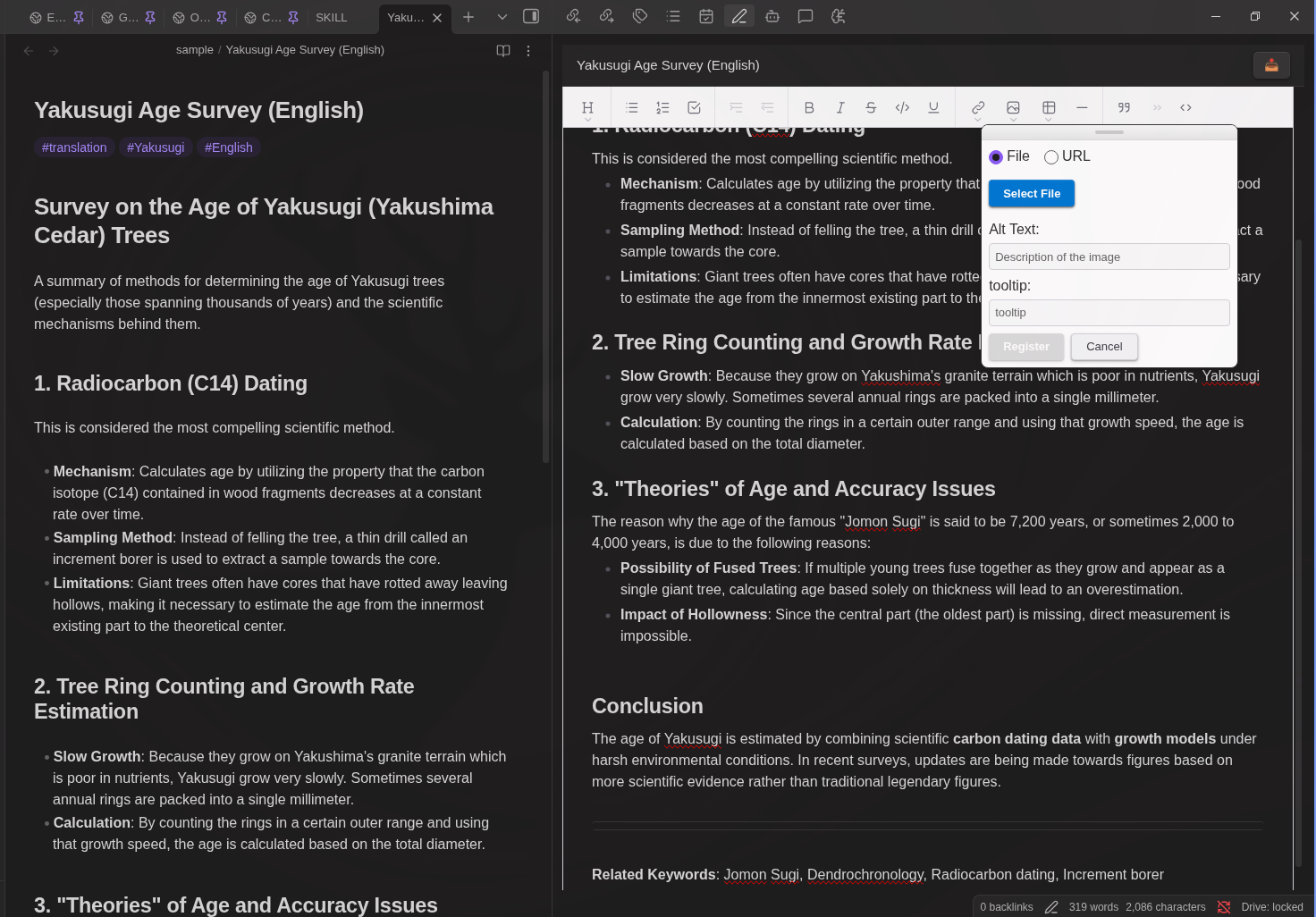
Features
Rich Text Editing
Edit your Markdown files visually with a familiar word processor-like interface. The editor automatically converts between Markdown and rich text format.
Text Formatting
- Bold (
Ctrl/Cmd + B) - Italic (
Ctrl/Cmd + I) Strikethrough(Ctrl/Cmd + K)Inline Code(Ctrl/Cmd + J)- Underline (
Ctrl/Cmd + U)
Headings
- Heading 1 (
Ctrl/Cmd + Alt + 1) - Heading 2 (
Ctrl/Cmd + Alt + 2) - Heading 3 (
Ctrl/Cmd + Alt + 3) - Normal paragraph (
Ctrl/Cmd + Alt + 0)
Lists
- Bullet lists (
Ctrl/Cmd + Alt + 8) - Numbered lists (
Ctrl/Cmd + Alt + 7) - Task/Check lists (
Ctrl/Cmd + Alt + 9) - Increase indent (
Tab) - Decrease indent (
Shift + Tab)
Block Elements
- Block quotes (
Ctrl/Cmd + Alt + .) - Code blocks with syntax highlighting
- HTML blocks (iframe, video embeds, etc.) - displayed as read-only blocks and preserved as raw HTML
- Callouts (
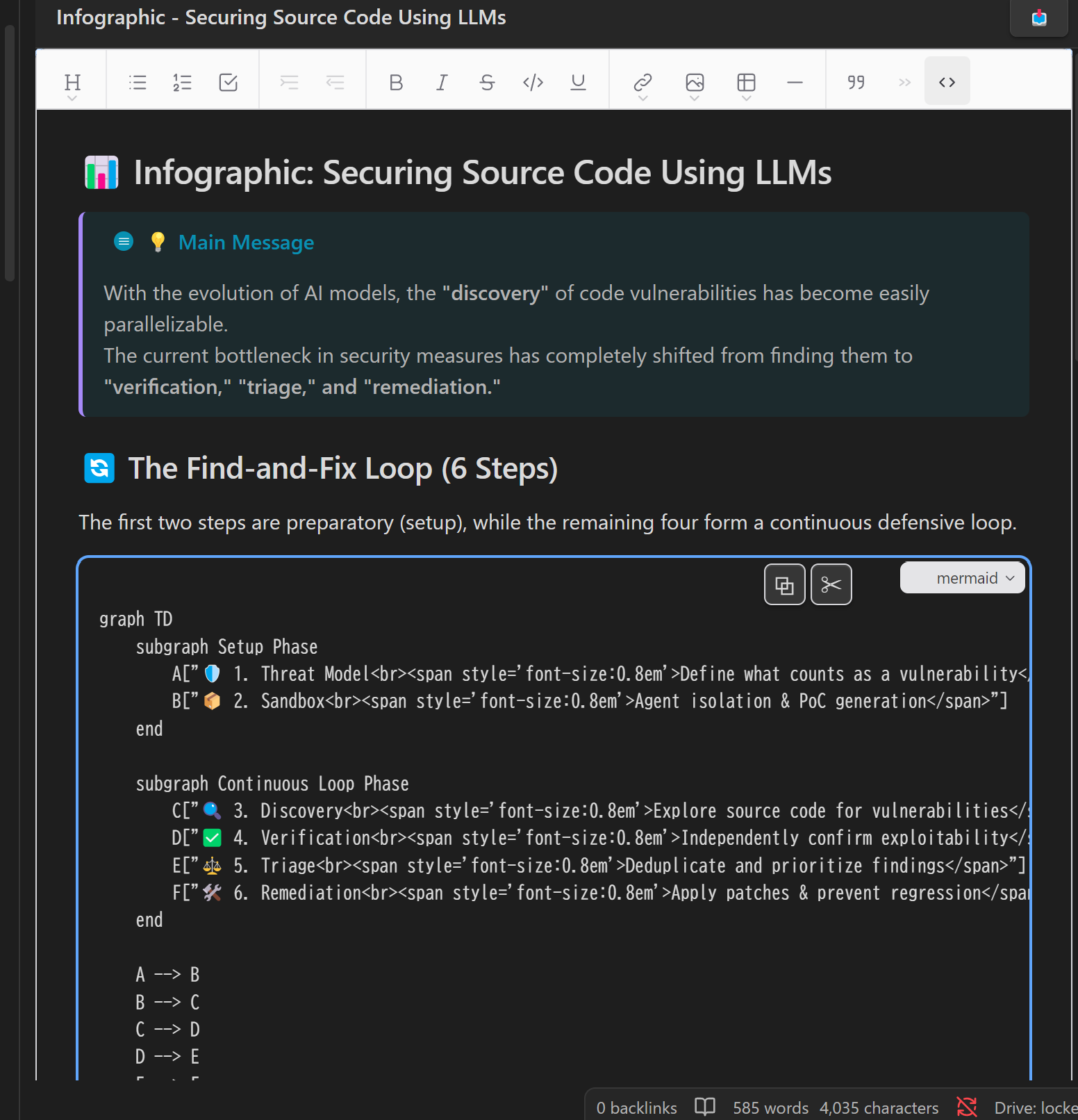
> [!note],> [!warning], etc.) rendered with their icon and color - Mermaid code blocks rendered as live diagram previews
Tables
- Insert tables from toolbar
- Navigate cells with
Tab/Shift+Tab Enter: Insert line break within cellShift+Enter: Move to next cell (adds new row at end)Tabat last cell: Exit table
Links and Images
- Insert links (
Ctrl/Cmd + K) with text and tooltip - Edit existing links (URL, text, and tooltip)
- Selected text becomes link text automatically
- Insert images from URL
- Insert images from local files (saved to vault)
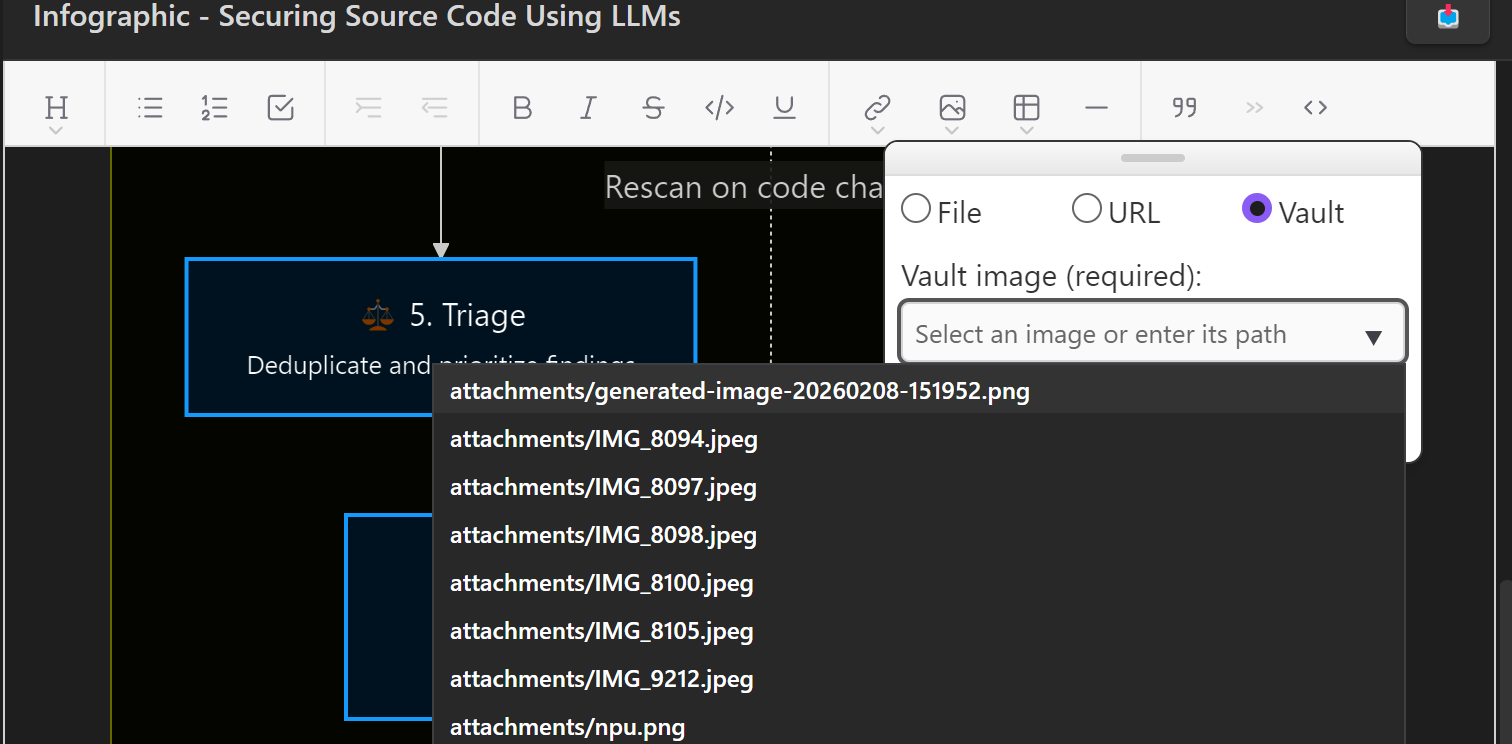
- Insert images already in the vault via a searchable file picker
Other Features
- Frontmatter Support: YAML frontmatter (properties) at the beginning of files is preserved but hidden from the editor
- Auto-save: Changes are automatically saved with a 1-second debounce
- Reload button: Click the 📥 button to reload the file from Obsidian (useful when the file is modified externally)
Installation
Community Plugins (Recommended)
- Open Obsidian Settings
- Go to Community plugins and disable Restricted mode
- Click "Browse" and search for "Wysimark Editor"
- Install and enable the plugin
Plugin page: https://community.obsidian.md/plugins/wysimark-editor
Manual
- Download
main.js,manifest.json,styles.cssfrom releases - Create
wysimark-editorfolder in.obsidian/plugins/ - Copy files and enable in Obsidian settings
Usage
- After enabling the plugin, a Wysimark panel will appear in the right sidebar
- Click on any Markdown file in your vault to open it in the Wysimark editor
- Edit your content using the toolbar or keyboard shortcuts
- Changes are saved automatically
Development
Build Commands
# Development mode with watch (auto-rebuilds on changes)
npm run dev

# Production build with TypeScript type checking and minification
npm run build
Technology Stack
- Editor: Wysimark (built on Slate.js + React)
- UI Framework: React 19 with Emotion for styling
- Build: esbuild
Credits
This plugin is built using Wysimark, an excellent open-source WYSIWYG Markdown editor. Special thanks to @thesunny for creating and maintaining this fantastic library. Wysimark is licensed under the MIT License.
License
MIT
Author
takeshy