
README file from
GithubWorkspace Word Highlight
Highlight the word under the cursor or selected text across Markdown editor panes in Obsidian. In a split workspace, a query from the focused editor is shared with other registered editor panes, including different notes. Source mode and Live Preview use the same CodeMirror decorations; notes are never modified.
Demo
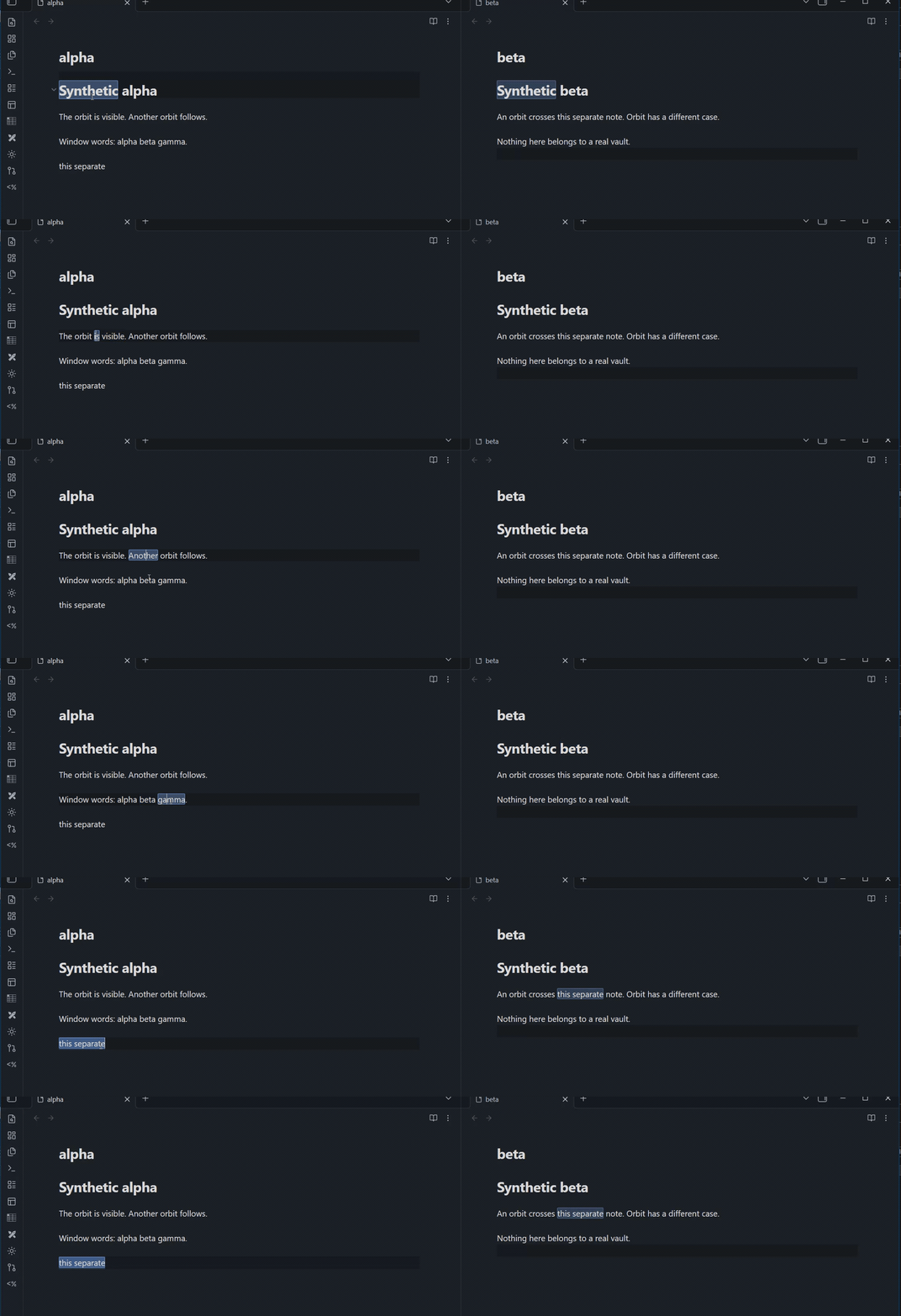
The two panes show separate synthetic notes (alpha and beta). Selecting text in either pane updates matching highlights in the other pane.
Use and limitations
Place the caret inside a word (not immediately after it), or select single-line text. Cursor words use Unicode letters/digits, underscore and optionally additional word characters; selected text is matched literally, including punctuation and spaces. Whole-word mode applies only to cursor words. The primary selection is used; multiline or >500 UTF-16-unit selections are ignored. Only CodeMirror visible ranges are scanned, with a configurable per-editor match cap. Hidden tabs may retain an editor view; actual Obsidian leaf visibility and pop-out behavior need host testing. Reading View is not highlighted.
Settings: Enable highlighting, Case sensitive, Whole words, Minimum word length, Additional word characters (e.g. -.$), Highlight active occurrence, Protect Android text selection, Debounce (ms), Maximum matches per editor. The commands Toggle highlights and Clear highlights use the IDs toggle-highlighting and clear-highlighting. These replace the unpublished local command IDs before the first public release; local hotkeys assigned to older builds may need rebinding. CSS classes .workspace-word-highlight and .workspace-word-highlight-active can be themed in styles.css.
The Android selection guard is on by default. While a non-empty selection exists it postpones mark rebuilds in that editor, except for edits and explicit clearing; other panes may update. This does not guarantee native selection stability on every device. The owner reports successful basic Android smoke testing; the detailed long-press, Copy/Cut/Paste and IME matrix has not been recorded separately.
Installation
Install from the Obsidian Community directory or use the Add to Obsidian button there. For manual installation, download the separate manifest.json, main.js and styles.css assets from the latest release into .obsidian/plugins/workspace-word-highlight/, reload Obsidian and enable the plugin under Community plugins. Alternatively extract the release ZIP into .obsidian/plugins/; it contains exactly workspace-word-highlight/ with those three files.
Development and transparency
Use Node 22+, npm ci, npm run check, npm run package, npm run release:check. npm run dev watches source. npm run version:sync -- 1.0.5 synchronizes metadata without creating a tag; read CONTRIBUTING.md and the release runbook first. src/main.ts, styles and configuration are plain text; release main.js is readable and not minified or obfuscated. The generated main.js is intentionally ignored by Git and overwritten on build: make lasting edits in TypeScript. The plugin makes no network requests, collects no telemetry and reads/writes only its own plugin settings; it does not write note contents. Build tools use Node, runtime does not. MIT license.
Acknowledgements
The initial implementation, iterative fixes, and release preparation were developed with assistance from ChatGPT (OpenAI), acting as an AI coding collaborator. The project maintainer is responsible for reviewing, testing, and maintaining the code. This project is not affiliated with or endorsed by OpenAI or Obsidian.