
README file from
GithubVintage Sticky Canvas
Vintage Sticky Canvas gives Canvas boards a restrained vintage-academia surface: warm paper backgrounds, handwritten edge labels, ink-like paths, and transparent rendering for torn-note PNGs.
The visual layer works fully offline and is isolated per Canvas. Complete sticky-note generation uses the bundled, provider-neutral Skill installed in the current vault. It works with Claudian, Claudian Plus, Claude Code, Codex, OpenCode, Pi, or another file-capable agent; Codex is not required.
| Community plugin only | Community plugin + generator Skill |
|---|---|
| Vintage light/dark Canvas backgrounds | Transparent torn-paper sticky-note PNGs |
| Handwritten connection labels and ink-like paths | Semantic layout and preserved connections |
| Transparent containers for existing image nodes | Text-fit, asset, edge, and visual QA reports |
| Does not turn plain cards into illustrated sticky notes | Reproduces the complete gallery workflow |
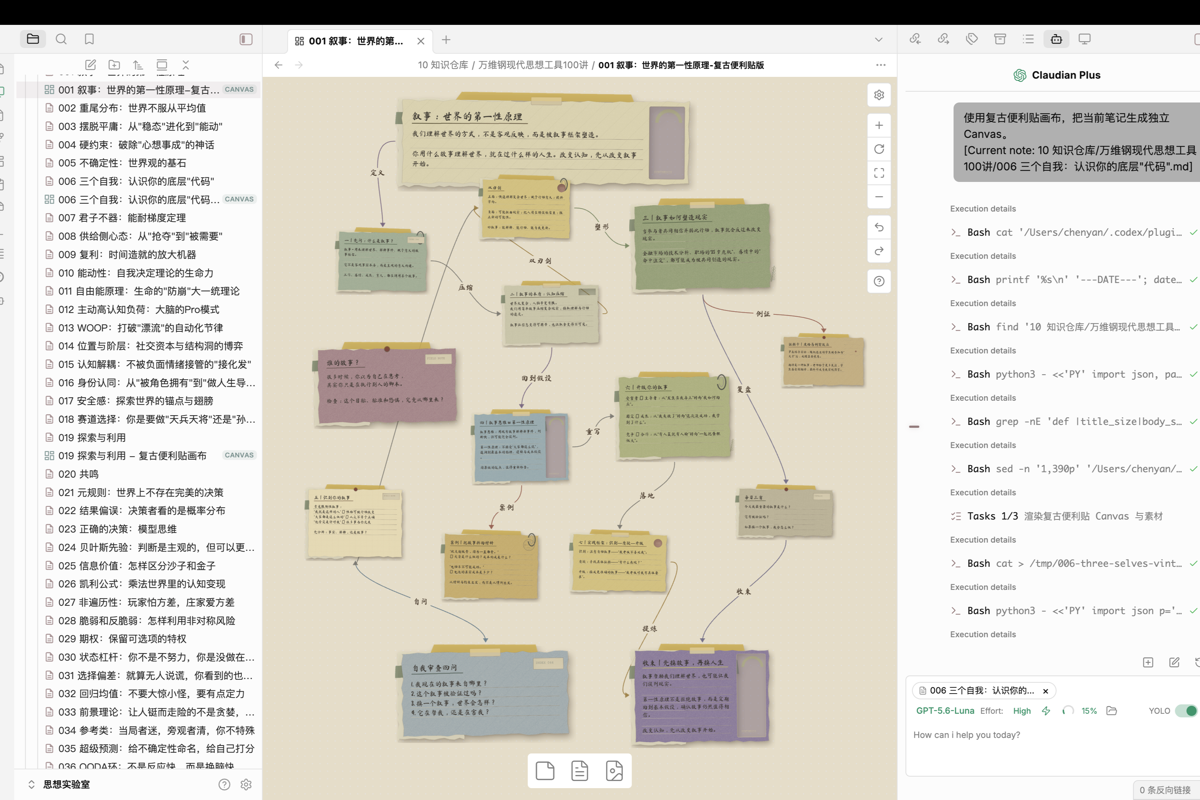
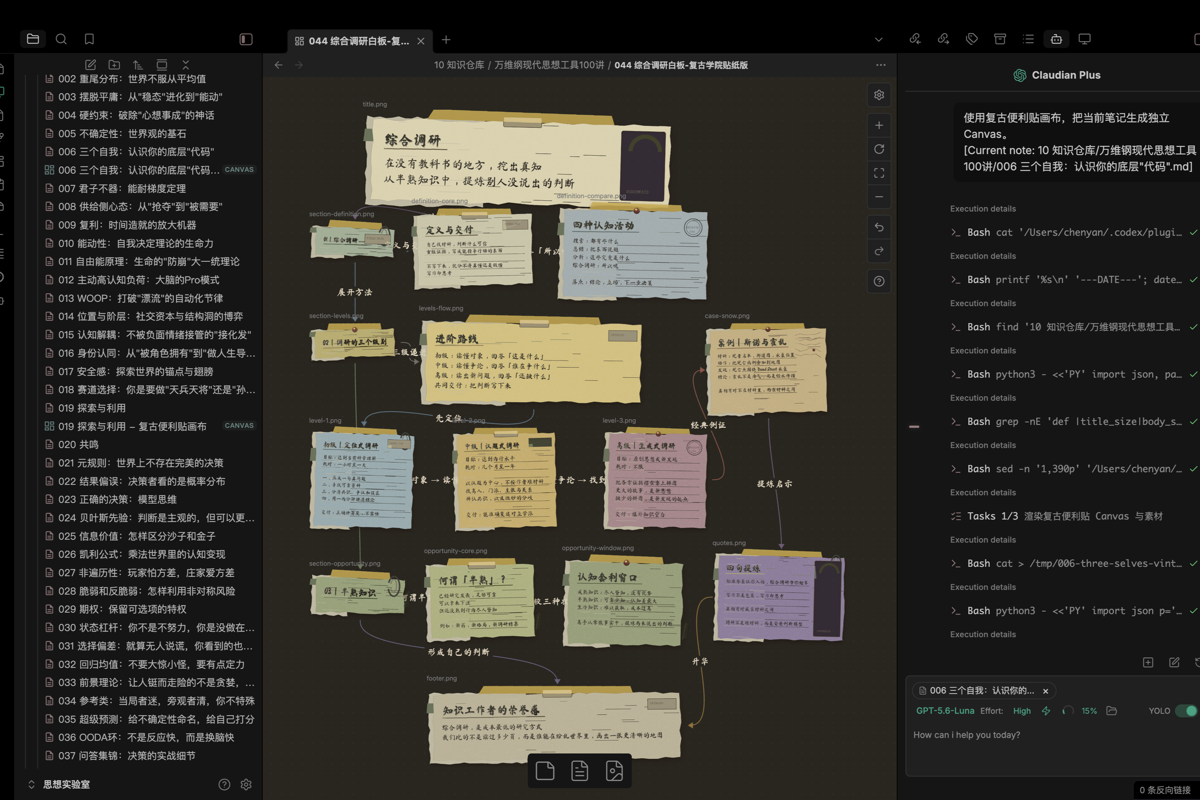
In Obsidian
Light mode
Dark mode
Full Canvas examples
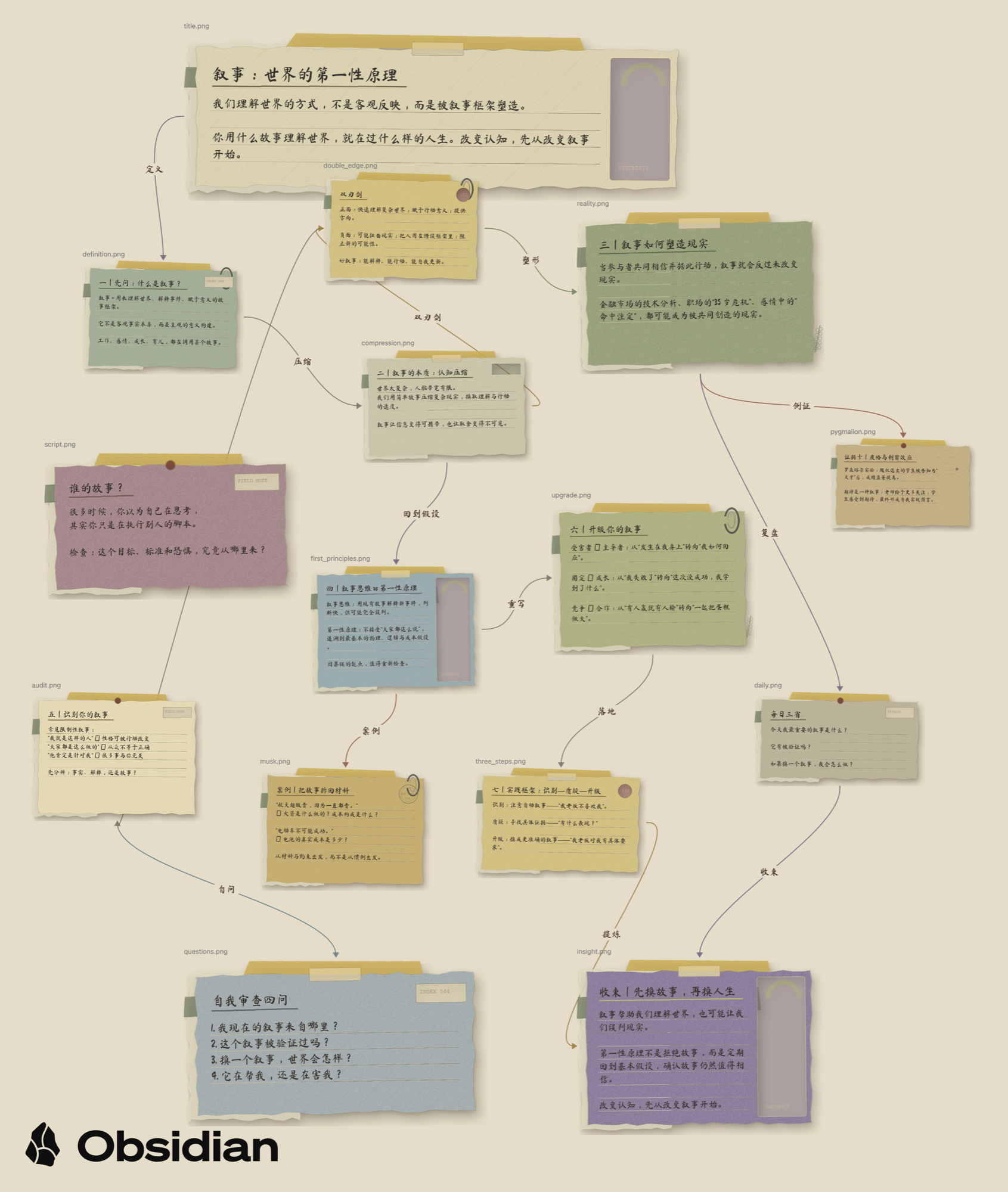
Light parchment canvas
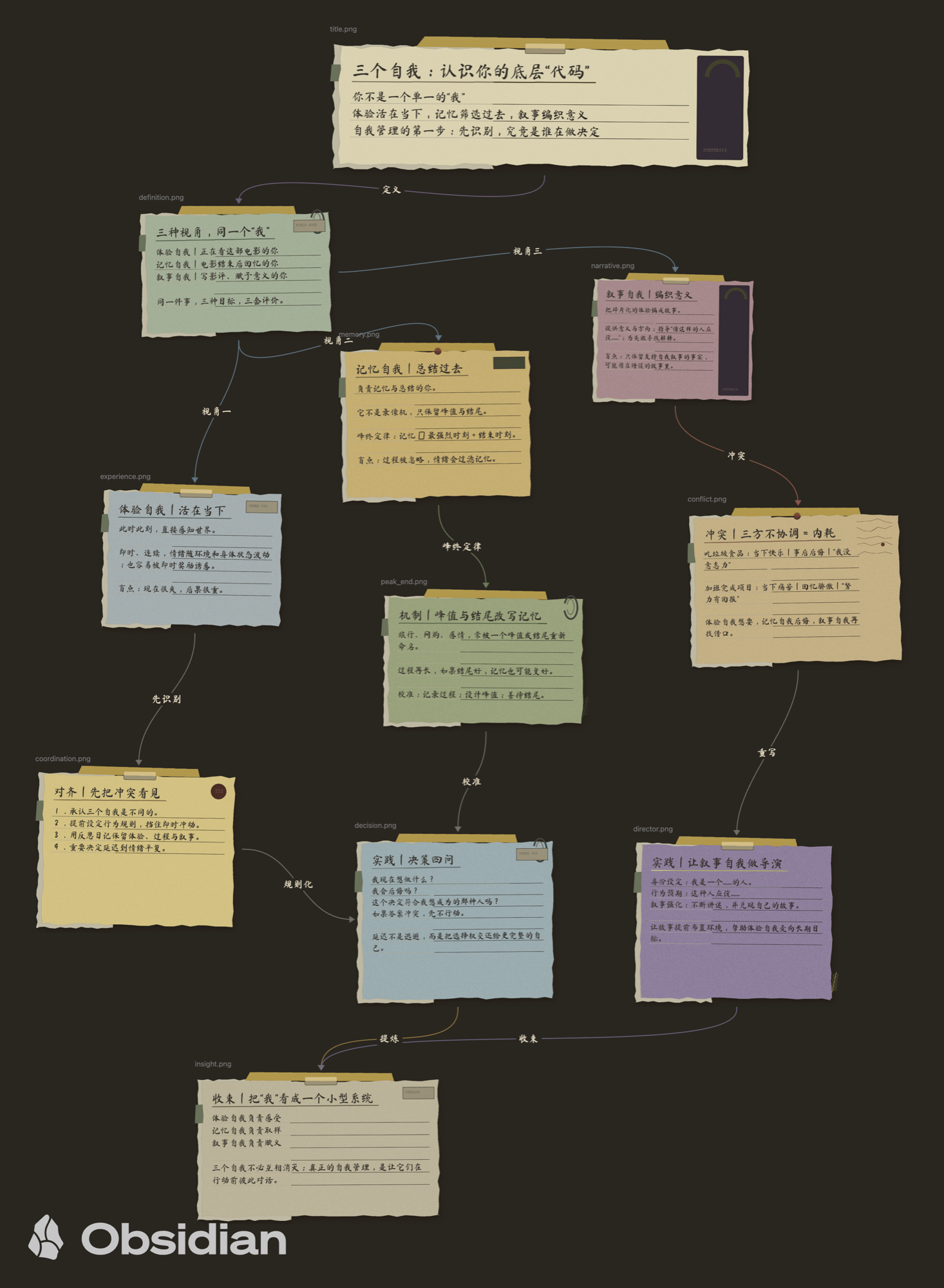
Dark archive canvas
Features
- Coordinated light parchment and dark lamplit-archive Canvas backgrounds.
- Per-Canvas scope: generated boards only by default, with commands to enable, disable, or reset any individual Canvas. Other boards and their connection fonts remain untouched.
- Bundled offline Ma Shan Zheng handwriting font for edge labels.
- Edge-label masks that exactly match the Canvas background instead of forming a modern capsule.
- Transparent file-node containers so torn PNG edges remain visible without a white rectangle.
- Alpha-contour shadows for sticky-note PNGs.
- Optional, explicitly scoped vintage appearance for the wider app interface.
- English and Simplified Chinese interface text with automatic language detection.
- Optional handoff to Claudian (
realclaudian) or Claudian Plus, plus a portable prompt for other capable agents. - One-click install or repair of the complete vault-scoped shared Skill, renderer, font, and validation references at
.agents/skills/vintage-sticky-canvas/. - Fail-closed generation: missing or incomplete renderer files are reported instead of silently producing plain Canvas cards.
- Community-safe integration design with no filesystem scan outside the vault.
Usage
- Enable Vintage Sticky Canvas in Community plugins.
- Open Settings → Vintage Sticky Canvas.
- Keep Vintage Canvas appearance enabled. The default scope styles only generated Canvases whose filename contains a vintage marker.
- Optionally enable Vintage app appearance. It is disabled by default so an existing theme is not overridden unexpectedly.
- To opt a board in or out, open it and run Enable vintage appearance for current Canvas, Disable vintage appearance for current Canvas, or Reset current Canvas appearance to automatic from the command palette.
- For complete generation, run Install or repair generator Skill in plugin settings. This writes the provider-neutral Skill only inside the current vault.
- Choose Claudian, Claudian Plus, or Portable prompt as the AI handoff target. Start a new conversation or reload Skills after installation.
- Open a Markdown note or Canvas, open the command palette with Cmd/Ctrl+P, and run Create vintage sticky canvas from current file.
- Review the prepared instruction and submit it to generate a separate Canvas.
The appearance features require no AI integration. Generating the torn-paper PNGs shown in the gallery requires the complete vault Skill and its Python 3.9+ / Pillow runtime. If the Skill is missing or incomplete, the command stops and offers installation instead of claiming that a plain prompt is visually equivalent.
Installation
Community directory
The plugin is available in the Obsidian Community directory. Install it from Settings → Community plugins → Browse, then search for Vintage Sticky Canvas.
Manual installation
Download main.js, manifest.json, and styles.css from a release whose tag matches the version in manifest.json. The generator Skill is embedded in main.js and is written to the vault only after the user chooses the install action. Place all three plugin files in:
<your-vault>/.obsidian/plugins/vintage-sticky-canvas/
Reload the app, then enable Vintage Sticky Canvas.
Optional integrations
- Claudian: both the current
realclaudianID and the earlierclaudianID are supported. It can receive a prepared prompt and use any compatible provider configured there. - Claudian Plus: its direct handoff API remains supported for existing users.
- Portable prompt: copies a self-contained instruction and the current file content for use with another file-capable AI agent.
- Generator Skill: installed inside the current vault at
.agents/skills/vintage-sticky-canvas/only when you click the install or repair action. The plugin verifies the bundled version and required files before generation. An old.codex/skills/copy may remain, but is no longer required. - Runtime: the bundled renderer uses Python 3.9+ and Pillow. Its environment check reports missing dependencies; it does not replace the promised result with plain Canvas cards.
No AI integration is required for the visual appearance. Complete generation needs the shared Skill and one compatible agent workflow.
Privacy and network disclosure
- No telemetry, analytics, advertising, or background network requests.
- No self-update mechanism. Updates are distributed through Obsidian and GitHub releases.
- Appearance features do not read note contents.
- Running an optional AI handoff is an explicit user action and may cause the selected integration or provider to process the current note according to its own settings and privacy terms.
- No filesystem access outside the vault and no scan of agent installation folders.
- Installing the generator is an explicit action and writes only under
.agents/skills/vintage-sticky-canvas/in the current vault.
Compatibility
- Obsidian 1.13.0 or later. The public release uses the searchable declarative settings API introduced in 1.13.
- The appearance layer supports Obsidian desktop and mobile. Complete generation is desktop-only because local AI agents and the renderer require desktop capabilities.
- Light and dark modes.
- The Canvas selectors are tested against Obsidian 1.13.4. If a future Canvas DOM change affects styling, content and Canvas JSON remain untouched.
Development
npm install
npm run check
npm run build creates the release-only main.js and styles.css. The build embeds the vault Skill bundle in main.js and the display WOFF2 font in styles.css, so manual and Community-directory installations remain self-contained while Skill installation stays an explicit user action.
License
- Plugin source: MIT License, see LICENSE.
- Ma Shan Zheng font: SIL Open Font License 1.1, see assets/OFL.txt.
中文说明
Vintage Sticky Canvas 为 Canvas 提供克制的复古学院外观:浅色羊皮纸、深色灯下档案室、手写连线标签、墨迹路径,以及不会露出白色矩形底的透明撕边 PNG 节点。
视觉功能可以完全离线使用,并严格按单个 Canvas 隔离。完整便利贴生成使用安装在当前知识库 .agents/skills/vintage-sticky-canvas/ 的通用 Skill,可由 Claudian、Claudian Plus、Claude Code、Codex、OpenCode、Pi 或其他具备文件能力的 Agent 调用;不要求使用 Codex。
| 只安装社区插件 | 社区插件+完整生成器 Skill |
|---|---|
| 复古浅色/深色背景 | 自动生成透明撕纸便利贴 PNG |
| 手写连线标签与墨迹路径 | 语义布局并保留有效连线 |
| 正确展示已有透明图片节点 | 文字适配、素材、边与视觉验收 |
| 不会把普通卡片自动变成撕纸便签 | 可复现图例中的完整生成流程 |
图例
- 实际界面:浅色与深色截图展示插件在 Obsidian 中的完整工作环境,包括 Canvas、文件侧栏和可选的 AI 交接入口。
- 浅色羊皮纸模式:以“叙事:世界的第一性原理”为例,展示复古纸张、撕边便签与语义连线。
- 深色档案室模式:以“三个自我:认识你的底层‘代码’”为例,展示暗色背景下的纸张层次与手写连线。
使用方法
- 在第三方插件市场搜索并安装 Vintage Sticky Canvas,然后启用它。
- 打开 设置 → Vintage Sticky Canvas。
- 保持“复古 Canvas 外观”开启。默认只装饰文件名带“复古便利贴”“复古学院贴纸”或
vintage-sticky标记的生成白板,其他白板的背景、连线与字体不受影响。 - “复古应用外观”默认关闭,需要时再开启,避免意外覆盖已有主题。
- 如需单独控制某张白板,在打开它后从命令面板运行“为当前 Canvas 启用复古外观”“为当前 Canvas 禁用复古外观”或“把当前 Canvas 外观恢复为自动判断”。
- 若要完整生成,在本插件设置中运行“安装或修复生成器 Skill”。它只会写入当前知识库。
- AI 交接可选择主流 Claudian、Claudian Plus 或“复制通用生成指令”。安装后新建对话或刷新 Skills。
- 打开一个 Markdown 笔记或 Canvas,按 Cmd/Ctrl+P,运行“从当前文件创建复古便利贴画布”。
- 检查生成指令后提交,即可生成独立 Canvas。
完整渲染器需要 Python 3.9+ 与 Pillow。若 Skill、脚本或依赖缺失,插件会停止并提示修复,不再用普通矩形 Canvas 冒充图例中的透明撕纸效果。
隐私说明
- 不含遥测、广告、后台联网和自行更新机制。
- 单纯使用外观功能不会读取笔记正文。
- 只有用户主动执行 AI 交接命令时,当前文件内容与生成指令才会交给所选集成;后续处理取决于该集成及其中配置的 AI 服务。
- 不访问知识库外文件,也不扫描任何 Agent 的全局 Skill 安装路径。
- 只有用户主动点击安装或修复时,才会向当前知识库的
.agents/skills/vintage-sticky-canvas/写入完整生成器。