
README file from
GithubVaultOS
A customizable bento dashboard, workspace telemetry, and multi-model AI assistant for Obsidian.


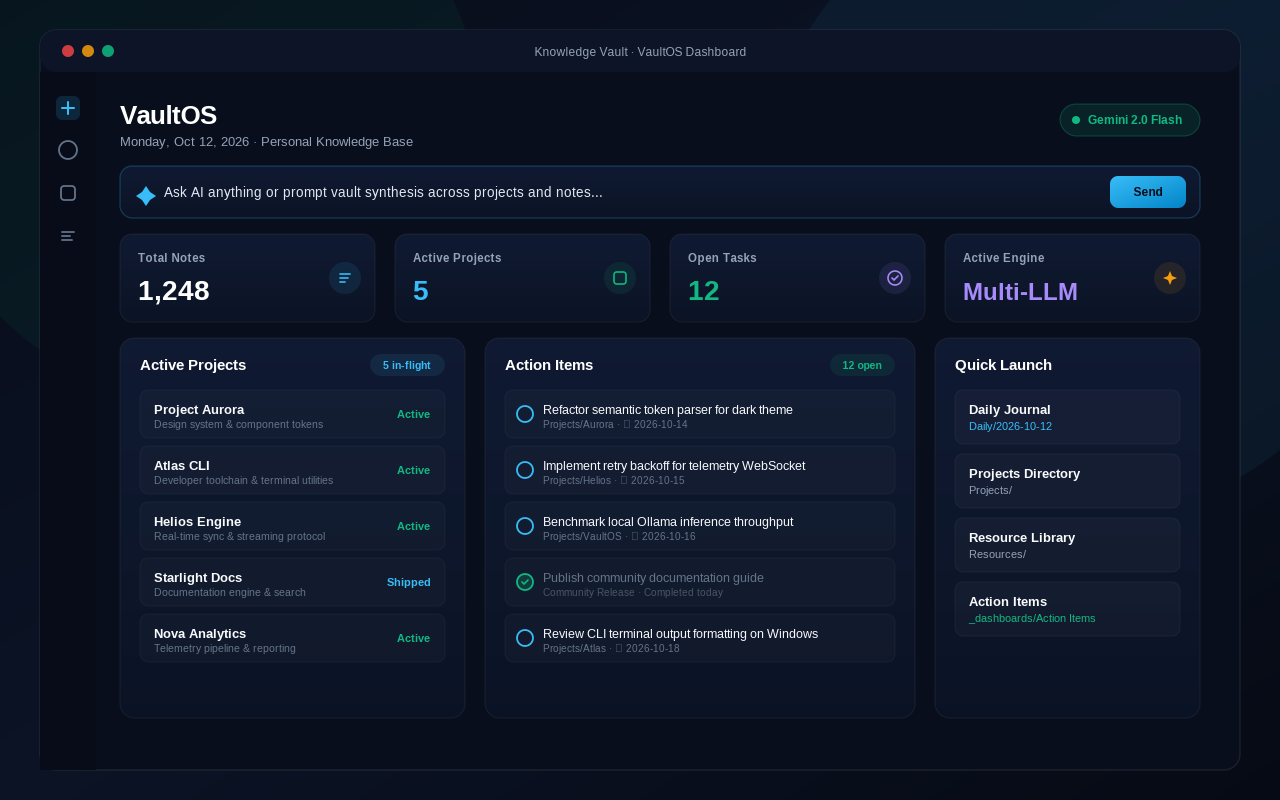
VaultOS adds a dashboard homepage to your vault. It displays your notes, active projects, open tasks, and quick navigation in a clean bento layout, with an integrated AI assistant supporting Gemini, Claude, OpenAI, and local Ollama models.
Features
- Bento Dashboard: Overview of total notes, active workstreams, open action items, and model status.
- Multi-Model AI Assistant:
- Google Gemini (1.5 Flash, 1.5 Pro, 2.0)
- Anthropic Claude (3.5 Sonnet, 3.5 Haiku, 3 Opus)
- OpenAI (GPT-4o, GPT-4o-mini, o1-mini)
- Ollama (Local models: Llama 3, Mistral, Qwen)
- Theme Support: Uses Obsidian's native CSS variables to match both light and dark themes without styling conflicts.
- Interactive Tasks: Mark tasks complete directly from the dashboard to update the source note.
- Quick Links: Pinned shortcuts to open frequently used project pages and daily notes.
Installation
Community Plugins
- Open Settings → Community plugins.
- Turn off Restricted mode.
- Search for VaultOS.
- Select Install, then Enable.
Manual Installation
- Download
manifest.json,main.js, andstyles.cssfrom the latest Release. - Create a folder named
vaultosinside.obsidian/plugins/in your vault. - Move the downloaded files into
.obsidian/plugins/vaultos/. - Reload Obsidian and turn on VaultOS under Community plugins.
Configuration
In Settings → VaultOS:
- Choose your default AI provider.
- Enter your API key or local Ollama address.
- Set your preferred project folder and startup options.
Development
git clone https://github.com/Rbm3267/obsidian-vaultos.git
cd obsidian-vaultos
npm install
npm run dev    # watch build
npm run build  # production build
License
MIT License © 2026 XD Labs / Bennett Moore.