
README file from
GithubVault Plus
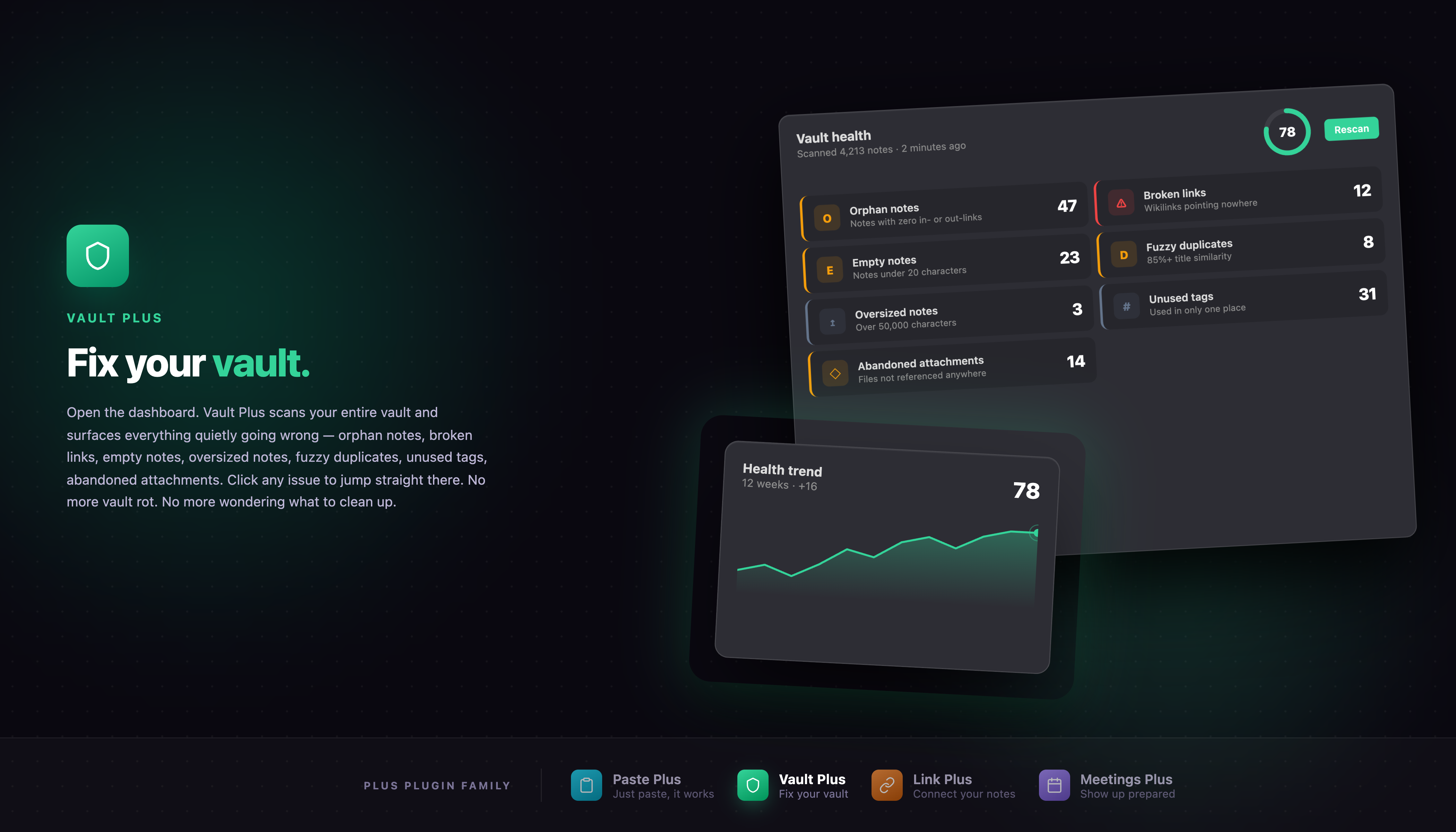
A single sidebar dashboard that finds the messy parts of your vault and lets you fix them in one click. No setup, no learning curve — install it, open the dashboard, clean your vault.
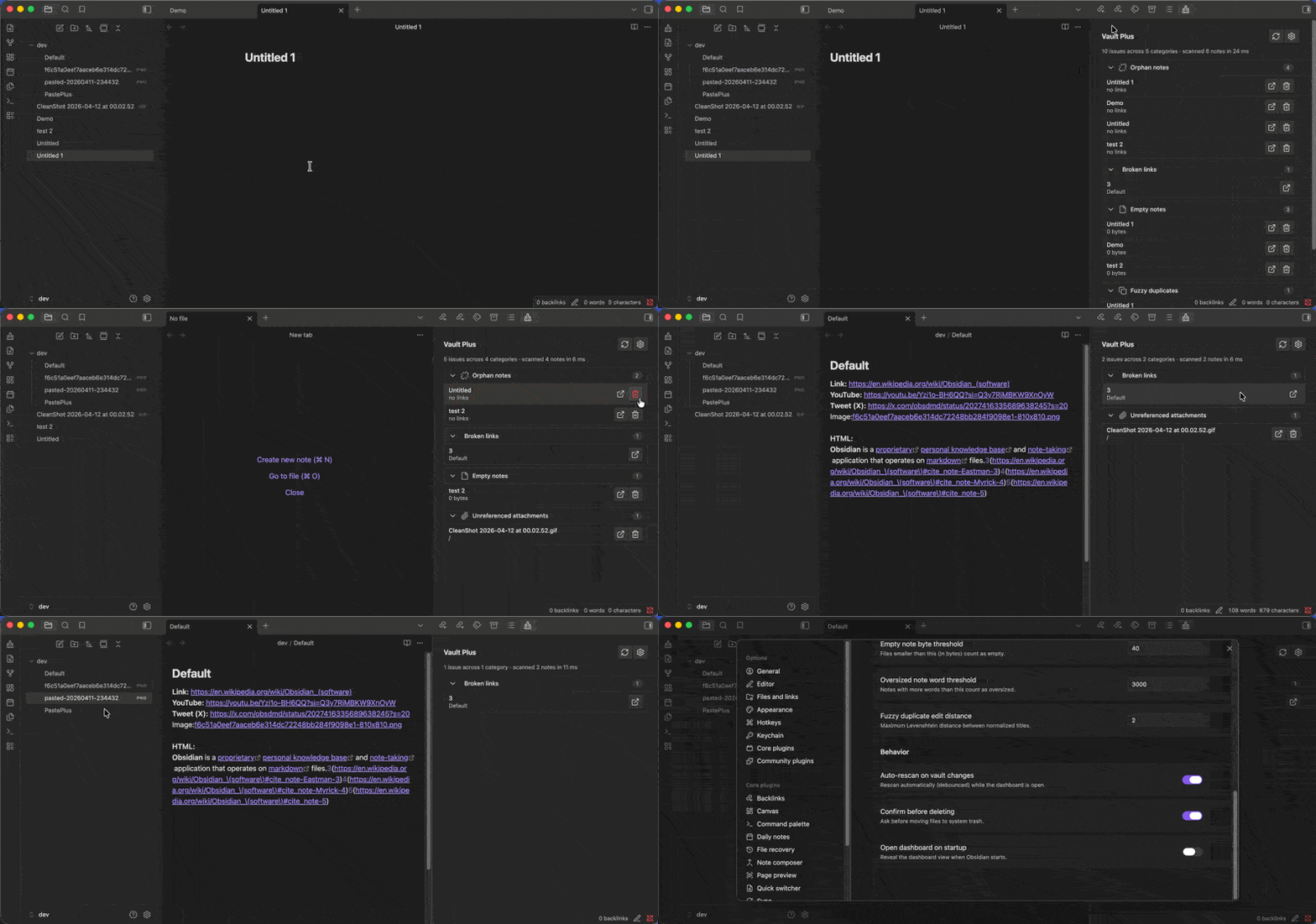
What it finds
- Orphan notes — notes no other note links to (strict mode also requires zero outgoing links)
- Broken links — wikilinks and markdown links pointing at missing notes or attachments
- Empty notes — notes with no real content, only frontmatter, or near-zero bytes
- Oversized notes — notes over a configurable word threshold (default 3000) that are good candidates for splitting
- Fuzzy duplicates — notes with nearly identical titles (case-insensitive, edit-distance based). Date-named and numbered notes (titles that are mostly digits) are excluded.
- Unused tags — tags that only appear in a single note
- Unreferenced attachments — images and other files in your vault that no note links to
Every check can be toggled individually in the plugin settings.
Why
Vault rot is universal once you pass ~200 notes. There's a scattered ecosystem of single-purpose plugins for orphans, broken links, and duplicate-finding — Vault Plus unifies them into one dashboard with one-click fixes, zero configuration, and 100% offline operation.
Installation
From the Obsidian community plugins directory (once approved)
- Open Obsidian → Settings → Community plugins
- Search for Vault Plus
- Click Install, then Enable
Manual install
- Download
main.js,manifest.json, andstyles.cssfrom the latest release - Copy them into your vault at
.obsidian/plugins/vault-plus/ - Reload Obsidian and enable the plugin under Settings → Community plugins
Usage
- Ribbon icon (broom) → opens the Vault Plus dashboard in the right sidebar
- Command palette → "Vault Plus: Open Vault Plus dashboard" or "Vault Plus: Run full vault scan now"
- Categories are collapsible — click any category header to expand or collapse
- Each row has quick actions:
- Open — opens the note in a new tab (for broken links, jumps to the link)
- Open both — opens a duplicate pair side-by-side in split panes
- Delete — moves a file to the system trash (with confirmation by default)
The dashboard auto-refreshes a couple of seconds after you edit a note so counts stay current while you clean up.
Settings
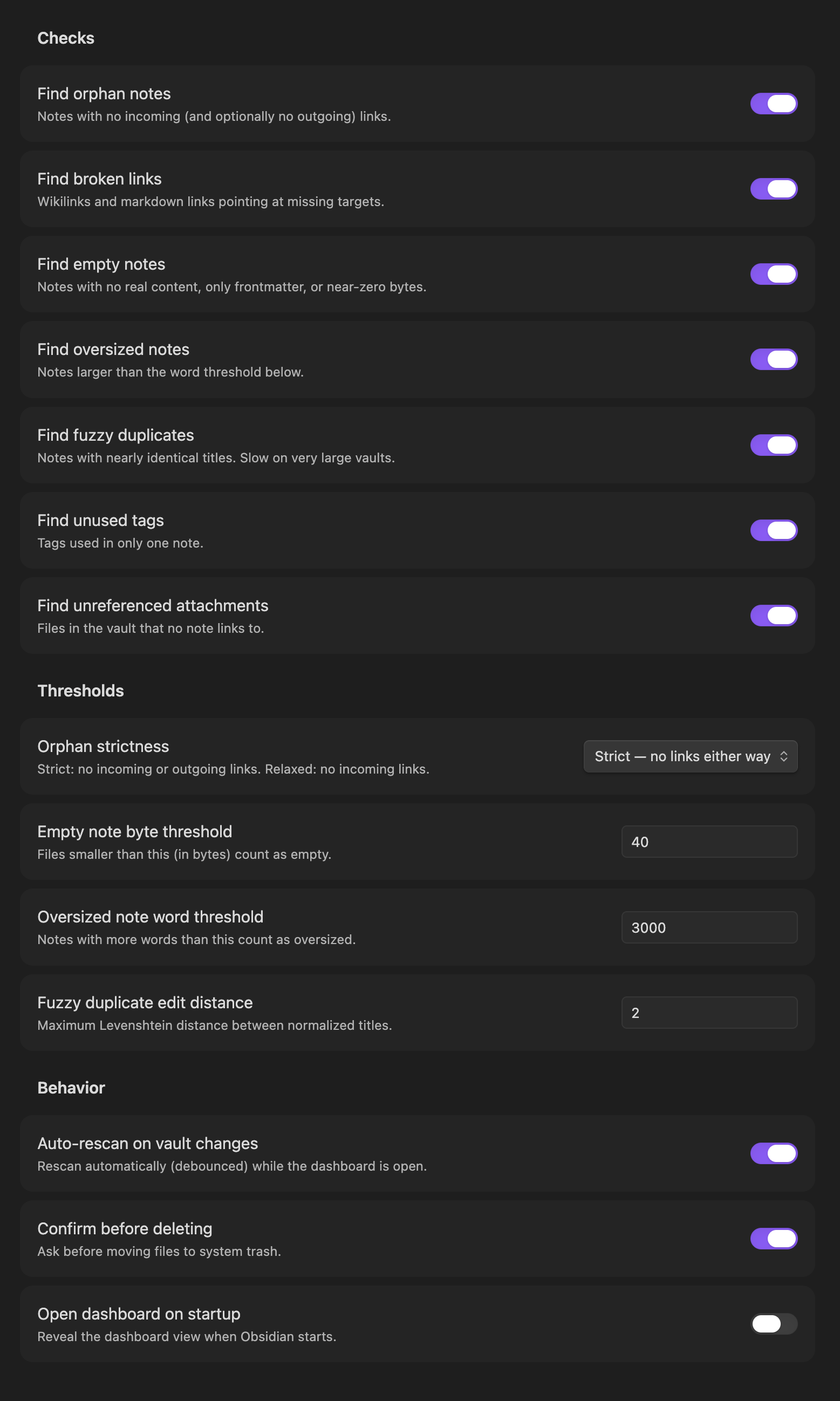
Open Settings → Community plugins → Vault Plus. You can:
- Toggle each of the seven checks independently
- Choose orphan strictness (strict: no links either way · relaxed: no backlinks)
- Adjust the empty-note byte threshold, oversized-note word threshold, and fuzzy duplicate edit distance
- Disable auto-rescan on vault changes
- Disable delete confirmations
- Open the dashboard automatically on startup
How it works
Vault Plus reads Obsidian's metadata cache — it never re-parses your notes. All work is local and offline, no network calls, no cloud services, no telemetry. Scans are debounced so editing doesn't thrash the dashboard, and re-scans only run while the dashboard is open.
Performance notes
The fuzzy-duplicate check scales roughly with the square of your note count. It's fast enough up to about 5,000 notes; if your vault is larger than that and you notice a delay, disable Find fuzzy duplicates in settings.
Plus Plugin Family
Vault Plus is part of the Plus Plugin Family for Obsidian:
- Paste Plus — Smart paste: URLs become titled links, images get clean filenames, HTML converts to markdown, YouTube and Twitter links resolve to titles.
- Vault Plus — Vault health dashboard: find and fix orphans, broken links, empty notes, duplicates, and more.
- Link Plus — Unlinked mention scanner: find and convert unlinked mentions vault-wide with one-click or batch operations.
Support
If Vault Plus saves you time, you can support development here:
License
0BSD — copy, paste, ship. The license matches the plugin.