
README file from
GithubURL Preview for Obsidian
A plugin for Obsidian that shows a preview of external URLs without leaving Obsidian. Works in Editor, Live Preview, and Reader modes.
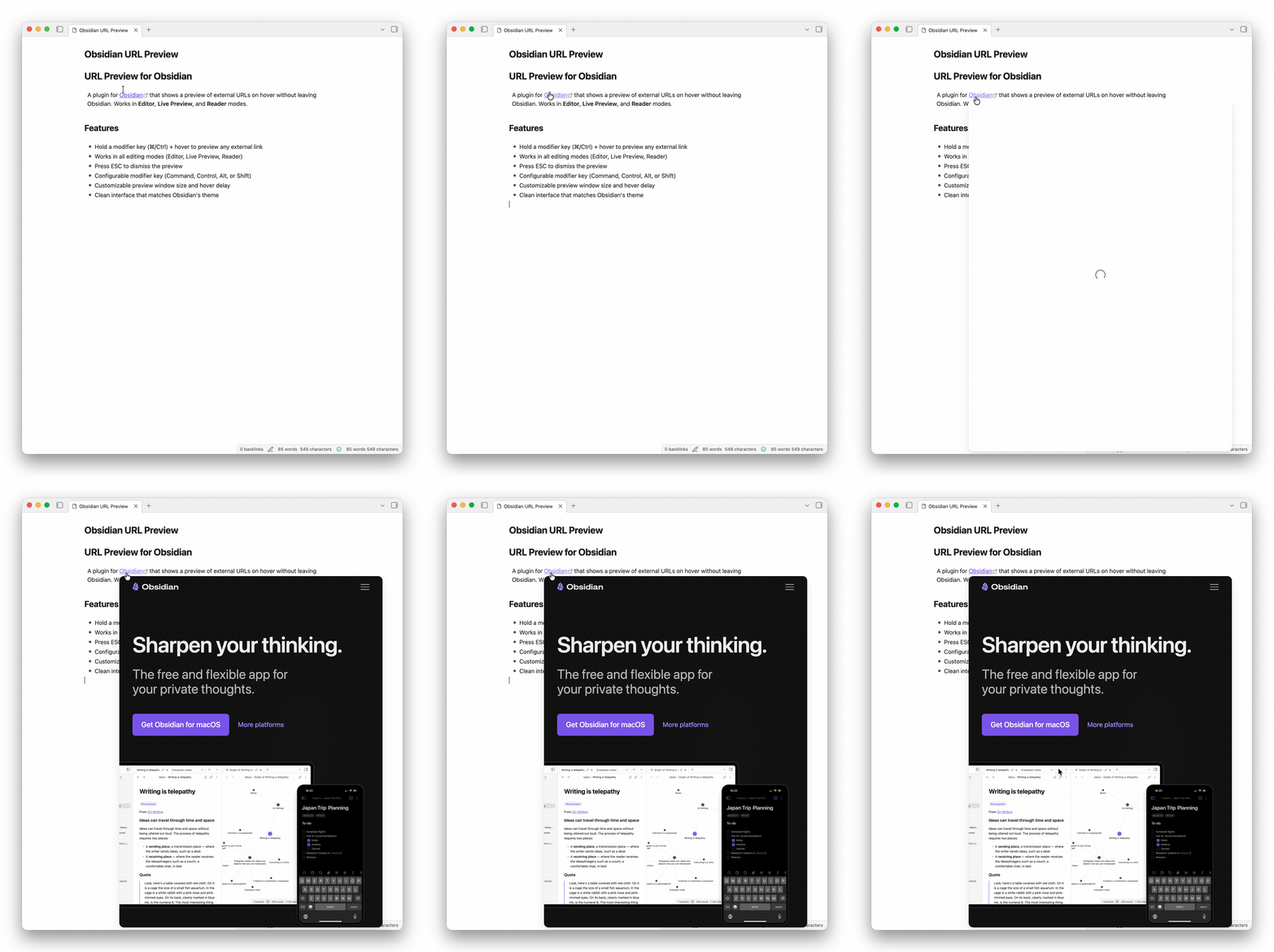
Features
- Hold configurable modifier keys (⌘, Control, Alt, or Shift) + click to preview URLs
- Works in all view modes (Editor, Live Preview, Reader)
- Works in secondary Obsidian windows/popouts
- Clean interface that matches Obsidian's theme
- Press ESC to dismiss the preview window
- Customize preview window size
- Resize preview window by dragging edges or corners
- Toolbar button to quickly expand or restore the preview size
- Accent-colored border highlight on resize handle hover (uses Obsidian's accent color)
- Live size indicator showing dimensions during resize
- Optionally persist resized dimensions across previews
- Preview controls live in a toolbar above the content, so they do not cover the page being previewed
- Hovered links show a small eye button that opens the preview directly
- Bare GitHub URLs show a small GitHub button to convert them to Markdown links
- Toolbar zoom controls remember zoom per domain
- Toolbar buttons show bottom-positioned action tooltips
- GitHub previews switch between sign-in and sign-out actions based on the detected GitHub session
- Right-click an editor URL to convert it to a Markdown link using the page title
Installation
- Open Obsidian Settings
- Go to Community Plugins and disable Safe Mode
- Click Browse and search for "URL Preview"
- Install the plugin and enable it
Settings
- Preview Click Modifiers: Choose which keys to hold while clicking a link (Command, Control, Alt, Shift — can combine multiple)
- Sticky Popup: Keep preview open until ESC or click outside
- Show Open in Browser Button: Show a button to open the URL in the default browser
- Show Close Button: Show a button to close the preview popup
- Maximum Height / Width: Maximum dimensions of the preview window (in pixels)
- Allow Resize: Enable drag-to-resize on preview edges and corners
- Persist Resize: Remember resized dimensions for future previews (with reset button)
Usage
Hold your configured modifier keys (⌘ on Mac, Ctrl on Windows/Linux by default) and click any external link to see a preview.
In Live Preview or source mode, right-click an external URL and choose Convert URL to Markdown link to replace it with [page title](url).
Authentication
Previews load live pages in an iframe instead of cached snapshots. If a site allows authentication inside Obsidian's embedded browser session, that login can be reused by later previews for the same site. GitHub previews use Obsidian's desktop Electron cookies to switch the toolbar action between "Sign in to GitHub" and "Sign out of GitHub" when that state can be detected.
Limitations
Some websites block iframe embedding and cannot be previewed. This is a browser security restriction that cannot be bypassed.
Support
If you encounter issues or have suggestions, please file them on the GitHub repository.
Changelog
See CHANGELOG.md for release history.
License
MIT. See LICENSE.