
README file from
GithubUltrafocus
Hide Everything Everywhere All at Once
A plugin to turn Obsidian into the ultimate platform for focused writing.
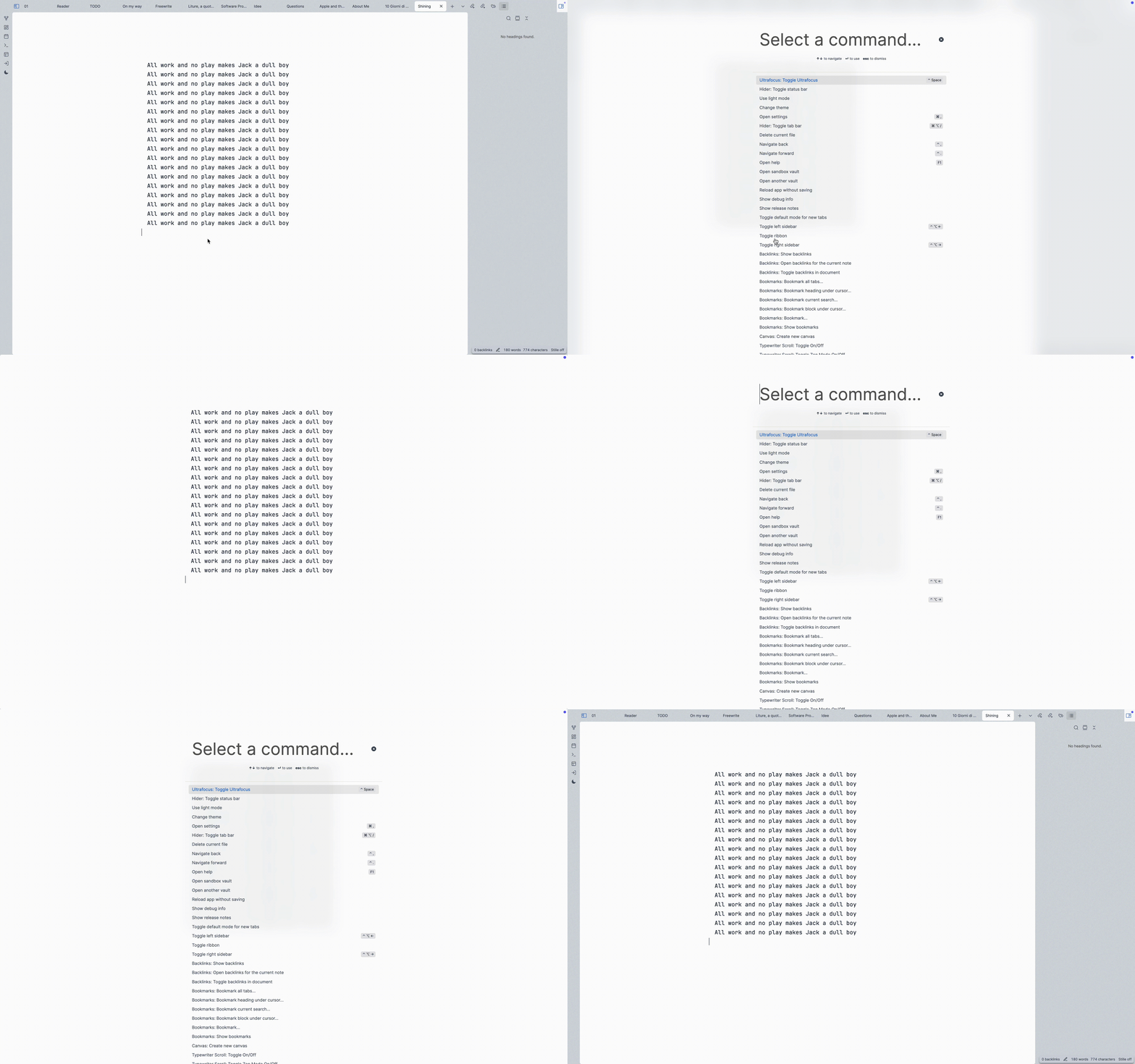
What it does: hides all elements like tabs, status, ribbon, sidebars, etc. All with a single toggle command, no buttons.
Install
Getting this plugin approved in Obsidian Community repo was a bit of a pain. But you can install it manually very easy.
In your Obsidian vault, we clone this repo, install the deps and build it.
cd YourVault/.obsidian/plugins/
git clone [email protected]:eliascotto/ultrafocus.git
cd ultrafocus
npm i
npm run build
This will give us a main.js file. Then from Obsidian:
cmd+p-> Open Settings...- Go to "Community Plugins"
- Installed Plugins, press the reload button
- Find Ultrafocus and enable it
Settings
Choose what elements you'd like to keep visible. By default, everything will be hidden.
Alternatives
- Hider: Chose what to hide one by one.
- Focus Mode: Toggle focus with a sidebar button but doesn't hide elements.