
README file from
GithubTwo Column Explorer
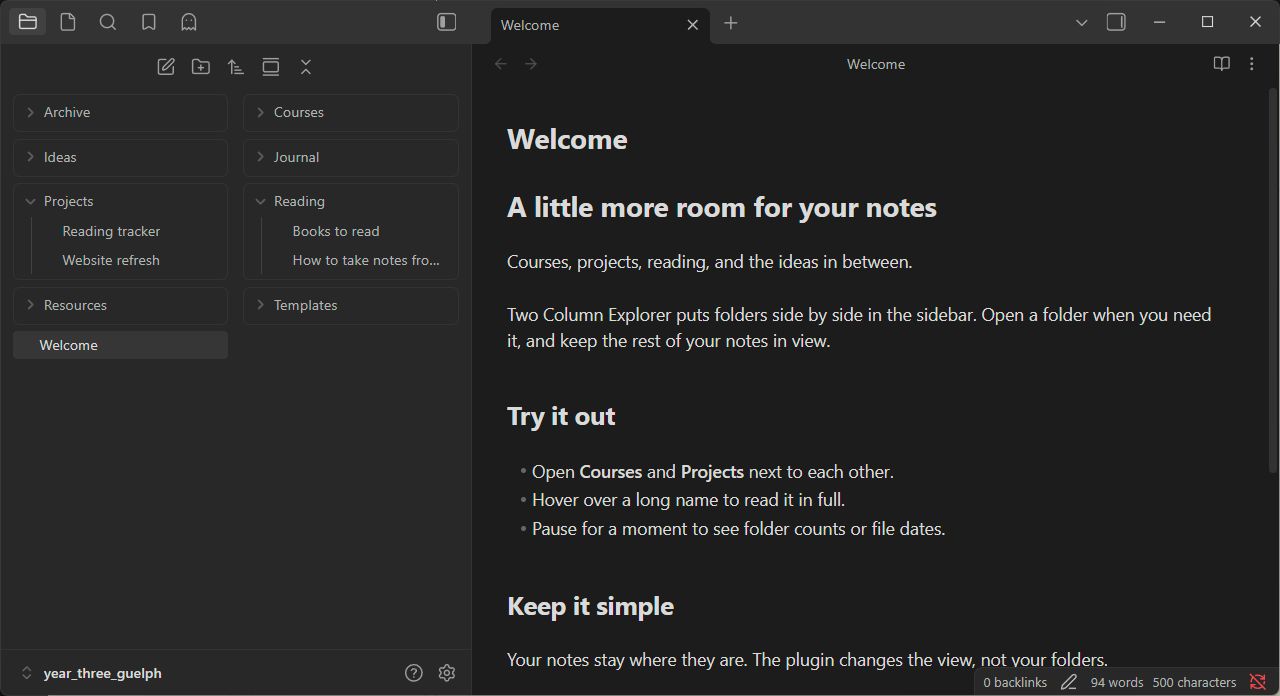
Shows Obsidian's files and folders in two columns. Expanded folders stay in their own column.
Settings
- Show full file and folder names on hover.
- Show folder counts or file dates below the name after one second.
- Put the hover label to the left, center, or right of your mouse.
Disable the plugin to return to the normal file explorer.
Install manually
- Download
main.js,manifest.json, andstyles.cssfrom a release. - Put them in
<your vault>/.obsidian/plugins/two-column-explorer/. - Restart Obsidian and enable Two Column Explorer in Settings → Community plugins.
Compatibility
Tested on Obsidian 1.13.7 for Windows with the default theme. Mobile and older versions haven't been tested. Large expanded folders may use more memory, and Obsidian updates may require fixes.
If something breaks, open an issue with your Obsidian version and a screenshot.