
README file from
GithubTrustDiagram
Architecture diagrams as code. Never trust a drawing. Always verify the model.
TrustDiagram turns a short YAML block into an architecture diagram, in Obsidian and in Confluence. The block is the single source of truth. Code checks every box and every arrow before anything is drawn, so no diagram shows what the model does not say.
Free to use, by Blooo. This plugin is closed source.
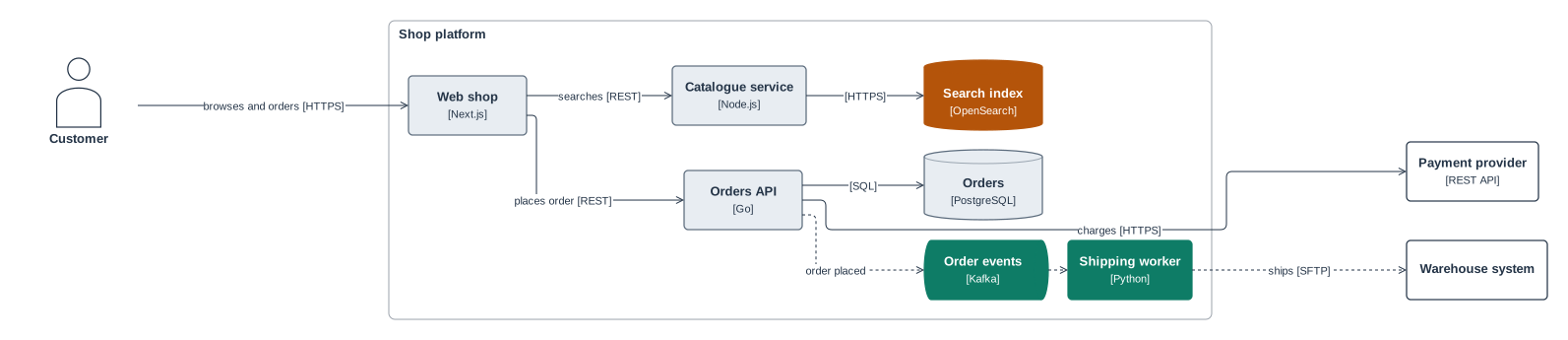
Rendered from examples/online-shop.trustdiagram.yaml: no position written by hand, everything placed and checked by code.
Why
A drawing can say anything. Boxes get copied, arrows point to systems that were renamed long ago, and nobody can tell what is real. In a review, a diagram should be evidence, not a promise.
TrustDiagram applies Blooo's principle, never trust, always verify, to diagrams:
- Verified by code. Each block is checked against a published JSON Schema, then against semantic rules: every arrow must join two declared elements, ids are unique, classes and layers exist. An error stops the rendering and points to the line.
- Never imagined. Everything drawn comes from the model. An LLM, or a person, cannot add a box that the model does not declare: the validator rejects it.
- Meaning and drawing kept apart.
modelholds the meaning (elements, relations, protocols, data).layoutholds the positions. Moving a box with the mouse rewriteslayoutonly, never the meaning. - One rendering everywhere. Same code, same embedded fonts, same picture in Obsidian, in Confluence and in the CLI.
- Readable by LLMs. Plain YAML that a model can read, answer questions about, and write. What it writes is then checked like anything else.
What it looks like
```trustdiagram
trustdiagram: 1
id: payments-containers
title: Payments — containers
kind: flow
model:
  elements:
    - { id: web, type: container, name: Web app, tech: React }
    - { id: api, type: container, name: Payments API, tech: Go }
    - { id: db, type: datastore, name: Ledger, tech: PostgreSQL }
  relations:
    - { id: r1, from: web, to: api, label: pays, protocol: HTTPS, mode: sync }
    - { id: r2, from: api, to: db, protocol: SQL }
```
Without a layout, elements are placed automatically. Move them with the mouse and only layout is written back to the block.
More examples
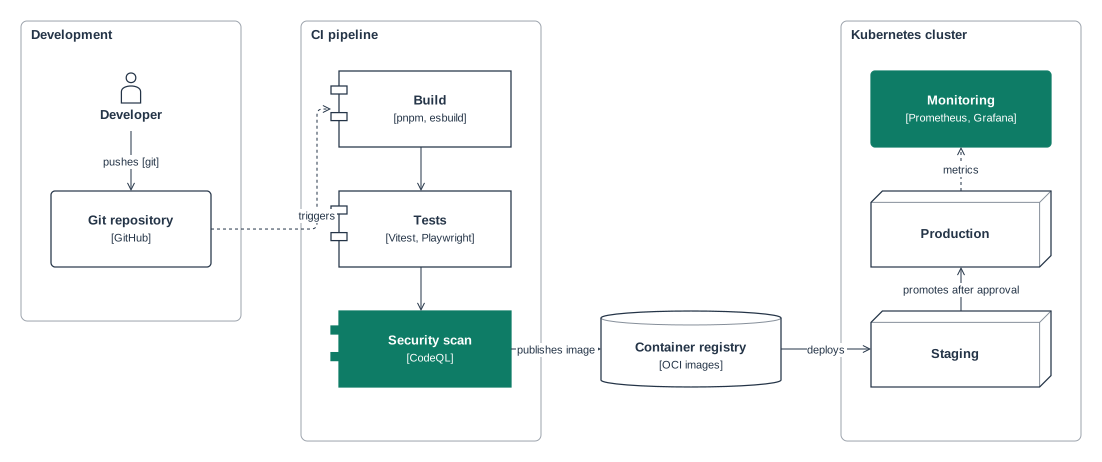
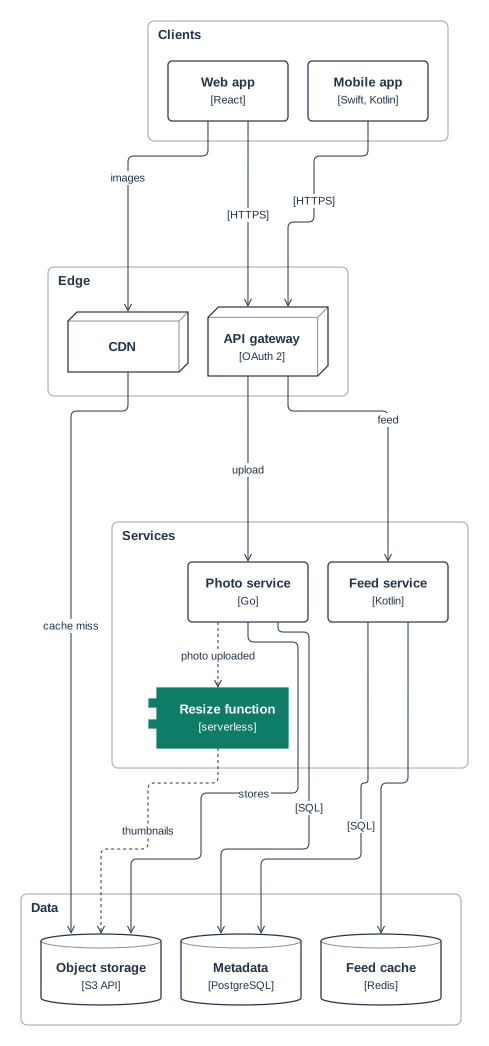
| Fully placed by hand | Placed automatically, top to bottom |
|---|---|
 |
 |
ci-cd-pipeline |
photo-sharing |
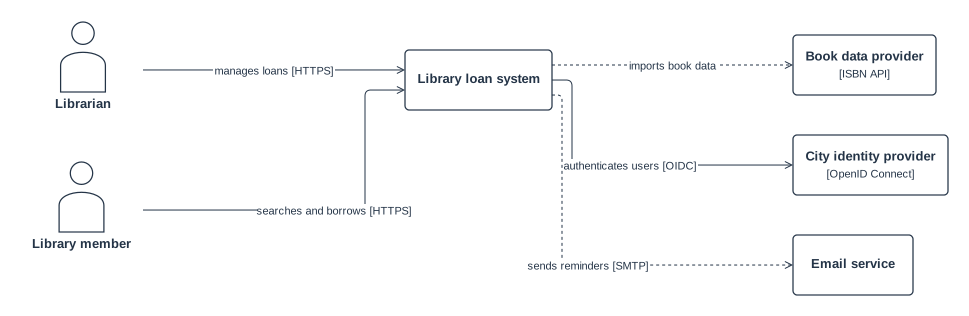
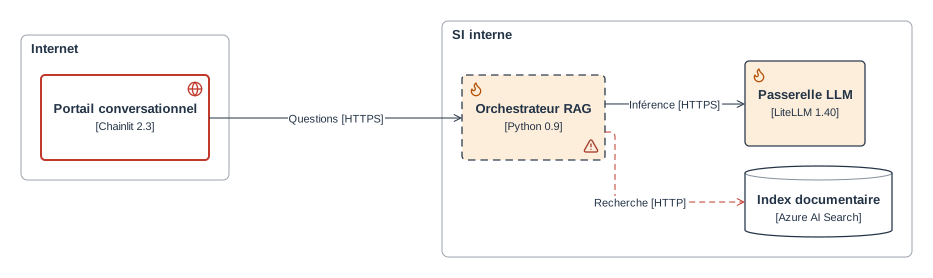
| System context (C4 level 1) | Display rules |
|---|---|
 |
 |
library-context |
regles |
Features
- Obsidian plugin: renders
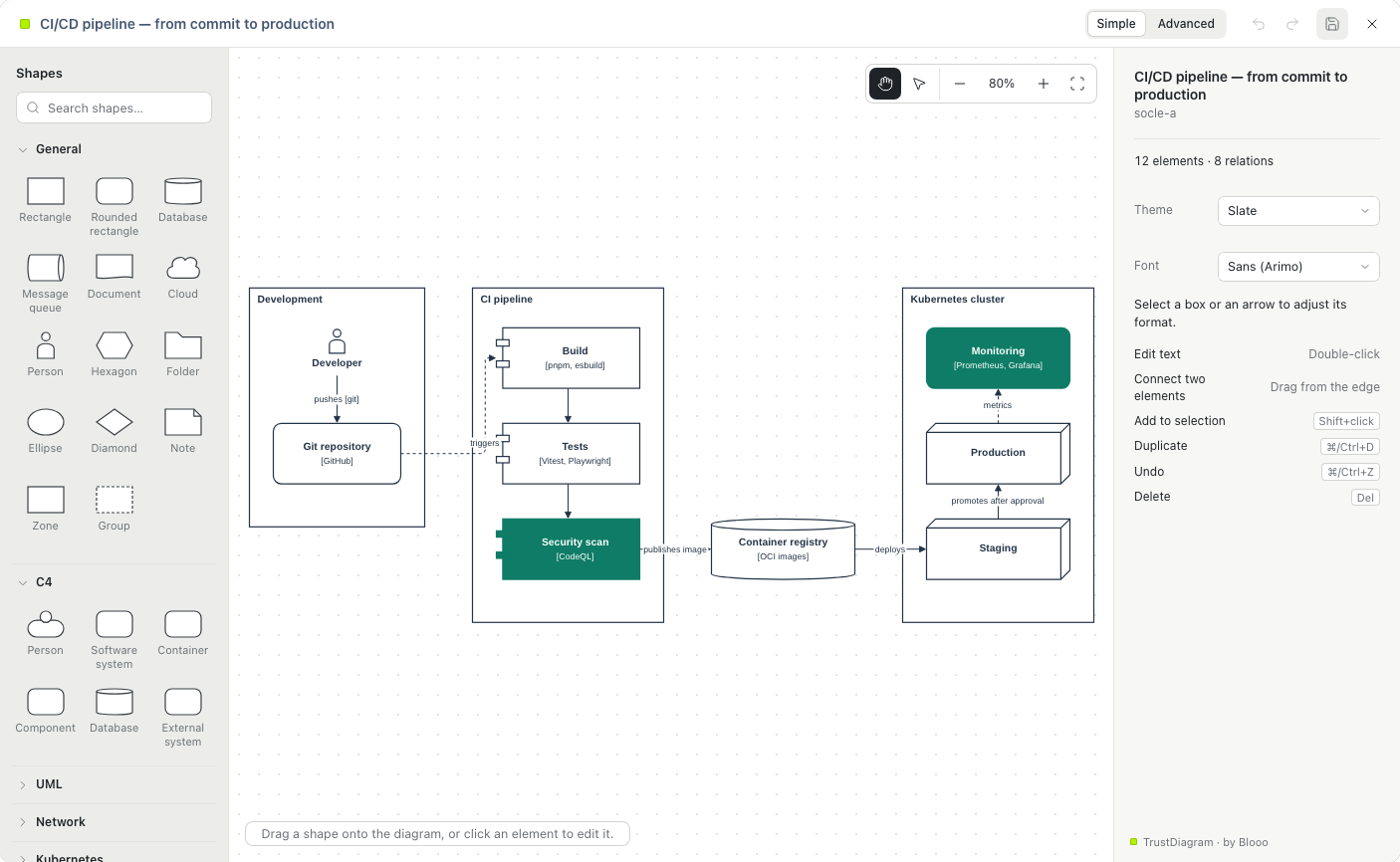
trustdiagramcode blocks in notes, with a full-screen graphical editor and a zoomable viewer. - Confluence app (Atlassian Forge): a macro renders a code block of the page live and edits it with the same editor. Saving rewrites only that block, with version checks, draft protection and a 3-way merge when a colleague changed it meanwhile.
- Editor: shape catalogue (general, C4, UML, network, Kubernetes), formatting, layers, alignment, orthogonal routing with line jumps.
- Data and display rules: custom properties, reusable classes,
{{key}}references in labels, "if… then…" rules (colours, stroke, icons), evaluated at every render. - Layout verification:
trustdiagram lintand the Obsidian commands compute the layout as drawn and report overflowing text, arrows crossing boxes and overlapping labels, each with a fix hint, so an agent can check and correct a diagram in a loop. - CLI:
trustdiagram validatein CI,trustdiagram lintfor layout,trustdiagram renderto SVG or PNG.
Install
- Obsidian: see apps/obsidian-plugin. The plugin is being submitted to the community directory.
- Confluence: see apps/forge-app. The app is being prepared for the Atlassian Marketplace.
Obsidian plugin: what it accesses
- No network requests. Fonts and icons are bundled; nothing is sent anywhere.
- Notes: it changes a note only when you ask, and only its
trustdiagramblocks: saving from the editor, Insert a diagram, Pin the layout, and the two Recompute the layout commands (which rewritelayoutonly). - Output folder: the note commands write their results into one vault folder,
_trustdiagram/by default (set in the plugin settings): Export writes an SVG and a PNG per diagram, Export and Check the layout write a layout report per diagram, and every note command (including Recompute the layout) writes a status file for its last run. Nothing else is written outside the notes, and only when you run these commands. - Settings: the output folder name, stored in the plugin's own
data.json. - One external link: the "TrustDiagram · by Blooo" credit in the viewer and editor opens this repository on GitHub in your browser, only when you click it.
- Desktop only.
Documentation
- Format reference: the full block format, for people and LLMs. Also in French.
- JSON Schema.
- Examples and their renders.
Security
Report vulnerabilities privately: see SECURITY.md.
License
Proprietary, free to use: see LICENSE. Versions 0.8.0 and earlier were published under the Apache License 2.0. Third-party components keep their own licences: see NOTICE and third-party licenses.
Made by Blooo: cybersecurity governance and architecture for critical organisations. Never trust. Always verify.