
README file from
GithubTRMNL Screens
Put your Obsidian vault on a TRMNL e-ink display. TRMNL Screens pushes one screen of your vault's data to TRMNL whenever it changes: today's tasks, what is due, a Dataview table, an old note worth rereading, your writing streak, or a note you pin.
Screens
| Screen | What it shows |
|---|---|
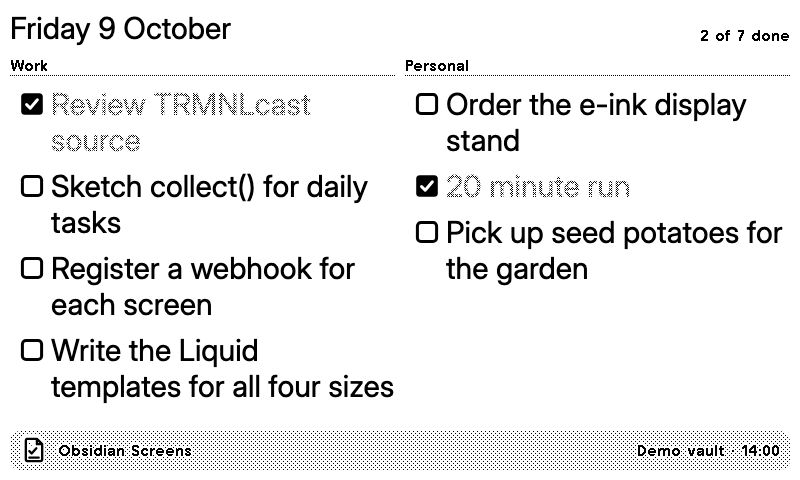
| Today's daily note tasks | The checkboxes in today's daily note, grouped by heading, with how many are done. Uses your Daily Notes or Periodic Notes settings. |
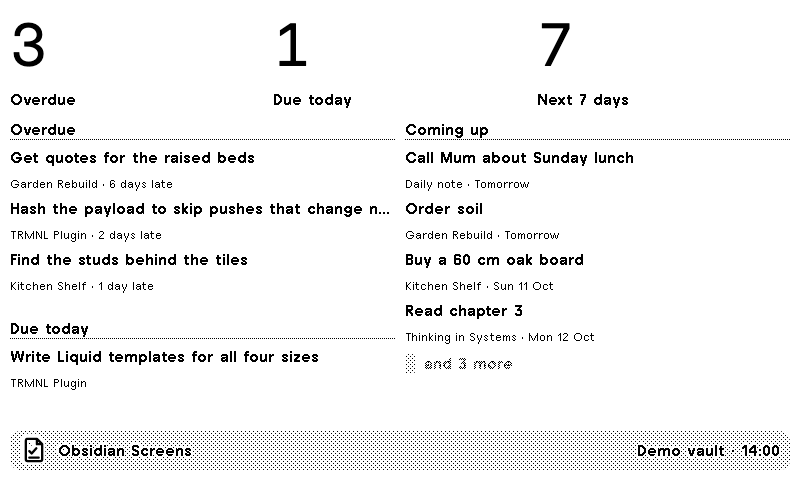
| Due and overdue tasks | Open tasks with a due date anywhere in the vault: overdue first, then today, then the next seven days. Reads the Tasks plugin's 📅 2026-10-09 and Dataview's [due:: 2026-10-09]. |
| Dataview query | The rows of any Dataview TABLE or LIST query. Needs the Dataview plugin. |
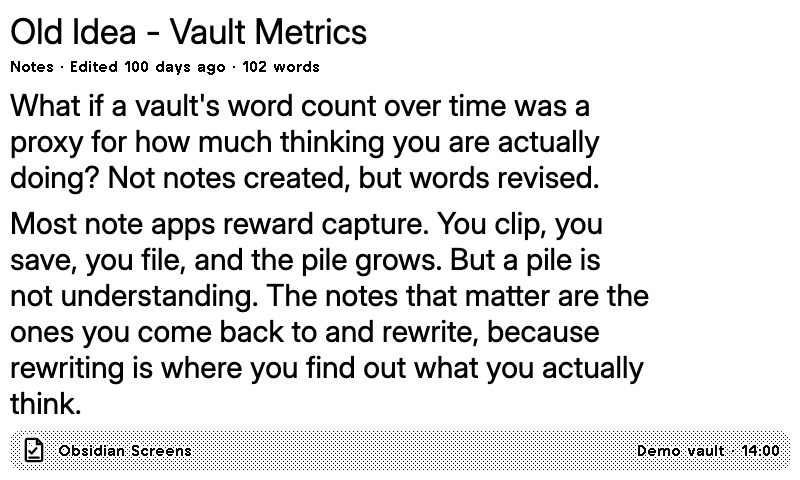
| Resurfaced note | A note you have not touched in a while, with its opening paragraphs. A new pick each day, favouring older notes. |
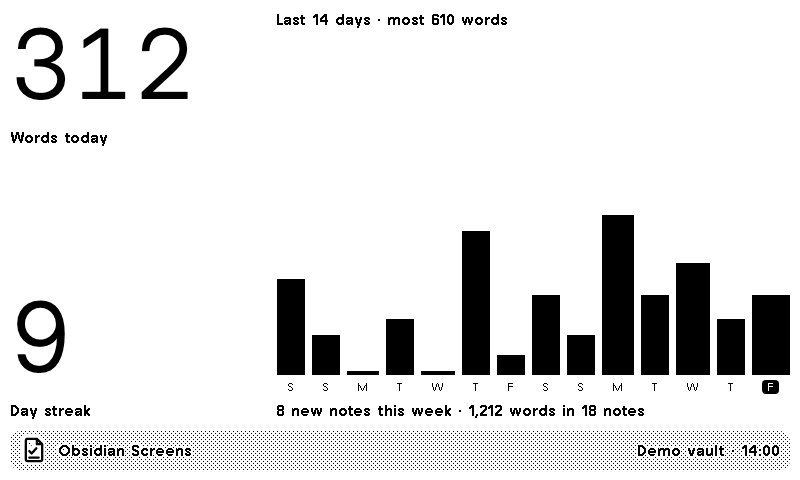
| Writing stats | Words written today, your streak of writing days and a bar for each of the last 14 days. |
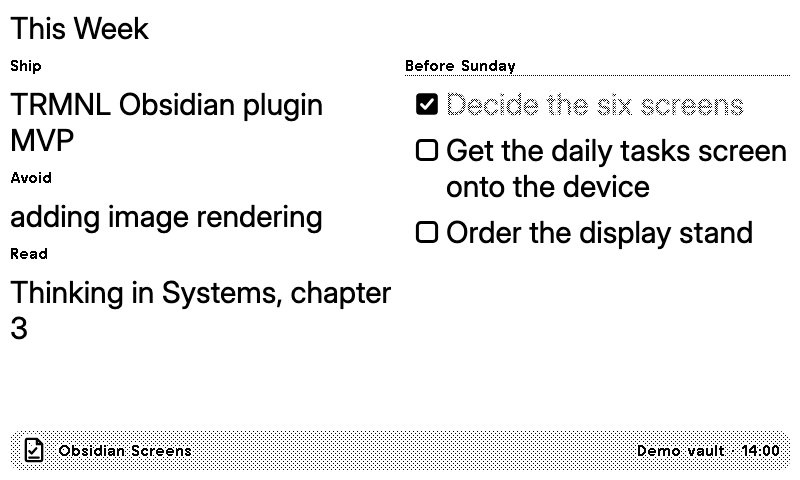
| Pinned note | One note you choose, such as a weekly plan: headings, **Label:** text lines, lists and checkboxes. |
Every screen has full-screen and mashup layouts (half and quarter screen, landscape and portrait) on TRMNL OG and TRMNL X. Links read as their text, and emoji are left out because e-ink cannot draw them.
 |
 |
 |
 |
Setup
- On TRMNL, install the Obsidian Screens recipe from TRMNL's recipe directory. Install it once for each screen you want; each install gets its own webhook URL.
- Open the installed plugin's settings on TRMNL and copy its webhook URL.
- In Obsidian, open Settings → TRMNL Screens, turn on the screen you want, and under Webhook URL create a secret and paste the URL.
- Select Push now. The status bar shows the time of the last push and how many pushes are left this hour.
From then on the plugin pushes by itself: about a minute after you stop editing, and on a regular check so that date changes such as midnight appear. Preview in each screen's settings, or the command Preview a screen's data…, shows exactly what would be sent.
Add another screen of the same kind, such as a second pinned note, with Add a screen at the bottom of the settings.
Privacy and limits
- The plugin reads your vault on your device and sends only the screen's data, as JSON, to the TRMNL webhook you paste. Nothing goes anywhere else, and only when the screen's data changes (plus a refresh every few hours so the update time stays current).
- The plugin lists the files in your vault, because due tasks, writing stats and resurfacing look across all your notes. It reads note text only to build the screens you turn on, and never changes your notes.
- Webhook URLs are stored in Obsidian's secret storage, not in your vault or the plugin's settings file.
- TRMNL accepts 12 pushes an hour per webhook and 5 KB per push (30 and 10 KB with TRMNL+; turn on TRMNL+ in settings). Long lists are shortened by dropping whole items, never by cutting text to fit.
- Requires Obsidian 1.11.4 or later. Works on desktop and mobile; on a phone, pushes happen while Obsidian is open.
Development
The source lives in the trmnl-plugins monorepo with the TRMNL recipe, a demo vault and the tests; this repository is exported from it for Obsidian's plugin directory. npm ci && npm run build produces main.js; releases are built and attested by GitHub Actions. See CONTRIBUTING.md.
Not affiliated with Obsidian or TRMNL.