
README file from
GithubTracing Paper
Move your Excalidraw drawings to tldraw. One command, your whole vault, originals untouched.
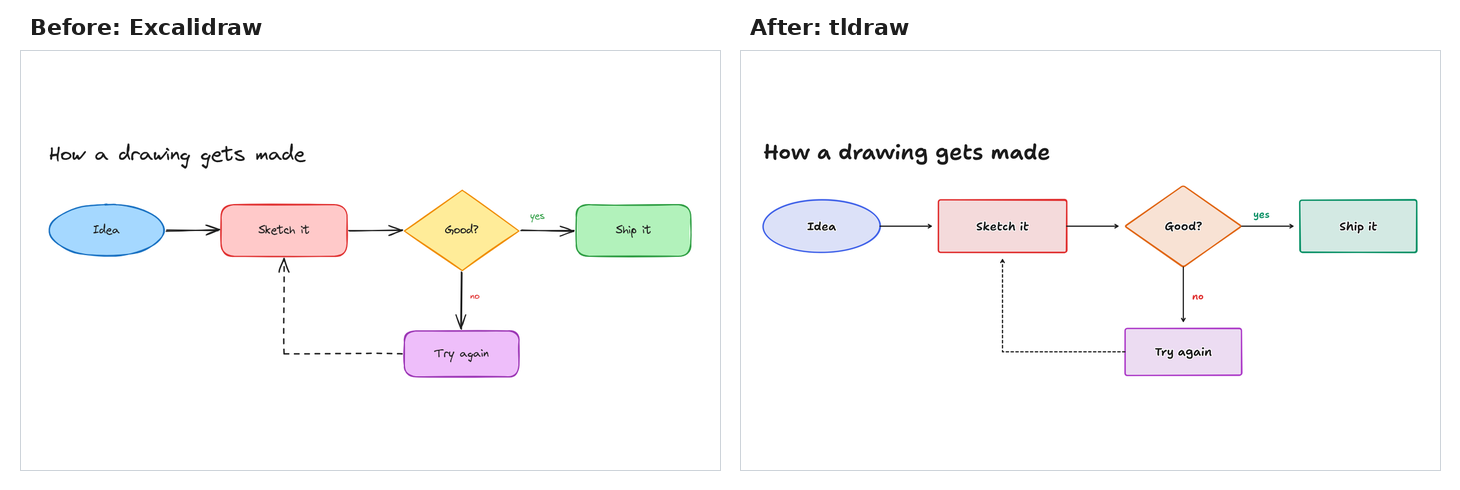
Tracing Paper is an Obsidian plugin for people who started drawing in Excalidraw and now want those drawings in tldraw. Until now the only way across was copy and paste, one drawing at a time.
Why you'd want it
- You have years of drawings. Converting them by hand is an afternoon you won't spend, so they stay stranded. Tracing Paper converts a vault in seconds.
- You don't trust a migration. Your originals are never changed, moved or deleted. Converted drawings appear next to them. Run it, look, and delete the results if you don't like them.
- You want it to be right. Tracing Paper has no shape translator of its own to get wrong. It runs tldraw's own Excalidraw importer, the same code behind paste, inside your installed tldraw plugin. What you get is what tldraw itself would have made.
What it looks like
Handwriting and sketches come across stroke for stroke, as editable tldraw ink:
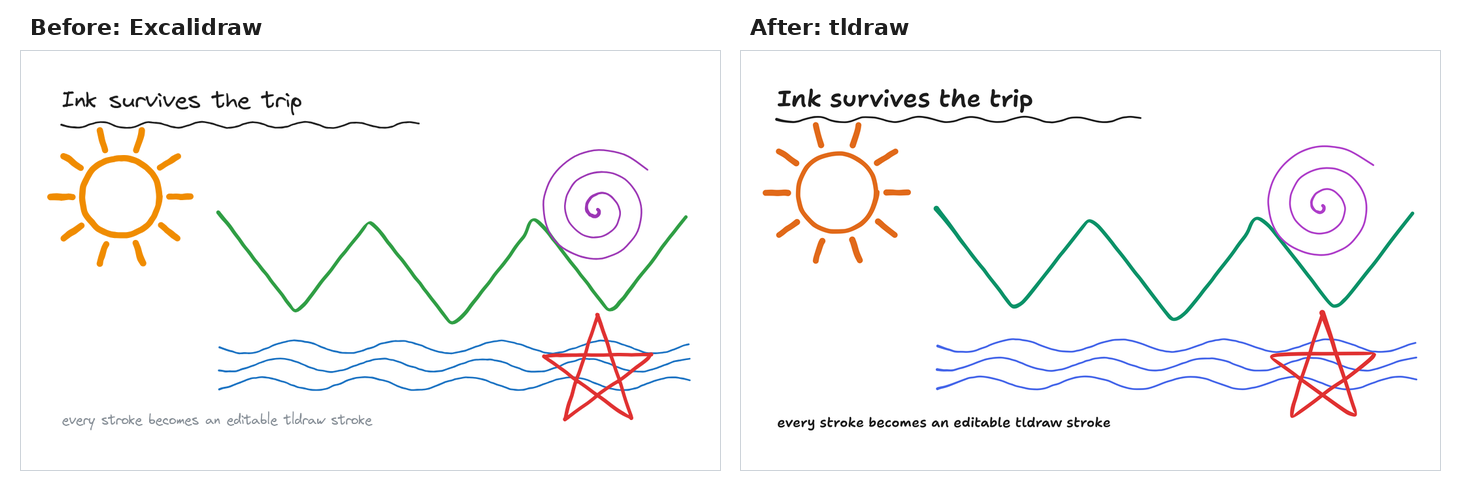
Both drawings above are in demo/. Drop them in a vault and try it.
On other people's drawings
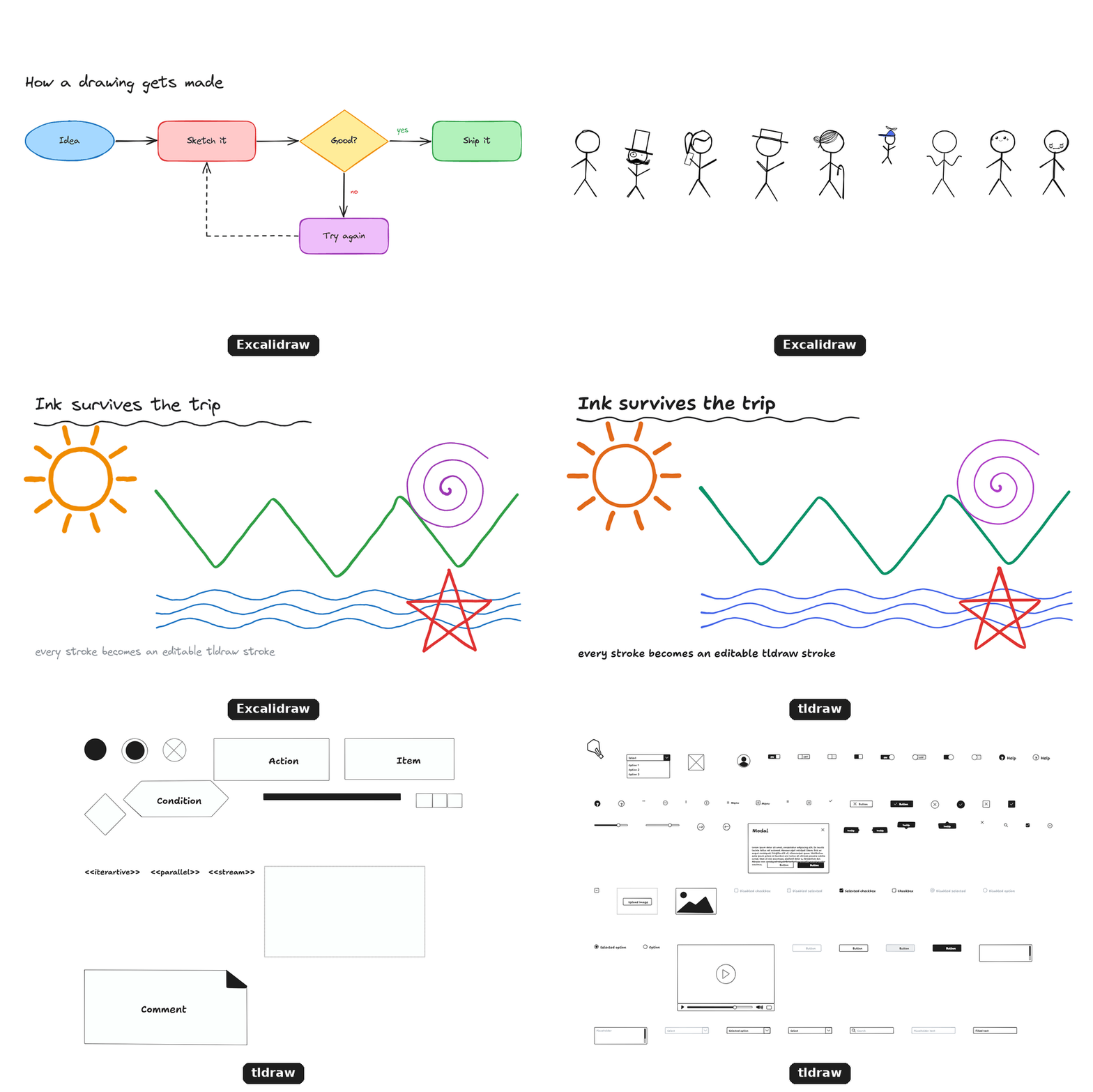
These are community libraries from libraries.excalidraw.com,
converted as they come (credits in demo/public/). The wipe shows the original turning
into its tldraw copy:
How close is it?
Same layout, sizes, line weights, fills and outline colours. Every picture on this page is exported straight from Excalidraw and from tldraw at the same scale, with nothing retouched.
What Tracing Paper does to get there:
- Line weight is carried over exactly, not rounded to tldraw's four presets.
- Text keeps its size and stays on its original centre line.
- Outline and fill of different colours become two stacked tldraw shapes, grouped so they move as one, because a tldraw shape has a single colour.
- Filled outlines drawn with the line tool stay filled.
- Right-angle arrows stay right-angled, and frames stay frames.
- A label on a thin-lined shape becomes text grouped with the shape, because in tldraw a label's size sets its shape's line weight.
What still differs, because tldraw is a different tool:
- Fonts. tldraw has its own hand-drawn, sans and mono fonts; its handwriting is a little bolder.
- Colours snap to tldraw's palette, so a custom shade becomes its nearest neighbour.
- Sketchiness. Each app wobbles a hand-drawn line its own way, and freehand strokes taper a little differently.
- Rounded corners on rectangles are not carried over.
Get started
- Install and enable the tldraw plugin (1.33.0 or newer).
- Install Tracing Paper from the
Obsidian community directory. Or by hand:
download
main.jsandmanifest.jsonfrom the latest release into<vault>/.obsidian/plugins/tracing-paper/. - Enable Tracing Paper under Settings → Community plugins.
- Open the command palette and run Convert all Excalidraw drawings to tldraw.
Sketch.excalidraw.md becomes Sketch.tldraw.md, in the same folder.
Convert some, not all
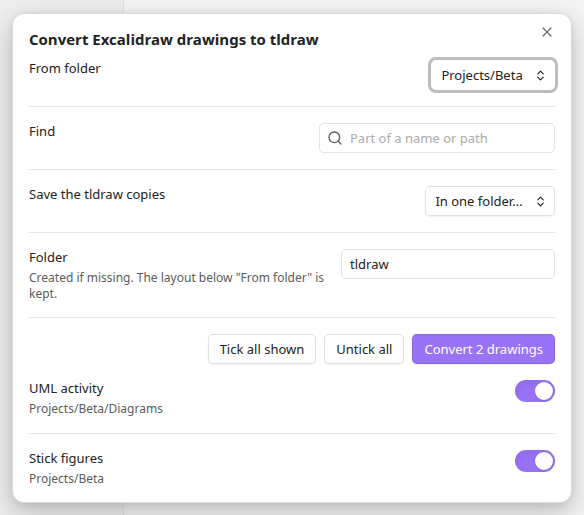
- Right-click a folder in the file explorer, Convert N Excalidraw drawings to tldraw…, and every drawing in it is ticked, ready to go.
- Right-click a drawing, or several selected drawings, Convert to tldraw.
- Or run Choose Excalidraw drawings to convert to tldraw… from the command palette. Pick a From folder, type part of a name in Find, tick what you want.
- Save the tldraw copies next to each original (the default), or in one folder. The folder layout below From folder is kept, so two drawings with the same name never collide. The folder is created if it does not exist, and it must be inside your vault.
- Drawings already converted show as such and are never converted twice.
- Convert current Excalidraw drawing to tldraw does the drawing you have open.
What you can count on
- Originals are untouched. Nothing is overwritten: if
Sketch.tldraw.mdalready exists it is left alone, so running the command twice is safe. - You get a receipt. Every run writes
Excalidraw to tldraw report.mdin the vault root: one row per drawing, with what converted and anything that was left behind. - It finds every drawing.
.excalidrawfiles,.excalidraw.mdfiles, and older notes that are only marked as drawings in their frontmatter. Empty drawings are skipped. - Nothing leaves your vault. The plugin makes no network requests and has no account or telemetry.
What converts
| In Excalidraw | In tldraw |
|---|---|
| Rectangles, ellipses, diamonds, with their labels | Shapes with labels |
| Freehand drawing | Ink strokes |
| Lines and arrows, with labels and connections | Lines and arrows that stay attached |
| Text | Text |
| Images | Images. They stay files in your vault; images stored inside a drawing are saved as attachments |
| Groups, rotation, lock, opacity | Kept |
Good to know, because tldraw is a different tool:
- Colours snap to the nearest colour in tldraw's palette. Light greys become grey, dark greys become black.
- Arrows with corners stay right-angled when every leg is horizontal or vertical; other multi-point arrows become curved.
- Frames become tldraw frames, with their contents inside.
- Left behind, and listed in the report: web embeds, LaTeX, embedded notes, and images that point at a web address or a missing file.
- Links elsewhere in your vault keep pointing at the Excalidraw originals.
Questions
Do I need the Excalidraw plugin installed? No. Tracing Paper reads the files directly.
Can I go back? Your Excalidraw files never changed. Delete the .tldraw.md files and you are
where you started.
Does it work on mobile? It is built to, but it has only been tested on desktop.
Something converted badly. Please open an issue with the row from the report.
For developers
npm install
npm test        # the converter, checked with tldraw's own file parser
npm run e2e     # real Obsidian and the real tldraw plugin open the converted files (needs xvfb)
npm run build   # main.js
The whole plugin is three files in src/: parse.ts reads Excalidraw files, convert.ts drives
tldraw's importer on a headless editor, and main.ts is the Obsidian side.
Licence and credits
MIT, see LICENSE. Tracing Paper is an independent project, not affiliated with tldraw, Excalidraw or Obsidian.
- The conversion is done by tldraw's Excalidraw importer, called at run time through the tldraw plugin. No tldraw code is included in this repository or its releases; tldraw is a development dependency for the tests only, under its own licence.
- The file format written is that of the tldraw Obsidian plugin (Apache-2.0).
- Releases bundle lz-string (MIT) to read compressed Excalidraw files.