
README file from
GithubToolzer
Toolzer is a compact visual toolkit for Obsidian.
I built it for myself because I wanted a faster way to tune the reading and writing feel of the app without digging through themes, CSS snippets, and scattered settings every time. After it became genuinely useful in daily use, I decided to clean it up and share it.
It is not trying to be a huge framework or a total Obsidian redesign. It is a practical control layer for comfort, readability, and small workflow tweaks.
What It Does
Toolzer gives you a single popup with controls for:
- text width
- body and UI fonts
- line, paragraph, and letter spacing
- text size
- selection highlight color
- reusable highlight markers
- heading decoration styles
- custom bullet symbols and emoji insert tools
- image and task styling
- paper-like note backgrounds
- theme switching
- saved presets / workspace loadouts
- reading helpers like smooth scroll, progress bar, ruler, and columns
What You Will Find Inside
The plugin is especially focused on the small things that change how Obsidian feels during long sessions:
- making notes narrower and calmer to read
- switching between different visual moods fast
- giving text a paper, notebook, grid, or dotted texture
- saving favorite setups as presets instead of rebuilding them manually
- adding quick visual tools that are useful in actual writing and reading, not just in demos
Why I Made It
Most of these controls existed somewhere in Obsidian already, or could be hacked together through themes and snippets.
The problem was friction.
Toolzer is my attempt to make those adjustments feel immediate, local, and pleasant enough that you actually use them.
I did not make it as a startup product or as some grand productivity system. I made it because I spend a lot of time inside Obsidian, and I wanted the app to feel more comfortable, more flexible, and a little more mine.
That is also the general logic behind most things I build: I usually make small tools for myself first, then share them if they turn out genuinely useful for other people too.
Screenshots
Overview
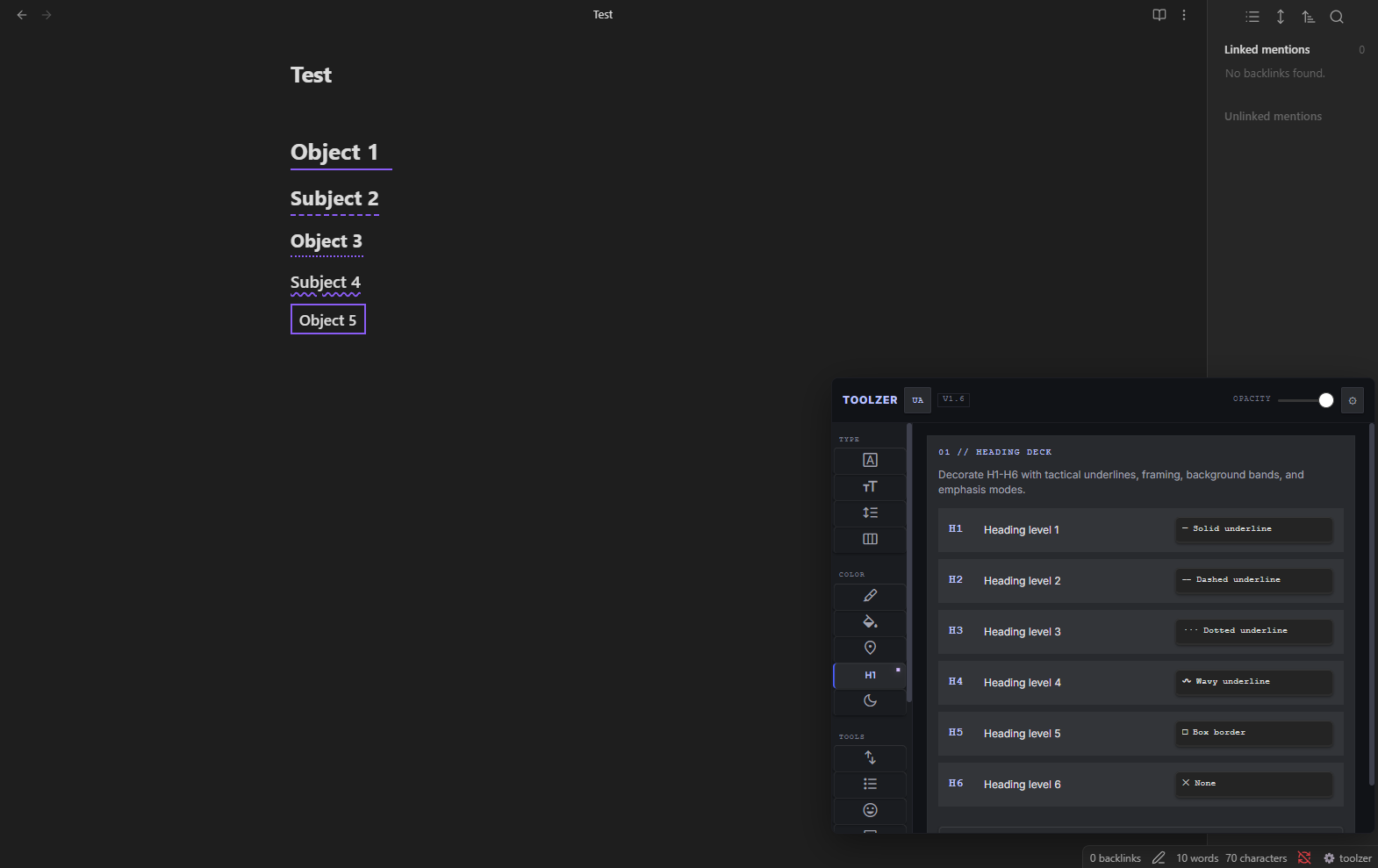
Toolzer lives in a single compact popup that stays close to the note instead of sending you through multiple settings screens.
Reading And Layout
This is the core of the plugin: making long writing and reading sessions easier on the eyes.
Width Instrumentnarrows wide notes into a more comfortable reading column.Spacing Engineadjusts line, paragraph, and letter spacing without touching your theme files.Font Enginelets you swap body and UI fonts fast.Reader Moduleadds a progress bar and a reading ruler for focus.
Highlights And Paper
Toolzer also gives you fast visual controls that change how notes feel without turning them into a CSS project.
Highlight Enginechanges the native text selection color.Markerslet you save reusable highlight colors and apply them to selected text.Paper Engineadds lined, grid, dotted, and notebook-style textures behind the note.
Themes, Presets, And Quick Switching
Some days you want a clean writing setup. Some days you want something denser, darker, or more playful. Toolzer makes those switches quick.
Theme Switcherswaps between installed Obsidian themes.Workspace Loadoutssaves your current Toolzer setup as a preset so you can come back to it later.
Other Small Tools
There are also smaller utilities inside the popup for:
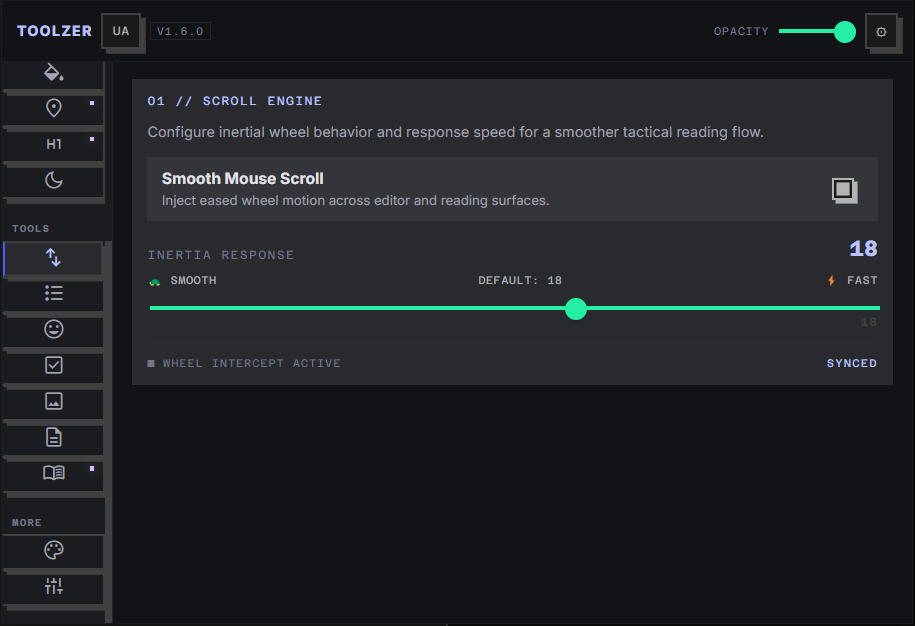
- scroll tuning
- bullet styling
- emoji insertion
- heading decoration
- image treatment
- task styling
- text color and night / sepia adjustments
They are there for the same reason as everything else in Toolzer: quick local control without digging through scattered settings.
Install
Toolzer is currently available for desktop Obsidian 1.13.7 or newer. The community-directory submission is the next step.
Open the panel using the Toolzer: Open toolkit command or the status-bar button. The interface supports English and Ukrainian.
- Download
main.jsandmanifest.jsonfrom the latest release. - Create a folder named
toolzerinside your vault at.obsidian/plugins/. - Put
manifest.jsonandmain.jsinto that folder. - Reload Obsidian and enable
Toolzerin Community Plugins.
Current Status
Currently shipping: Toolzer
Building next: Screen Translator
Support
If Toolzer ended up useful for you and you want to support more small tools like this, you can leave a donation here:
Notes
- Tested as a practical personal-use plugin first, then cleaned up for release.
- Some features depend on your installed fonts, active theme, and current Obsidian setup.
- The plugin is meant to stay lightweight and useful, not turn into an overbuilt platform.
Privacy and compatibility
Toolzer runs locally and does not send note content or usage data to external services. Icons use the built-in Obsidian icon library. Personal settings, markers, and presets stay in your vault's plugin data.json and are excluded from this repository.
Desktop is the supported platform for this release. Theme-dependent styling and pop-out windows may vary; mobile support has not been validated.
Feedback
Report a bug or request a feature. Include your Obsidian version, theme, and steps to reproduce. Avoid uploading private vault content.
License
MIT, copyright Bogdan Mykhailyk.