
README file from
GithubTodoist-Plug
A robust integration between Todoist and Obsidian for managing your tasks natively within your knowledge base.
Screenshots
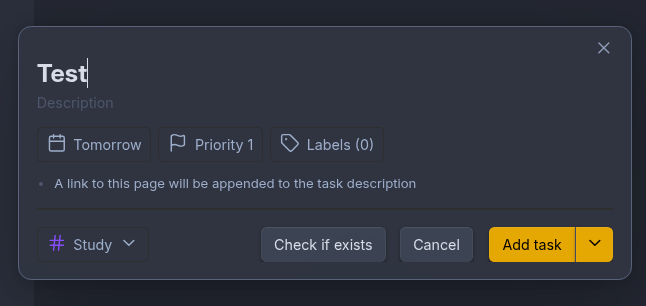
Quick Add Task Modal
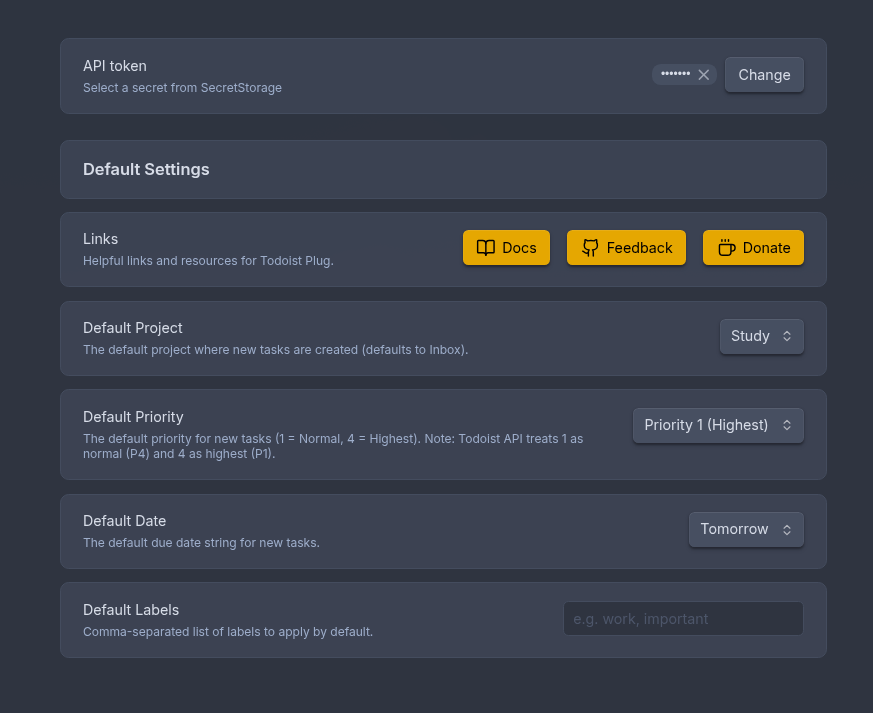
Minimal Settings
Features
- Quick Add Task Modal: A beautiful, fully-featured modal for creating tasks without leaving Obsidian.
- Context-Aware: Automatically populates the task title with your currently selected text, or falls back to your active file name.
- Obsidian Linking: Can automatically append a deep link to your current Obsidian note directly into the Todoist task description.
- Premium Property Selectors: Features rich, searchable popover menus for selecting Projects, Labels, Dates, and Priorities.
- Color Synchronization: Pulls live project and label data straight from the Todoist API, mapping them accurately with their native Todoist colors.
- Configurable Defaults: A sleek, card-based Settings tab that allows you to configure your desired defaults for new tasks (Default Project, Default Priority, Default Date, and Default Labels).
- Secure Authentication: Uses Obsidian's native OS keychain (
app.secretStorage) to securely store your Todoist API token locally, preventing it from syncing in plaintext.
Authentication
Use Connect Todoist in the plugin settings to authorize through Todoist OAuth. The plugin uses PKCE and stores its access and refresh tokens in Obsidian's native SecretStorage. A manually supplied personal token remains available as an optional fallback.
OAuth requires the static callback and client metadata in this repository to be
served at https://albibenni.github.io/Todoist-Plug/. Enable GitHub Pages from
the repository root before distributing a release. The callback page only relays
the short-lived authorization code to Obsidian; it does not store tokens.
Available Commands
Here is a detailed list of all actions you can perform using the Obsidian command palette (Cmd/Ctrl + P):
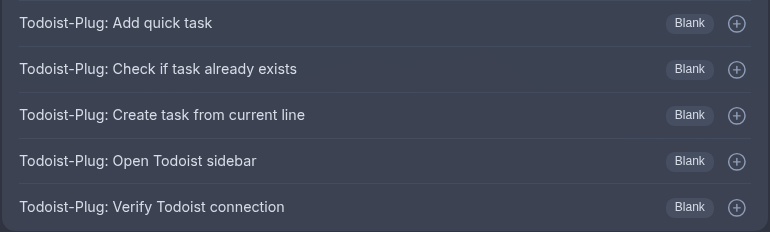
- Todoist-Plug: Add quick task: Opens the Quick Add Task modal. This interface lets you visually configure the task's properties (projects, labels, priority, date). It auto-populates the task title with your currently selected text or active file name, and appends a deep link back to your current note in the task description.
- Todoist-Plug: Create task from current line: Instantly creates a task in the background using your currently selected text. If no text is selected, it uses the entire line where your cursor is positioned. It skips the modal and adds the task directly to your default project.
- Todoist-Plug: Check if task already exists: Takes your currently selected text (or current line) and searches your Todoist account to see if a matching task already exists. A notification will tell you if a match was found.
- Todoist-Plug: Open Todoist sidebar: Opens a dedicated Todoist sidebar view in Obsidian's right-hand pane, letting you view and interact with your tasks.
- Todoist-Plug: Verify Todoist connection: Pings the Todoist API using your saved token to ensure that your authentication credentials are correct and active.
Task Rendering
You can also render your Todoist tasks directly inside your notes using a markdown code block. Provide a Todoist filter query inside a todoist block, and the plugin will fetch and render a list of matching tasks.
today | overdue
Network Usage & Disclosures
To comply with Obsidian's plugin guidelines, here is a full disclosure of this plugin's network usage and bundled components:
- Todoist API: The plugin makes background network requests exclusively to
api.todoist.comto fetch and sync your tasks, projects, labels, and priorities. - External Links: The settings tab contains links that open in your default browser to
github.com(for documentation and feedback) andwww.paypal.com(for donations). No background network requests are made to these domains. - WASM & Base64: The plugin bundle may include WebAssembly (WASM) modules and
btoa/atobencoding/decoding functions. These are standard inclusions from our bundled dependencies (such as the official Todoist SDK) and are not used to obscure code. - Node.js Modules (
fs): The plugin bundle may contain references to the Node.jsfsmodule. This is imported automatically by underlying dependencies and is never used by this plugin to directly read or write files on your local system outside of the official Obsidian vault API.
How to use
- Clone this repository into your vault's plugin folder (
.obsidian/plugins/Todoist-Plug). - Ensure you have NodeJS installed (v18+).
- Run
pnpm ito install dependencies. - Run
pnpm run devto compile the plugin. - Enable the plugin in Obsidian settings.
- Open the plugin settings and paste your Todoist API token to get started.
Development
This project uses pnpm for package management and biome for lightning-fast linting and formatting.
pnpm run dev- Compile in watch modepnpm run build- Build for productionpnpm run lint- Run Biome checkspnpm run indent:write- Format codebase with Biome
License
MIT License. See the LICENSE file for more information.