
README file from
GithubTaskTodo
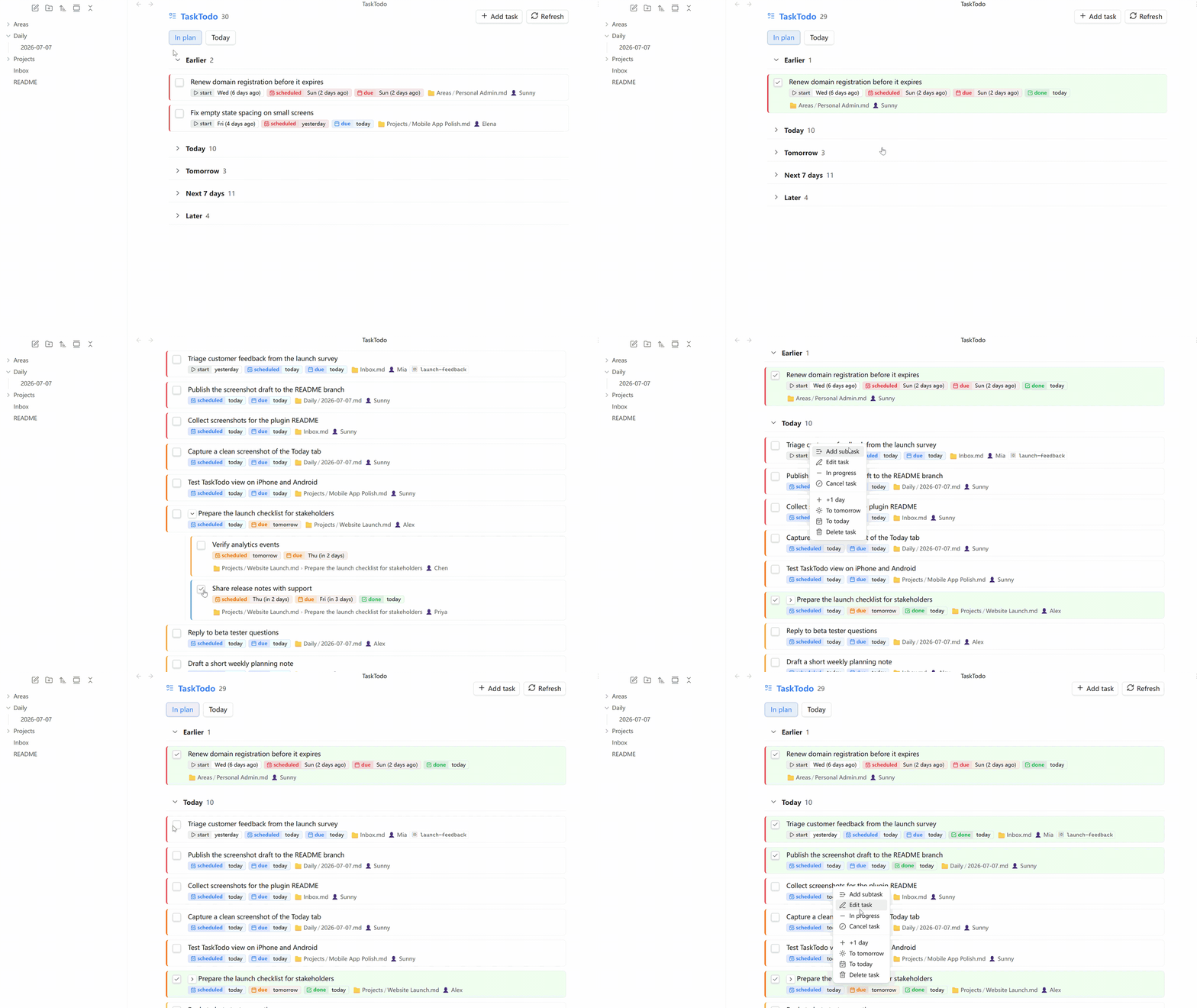
TaskTodo is an Obsidian plugin that adds a planning view and a today dashboard on top of TaskLite Core.
Requirements
- Obsidian
1.8.0or newer - TaskLite Core enabled
Features
- Two built-in task views:
In planandToday - Custom tabs and custom columns/groups
- GUI filters with DQL fallback for advanced queries
- Drag-and-drop sort order for task groups and tabs
- Priority color customization
- Task creation and subtask creation from the view
Installation
From GitHub releases
- Open the latest release for this repository.
- Download
manifest.json,main.js, andstyles.css. - Create a folder named
tasktodounder.obsidian/plugins/. - Copy the three files into that folder.
- Enable
TaskTodoin Obsidian community plugins.
Usage
After enabling TaskLite Core and TaskTodo:
- Use the ribbon icon to open TaskTodo.
- Run the command
Open task list. - Configure tabs, columns, sort order, and priority colors in the plugin settings.
Development
bun install
bun run build
bun test
bun run lint
Release Files
Each release includes:
manifest.jsonmain.jsstyles.css
License
0BSD