README file from
GithubTask Timestamp Marker
Demo
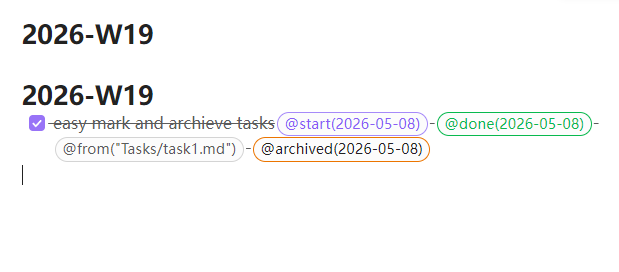
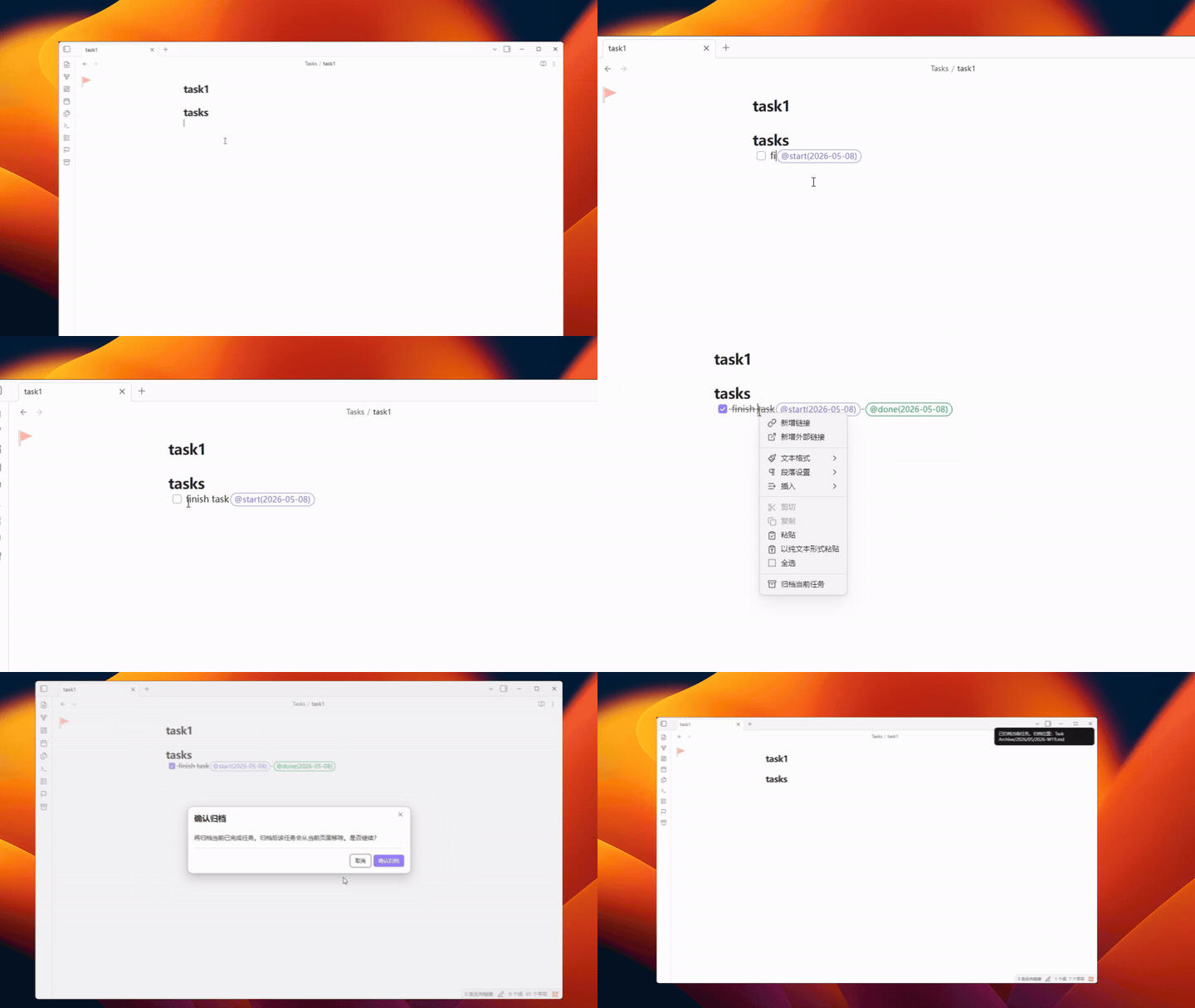
create a task, check it off, and let the plugin append the correct markers automatically.
Quick Start
Task Manager starts working as soon as you enable it(Zero Config):
- Create a task and the plugin automatically appends
@start(YYYY-MM-DD). - Complete a task and the plugin automatically appends
@done(YYYY-MM-DD). - Right click to Mark task priority with
@priority(urgent|high|medium|low)and manage it from the editor menu or commands.
Pro tips
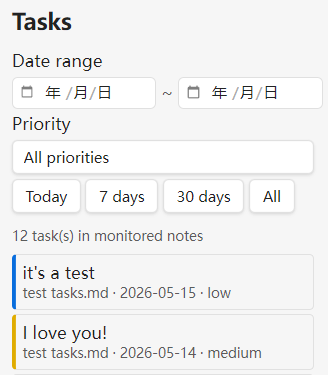
- Open the Task Manager sidebar to filter tasks by date range, priority, and file path across monitored notes, and save favorite paths for quick reuse.
- Turn on optional archiving to remove completed tasks from the source note and preserve their details in the plugin SQLite database.