
README file from
GithubTask Sweeper
Obsidian plugin that moves completed tasks to a ## Done section at the bottom of the note.
I keep my to-do lists inside my notes, but finished tasks pile up and get in the way. I don't want to delete them, it's nice to see what got done and when. So open tasks stay at the top, finished ones go to the bottom.
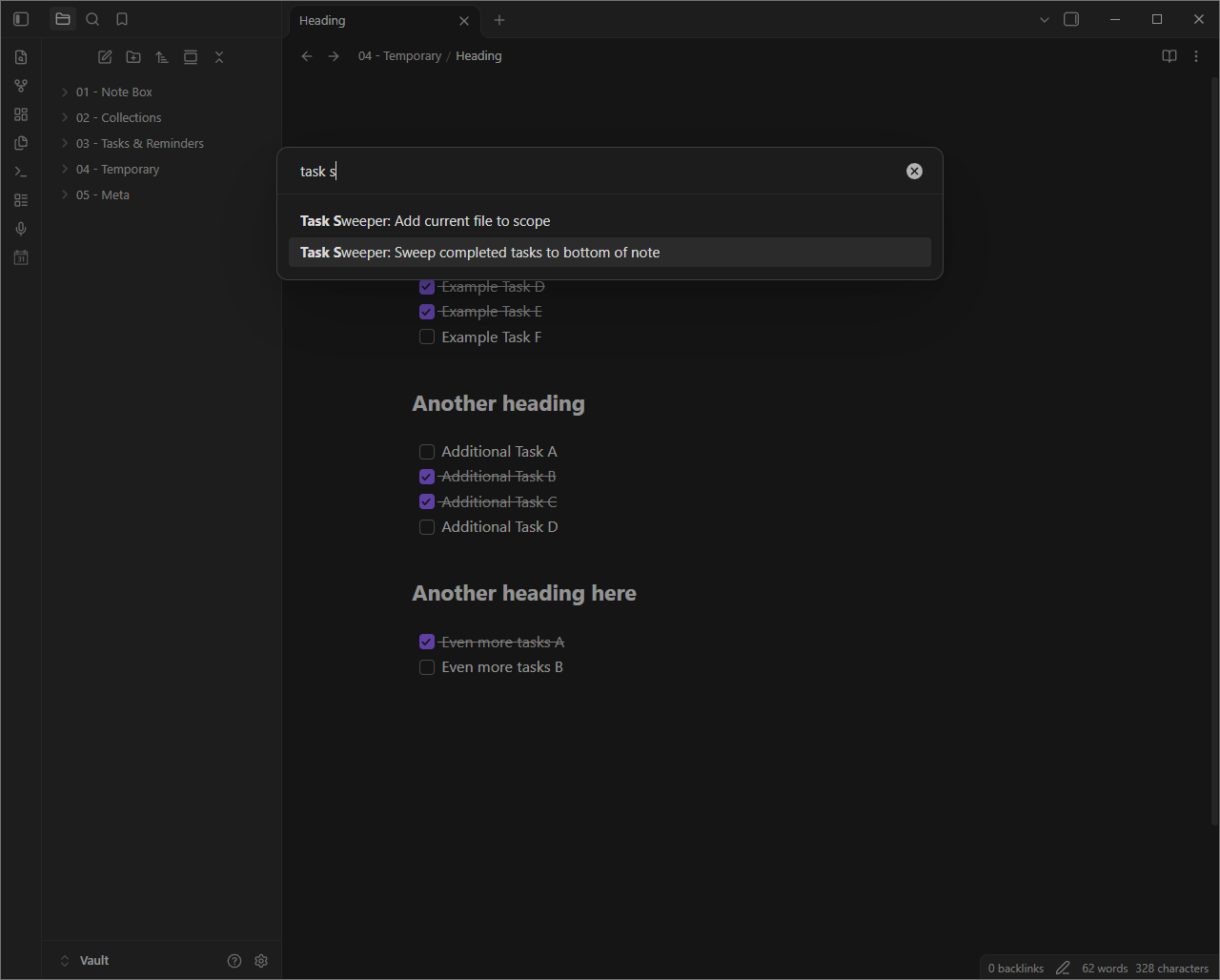
By default it works in every note. To limit it, set Active scope to Selected files and folders, then run Add current file to scope in each note you want swept, or list folders in settings.
Example
In Markdown:
## Groceries

- [ ] Oat milk
- [x] Coffee beans
- [ ] Bread
- [x] Rice
becomes:
## Groceries

- [ ] Oat milk
- [ ] Bread

## Done

- [x] Coffee beans (2026-11-19)
- [x] Rice (2026-11-19)
Everything stays plain Markdown, so your notes work without the plugin.
Features
- Sweep completed tasks to bottom of note: Command to sweep the current note.
- Auto sweep: Sweeps right after you check off a task. Off by default, turn it on in settings.
- Scope: Run everywhere, or only in selected files and folders.
- Add current file to scope: Command to add the current note to the selected files.
How it works
- Finds completed top-level tasks, with everything indented beneath them (sub-tasks, notes, code).
- Moves them under
## Doneat the bottom of the note. - Adds a completion date
(YYYY-MM-DD)to each top-level task that doesn't have one.
Anything else you've written under ## Done stays.
Sub-tasks
- A completed parent moves with all its sub-tasks, finished or not.
- A completed sub-task under an open parent stays put.
Lightweight
Each plugin adds complexity, risk and loading time, so I kept this one minimal.
- About 10 KB (4 KB gzipped), ~900 lines of TypeScript.
- No dependencies.
- Offline: no network requests, no telemetry.
- On load it only reads settings and registers commands. No vault scans, file watchers or timers.
- Only touches the current note.
- Auto sweep runs only when you check off a task, not on every keystroke.
- Works on desktop and mobile, Obsidian 1.4.0+.
Settings
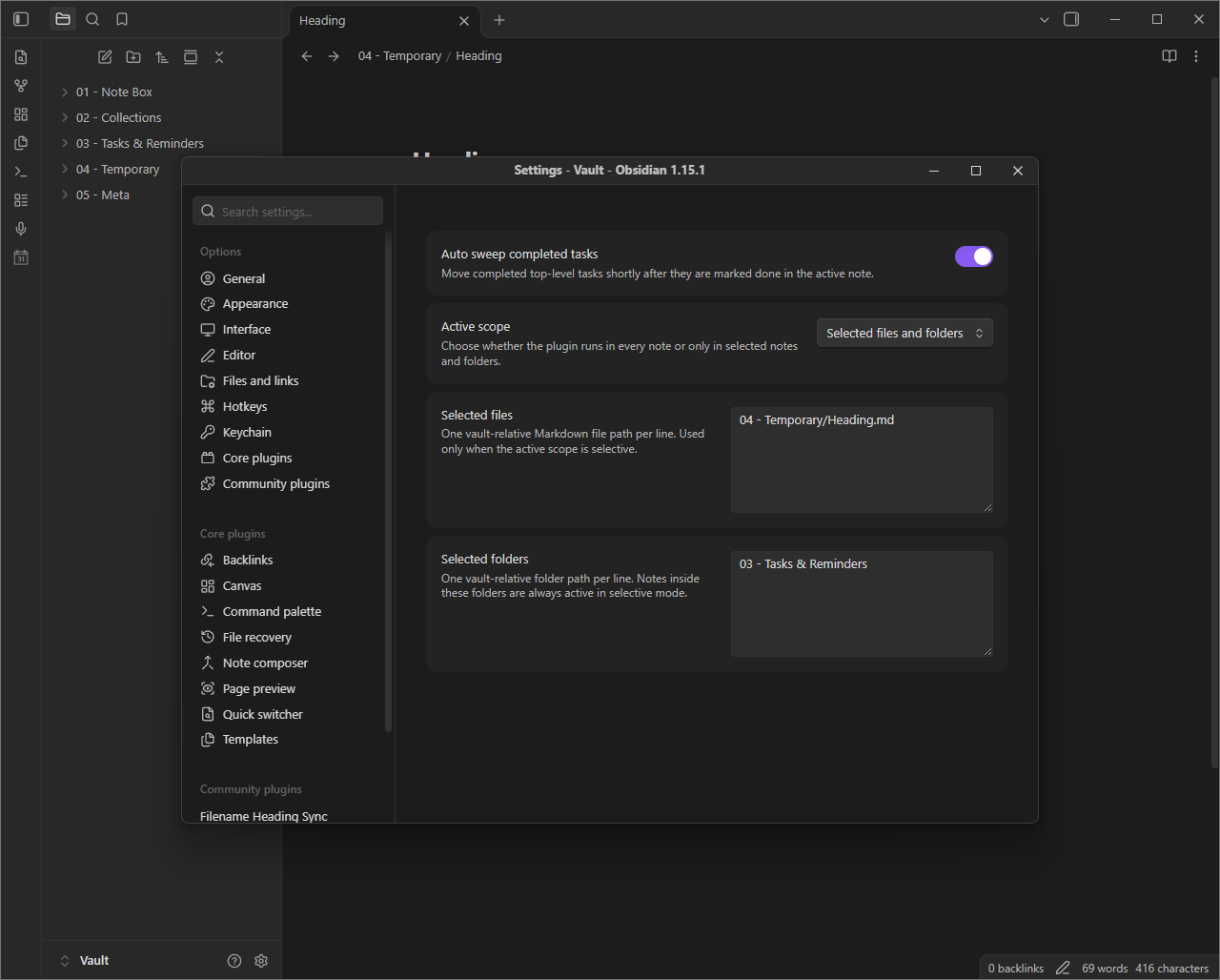
- Auto sweep completed tasks: Off by default.
- Active scope:
Global(default) orSelected files and folders. - Selected files: One vault-relative Markdown file path per line.
- Selected folders: One vault-relative folder path per line. Includes everything inside.
Good to know
- Only
[x]and[X]count as completed. Other statuses like[-]or[/]stay, and so do numbered tasks like1. [x]. - Only
(YYYY-MM-DD)dates are recognized. A task already dated by another plugin, like the Tasks plugin's✅ 2026-11-19, gets a second date. - Block IDs like
^abc123stay at the end of the line, after the date, so links to the task keep working. - The managed section is the last
## Doneheading with no#or##heading after it. A## Donefollowed by other sections is left alone and a new one gets created at the bottom. - Tasks in fenced code blocks and frontmatter are never swept.
- Sweeps pause while a note has an unclosed fenced code block.
- Undo and redo never trigger auto sweep, so you can undo a sweep.
Installation
Community plugins
Once Task Sweeper is in the community catalog:
- Open Settings → Community plugins.
- Turn off restricted mode if needed.
- Select Browse, search for Task Sweeper, then install and enable it.
Manual
- Download
manifest.jsonandmain.jsfrom the latest release. - Put them in
<Vault>/.obsidian/plugins/task-sweeper/. - Reload Obsidian and enable Task Sweeper under Settings → Community plugins.
Feedback
Bugs or ideas: open an issue.
Made by Bryan Hogan. Licensed under 0BSD.