
README file from
GithubTask Priority Matrix for Obsidian
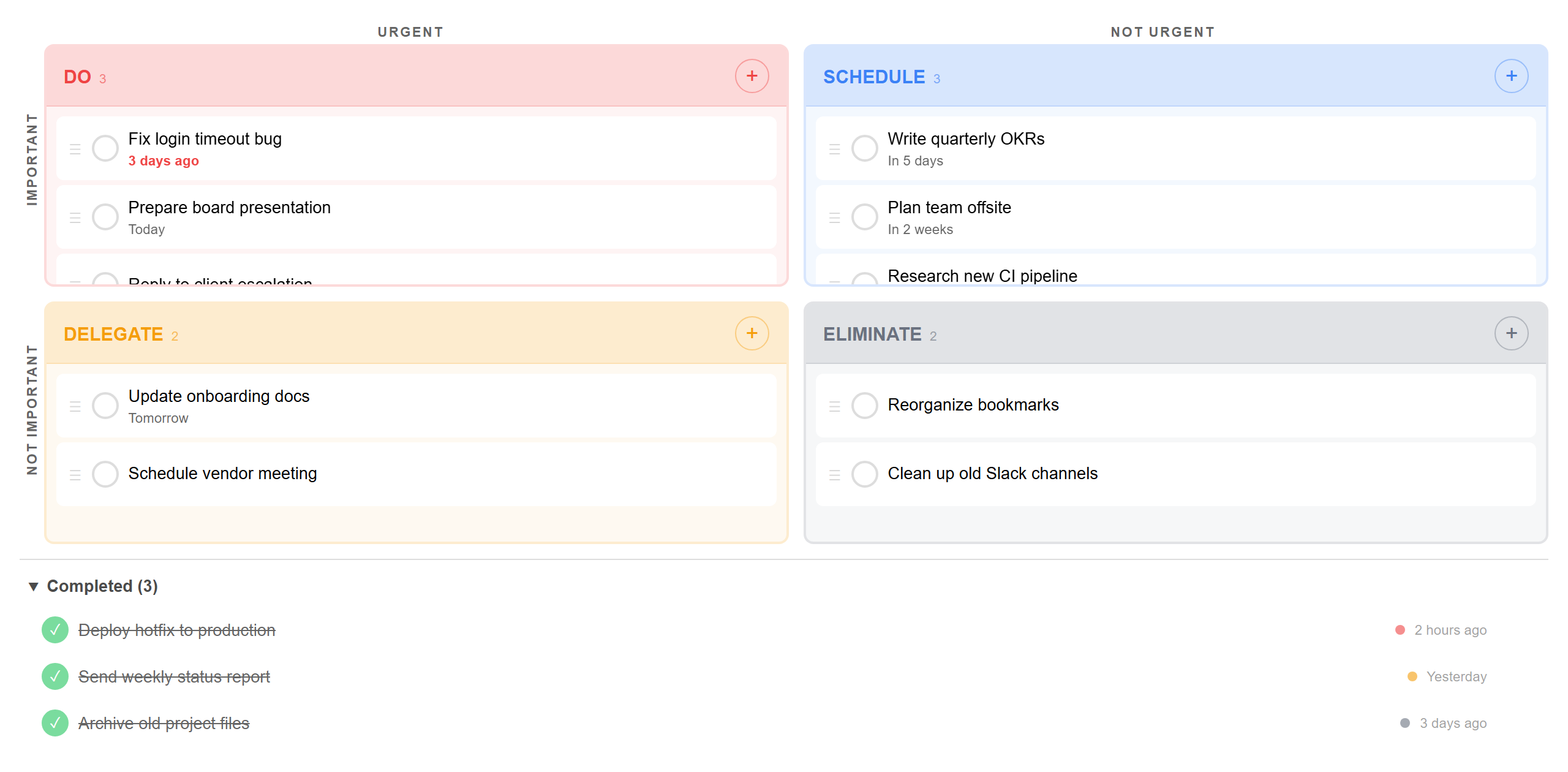
Prioritize your tasks by urgency and importance, right inside Obsidian. Based on the classic Eisenhower Matrix method.



Features
| Feature | Description |
|---|---|
| 4-quadrant matrix | Do, Schedule, Delegate, Eliminate — the classic Eisenhower layout |
| Task completion | Check off tasks with a single click — completed items move to a collapsible bin with timestamps |
| Revive or delete | Uncomplete a task to send it back to its quadrant, or delete it permanently |
| Drag and drop | Move tasks between quadrants on desktop. Long-press to drag on mobile |
| Due dates | Relative formatting (Today, Tomorrow, 3 days ago) with overdue highlighting |
| Inline editing | Click any task to edit its title or due date in place |
| Task count badges | Each quadrant header shows the number of active tasks at a glance |
| Undo on actions | Delete or complete a task by accident? A 5-second toast lets you undo instantly |
| Overflow scrolling | Quadrants scroll individually when overloaded — with a color-matched fade indicator |
| Syncs across devices | Works with Obsidian Sync — tasks update automatically on all devices |
| Mobile friendly | Responsive stacked layout with touch-friendly checkboxes and drag onboarding |
| Theme aware | Adapts to your light or dark Obsidian theme |
Dark mode
Mobile layout
Overflow scrolling
Installation
In Obsidian:
- Open Settings > Community plugins
- Turn off Restricted mode if prompted
- Click Browse and search for Task Priority Matrix
- Click Install, then Enable
Direct link: community.obsidian.md/plugins/task-priority-matrix
Usage
Open the matrix from the ribbon icon or the command palette (Task Priority Matrix: Open matrix).
- Add a task — tap the + button in any quadrant
- Complete a task — click the circle checkbox to mark it done
- Edit a task — click on it to change the title or due date
- Move a task — drag it to a different quadrant (long-press on mobile)
- Revive a task — click the green checkbox in the Completed section to bring it back
- Delete a task — click the x button (undo within 5 seconds)
Development
npm install
npm run dev          # watch mode
npm run build        # production build
npm test             # unit tests (Jest)
npm run test:mobile  # mobile layout tests (Playwright)
npm run screenshots  # regenerate README screenshots