
README file from
GithubObsidian Task Center
Task Center is an Obsidian plugin for planning markdown tasks on a daily, weekly, and monthly board.
It keeps your tasks in plain markdown. No database. No private task format.
- [ ] Plan the launch #work ⏳ 2026-05-15 📅 2026-05-20 [estimate:: 90m]
    - [ ] Draft release notes [estimate:: 30m]
- [x] Ship the fix ✅ 2026-04-28 [actual:: 45m]
Install
Or find it in Settings → Community plugins → Browse.
Before using it:
- Enable at least one task-format companion: Obsidian Tasks or Dataview.
- Enable Obsidian's built-in Daily Notes core plugin and set its "New file location". Quick Add writes new tasks to today's Daily Note.
What It Adds
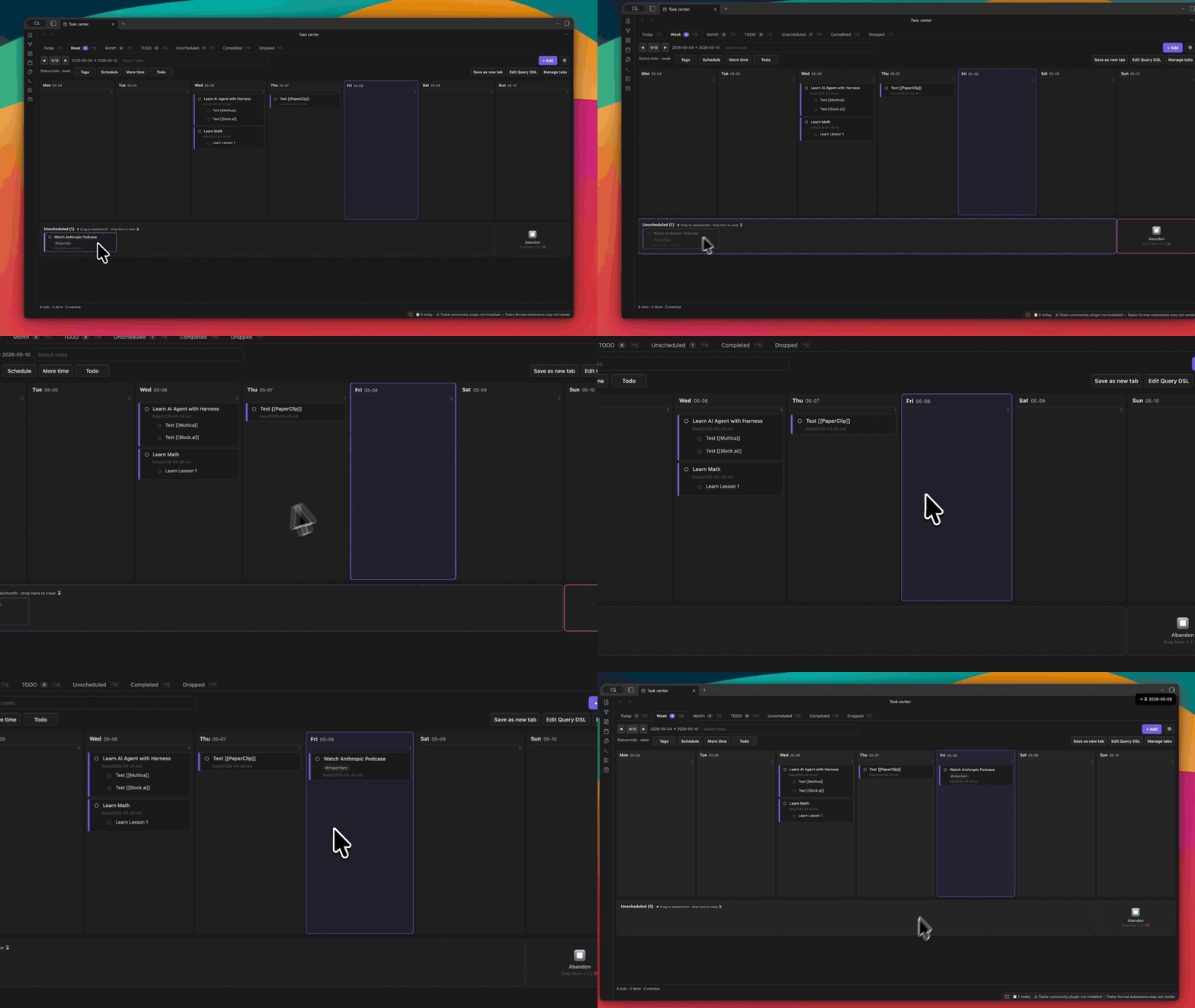
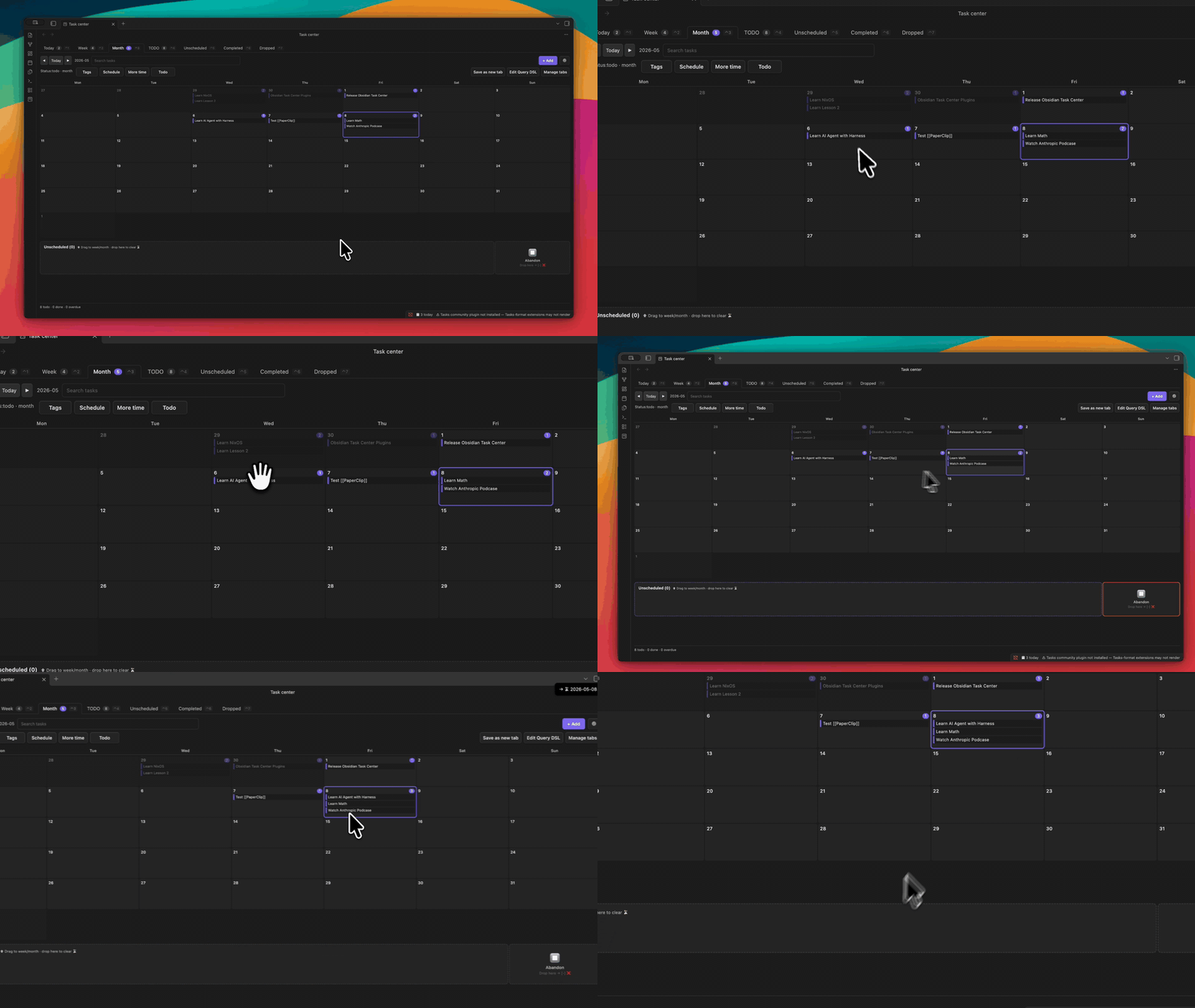
- A full-page task board: Today, Week, Month, Completed, and Unscheduled.
- Drag-and-drop scheduling, nesting, and abandon actions.
- Parent-child task cards with inherited schedule and status.
- Spotlight-style Quick Add with English and Chinese date parsing.
- Estimate and actual-time summaries from inline fields.
- Mobile layout with long-press menus and swipe actions.
- Agent-friendly
obsidian task-center:*CLI commands.
Quick Start
-
Keep writing normal markdown checkboxes anywhere in your vault.
- [ ] Review PR #work ⏳ today [estimate:: 30m] - [ ] Renew passport 📅 2026-05-30 -
Open Task Center from the ribbon icon, command palette, or
Ctrl/Cmd+Shift+T. -
Use Quick Add with
Ctrl/Cmd+Tinside the board.Review beta feedback #work tomorrow [estimate:: 25m] 处理发布清单 #3象限 周六 [estimate:: 45m]
Natural-language dates such as today, tomorrow, 今天, and 周六 are resolved to ISO dates before writing markdown.
Task Formats
Task Center reads both Tasks emoji fields and Dataview inline fields:
- [ ] Tasks emoji ⏳ 2026-05-15 📅 2026-05-20 ➕ 2026-05-01
- [ ] Dataview [scheduled:: 2026-05-15] [due:: 2026-05-20] [created:: 2026-05-01]
The write format is controlled by Settings → Task Center → Task format flavor.
- Tasks emoji writes fields such as
⏳,📅,➕,✅, and❌. - Dataview inline fields writes fields such as
[scheduled::],[due::],[created::],[completion::], and[cancelled::].
Drag scheduling, date prompts, Quick Add, and CLI mutations all use the selected flavor. If both formats exist for the same field on one line, the Tasks emoji value wins.
Estimate summaries use regular inline fields:
[estimate:: 90m] [estimate:: 1h30m] [actual:: 75m]
Unknown inline fields and tags are preserved.
CLI
Task Center registers commands with Obsidian's native CLI:
obsidian task-center:list scheduled=today
obsidian task-center:show ref=Tasks/Inbox.md:L42
obsidian task-center:add text="Review launch checklist" tag='#work' scheduled=2026-05-15
obsidian task-center:schedule ref=Tasks/Inbox.md:L42 date=2026-05-16
obsidian task-center:done ref=Tasks/Inbox.md:L42 at=2026-04-28
obsidian task-center:review days=7 format=json
CLI output is stable and greppable: task ids use path:Lnn, writes are idempotent, and mutations print before / after lines.
To install the companion AI skill:
npx skills add CorrectRoadH/obsidian-task-center
Settings
| Setting | Default | Controls |
|---|---|---|
| Default view | Week | First tab shown when the board opens |
| Week starts on | Monday | Week and calendar boundaries |
| Open on startup | Off | Whether Task Center opens with the vault |
| Stamp created date | On | Whether new tasks get a created date |
| Task format flavor | Tasks emoji | Tasks emoji vs Dataview inline-field writes |
| Force mobile layout | Off | Use phone layout on wider screens |
License
MIT.