
README file from
GithubTabbed



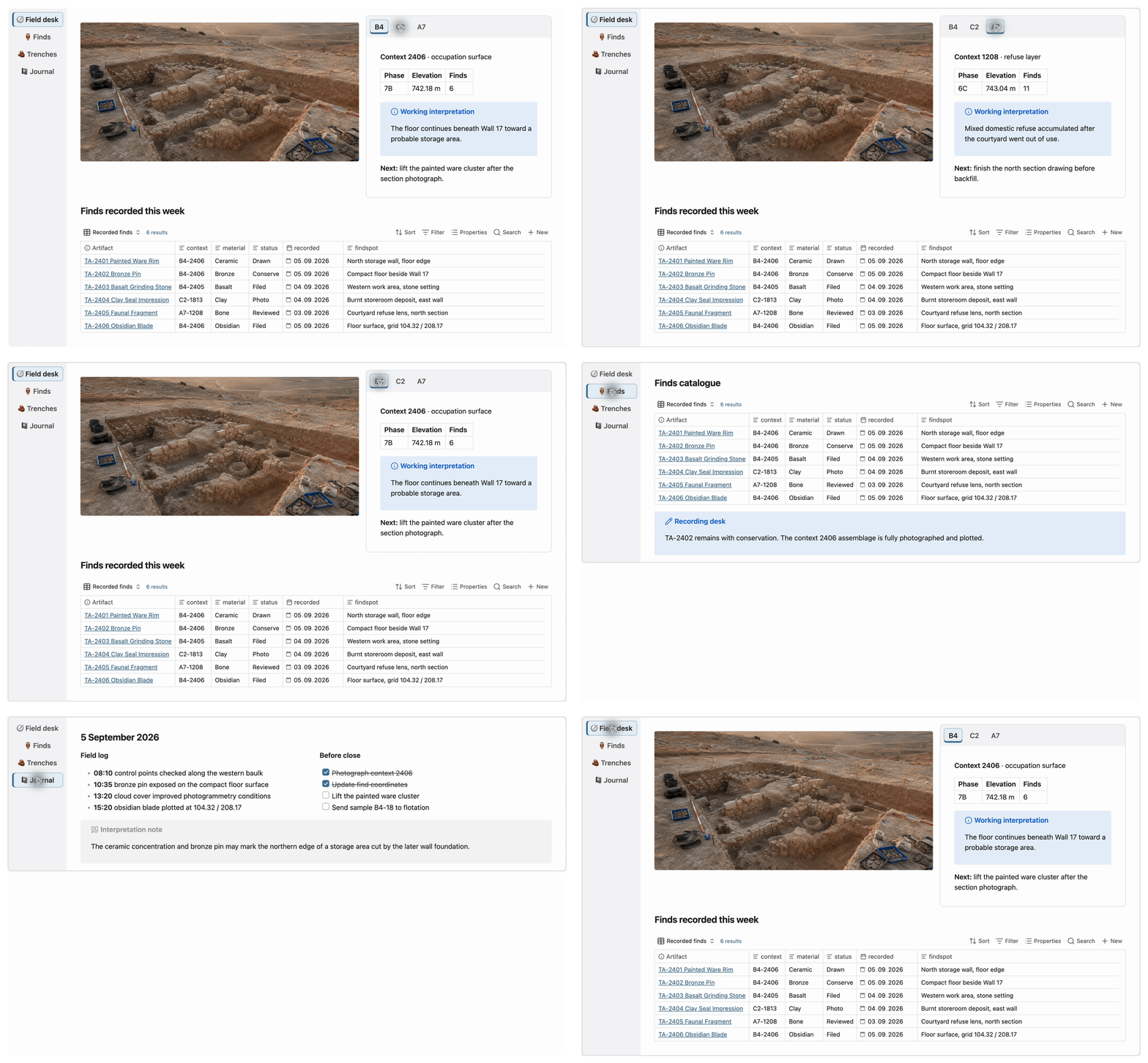
Create accessible, lazy-loading tabs for Markdown content in Obsidian. Only the active tab body is rendered, so Bases, embeds, media and nested tabs load on demand. Works on desktop and mobile.
Usage
Copy this block into a note:
```tabs
tab: Preview
This tab contains **Markdown**.

tab: Details
Only the selected tab body is rendered.
```
Tab titles support Markdown, and active tab bodies can contain any Markdown content, including nested tabs blocks.
Columns
Create equal columns with a fenced columns block:
```columns
column:
Left content.
column:
Right content.
```
Titles and weights are optional. Omitted weights are equal; use positive weights for proportions such as 2:1:
```columns
column: Main
weight: 2
Main content.

column: Context
weight: 1
Context content.
```
Narrow rows scroll horizontally by default. Put stack before the first column to stack vertically when narrow:
```columns
stack
column:
Left content.
column:
Right content.
```
Columns support Markdown, Bases, embeds and nested layouts. Inside tabs, use tilde fences for the inner columns:
```tabs
tab: Dashboard
Full-width content.

~~~columns
column:
Recent notes.
column:
More recent notes.
~~~
```
Another enabled plugin using the columns fenced language may conflict.
Options
Put options before the first tab: line, separated by commas or newlines:
| Options | Effect |
|---|---|
top, bottom, left, right |
Place the tab titles on that side of the active panel. |
one, multi |
Keep titles on one scrollable line or allow multiple lines. |
action-add, action-edit, action-none |
Choose the control shown at the end of the tab list. |
Horizontal tabs use Left/Right; vertical tabs use Up/Down. Home and End move focus, and Enter or Space activates a tab.
Editing
- Add or edit tabs from the optional end control.
- Right-click a title to add, delete, copy or paste a tab.
- Optionally double-click the active body to edit it.
- Optionally drag titles to reorder or move tabs between blocks on desktop.
- Use normal Obsidian Undo to restore source changes.
Reading view keeps navigation and lazy rendering but hides source-changing controls. Drag-and-drop is desktop-only.
Settings
Open Settings → Tabbed to configure the separator, new-tab defaults, controls, notices, editing behavior, title layout, border, content padding and maximum height.
Installation
Install Tabbed from the Obsidian Community Store.
Credits
Tabbed is a compatibility-focused successor to Huajin's Markdown Tabs, which was inspired by Code Tab.