
README file from
GithubSynclo
Turn your notes into designed presentations. Make a presentation from any note, follow it in the Synclo panel as it's written, look through the slides in a tab, then edit and share it in Synclo or download it as PowerPoint or PDF.
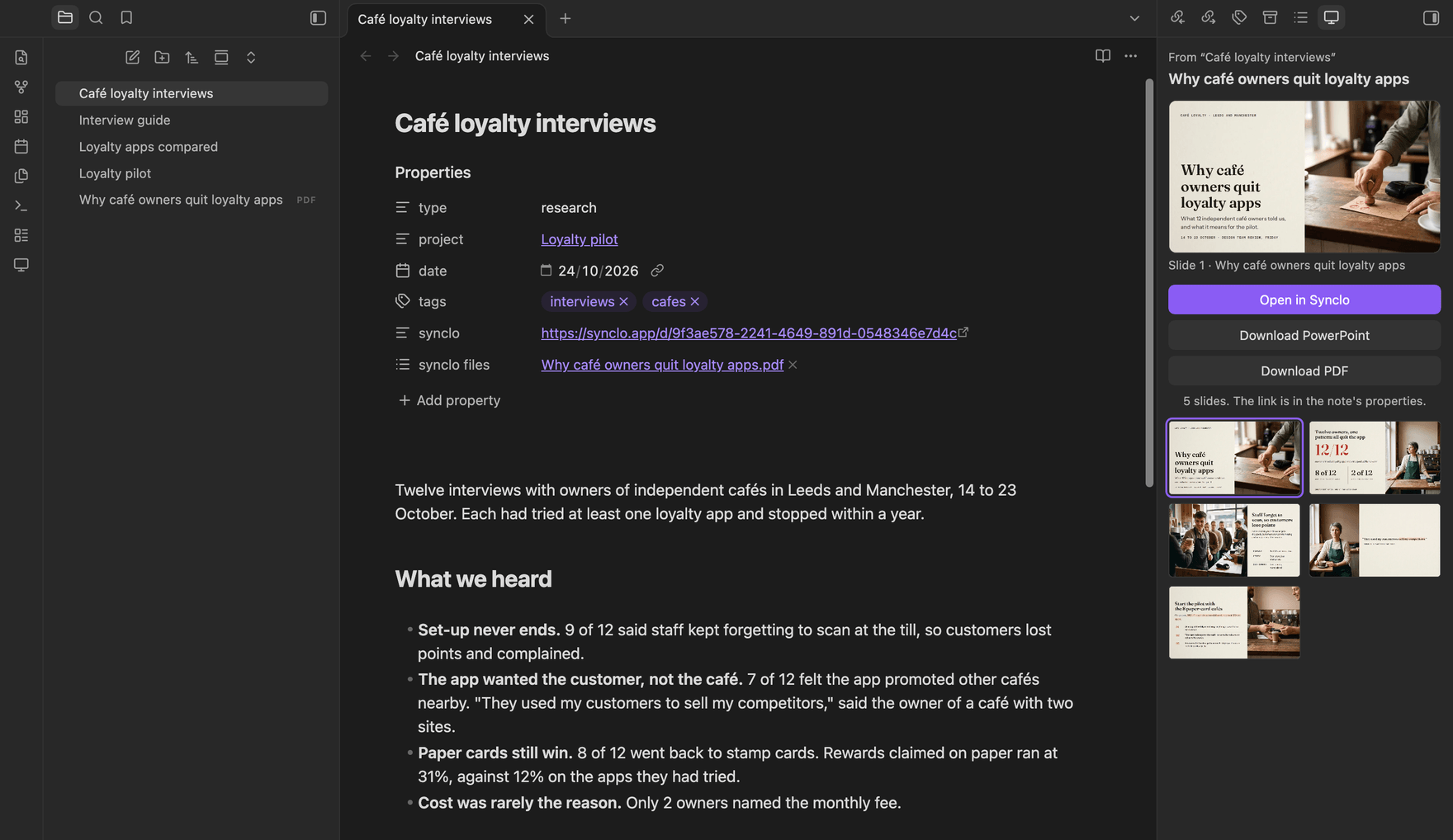
Requires a Synclo account. New accounts include 400 free credits, enough for about 40 slides; after that, making presentations requires a paid plan or a credit pack from synclo.app. Building or editing presentations by hand in Synclo is free, as are opening, finding and downloading them.
Getting started
- Install and enable Synclo in Settings → Community plugins.
- Open a note and select Make a presentation from this note in the ribbon or the command palette.
- Select Connect and sign in to Synclo in your browser.
- Choose your options and select Make.
When it's ready, the presentation's link is saved in the note's properties. Downloads are saved in your vault.
Commands
- Make a presentation from this note
- Make a presentation from the selection
- Find a presentation
- Open this note's presentation in your browser
- Download this note's presentation as PowerPoint
- Download this note's presentation as PDF
Privacy
- Synclo is a product of Synclo Inc and is not affiliated with Obsidian.
- Payments are made at synclo.app, never inside the plugin.
- The plugin connects only to synclo.app, and only when you use it. It sends the note you choose, the notes and images it embeds, linked notes if you include them, and your options. Synclo's servers, and the AI providers listed on Synclo's subprocessors page, process it to make the presentation. You can preview exactly what is sent before you confirm. Nothing else in your vault is read.
- Properties, comments and queries are never sent.
- Your sign-in is stored in Obsidian's secure storage on each device.
- The plugin collects no usage data. See Synclo's privacy policy.
Support
Email [email protected] or open an issue.
License
MIT © 2026 Synclo Inc