
README file from
GithubSummaryOnly Plugin for Obsidian


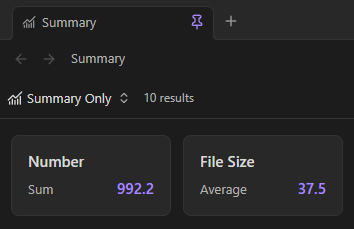
SummaryOnly adds a Summary only view to Obsidian Bases. The view hides the rows and instead, just displays the summaries as cards.
Examples
Summary
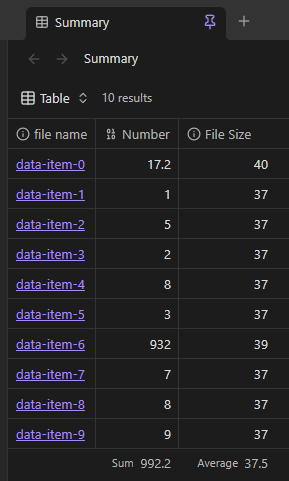
Table
Source data
Install for development
- Install dependencies:
npm install - Build the plugin:
npm run build - Copy
main.js,manifest.json, andstyles.cssto:<Vault>/.obsidian/plugins/summary-only/ - In Obsidian, enable Settings → Community plugins → summary-only.
For watch mode during development:
npm run dev
Fastest way to try it
This repository includes a ready-made demo vault in /summary-only-demo-vault.
- Windows/PowerShell:
.\scripts\build-to-demo-vault.ps1 - Any platform:
- Run
npm run build - Copy
main.js,manifest.json, andstyles.csstosummary-only-demo-vault/.obsidian/plugins/summary-only/ - Open
summary-only-demo-vaultin Obsidian
- Run
See summary-only-demo-vault/README.md for a guided walkthrough.
Use the Summary only view
- Open a
.basefile in Obsidian. - Open the view menu in the top-left corner.
- Add a view and select Summary only.
- Configure summaries for the properties that you want to display.
Each card shows the property name, the summary name, and the calculated value. Use the view settings menu to adjust Card width and Card height with sliders. Enable Show summary editor to display every property in the view and choose a summary for each card.