
README file from
Github🐾 Stardew Valley Pals


Bring the charming world of Stardew Valley into your Obsidian vault. Adopt adorable pets, befriend iconic villagers, and let them keep you company while you work on your notes — they'll comment on your writing, chat with each other, and even remember what matters to you.
📸 Demo
Pets and Villagers in Action
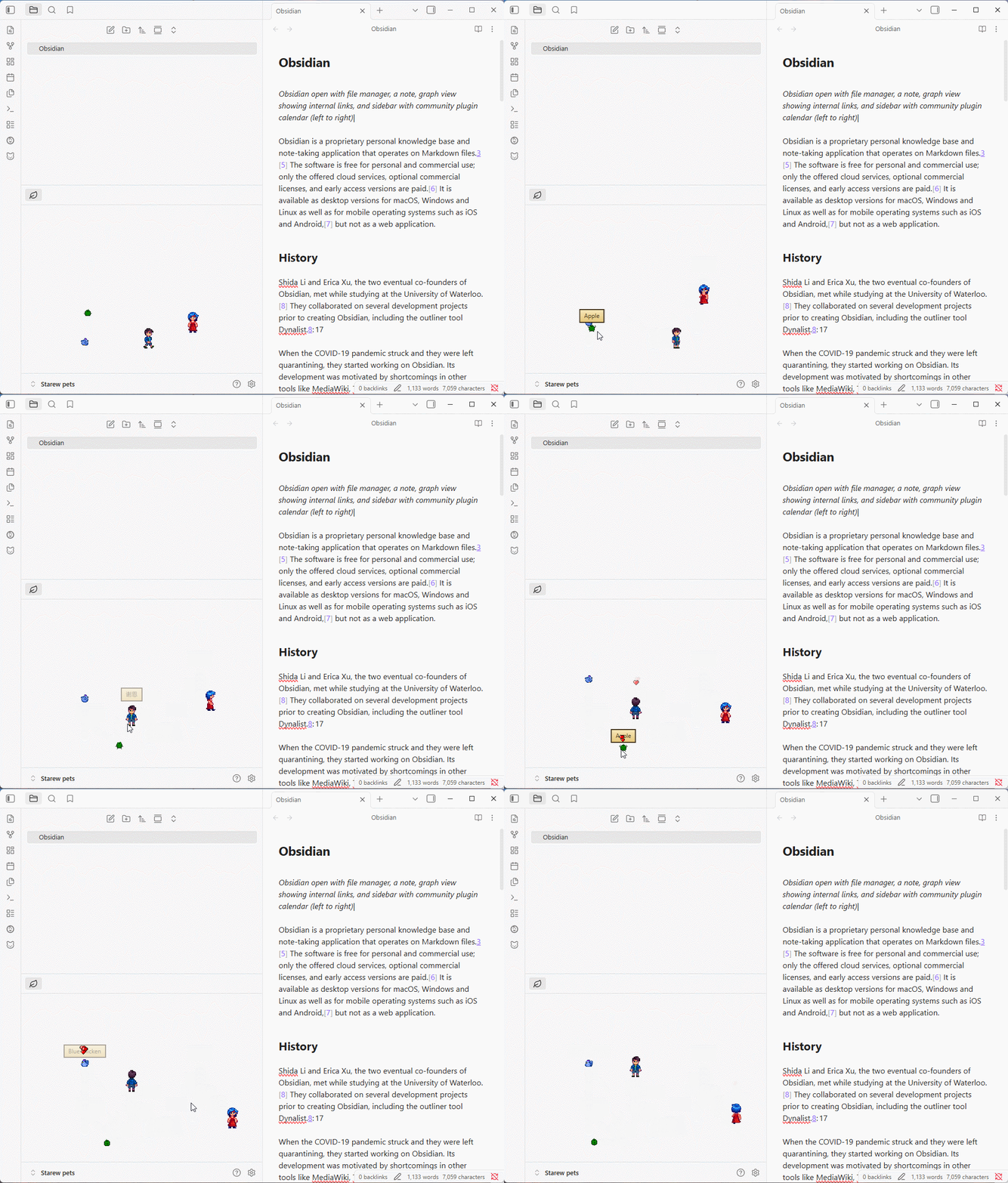
① Pets wandering around, idling, and sleeping in your vault.
② Stardew Valley villagers walking and interacting with your notes.
AI Speech Bubbles
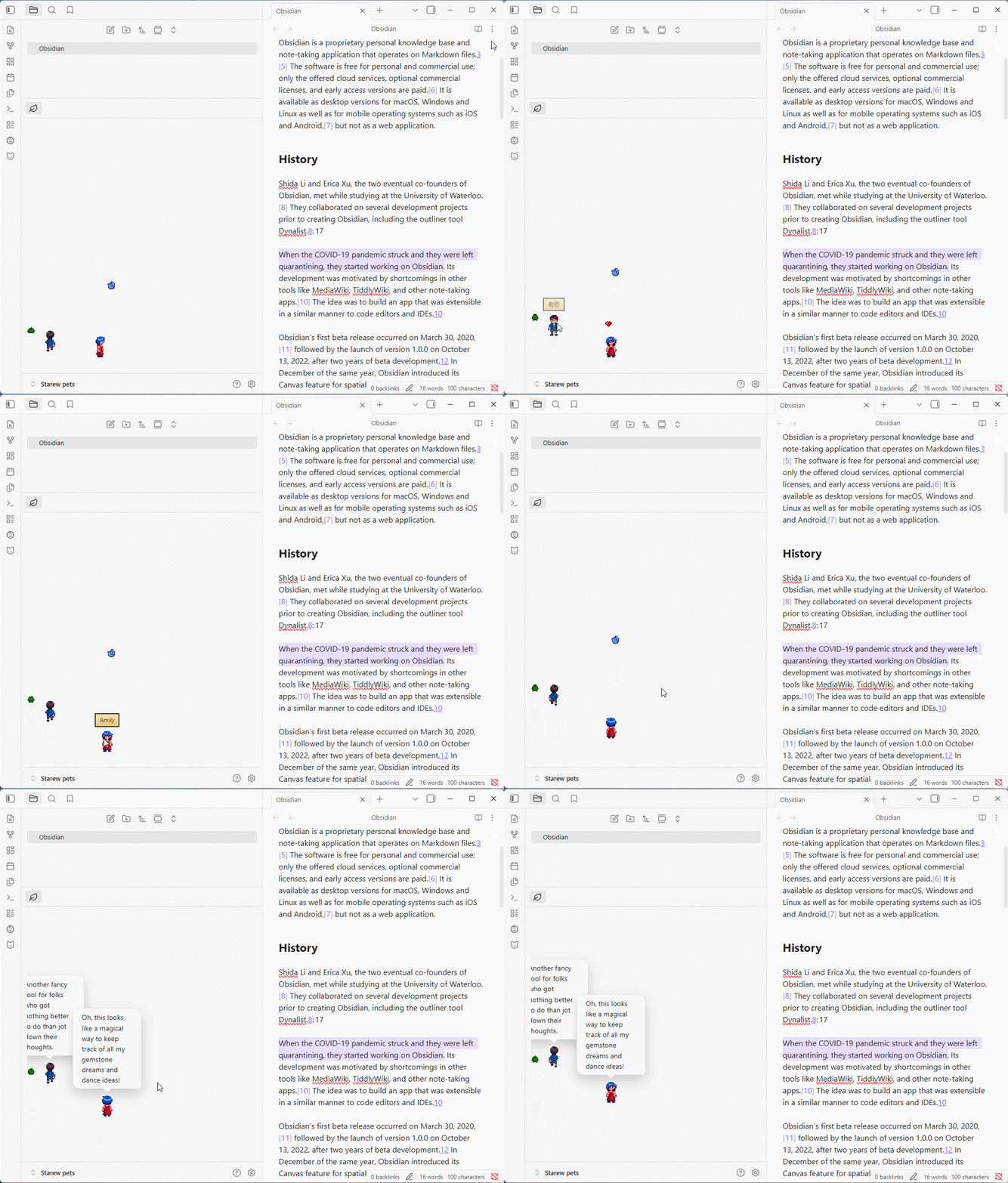
③ Right-click a villager to get a contextual comment about your current note.
Overlay Mode
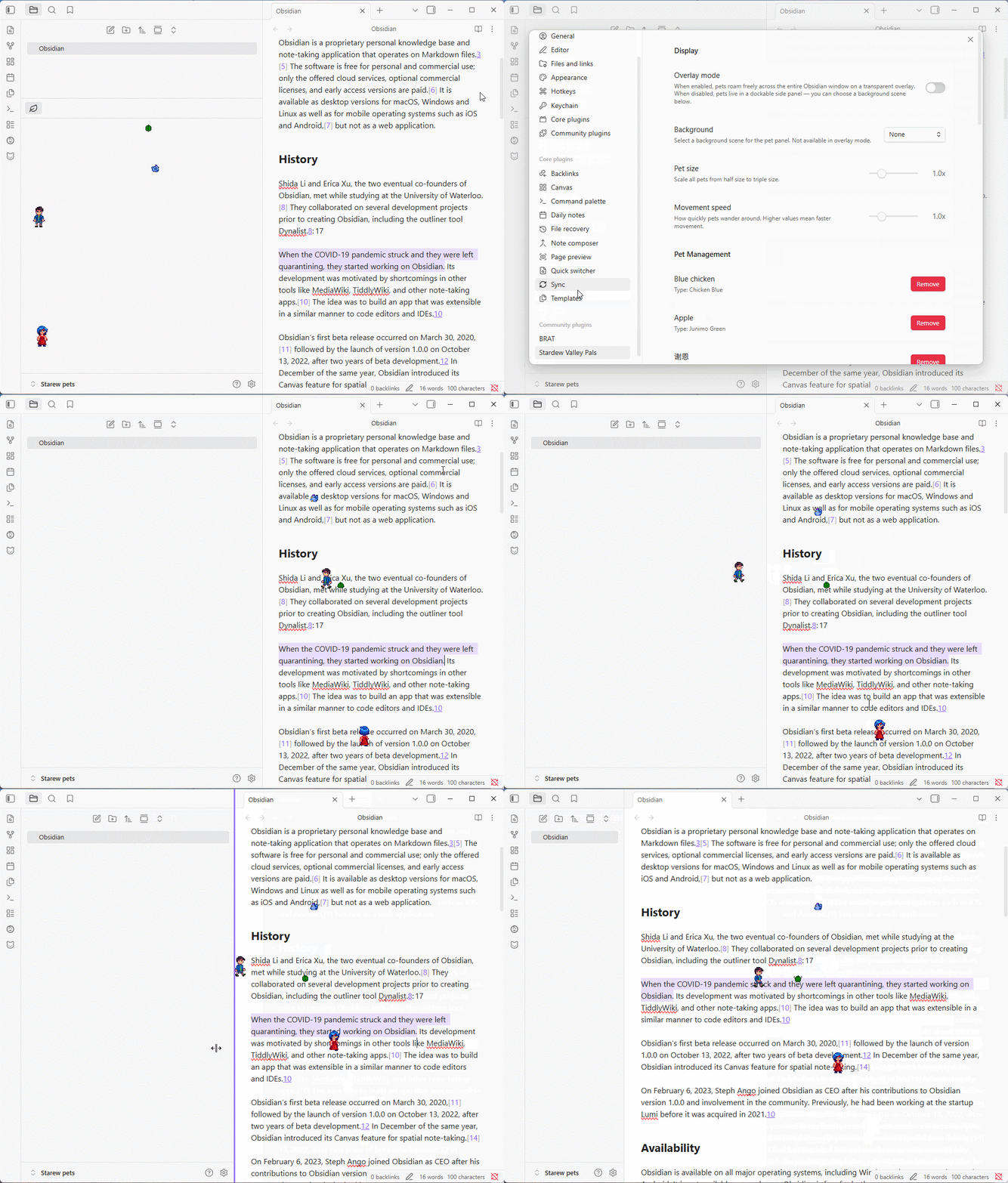
④ Pets roaming freely across your entire Obsidian window.
✨ Features
🐱 Pets & 👥 Villagers
| Category | Details |
|---|---|
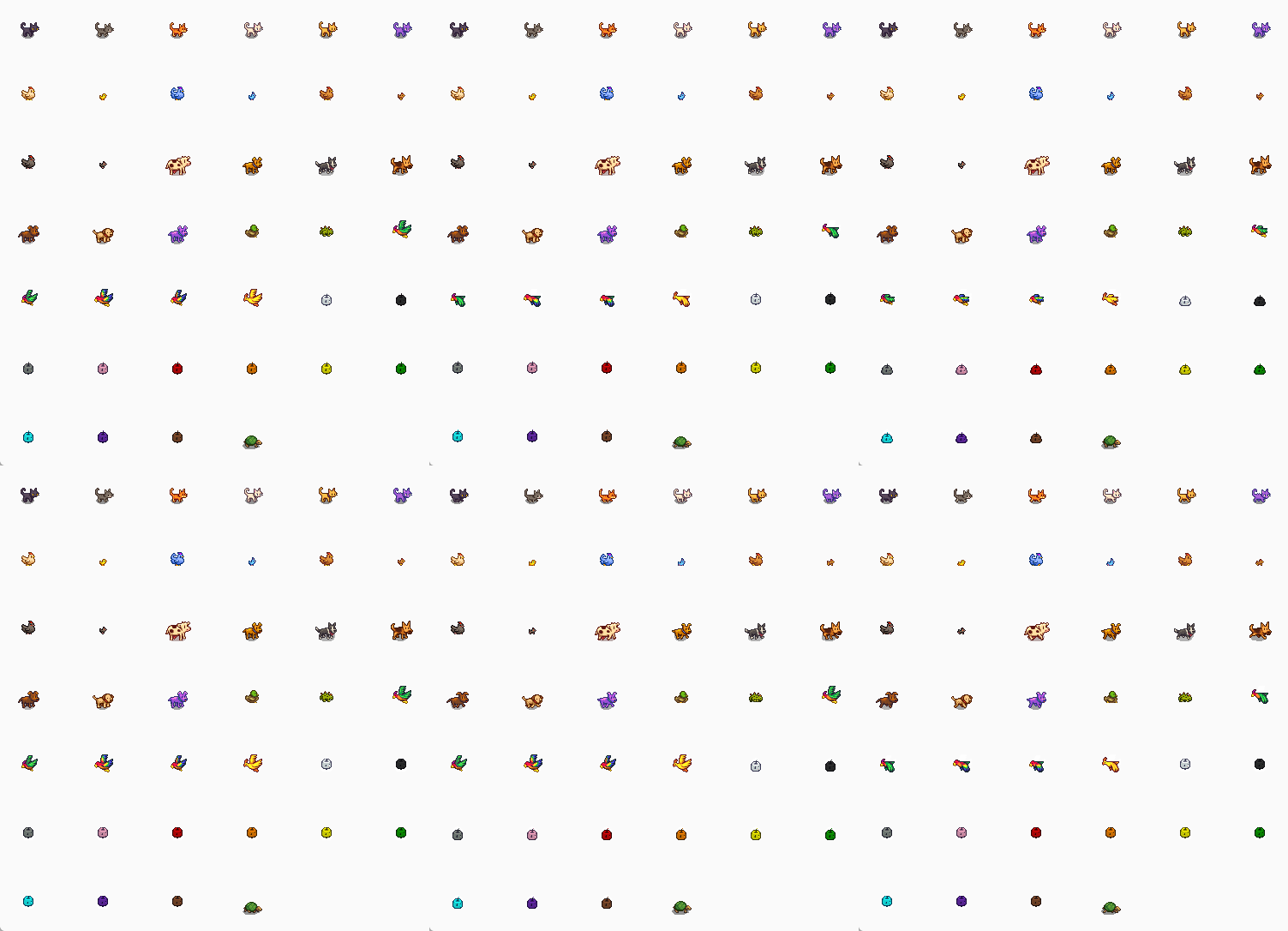
| Pets | 15 pet species with 55+ color variants — cats, dogs, chickens, cows, ducks, rabbits, dinosaurs, parrots, junimos, turtles, goats, sheep, pigs, ostriches, and raccoons. Name them whatever you like and adopt as many as you want |
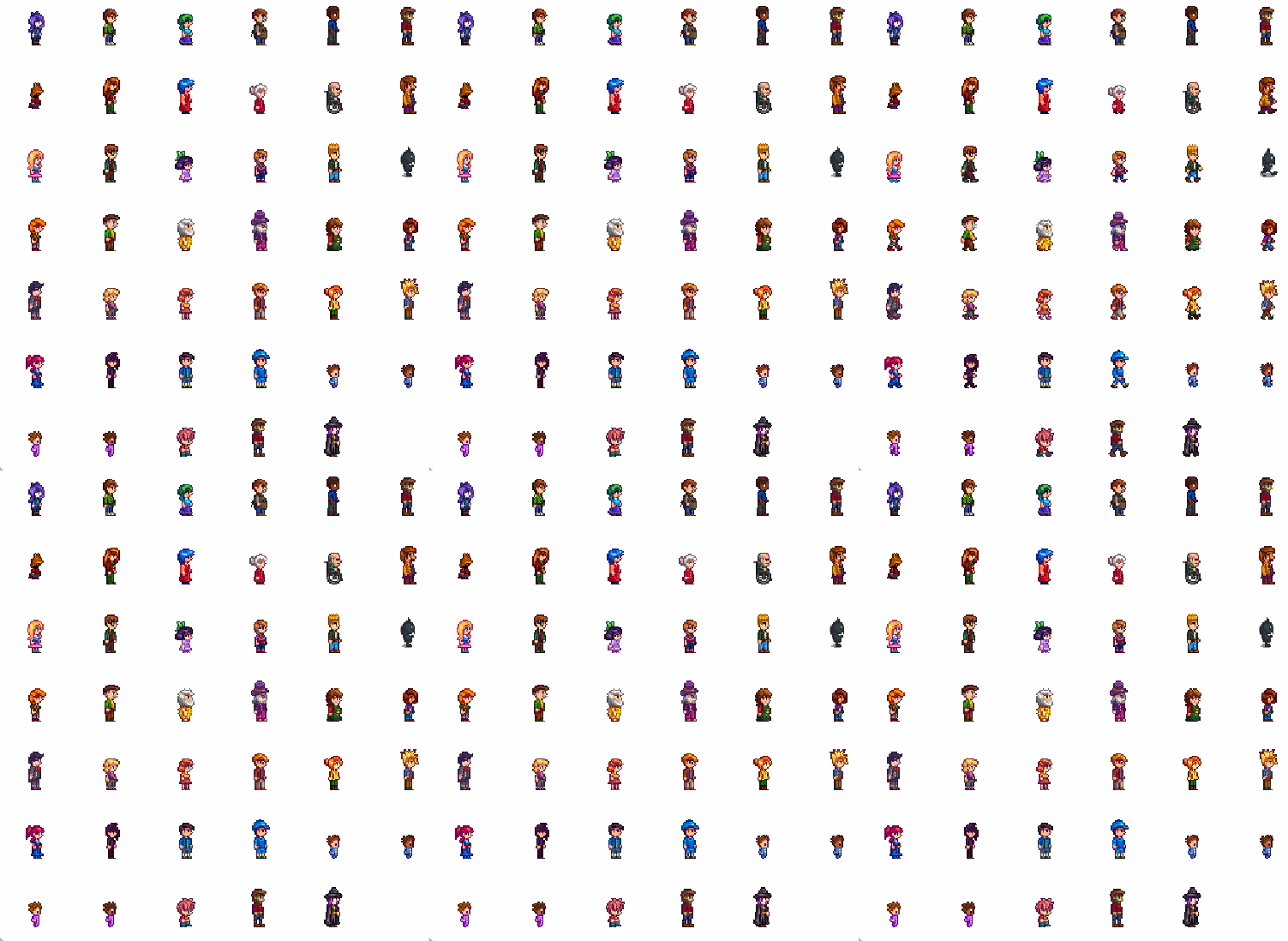
| Villagers | 35+ Stardew Valley characters — Abigail, Sebastian, Lewis, Robin, Emily, Shane, and many more. Each villager is one of a kind and keeps their official name, just like in the game |
| Animations | Each character has idle, walk, special, and sleep animation frames |
| Art Style | All sprites use authentic Stardew Valley pixel art |
🕰️ Villager Visits (Schedule Mode)
Don't feel like managing villagers by hand? Turn on Scheduled visits and Pelican Town comes to you:
- Every villager keeps their own Stardew-style daily schedule — Willy shows up at dawn, Gus around noon, Sebastian in the late afternoon
- The roster is stable within a day and rotates daily, so there's always someone new to meet
- Choose how many villagers can be in town at once (1–6)
- Pets are unaffected — your animals stay right where they are
💬 Villager Conversations
Two villagers in town will occasionally walk up to each other, face off, and strike up a conversation — generated by AI from their personalities, your current note, and what they remember about you. Nearby animals gather around to watch (silently, of course).
🧠 Core Memories
Villagers pay attention. After speaking, a villager may distill a durable fact about you — that you're writing a novel, studying for an exam, learning Japanese — and remember it in future conversations. Every villager keeps their own memory (up to 10 entries each), and you can review or clear them anytime in settings.
🖥️ Display Modes
- Panel mode: Companions live in a resizable side panel dockable anywhere in your workspace
- Overlay mode: Companions roam freely across your entire Obsidian window as a transparent overlay
- Interaction: Click a pet to see a heart ❤️, right-click a villager to trigger an AI speech bubble
- Drag & Drop: Reposition pets manually or let them wander on their own
🤖 AI-Powered Speech Bubbles
Villagers comment on your notes using AI, with authentic in-game voices:
- Right-click a villager to get a contextual comment about your current note
- Auto-rant mode: Villagers periodically speak up on their own at random intervals
- Supports any OpenAI-compatible API (OpenAI, Google Gemini, DeepSeek, and more)
- Each villager has a unique personality and voice that shapes their dialogue — Sebastian mutters like a coder at 3 AM, Evelyn fusses over you with cookies
- Optional Chinese-language prompt mode for all AI interactions
- Animals never talk — they express themselves with hearts, animations, and enthusiastic spectating
📦 Installation
Method 1: Community Plugins (Recommended)
- Open Obsidian and go to Settings → Community Plugins
- Ensure Restricted Mode is turned off
- Click Browse and search for "Stardew Valley Pals"
- Click Install, then Enable
- You're all set! Use the "Add a pet" command to get started
Method 2: BRAT (Beta Reviewer's Auto-update Tester)
BRAT lets you install plugins that are not yet in the community plugin store, and automatically checks for updates.
- Install the BRAT plugin from the Community Plugins store
- Open Settings → BRAT → Beta Plugin List
- Click Add Beta Plugin
- Enter the repository URL:
https://github.com/miaowuduck/stardew-valley-pals - BRAT will install the plugin — go to Settings → Community Plugins and enable Stardew Valley Pals
- To update, run the BRAT: Update all plugins and themes command
Method 3: Manual Installation
- Download the latest release from the Releases page
- Extract the folder into your vault's
.obsidian/plugins/directory - Restart Obsidian (or go to Settings → Community Plugins and click Reload plugins)
- Enable Stardew Valley Pals
🚀 Getting Started
- Enable the plugin — a welcome notice will guide you on first launch
- Use the "Add a pet" command, the
+button in the pet panel, or the Pet Management section in settings to choose a companion - The pet panel opens automatically — your new friend will start wandering around
- Manage your pets anytime in Settings → Pet Management — add, view, or remove pets from one place
- (Optional) Turn on Scheduled visits in Settings → Villager Visits to let villagers drop by on their own
- (Optional) Configure AI speech in Settings to let your villagers talk
Click the 🐱 ribbon icon in the left sidebar to toggle the pet view on and off.
⌨️ Commands
| Command | Description |
|---|---|
Add a pet |
Choose a pet or villager (pets can be named; villagers are unique) |
Remove a specific pet |
Pick a pet to remove from the list |
Remove all pets |
Clear all pets at once |
⚙️ Settings
Display
| Setting | Description | Default |
|---|---|---|
| Overlay mode | Full-window transparent overlay vs side panel | Off |
| Pet size | Scale pets from 0.5x to 3.0x | 1.0x |
| Movement speed | How fast pets wander (0.5x to 3.0x) | 1.0x |
Pet Management
| Setting | Description |
|---|---|
| Current pets | View all your companions with their names and species, remove any of them with one click |
| Add a new pet | Opens the selector — free-form pets plus one-of-a-kind villagers |
Villager Visits
| Setting | Description | Default |
|---|---|---|
| Scheduled visits | Villagers arrive/leave on their own daily schedule (replaces manual villager management) | Off |
| Max visitors | How many villagers can be in town at once | 3 |
| Currently in town | Read-only list of who's visiting right now | — |
AI Configuration
| Setting | Description | Default |
|---|---|---|
| API key | OpenAI-compatible API key (masked in UI) | — |
| API endpoint | Base URL for the AI provider | https://api.openai.com/v1 |
| Model | Model name (e.g. gpt-4o-mini, gemini-2.5-flash) |
gpt-5-mini |
| Chinese prompt | Use Chinese-language AI prompts | Off |
| Test connection | Verify API credentials with a minimal request | — |
Speech Bubbles
| Setting | Description | Default |
|---|---|---|
| NPC speech | Allow villagers to show speech bubbles | On |
| Villager conversations | Let two villagers walk up and chat with each other | On |
Villager Memory
| Setting | Description | Default |
|---|---|---|
| Core memories | Villagers distill durable facts about you and remember them | On |
| Per-villager entries | Review what each villager remembers; clear individually or all at once | — |
Random Page Rant
| Setting | Description | Default |
|---|---|---|
| Random page rants | Enable periodic auto-speech | Off |
| Only rant when focused | Suppress rants when Obsidian is in the background | On |
| Rant interval (min) | Minimum time between rants | 5 min |
| Rant interval (max) | Maximum time between rants | 20 min |
| Page context length | Characters of note content sent as AI context | 1200 chars |
A Reset to defaults button is available at the bottom of the settings tab.
🔧 AI Setup
To enable speech bubbles, configure an API provider in settings:
- Get an API key from your preferred provider:
- Set the API endpoint (e.g.
https://api.openai.com/v1for OpenAI, orhttps://generativelanguage.googleapis.com/v1beta/openai/for Gemini) - Enter the model name for your provider
- Click Test connection to verify everything works
- Enable NPC speech bubbles and optionally random page rants
Villagers will now comment in-character on your notes — and remember what they learn about you.
🙏 Credits
Origin Projects
- stardew-pet-farm — Original Stardew Valley pet concept and sprites
- obsidian-pets — Original Obsidian plugin implementation
Art Assets
All pet sprites, villager character sprites, and images are sourced from StardewValley-Assets by Huu-Yuu, which provides extracted Stardew Valley game assets.
Inspiration
- vscode-pets — The original VSCode pets extension
📄 License
MIT — see LICENSE for details.
💬 Feedback
Found a bug or have a suggestion? Open an issue on GitHub.
Made with ❤️ for Stardew Valley fans and Obsidian users alike.