
README file from
GithubSpin The Wheel
An interactive, customizable spinning wheel for Obsidian. Pick a random item from a list — for decisions, giveaways, classroom picks, prize draws, or just for fun — right inside your vault.



Screenshot
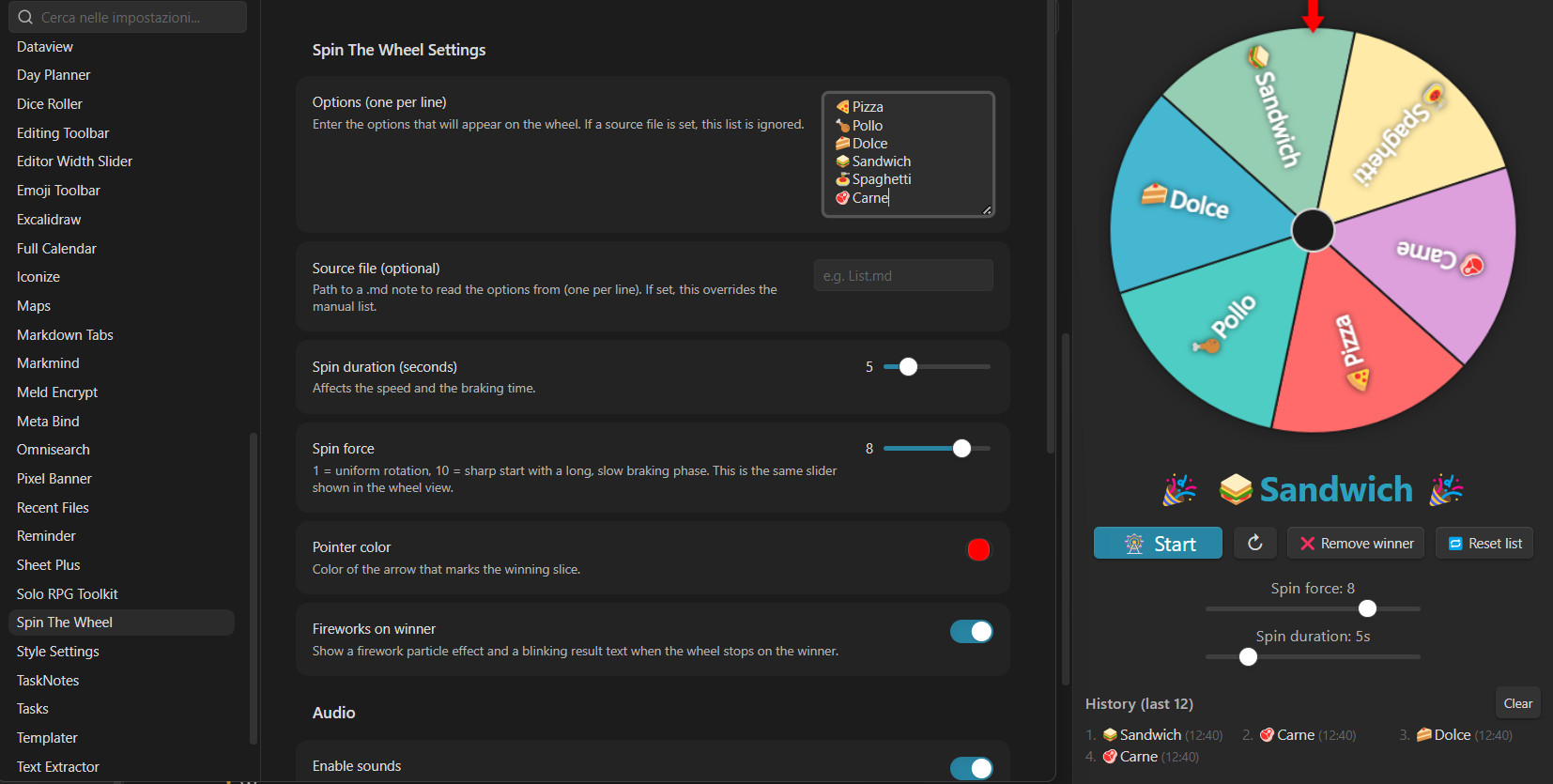
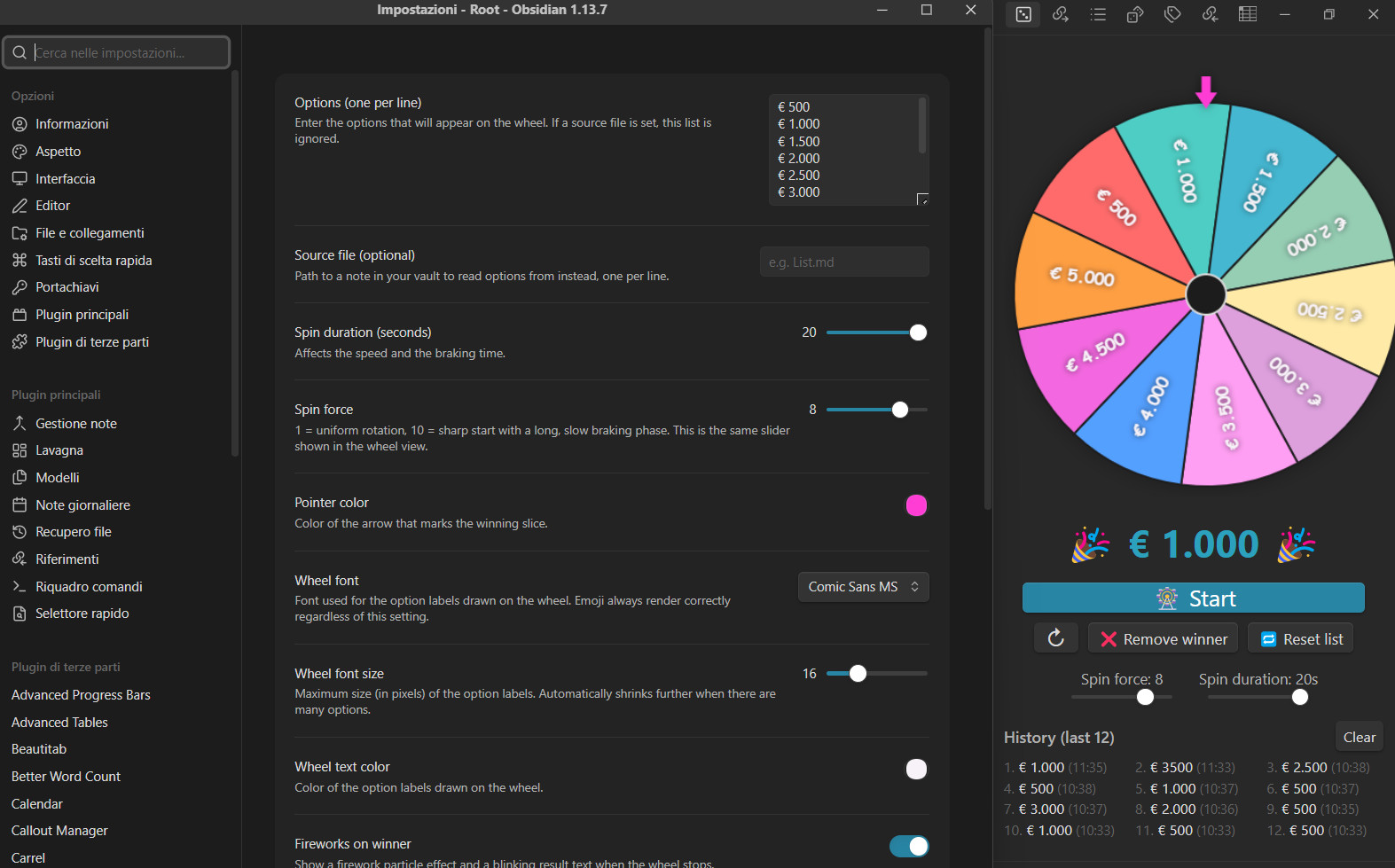
Demo
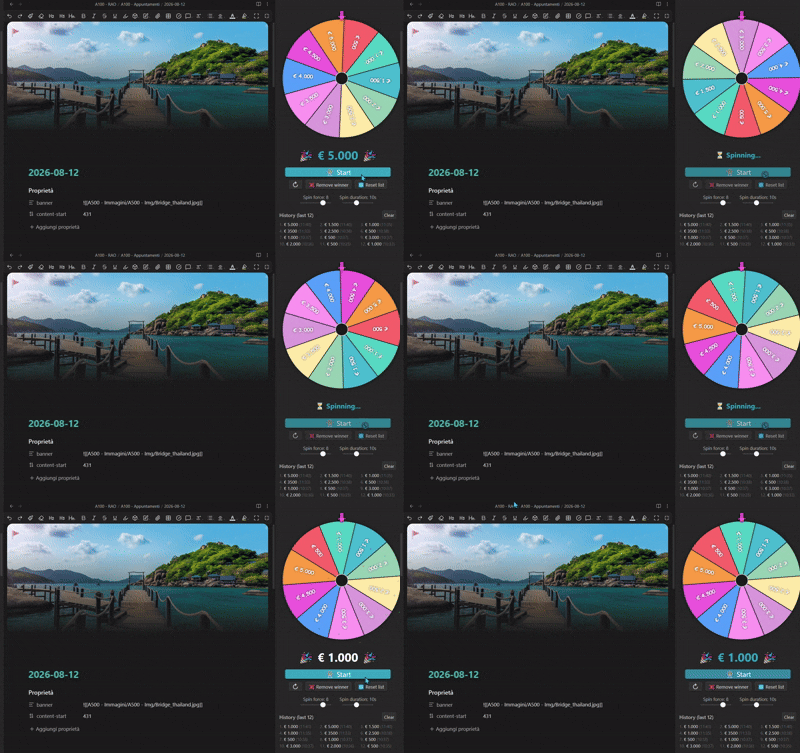
Features
- 🎡 Animated wheel with a realistic ease-out spin: sharp start, gradual braking, and a reactive stop — the result appears the instant the wheel is actually still, not after a fixed timer.
- 🔊 Sound effects: a "tick" every time a slice boundary crosses the pointer, and a "ding" when the wheel stops. Both are synthesized in real time (no audio files required) but can be replaced with your own custom sound files.
- 🎯 Precise, realistic landing: the wheel lands at a random point inside the winning slice, only 1% away from either edge, instead of always dead-center, while still landing unambiguously within the correct slice.
- ↻ Spin direction toggle: clockwise or counter-clockwise, one click.
- 💪 Spin force slider: controls how sharp the start is and how long the wheel spins before stopping (1 = uniform speed, 10 = explosive start with a long braking tail).
- ⏱️ Spin duration slider: 2–20 seconds. Shown side by side with Spin force, right under the wheel.
- ❌ Remove winner: eliminate the winning option from the wheel (for elimination-style draws), with a minimum of 2 options always enforced.
- 🔁 Reset list: restores the full original option list, undoing any removals — without spinning.
- 📜 History: the last 12 winners, with timestamps, displayed in a compact 3-column grid. Persists across Obsidian restarts.
- 🎉 Winner celebration: a blinking result text and a firework particle effect when the wheel stops — both can be toggled off.
- 🎨 Full wheel styling: customize the pointer color, the font family (pick from a curated dropdown of safe cross-platform fonts), the font size, and the text color of the option labels.
- 🌈 Configurable color gradient: pick a start and an end color and every slice gets a shade blended between them — defaults to a vivid rainbow sweep, with a one-click Reset colors button to restore it if you experiment and want to go back.
- 😀 Emoji support: write emoji directly in your option list (e.g.
🍕 Pizza) — they render correctly on Windows, macOS and Linux, and independently of whatever font you pick. - 📁 Flexible option source: type options directly in settings, or point the plugin at a note in your vault (one option per line) so the list stays in sync with that file — the wheel redraws live the moment you edit either one.
- ⚙️ Settings search-ready: all settings are exposed through Obsidian's declarative settings API, so they show up in Obsidian's global settings search.
Installation
Manual installation
- Download the latest release (
main.js,manifest.json) from the Releases page. - Create a folder named
spin-the-wheelinside your vault's.obsidian/plugins/directory. - Copy
main.jsandmanifest.jsoninto that folder. - In Obsidian, go to Settings → Community plugins, make sure Restricted mode is off, then reload/refresh the plugin list.
- Enable Spin The Wheel.
Building from source
git clone https://github.com/<your-username>/spin-the-wheel.git
cd spin-the-wheel
npm install
npm run build
Then copy the resulting main.js, together with manifest.json, into <your-vault>/.obsidian/plugins/spin-the-wheel/.
For active development, use npm run dev instead — it rebuilds main.js automatically on every save.
Usage
- Open the wheel with the command "Open wheel" from the Command Palette (
Ctrl/Cmd+P), or via the ribbon icon. - Enter your options in Settings → Spin The Wheel → Options, one per line — or point the plugin at a source note instead (see below).
- Click the big 🎡 Start button to spin.
- Below it: click ↻ / ↺ to switch the spin direction, ❌ Remove winner after a spin to take the winning option out of the wheel (handy for elimination draws — disabled once only 2 options remain), or 🔁 Reset list at any time to bring back every option that was removed, without spinning.
- Adjust Spin force and Spin duration live with the two sliders right under the wheel.
Using a source note instead of the settings list
If you'd rather manage your options from a normal note (so you can edit it like any other file, or generate it with other plugins/scripts), set "Source file" in the settings to the path of a .md file in your vault. The plugin will read one option per line from that file and use it instead of the manual list. Leave it empty to use the manual list.
Settings reference
| Setting | Description |
|---|---|
| Options (one per line) | The manual list of options, used when no source file is set. |
| Source file (optional) | Path to a note in your vault to read options from instead, one per line. |
| Spin duration (seconds) | How long a spin lasts, 2–20 seconds. Also adjustable live from the wheel view. |
| Spin force | 1–10. Controls how sharp the start is and how long the braking phase lasts. Also adjustable live from the wheel view. |
| Pointer color | Color of the arrow that marks the winning slice. |
| Wheel font | Font used for the option labels drawn on the wheel, picked from a curated dropdown (Arial, Verdana, Segoe UI, Trebuchet MS, Georgia, Times New Roman, Courier New, Impact, Comic Sans MS, or the plugin's default). |
| Wheel font size | Maximum size (10–32px) of the option labels. Automatically shrinks further when there are many options. |
| Wheel text color | Color of the option labels drawn on the wheel. |
| Wheel colors (start) | Starting color of the gradient used to fill the wheel's slices. |
| Wheel colors (end) | Ending color of the gradient used to fill the wheel's slices. Every slice gets a shade blended between the start and end colors. |
| Reset colors | Restores the start/end gradient colors to the default "rainbow" look. |
| Fireworks on winner | Toggles the firework particle effect and the blinking result text when the wheel stops. |
| Enable sounds | Master switch for all sound effects. |
| Ticking while spinning | Toggles the "tick" sound played every time a slice boundary crosses the pointer. |
| Tick volume | Loudness of the tick sound, 0–100. |
| Final sound volume (Ding) | Loudness of the sound that announces the result, 0–100. |
| Custom spin sound (tick) | Path to an audio file in your vault to replace the built-in tick sound. Leave empty for the default. |
| Custom winner sound (ding) | Path to an audio file in your vault to replace the built-in ding sound. Leave empty for the default. |
Using custom sound files
- Place an audio file (mp3, wav, ogg…) anywhere in your vault, e.g. in a
sounds/folder. - In the plugin settings, enter its vault-relative path (e.g.
sounds/tick.mp3) in "Custom spin sound (tick)" and/or "Custom winner sound (ding)". - Leave the field empty to fall back to the built-in synthesized sound at any time.
If the path is invalid or the file can't be found, the plugin automatically falls back to the built-in sound instead of staying silent.
How it works (for the curious)
- The wheel's animation uses an ease-out curve whose exponent is derived from the Spin force setting, so the wheel always starts with a visible "kick" and slows down over a duration controlled independently by Spin duration.
- Rather than waiting out the full configured duration even after the wheel is visually still, the animation loop detects when it's about to settle and reveals the result immediately — so the app never feels like it's "thinking" before showing you the winner. This is measured as the remaining angular distance to the exact final resting angle (not the frame-to-frame movement), so the wheel never finalizes with a distance left over big enough to cause a visible snap when it locks in.
- The winning slice is guaranteed by construction to be the one under the pointer: the target rotation angle is computed directly from the chosen option's position, with a random (but safely margined, 1% from either edge) offset inside the slice for a more natural landing point, and everything is validated against the same geometry used to draw the pointer and detect tick crossings.
- The result text reserves a fixed height regardless of which message is shown (e.g. the shorter "Spinning…" / "Removed:" status text vs. the larger winner announcement), so the buttons, sliders, and history below it never shift around.
Changelog
1.0.5
- Fixed a small but visible "snap" jump right as the wheel finishes spinning. The reactive-stop logic (which reveals the result as soon as the wheel is visually still, instead of always waiting out the full configured duration) previously measured stillness by per-frame movement, which could let a real angular gap accumulate before finalizing — up to about 1.7° in the worst tested case (high Spin force + long Spin duration) — that then got closed in a single instant frame, producing the jump. It now measures the actual remaining distance to the exact final angle directly instead, keeping the final correction reliably under ~0.2° (imperceptible) across every Spin force/duration combination tested.
1.0.4
- Fixed a promise-handling warning on the "Reset colors" button's action and removed an unused import, both flagged by Obsidian's plugin review.
1.0.3
- Fully migrated the settings panel to Obsidian's declarative settings API, removing the old duplicate settings-tab code path.
- Requires Obsidian 1.13.0 or later (raised from 1.7.2) as a result.
- Fixed a couple of Obsidian plugin-review issues (an unsafe type in the color-gradient math, a promise-handling warning on the Reset colors button).
1.0.2
- Added a customizable start/end color gradient for the wheel's slices (Wheel colors (start) / Wheel colors (end)), replacing the old fixed palette.
- Added a Reset colors button to restore the original default "rainbow" gradient.
1.0.1
- Added Wheel font, Wheel font size, and Wheel text color settings.
- Reduced the landing offset margin from 18% down to 1% of the slice width, for a more natural, less "dead-center" landing.
- Redesigned the wheel view layout: Start now spans its own full-width row; direction, remove, and reset buttons are grouped together underneath; Spin force and Spin duration sliders sit side by side.
- Shrank the "Spinning…" and "Removed:" status text, and gave the result area a fixed height so the layout below it no longer shifts when the message changes.
- Fixed the wheel not updating live when editing the option list through Obsidian's newer declarative settings screen.
- Various Obsidian plugin-review compliance fixes (CSS moved out of inline styles, declarative settings API support, safer typing, etc.).
1.0.0
- Initial release.
Contributing
Issues and pull requests are welcome. Please open an issue first for significant changes, so we can discuss the approach.
License
MIT © Alessandro Vettorel