
README file from
GithubSpanish Dialogue Dash
Obsidian plugin for Spanish dialogue dashes (raya, —), following
correctores.es: guiones largos.
—Me parece que me estás engañando —susurró Víctor—, pero no importa.
—¡Qué buen día hace! —exclamó sonriente Jorge.
While typing
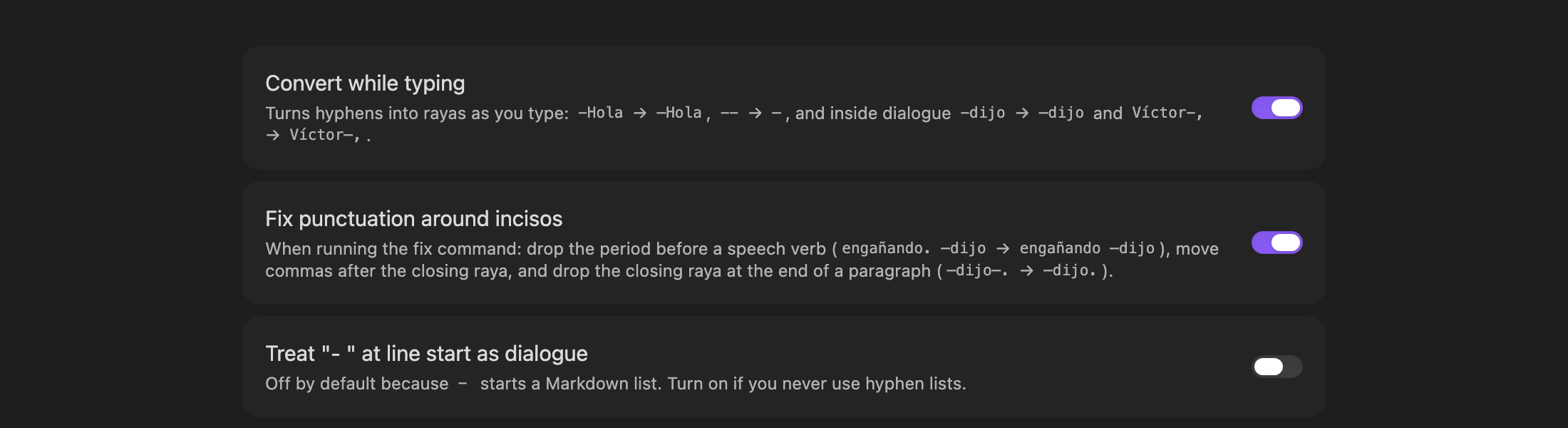
-Holaat line start →—Hola(-with a space stays a Markdown list)--anywhere →—- Inside a dialogue line:
-dijo→—dijo,Víctor-,→Víctor—,
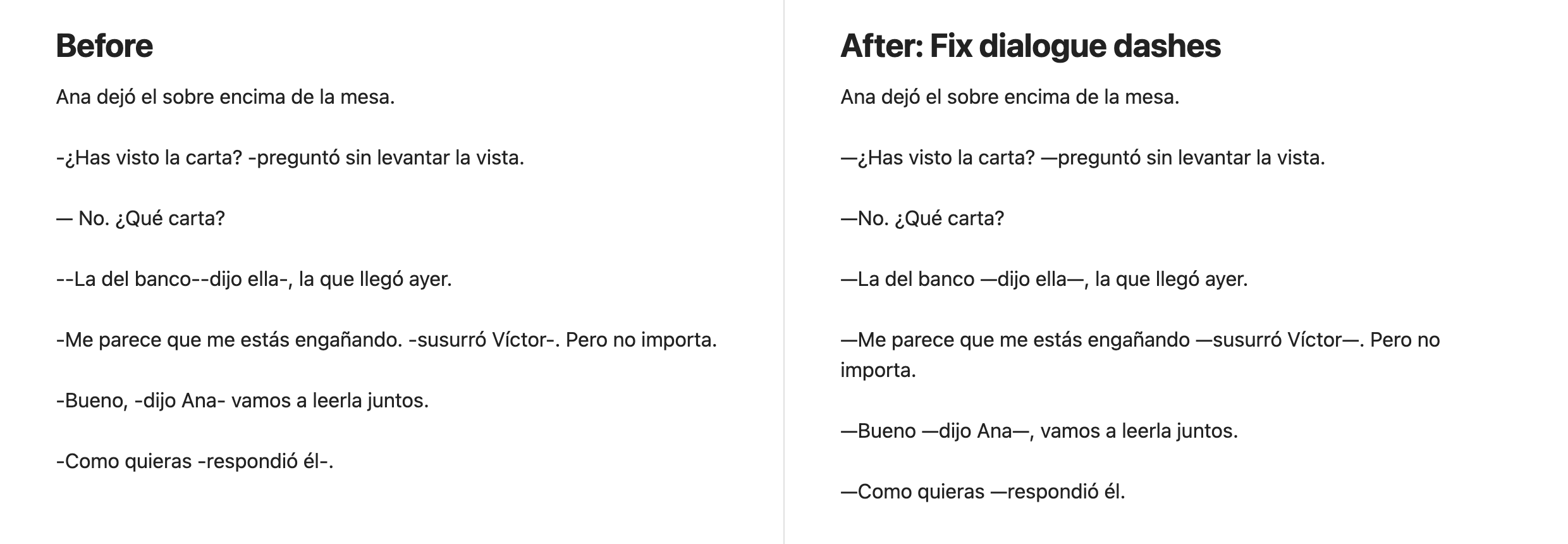
Command: Fix dialogue dashes in note (or selection)
On every line that starts with -, --, – or —:
- Opening raya attached to the first word:
— Hola→—Hola - Inciso spacing:
engañando—dijo Víctor -, pero→engañando —dijo Víctor—, pero - Period before a speech verb removed:
engañando. —dijo→engañando —dijo - Comma moved after the closing raya:
Bueno, —dijo— vamos→Bueno —dijo—, vamos - No closing raya at paragraph end:
—dijo—.→—dijo.
Hyphenated words (ex-novio), numbers (3-4, -5), links, code, frontmatter and code blocks are left alone.
Command Insert raya (—) inserts the dash; give it a hotkey in Settings → Hotkeys.
Settings
Develop
npm install
npm run build
npm test
npm run lint          # Obsidian's official lint rules (same as the plugin review)
npm run screenshots   # regenerate docs/images (macOS, needs Obsidian and Chrome)
Install manually
Copy main.js and manifest.json to <vault>/.obsidian/plugins/spanish-dialogue-dash/,
then enable Spanish Dialogue Dash in Settings → Community plugins.
Support
If this plugin helps you write, you can buy me a coffee: