
README file from
GithubSlide Deck Viewer
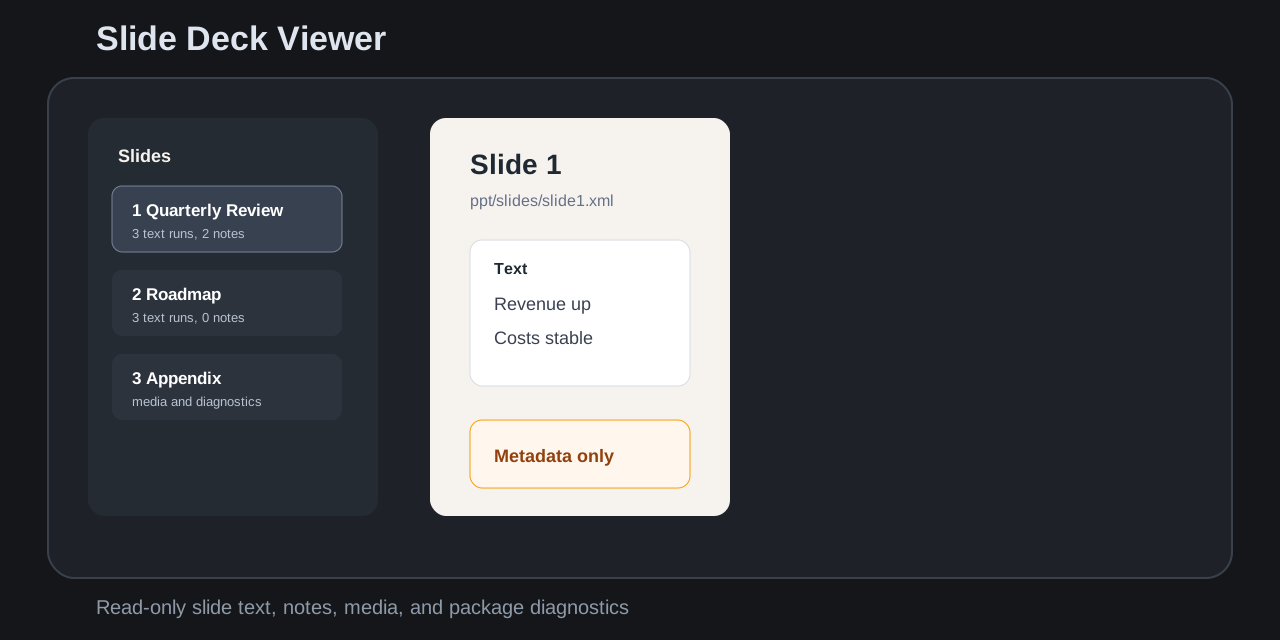
Slide Deck Viewer opens .pptx slide decks as a read-only inspection view inside the app. It focuses on slide text, speaker notes, media metadata, relationships, warnings, and package diagnostics.
Features
- Opens
.pptxfiles from the file explorer with a dedicated read-only view. - Parses the local OOXML zip package in the plugin with no cloud conversion.
- Shows slide navigation, extracted text, speaker notes, media references, and package diagnostics.
- Filters slide text, speaker notes, and media metadata.
- Warns about external relationships, embedded OLE/package content, macros, large decks, encrypted files, and malformed packages.
- Caps large render lists so big decks stay responsive.
Non-goals
- No
.pptlegacy binary support in v0.1. - No editing, saving, annotation, export, or write-back.
- No pixel-perfect PowerPoint rendering.
- No macro, VBA, OLE, or embedded object execution.
- No remote fonts, remote images, network calls, or cloud conversion.
- No launching PowerPoint, Keynote, LibreOffice, or another external viewer.
- No Markdown slide authoring or presentation mode.
Install from release
- Download
main.js,manifest.json, andstyles.cssfrom the matching GitHub release. - Place them in
.obsidian/plugins/slide-deck-viewer/. - Enable
Slide Deck Viewerin Community plugins.
Development
npm install
node scripts/create-fixtures.mjs
npm run build
npm run typecheck
npm test
npm run community:check
Community review checklist
- Plugin id is
slide-deck-viewer. manifest.jsonversion matchesversions.json.- Release tag is exactly
0.1.1, notv0.1.1. - Release includes
main.js,manifest.json, andstyles.css. - Runtime code does not use network, clipboard, shell, eval, write-back, or external app launch APIs.
- Manifest description avoids restricted product-name wording.
- Styles avoid
!important. - The viewer is read-only and handles unsupported decks gracefully.
License
MIT
Obsidian 1.15.1 assessment: checked source, local results and remaining host validation.