
README file from
GithubSkill Tree
See yourself as an RPG character. Skill Tree turns plain checklists in your notes into skill trees and constellations — branches, prerequisites, what you know, what you are learning and what is unlocked next.
There is no XP, no levels and no scores. Real progress is not a number; the tree only shows where you are and what is next.
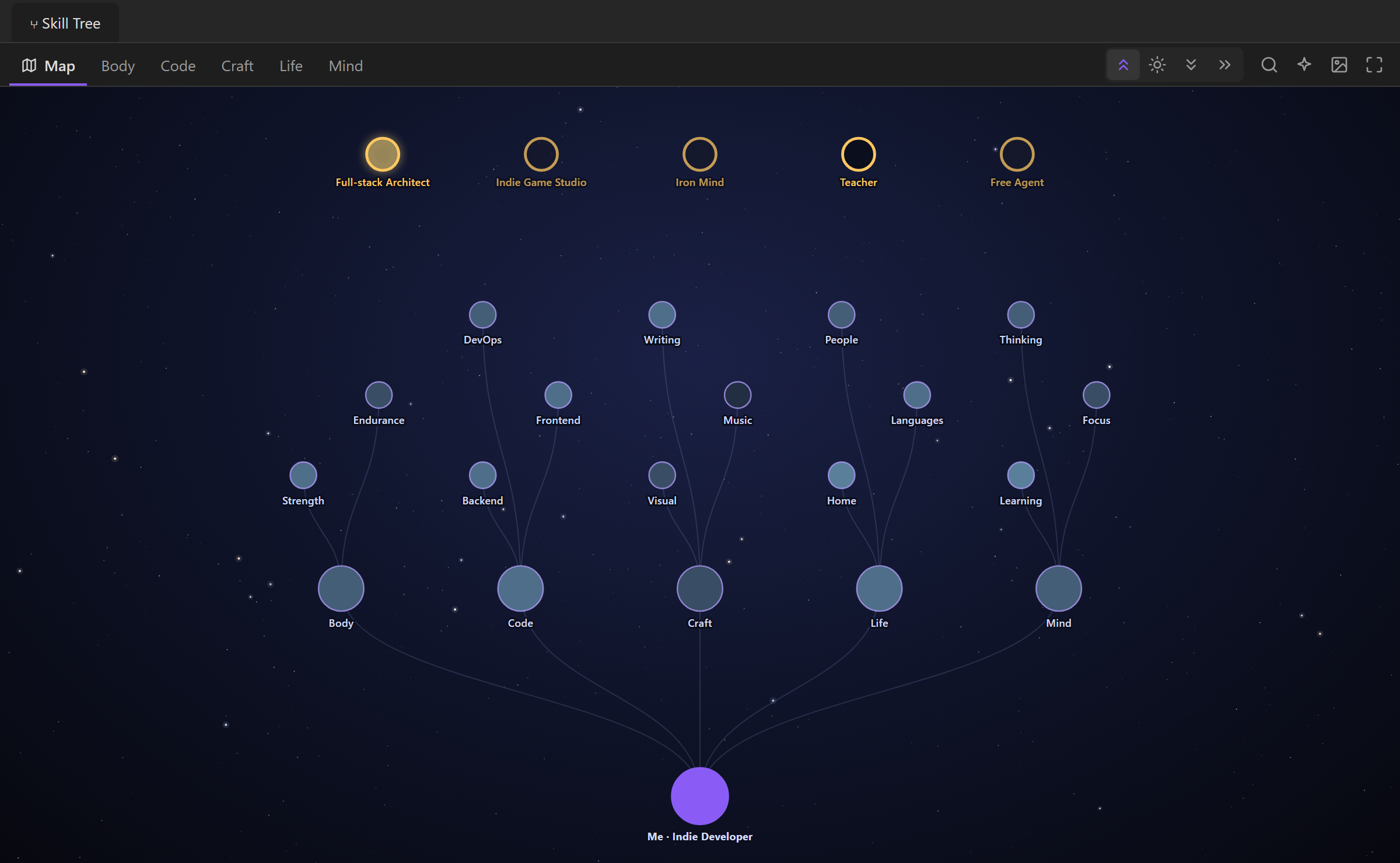
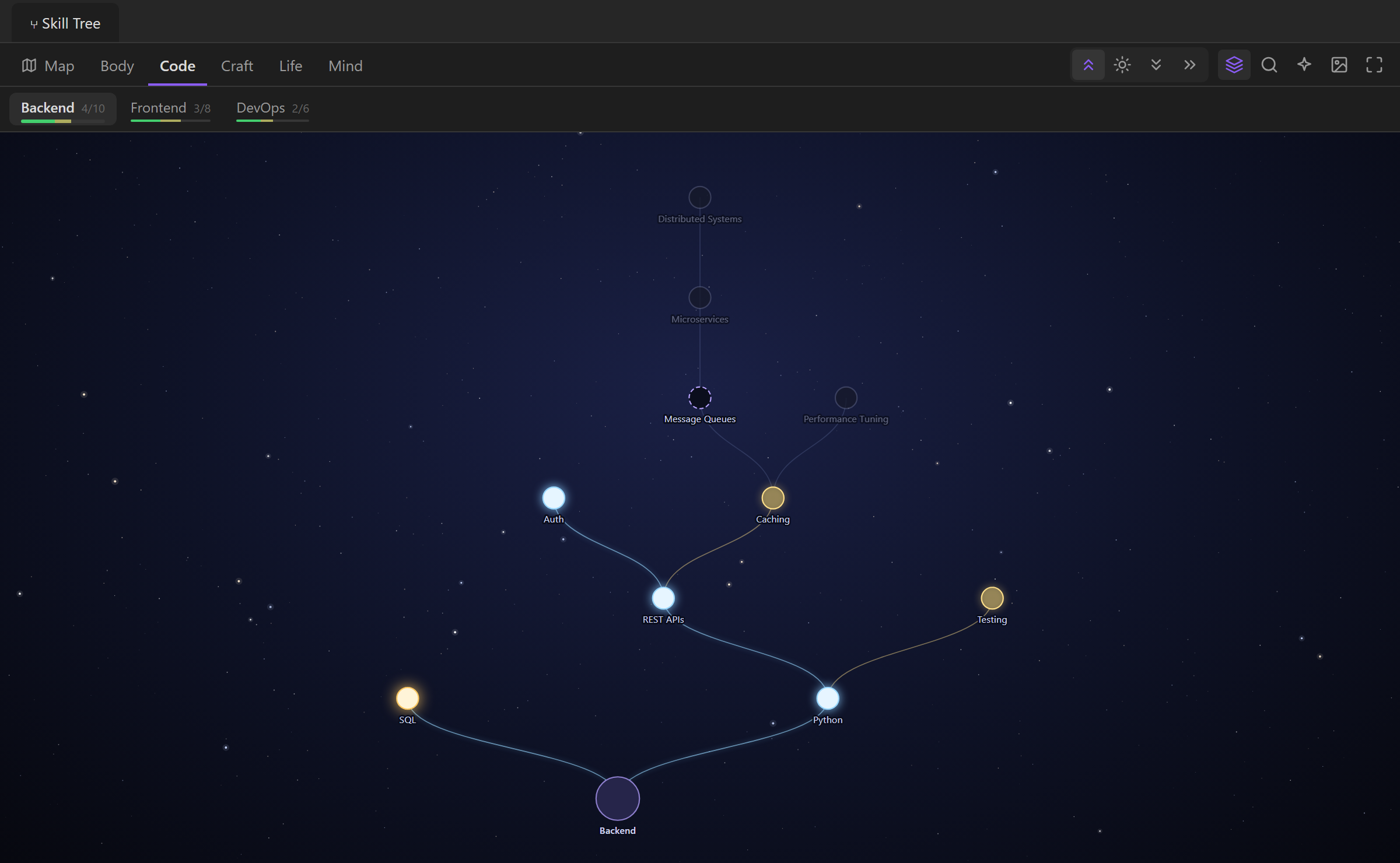
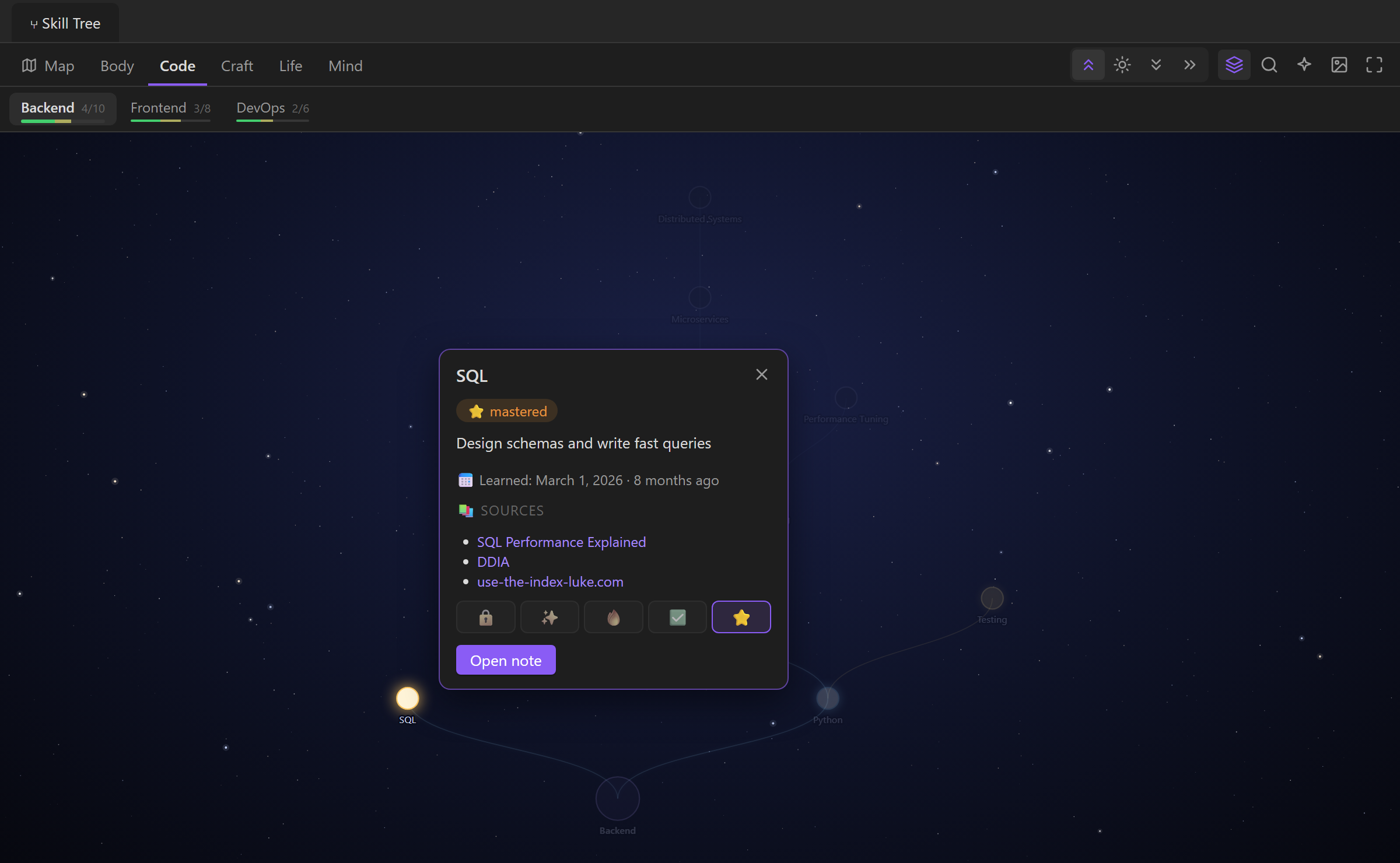
| A branch tree | Click a skill to pin its card |
|---|---|
 |
 |
Features
- Main map: every branch, its constellations and cross-branch legendary skills on one screen. Brighter constellations = more skills known.
- Branch trees: one tree per branch, either all at once or one constellation at a time.
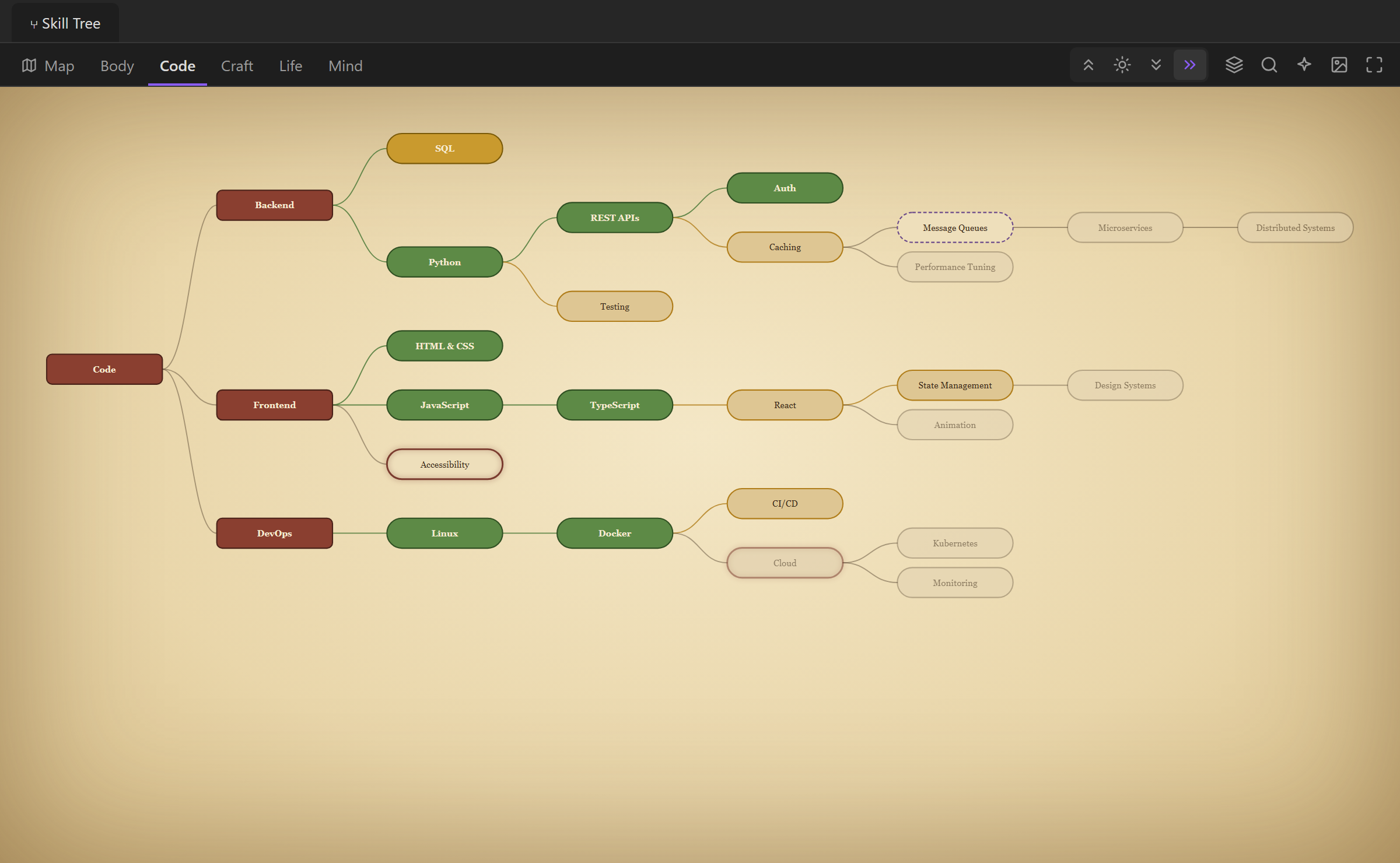
- Four layouts shared by the map and the trees: ▲ up (Skyrim-like), ☀ star, ↓ top-down, → left-right.
- Five looks: Classic, Night sky, Old map, Blueprint and Neon. Two node shapes: stars with a label or boxes with the text inside. Every combination works in every layout.
- Prerequisites without spaghetti: a skill needs all (
A & B) or any (A | B) of other skills. Hover a skill to highlight what it requires. - Skill card: hover shows status, description, progress and requirements; click pins the card, with a button to open the note.
- Change status from the card: pin a skill and press 🔒 ✨ 🔥 ✅ ⭐; the checkbox in the note is updated for you.
- What's next: a panel with everything you are learning and everything that is unlocked, across all branches.
- Find a skill: type a name and the view flies to it. Both are also commands you can bind to hotkeys.
- Constellation tabs show how many skills of each constellation you know.
- Sources and dates: list the books and courses behind a skill and when you learned it; both show in the card. Marking a skill known from the card records today’s date.
- Right-click a skill to add a new skill under it, change its status or open the note — no need to leave the tree.
- Save as PNG: the current map or tree as a picture, in the look you use.
- Clean zoom: small skill labels hide when you zoom far out and come back as you zoom in; switching trees fades in smoothly.
- Available skills glow when their requirements are met.
- Ctrl/Cmd+click opens the note at that line. Pan by dragging, zoom with the wheel; on phones and tablets drag with one finger and pinch to zoom.
- Remembers the last opened tree, layout and constellation.
- English and Russian interface (follows Obsidian's language).
Quick start
- Install and enable the plugin.
- Run the command Skill Tree: Create example tree (or press the button in the empty view).
- Open the view from the ribbon icon or Skill Tree: Open.
Data format
Skills/                    ← skills folder (configurable)
├── Map.md                 ← map center + legendary skills (optional)
├── Programming/           ← a branch = a subfolder
│   ├── Programming.md     ← branch root note
│   ├── Backend.md         ← a constellation
│   └── Frontend.md
└── Physical/
    └── ...
Branch root note
---
type: branch
description: Everything about writing software
---
Constellation note
Every checkbox is a skill. Plain bullets under a skill are its description and notes.
---
type: branch
parent: "[[Skills/Programming/Programming|Programming]]"
---

- [x] SQL — I design schemas and write queries
	- source:: [[SQL Performance Explained]], https://use-the-index-luke.com
	- learned:: 2024-03-01
- [x] PHP
- [/] Laravel
	- requires:: PHP
	- First plain bullet is the description
	- Other bullets show up as notes in the tooltip
- [ ] Performance tuning
	- requires:: SQL & Laravel
- [ ] Microservices
	- requires:: Laravel | Go

## Testing
- [ ] Unit tests
	- requires:: Laravel
requires:: A & B— needs all of them;requires:: A | B— needs any of them (требует::works too).- A skill hangs under its first requirement from the same constellation; requirements from other places are only highlighted on hover.
## Headingsinside a constellation make sub-groups.Name — descriptionon the checkbox line is a shortcut for a description.source:: [[Book]], [[Course]], https://…lists where you learn it (источник::works too);learned:: 2026-03-01is when you learned it (изучено::). Skill notes can usesource/learnedin their frontmatter.
Statuses
| Checkbox | Status |
|---|---|
- [x] |
✅ known |
- [/] |
🔥 learning |
- [>] |
✨ want |
- [ ] |
🔒 locked |
- [*] |
⭐ mastered |
A locked or wanted skill whose requirements are known is shown as 🔓 available.
Map note
---
type: map
center: "Me · Engineer"
---

- [ ] Full-stack Architect
	- Designs whole systems end to end
	- requires:: Performance tuning & Frontend:State management
Top-level checkboxes are legendary skills. Requirements are looked up across all branches; use Branch:Skill when two branches have a skill with the same name.
Settings
- Skills folder — where branches live (default
Skills). - Map file — the map note inside that folder (default
Map.md). - Look — Classic, Night sky, Old map, Blueprint or Neon.
- Nodes — stars with a label, or boxes with the text inside.
- Star size, Lines (straight, curved or right angles), Line thickness, Text size and Glow — the same in every layout and on the map.
- Hide labels when zoomed out and Record the learned date — both on by default.
Installation
Install it from community.obsidian.md or search for Skill Tree in Settings → Community plugins → Browse. Manual install: download main.js, manifest.json and styles.css from the latest release into <vault>/.obsidian/plugins/skill-tree/, then enable it in Settings → Community plugins.