
README file from
GithubSketchdown
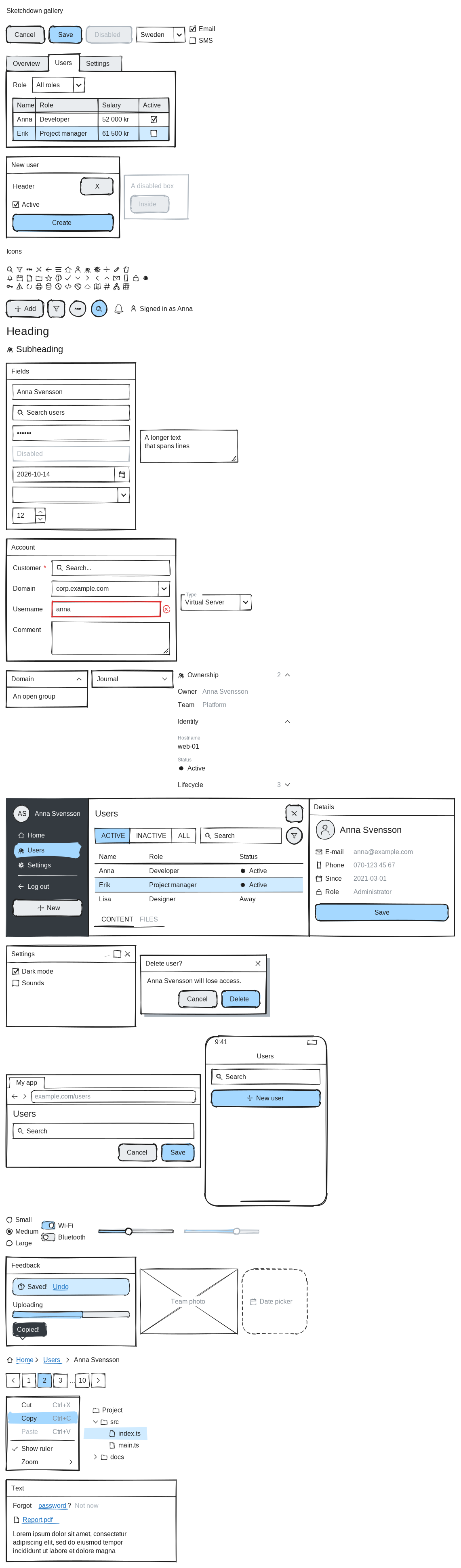
Balsamiq-style wireframes for Excalidraw inside Obsidian. Write a few lines of text and get a hand-drawn screen made of native Excalidraw elements: rectangles, lines and text you can annotate, connect with arrows and keep drawing around.
dialog: Delete user?
  text: Anna Svensson will lose access.
  buttons: Cancel | *Delete
Install
Sketchdown needs the Excalidraw plugin 2.0.0 or newer.
Until Sketchdown is listed in Obsidian's community plugins, install it with
BRAT: run BRAT: Add a beta
plugin for testing and enter magnushaggren/sketchdown. Then enable Sketchdown
under Community plugins. Sketchdown is desktop-only for now; it hasn't been
tested on mobile yet.
Use
In a drawing
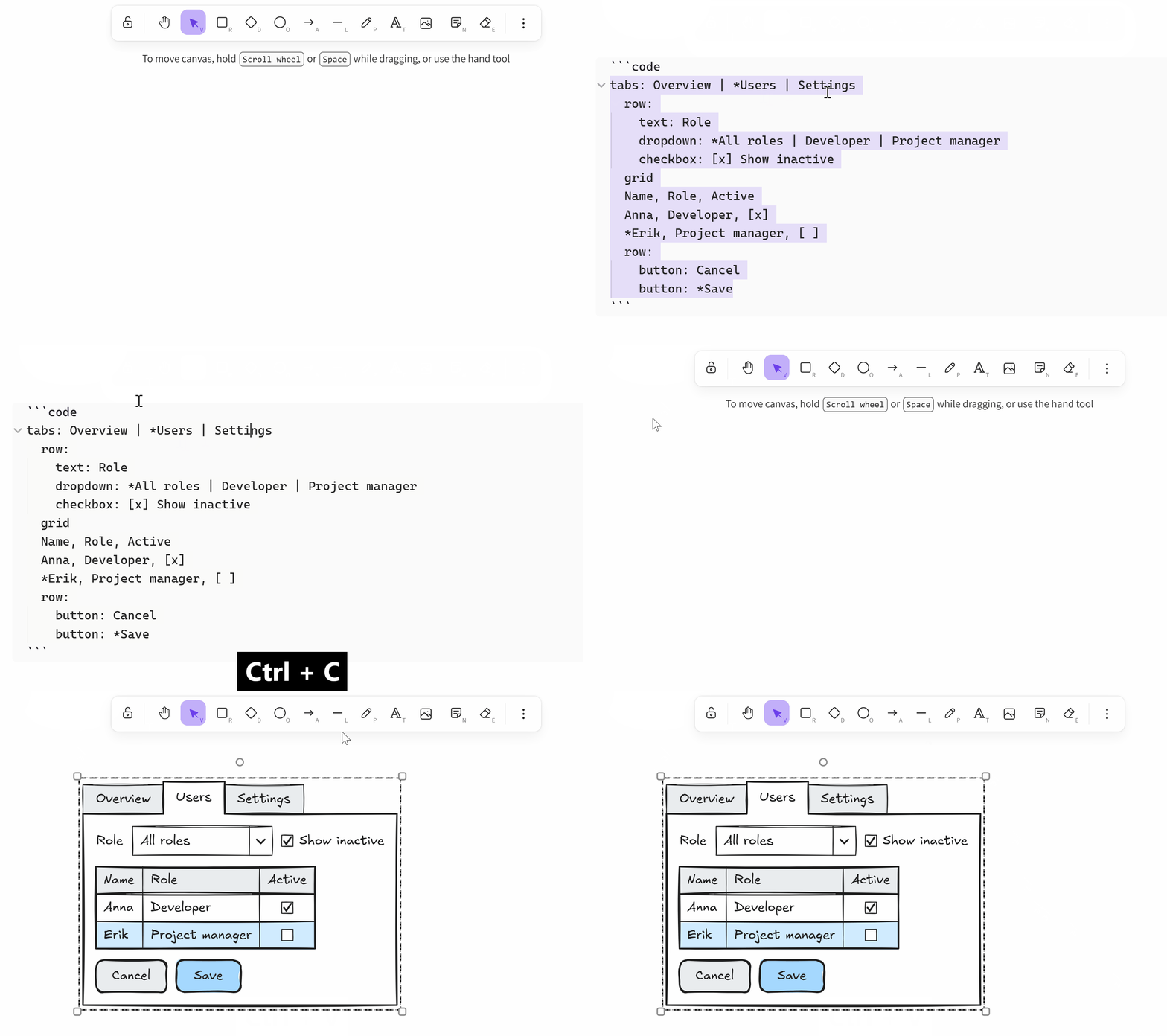
- Paste a spec onto the canvas. A
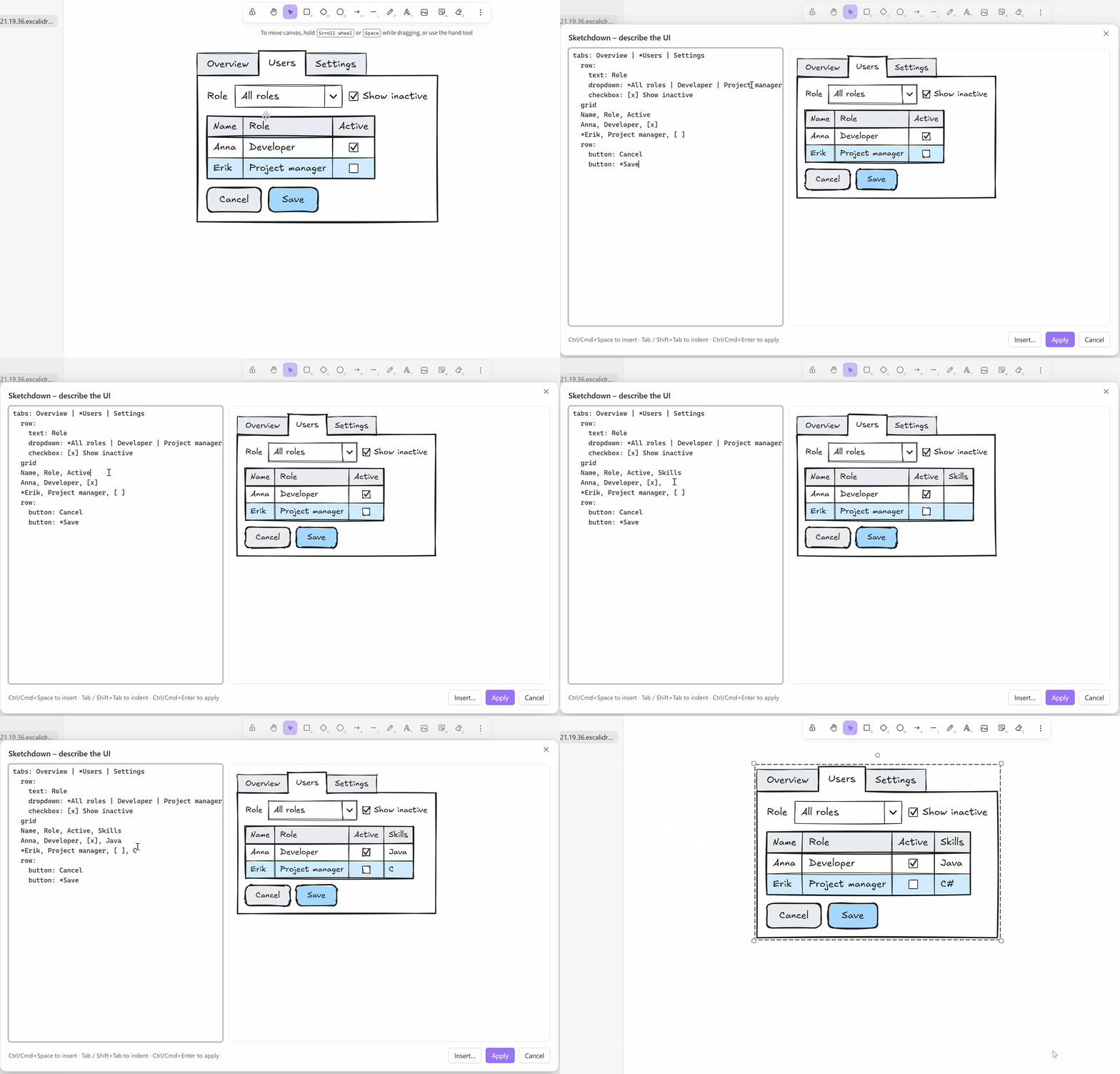
```sketchdowncode block is always drawn; plain text is drawn when it is a valid spec (a setting). Ctrl/Cmd+Shift+V pastes plain text instead. - Sketchdown: Create or edit wireframe opens an editor with a live
preview:
- with a wireframe selected, it edits that wireframe and redraws it in place;
- with a single text element selected, it turns the text into a wireframe;
- with nothing selected, it starts a new one.
- Edit wireframe, a button above a selected wireframe, does the same.
- Sketchdown: Insert component opens the editor on a palette of snippets, from a single button to a whole app screen.
In a note
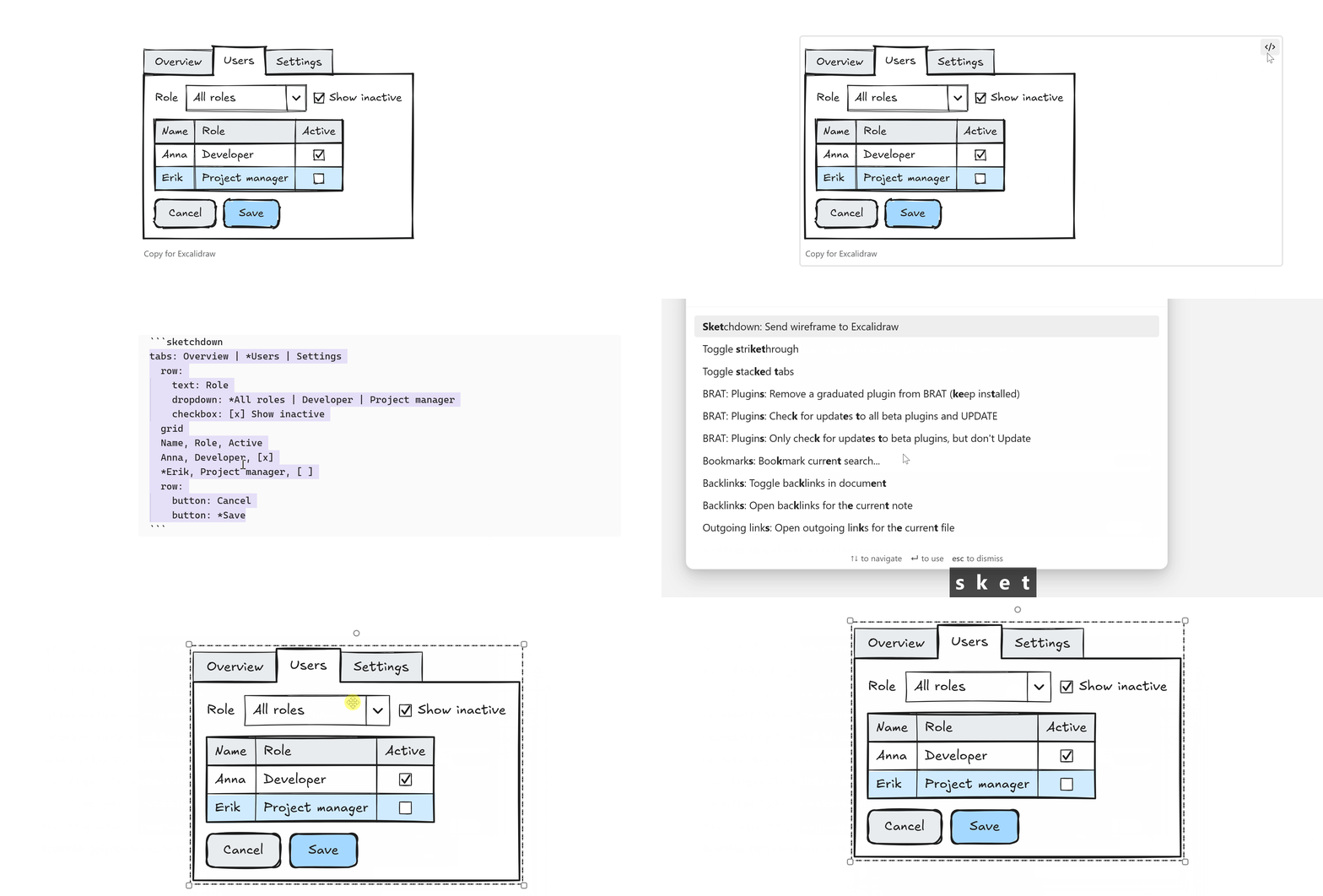
A ```sketchdown code block is drawn as a wireframe in reading view
and live preview. Copy for Excalidraw under it copies the block for
pasting into a drawing, and Sketchdown: Send wireframe to Excalidraw,
with the cursor in the block, draws it in the drawing you used last.
The text is the truth
A wireframe is a group of ordinary Excalidraw elements that remembers its spec. Editing the spec redraws the whole group, so changes made by hand inside the group are lost on the next edit. Annotations, arrows and shapes outside the group are not touched.
Syntax
One component per line, keyword: content (options). Indentation nests
components inside containers such as box, row, tabs and dialog. *
marks the selected or primary item, | separates items, {icon} draws an
icon, [text] a link and -text- grey text. The full reference is
docs/SYNTAX.md.
| Keyword (aliases) | Example |
|---|---|
button (btn) |
button: *Save |
dropdown (select, combo, combobox) |
dropdown: *Sweden | Norway |
checkbox (check, checkboxes) |
checkbox: [x] Email | [ ] SMS |
text (label) |
text: Role |
grid (table, datagrid) |
grid, then rows like Anna, Developer |
tabs (tab) |
tabs: A | *B | C |
box (panel, group) |
box: New user |
section |
section: {users} Ownership (count=3) |
form |
form: New user (label=140) |
field |
field: Customer | search: Search... |
row |
row: |
icon |
icon: search |
input (field, textbox) |
input: Anna |
search |
search: Find users |
password |
password: secret |
spin (number, stepper) |
spin: 12 |
textarea |
textarea: Notes |
h1 (heading) |
h1: Users |
h2 (subheading) |
h2: Details |
columns (cols) |
columns: (w=1200, h=700) |
nav (navigation) |
nav: {home} Home | *{users} Users | - | Log out |
avatar |
avatar: AS |
details (properties) |
details: {phone} Phone | 070-123 |
window |
window: Settings |
dialog (modal) |
dialog: Delete user? |
browser |
browser: My app | example.com |
phone |
phone: Users |
buttons |
buttons: Cancel | *OK |
link |
link: Forgot password? |
paragraph (p, lorem) |
paragraph: lorem (lines=4) |
radio (radios, option) |
radio: Small | *Medium | Large |
toggle (switch) |
toggle: [on] Wi-Fi | [off] Bluetooth |
slider (range) |
slider: 40% |
alert (message, notice) |
alert: {info} Saved! [Undo] |
progress |
progress: Uploading 60% |
tooltip (hint) |
tooltip: Copied! |
image (img, picture) |
image: 320x180 Team photo |
breadcrumb (breadcrumbs, crumbs) |
breadcrumb: Home > Users > Anna |
pagination (pager, pages) |
pagination: < 1 *2 3 … 10 > |
menu (contextmenu) |
menu: Copy | Ctrl+C |
tree |
tree: Project |
placeholder |
placeholder: 240x40 Date picker |
Screenshot to wireframe
The screenshot-to-sketchdown
skill teaches an AI agent such as Claude to turn a screenshot of a UI into a
Sketchdown spec. Parts it can't draw become sized placeholder boxes, and it
reports which components are missing. It checks its own work with a bundled
script that renders the spec (Node, plus Chrome or Edge for images).
- Claude Code: copy the
skills/screenshot-to-sketchdownfolder to~/.claude/skills/. - Claude apps: zip the folder and upload it under Settings → Capabilities.
Then share a screenshot and ask for a Sketchdown wireframe. Paste the result into a drawing.
Settings
- Colours of fills, primary buttons, selections, links, dark panels and more.
- Font size and gaps between and inside components.
- Pasting: whether plain text that is a valid spec becomes a wireframe.
- Notes: whether code blocks are drawn.
- Stroke and font: take the stroke colour, font and sloppiness from the drawing, or use a fixed style. Notes always use the fixed style.
Develop
npm run dev: watch build tomain.jsnpm run build: type-check and production buildnpm test: run the testsnpm run sketch -- spec.txt out.svg out.png: check a spec and render it outside Obsidiannpm run skill: regenerate the skill's syntax reference and checkernpm run cheatsheet: regenerate the cheat sheet above fromdocs/SYNTAX.md
Credits
- Inspired by Balsamiq.
- Syntax ideas from Wireframy (MIT), which also has an Obsidian plugin that renders wireframes in notes.
- Built on Excalidraw and the Obsidian Excalidraw plugin by Zsolt Viczián.
- Hand-drawn rendering in notes by Rough.js.
Licence: MIT.