
README file from
GithubSimple Writing
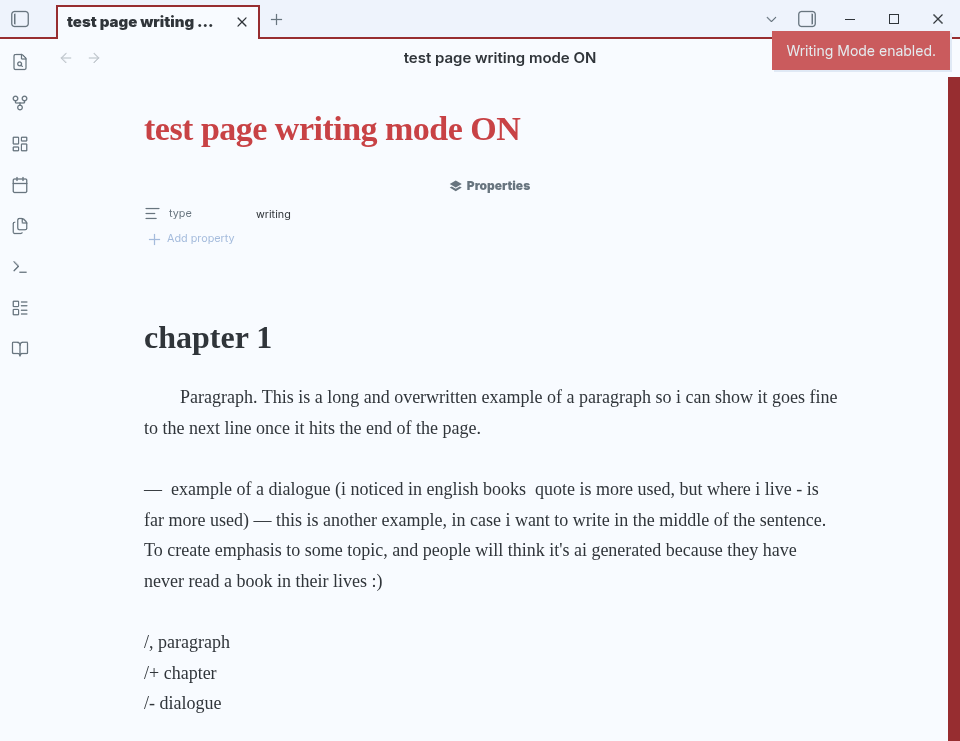
A focused writing experience for Obsidian, built for long-form writing while keeping Markdown as the source of truth. Simple Writing enhances readability with book-like formatting, chapter support, paragraph indentation, and writing shortcuts, all while working directly with standard Markdown files.
With writing mode enabled
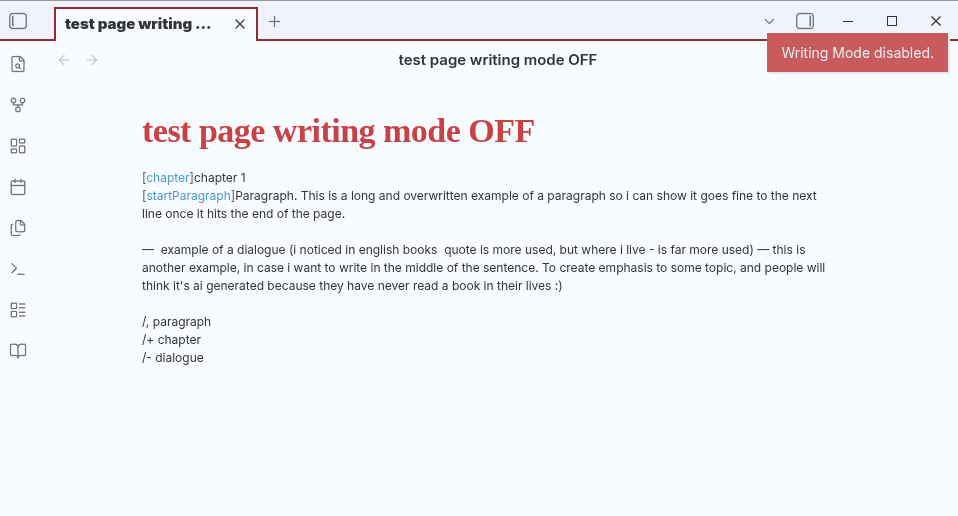
With writing mode disabled
Features
- Distraction-free Writing Mode
- Book-style typography and layout
- Chapter formatting
- Paragraph indentation
- Writing shortcuts
- Markdown-first approach
Writing Mode
Enable Writing Mode by adding:
type: writing
or by clicking the book icon in the ribbon.
Markers
Chapter
[chapter] Chapter 1
Indented paragraph
[startParagraph] Sofia entered the forest.
Markers are hidden in Writing Mode but remain part of the Markdown source.
Shortcuts
| Shortcut | Result |
|---|---|
/, |
Indented paragraph |
/- |
Dialogue |
/+ |
Chapter |
/dialogue |
Dialogue |
Examples
/,Sofia entered the forest.
becomes:
[startParagraph] Sofia entered the forest.
/+Chapter 1
becomes:
[chapter] Chapter 1
Markdown First
Files remain standard .md documents and can be edited normally, even without the plugin.
Roadmap
- EPUB export
- Scene breaks
- Additional writing blocks
- Improved navigation
- More customization options