
README file from
GithubSimple Mind
A Markdown-outline mind map editor for Obsidian.
Status: 1.0.4
Simple Mind turns a plain .mindmap file into a polished, interactive map — and keeps it a plain
Markdown outline underneath. No account, no network calls, no lock-in.
Why Simple Mind
- Free, all of it. Four layouts, nine themes.
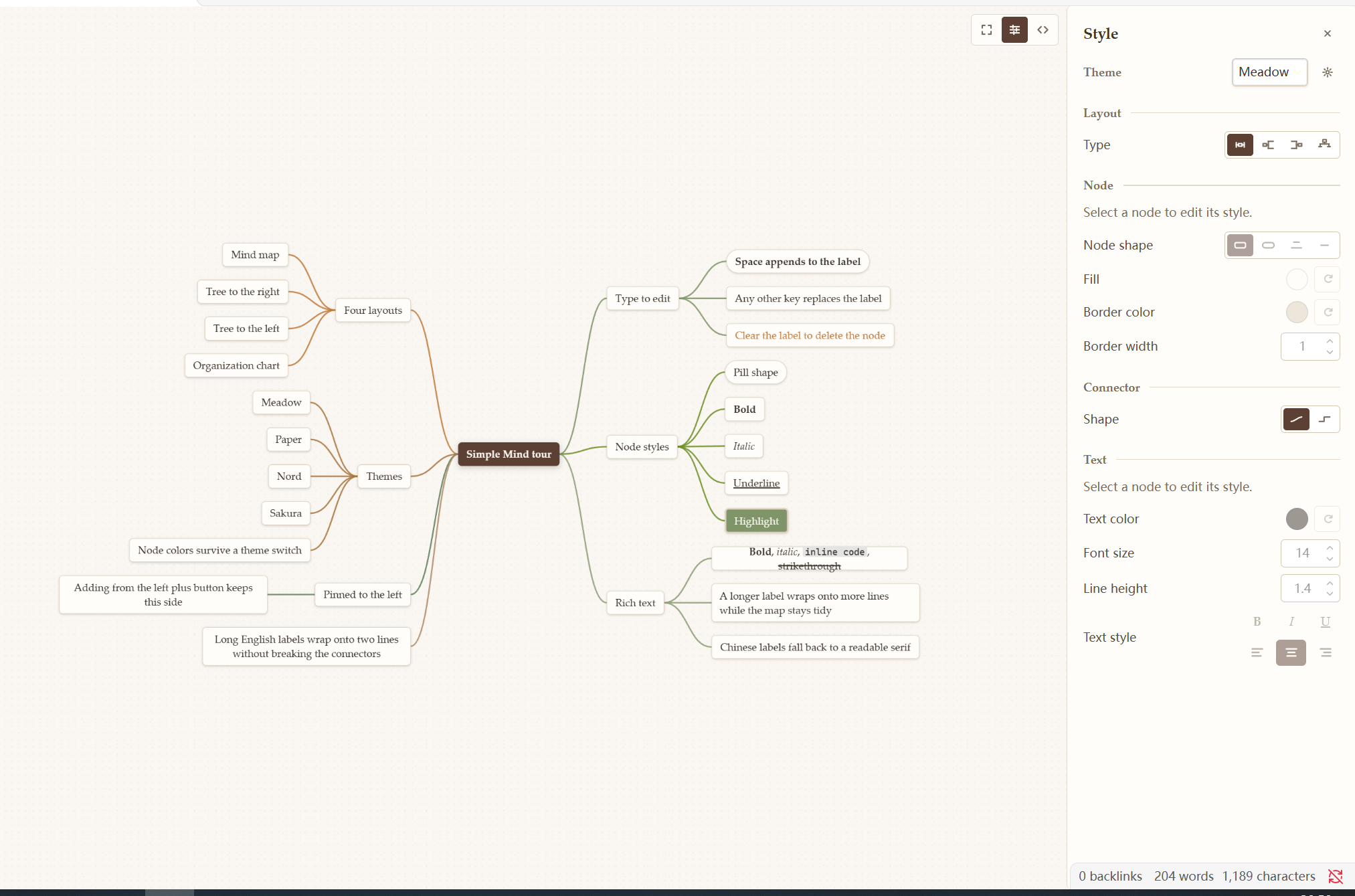
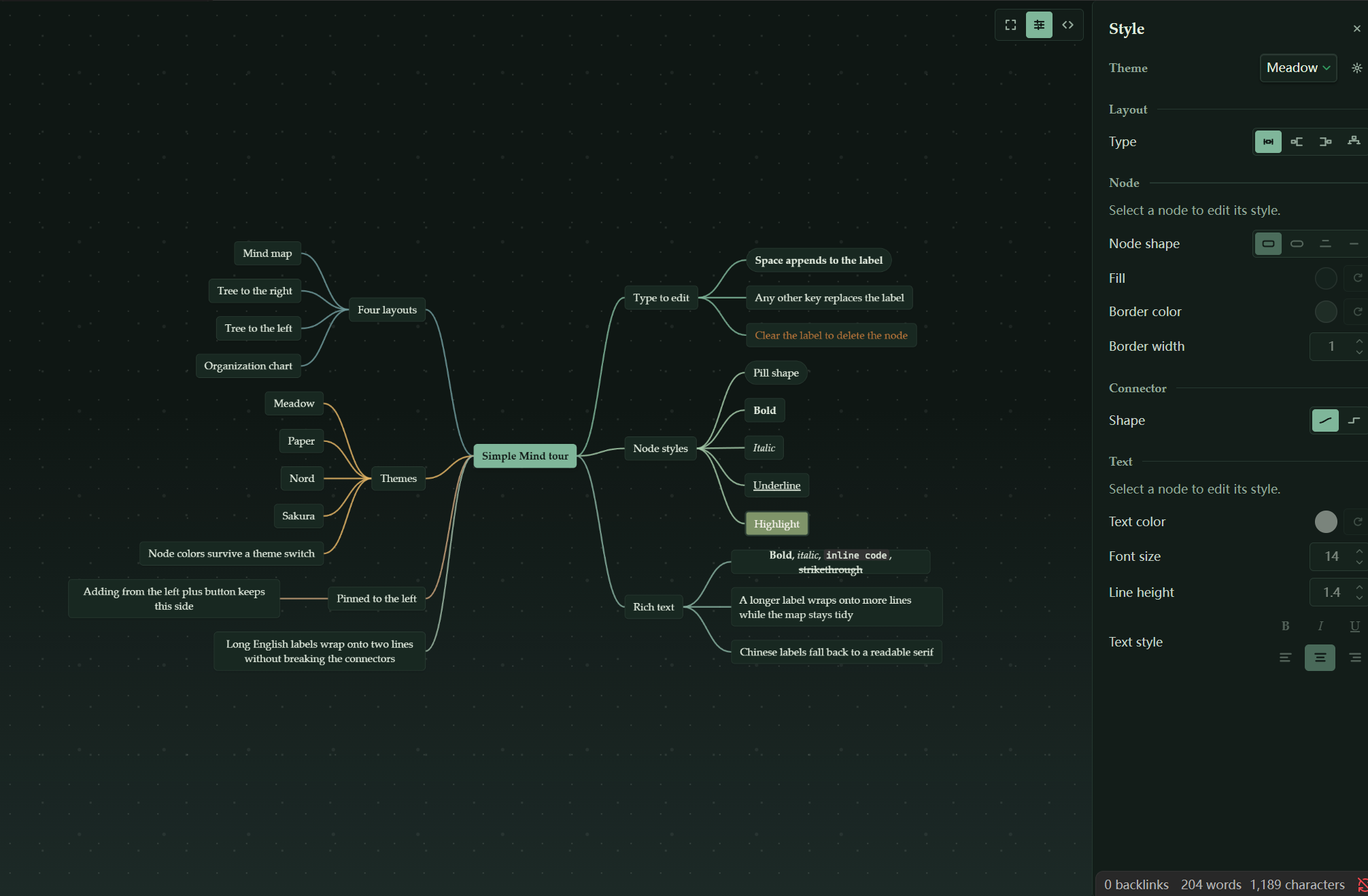
- Beautiful by default. Nine hand-tuned themes, from a warm Natural Organic light mode to a moonlit-forest dark mode, and the map follows Obsidian's light/dark switch on its own.
- Complete, not a toy. Four layouts, inline editing, drag to reorganize, collapse, undo/redo, clipboard, per-node styling, a custom theme editor, and per-file view state.
- Fast and quiet. No network requests and no telemetry. Redraws are frame-batched and off-screen nodes are culled, so maps with hundreds of nodes stay responsive.
- Your data stays yours. A
.mindmapfile is Markdown plus a small frontmatter block; it opens in the source editor at any time and syncs like any other note.
Features
Maps that fit the way you think
- Four layouts: mind map, tree to the right, tree to the left, and organization chart.
- Inline editing, drag to reorganize, copy and paste subtrees, undo and redo.
- Collapse a branch into a count bubble; add buttons follow the layout and remember which side a branch belongs to.
- Each file remembers its pan, zoom, and selected node.
Styling without a design degree
- One style panel for the file's theme, layout, and connector shape, plus the selected node's shape, fill, border, and text styling (size, color, bold, italic, underline, alignment, line height).
- Nine built-in themes: Meadow, Obsidian Native, Paper, Graphite, Nord, Solarized, Forest, Ocean, and Sakura.
- A custom theme editor with a live preview, and theme import/export.
- Font family, connector color, and connector thickness are global defaults in the settings tab.
Usage
-
Create a map. Click the ribbon icon or run the New mind map command. An existing Markdown outline also works — just rename it to
.mindmap. -
Type directly. With a node selected:
- Space appends to the current label.
- Any other character replaces the label with what you typed.
- Clear the whole label and commit to delete the node (the root keeps at least one character).
-
Keys.
Key Action Tab/EnterAdd a child / add a sibling F2or double-clickEdit the selected node Delete/BackspaceDelete the selected node, except the root Arrow keys Move the selection Ctrl/Cmd+Z,Ctrl/Cmd+Shift+ZUndo / redo Ctrl/Cmd+C,X,VCopy, cut, paste -
Style it. Open the style panel from the floating menu and pick a theme, layout, and connector shape for the file, or restyle the selected node.
-
Edit the source. The source button switches the same tab to Obsidian's Markdown editor, and back to the map when you are done.
Installation
Install from Settings → Community plugins → Browse → Simple Mind once the plugin is listed.
Manual install: download main.js, manifest.json, and styles.css from the latest release, put
them in <vault>/.obsidian/plugins/simple-mind/, then enable Simple Mind in the community plugins
settings.
File format
A map is a Markdown outline with a small frontmatter block; per-node styles live inline, so the file stays readable and diffs stay small.
---
mindmap:
  theme: meadow
  layout: mindmap
  connectorStyle: curve
---

# Product plan
- Discovery
  - Interviews
  - Survey
- Launch <!-- sm:{"shape":"pill","bold":true} -->
Compatibility
- Obsidian 1.7.2 or newer, desktop only.
- Light and dark follow Obsidian; every setting is stored in the vault's plugin data, never sent anywhere.
License
MIT.