
README file from
GithubSimple Glossary
An Obsidian plugin that reads your glossary note and marks those terms wherever they appear in your other notes. When you hover over a marked term, a tooltip explains it. It works on desktop only.
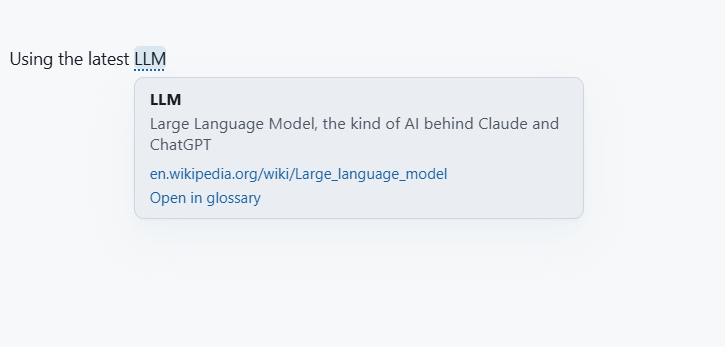
The glossary note
Each entry is a list item. Any of these forms works:
* **ADM**: Audio Definition Model, <https://github.com/IRT-Open-Source/libadm>
* **LLM**: Large Language Model #ai
* [RAG](https://en.wikipedia.org/wiki/Retrieval-augmented_generation) Retrieval-Augmented Generation #ai
- __BA__ - Business Analyst
- [[RAG]]: Retrieval augmented generation
1. KPI: Key performance indicator
Here is a glossary note in Reading view:
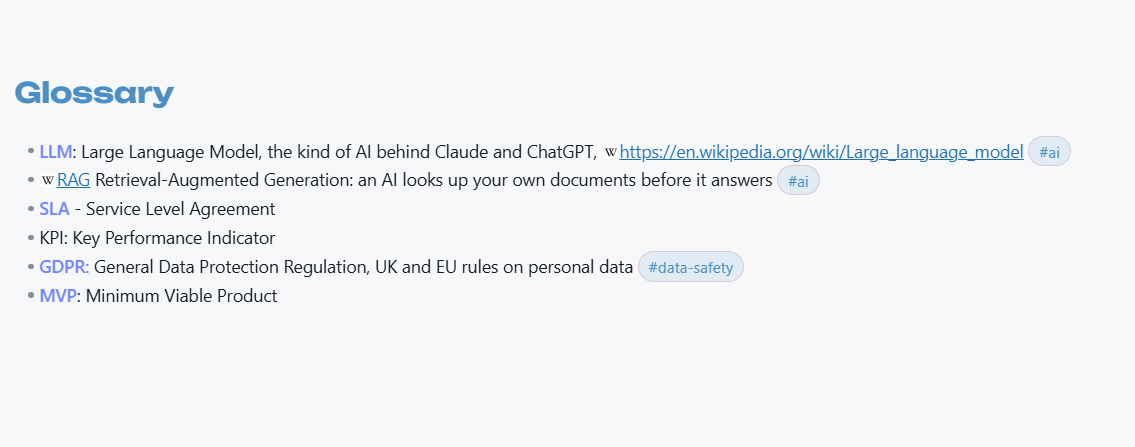
- The term is the bold text, the link text or the text before the colon.
- Everything after it is the explanation. Hashtags are removed from it, so you can still tag entries.
- The first web address in an entry, or the link on the term itself, appears in the tooltip as a clickable link.
- Headings, ordinary paragraphs, tasks, code blocks and frontmatter are ignored.
- If a term is listed twice, the first entry is used.
- The plugin rereads the glossary whenever you save it. If you rename or move the glossary note, the plugin follows it.
In your notes
- Terms are marked in Reading view and while editing (Live Preview and Source mode).
- A term only matches as a whole word:
ARmatches "AR", "AR-based" and "(AR)", but not "ARM" or "CAR". - Terms that contain symbols, such as
CI/CD, match as written. - Simple plurals count too, so
BAalso matches "BAs" and "BA's". - A link whose text is a term, such as
[[SYMCA]], gets the tooltip every time; clicking it still follows the link. - Nothing else is marked in code, links, tags, web addresses, headings, frontmatter, comments or maths, or in the glossary note itself.
- Hover over a marked term to see what it means. The tooltip stays open while your pointer is over it, so you can click its links.
- Click a term in Reading view to open the glossary at that entry. While editing, Ctrl-click it (Cmd-click on a Mac), or use Open in glossary in the tooltip.
Settings
| Setting | What it does |
|---|---|
| Glossary note | The note to read terms from. Start typing to get a list of matching notes. |
| Reading view / While editing | Choose where terms are marked. |
| First use only | Mark only the first time each term appears in a note (on by default). |
| Match case | "AR" does not match "ar" (on by default). |
| Plurals | Also match "BAs" and "AR's" (on by default). |
| Look | Dotted underline, soft highlight, or both. |
| Hover delay | How long to hover before the tooltip appears. |
Commands: Reload glossary and Open glossary note.
Privacy
Simple Glossary reads your notes and never changes them. It makes no network requests. The only file it writes is its own settings file.
Building
There are no dependencies and no bundler. node tools/build.mjs joins the files in src/ into dist/simple-glossary/. To try a build, copy main.js, manifest.json and styles.css into <vault>/.obsidian/plugins/simple-glossary/, or open the sample vault folder in Obsidian. To put it on GitHub, run tools/setup-repo.sh. To release a version, run tools/release.sh (--help for each). See CLAUDE.md for the developer notes.