
README file from
GithubSimpleDraw
轻量级流程图绘制插件,在 Obsidian 中直接创建和编辑 .simpledraw 文件。
A lightweight flowchart drawing plugin. Create and edit .simpledraw files directly in Obsidian.

🖥️ 桌面版已发布! 无需 Obsidian,独立运行。支持窗口分离、系统托盘、原生文件保存。
🖥️ Desktop version now available! Standalone app — no Obsidian needed. Multi-window, system tray, native file save.
🔗 https://github.com/whiteandgrey/SimpleDraw
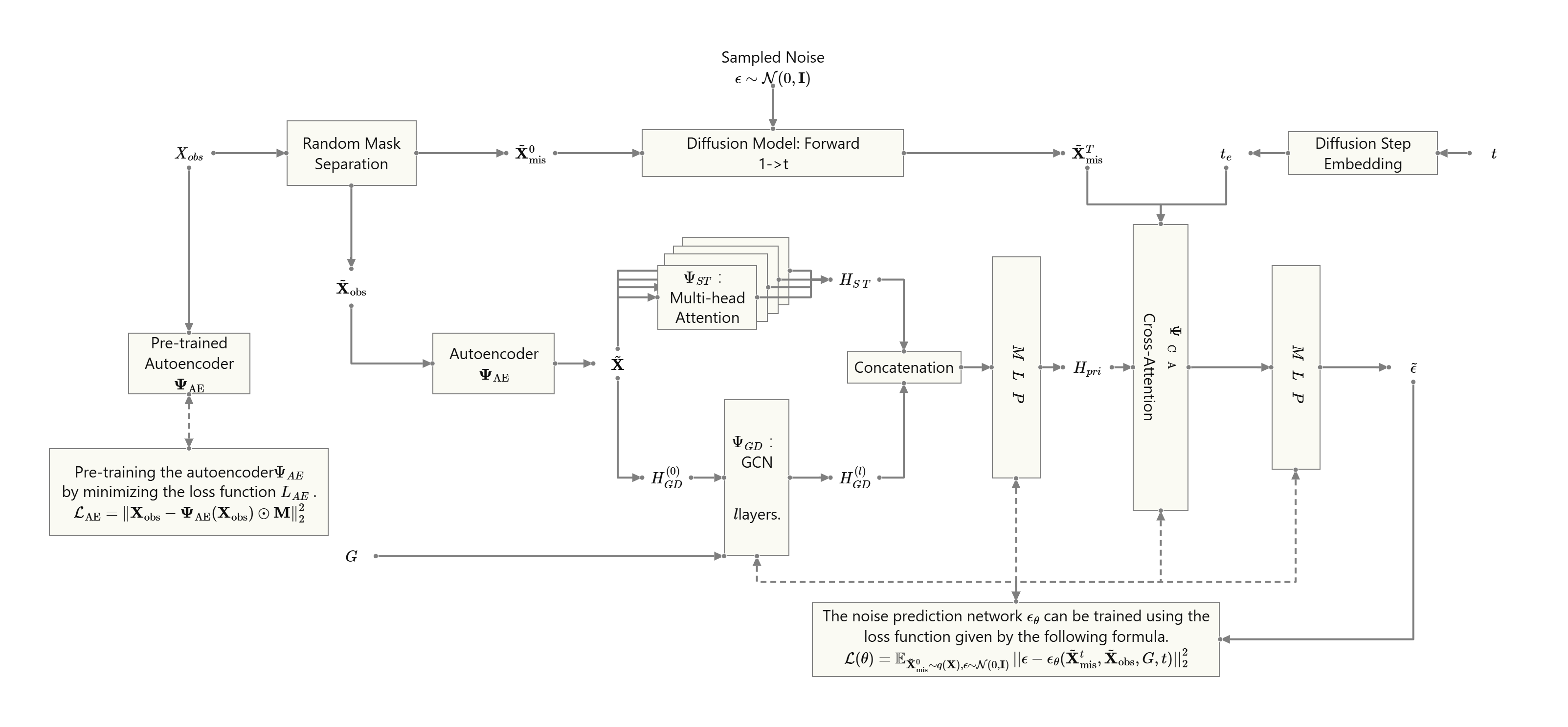
绘制样例
Drawing Example
使用教程
Usage Guide
画板操作
Canvas
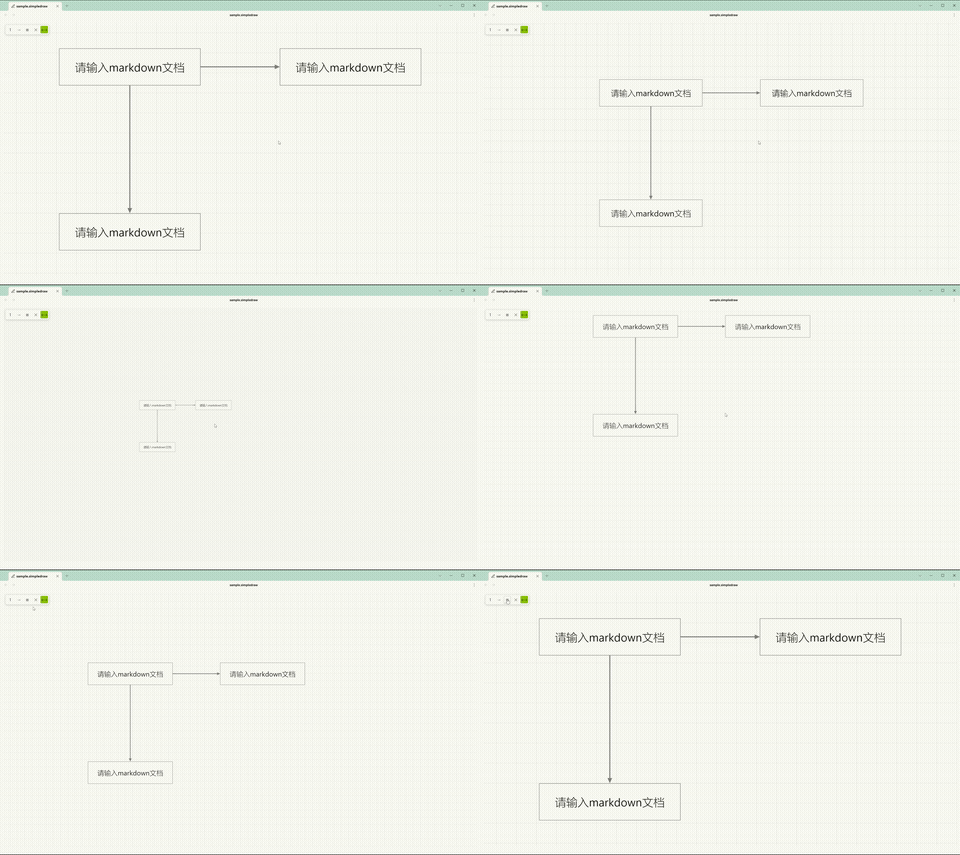
移动:鼠标中键拖拽 Pan: Middle-click drag
缩放:Ctrl + 鼠标滚轮 Zoom: Ctrl + scroll wheel
文本框
Textbox
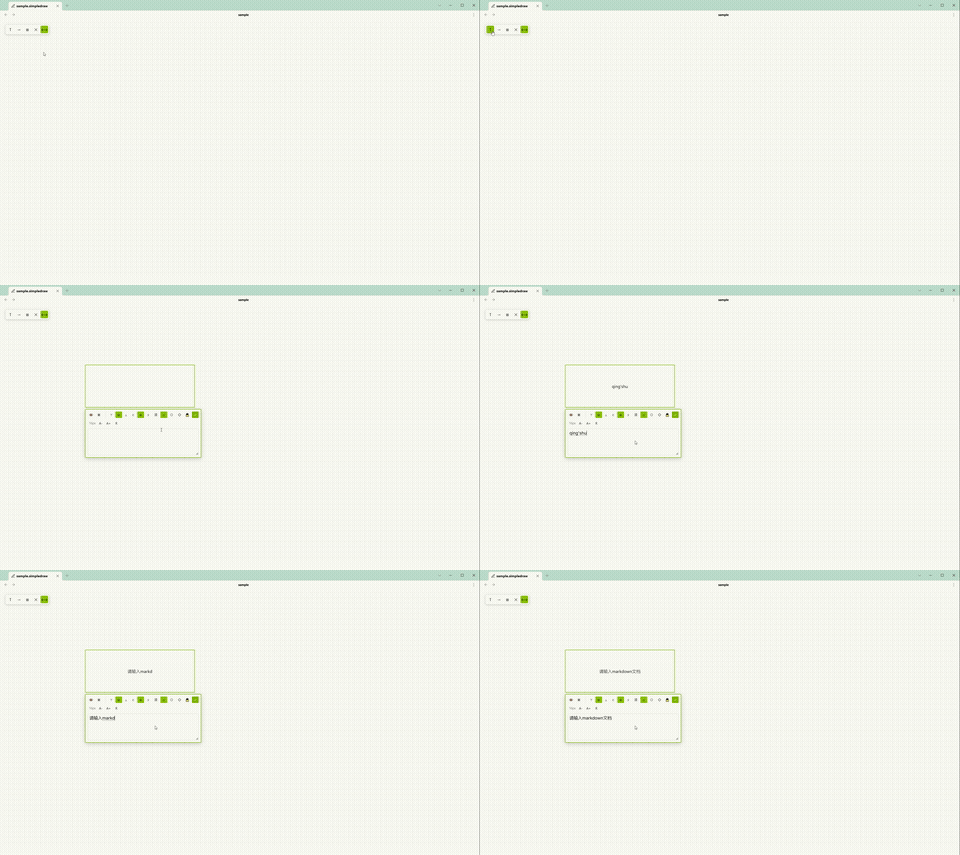
- 点击左上角 T 按钮,在画板点击两次确定位置。 Click the T button, then click twice on the canvas to place a textbox.
- 双击文本框打开编辑器。 Double-click a textbox to open its editor.
- 拖拽四角调整大小。 Drag the corners to resize.
- 锁定:编辑器菜单点击 🔒。解锁:右键文本框 →「解锁」。 Lock: Click 🔒 in the editor. Unlock: Right-click → "Unlock".
箭头
Arrow
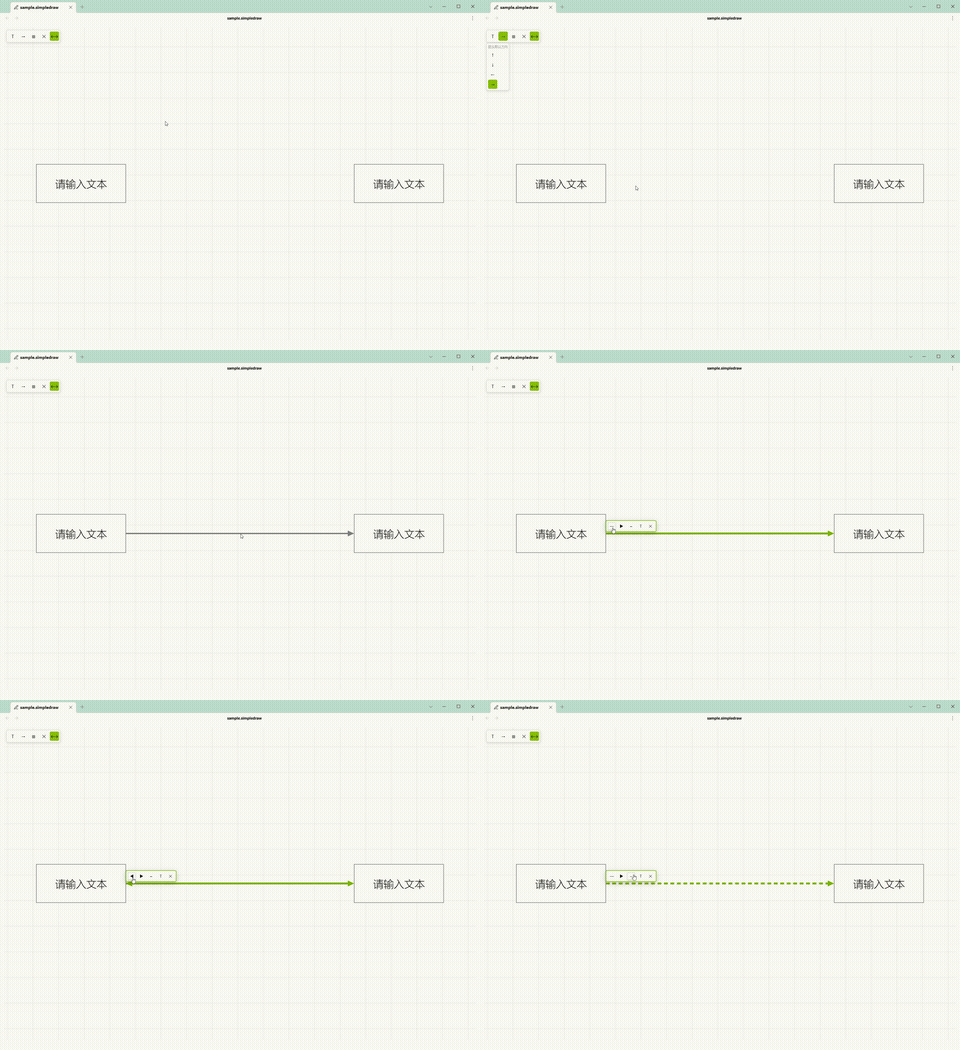
- 点击左上角 → 按钮,在画板点击起点和终点。 Click the → button, then click start and end points on the canvas.
- 端点可自动吸附文本框锚点,也可自由放置。 Endpoints auto-snap to anchors or remain free.
- 吸附箭头自动跟随锚点移动。 Snapped arrows automatically follow anchor movement.
- 双击箭头弹出菜单:
Double-click an arrow to open its menu:
- 首尾箭头显隐切换
- Start & End arrow toggle
- 实线/虚线切换
- Solid & Dashed toggle
- T 文字标签开关
- Label toggle
- 删除
- Delete
- 方向可通过菜单选择或键盘方向键 ←↑↓→ 切换。 Direction can be set via the menu or arrow keys.
文字标签
Arrow Label
双击箭头 → 点击 T 按钮 → 箭头中点出现可编辑文字,支持 Markdown,自动跟随箭头移动。 Double-click an arrow → click T → an editable label appears at the midpoint. Supports Markdown and auto-follows the arrow.
开关隐藏/显示(保留内容)。空内容时画布显示灰色提示「请输入 markdown 文本」。 Toggle to hide/show (content is preserved). Shows a placeholder when empty.
选择与编辑
Selection & Editing
选择:单击 / Ctrl+单击多选 / 拖拽框选。 Select: Click / Ctrl+click / drag box select. 复制粘贴:Ctrl+C / Ctrl+V,支持跨文件。 Copy/Paste: Ctrl+C / Ctrl+V, cross-file support. 外部文本:复制文字后到画板 Ctrl+V 自动创建文本框。 External Text: Paste external text on canvas to create a textbox. 删除:选中后按 Delete。 Delete: Select and press Delete. 撤销:Ctrl+Z。 Undo: Ctrl+Z. 重做:Ctrl+Shift+Z。 Redo: Ctrl+Shift+Z.
锚点方案
Anchor Scheme
在设置面板「吸附功能」中切换: Switch in Settings → Snap:
- 方案一 Scheme 1(默认):8 锚点(4 角点 + 4 边中点)。8 anchors (4 corners + 4 midpoints).
- 方案二 Scheme 2:12 锚点(4 边中点 + 8 四分点),仅被箭头连接的四分点参与吸附。12 anchors (4 midpoints + 8 quarter points), only connected quarter points participate in snap.
功能
Features
文本框
Textbox
| 功能 Feature | 说明 Description |
|---|---|
| 形状 Shape | 矩形 / 椭圆 / 菱形 Rectangle / Ellipse / Diamond |
| 内容 Content | Markdown 渲染(支持数学公式、高亮等)Markdown rendering (math, highlight) |
| 填充 Fill | 开关切换,线框模式 Toggle, wireframe mode |
| 显隐 Visibility | 开关隐藏边框和填充 Hide border & fill |
| 文字方向 Writing Mode | 横排 / 竖排 Horizontal / Vertical |
| 文字对齐 Text Align | 水平(左/中/右)+ 垂直(上/中/下)Horizontal + Vertical |
| 字号 Font Size | A+ / A- / R 实时调整 Real-time adjustment |
| Markdown 快捷键 | Ctrl+B 加粗 / Ctrl+I 斜体 / Ctrl+U 删除线 / Ctrl+Shift+C 代码 / Ctrl+Shift+K 链接 / Ctrl+Shift+H 高亮 / Ctrl+Shift+M 行内公式 / Ctrl+Shift+Alt+M 行外公式 |
| 锁定 Lock | 🔒 锁定后不可编辑、移动、缩放、删除、选择、吸附 Prevents edit, move, resize, delete, select, snap |
箭头
Arrow
| 功能 Feature | 说明 Description |
|---|---|
| 路由 Routing | 正交避让(自动绕开文本框)Orthogonal obstacle avoidance |
| 吸附 Snap | 支持边中点 / 四分点锚点 Edge midpoint / quarter-point anchor |
| 形状 Shape | 实心三角 / 空心三角 / V 型 / 圆点 Triangle / Open Triangle / V-Shape / Circle |
| 端点控制 Endpoints | 首尾箭头独立显隐 Start/End arrow toggle |
| 线型 Line Style | 实线 / 虚线 Solid / Dashed |
| 方向 Direction | 菜单选择或键盘 ←↑↓→ Menu or arrow keys |
| 文字标签 Label | 箭头中点 Markdown 文字标签,自动跟随 Markdown label at path midpoint, auto-follows |
交互
Interaction
| 功能 Feature | 说明 Description |
|---|---|
| 画板 Canvas | 中键平移,Ctrl+滚轮缩放 Middle-click pan, Ctrl+scroll zoom |
| 选取 Selection | 单击 / Ctrl+单击多选 / 拖拽框选 Click / Ctrl+click multi / drag box select |
| 移动 Move | 拖拽文本框 Drag textbox |
| 缩放 Resize | 拖拽四角 Drag corners |
| 吸附对齐 Alignment Snap | 拖拽时对齐边线(多优先级系统)Snap to edges with priority system |
| 调整大小吸附 Resize Snap | 角点拖拽时对齐边线 Corner drag snap to edges |
| 锚点方案 Anchor Scheme | 8 锚点 / 12 锚点 8 anchors / 12 anchors |
| 撤销/重做 Undo/Redo | Ctrl+Z / Ctrl+Shift+Z,最多 100 步 Up to 100 steps |
| 复制/粘贴 Copy/Paste | Ctrl+C/V 跨文件,外部纯文本自动创建文本框 Cross-file, external text → textbox |
右键菜单
Context Menu
文本框置顶 / 置底。解锁文本框。 Bring to Front / Send to Back. Unlock textbox.
导出
Export
PNG 导出 — DOM 截图,所见即所得,保留数学公式和代码块。 DOM screenshot, WYSIWYG, preserves math & code blocks.
选项:网格 / 透明背景。 Options: Grid / Transparent background.
多语言
i18n
中文 / English — 设置面板一键切换。 One-click switch in settings.
安装
Installation
- 下载
main.js、manifest.json、styles.css。 Downloadmain.js,manifest.json,styles.css. - 复制到
.obsidian/plugins/simple-draw/。 Copy to.obsidian/plugins/simple-draw/. - 在 Obsidian 设置中启用插件。 Enable the plugin in Obsidian settings.
- 在文件夹上右键 →「插入 SimpleDraw」新建
.simpledraw文件。 Right-click a folder → "Insert SimpleDraw" to create a.simpledrawfile.
设置
Settings
| 设置项 Setting | 说明 Description |
|---|---|
| 语言 Language | 中文 / English |
| 显示画板纹路 Show Grid | 网格背景 Grid background |
| 箭头线粗细 Arrow Stroke Width | 1-5px |
| 箭头大小 Arrow Head Size | 6-20px |
| 箭头形状 Arrow Shape | 实心三角 / 空心三角 / V 型 / 圆点 Triangle / Open Triangle / V-Shape / Circle |
| 显示箭头连接点 Show Anchor Dots | 箭头端点小圆点标记 Dot markers at arrow endpoints |
| 默认字号 Default Font Size | 新文本框默认字号 8-72px |
| 锚点方案 Anchor Scheme | 8 锚点 / 12 锚点 8 anchors / 12 anchors |
| 吸附预览圆圈大小 Snap Preview Radius | 箭头插入模式吸附预览圆圈 4-20px |
| 吸附对齐 Snap Enabled | 开启/关闭 On/Off |
| 快捷键 Shortcuts | 自定义 Markdown 格式快捷键 Custom Markdown shortcuts |
技术架构
Architecture
src/
├── main.ts          入口 — 注册视图、命令、功能区、文件菜单、设置选项卡
                     Plugin entry: register view, commands, ribbon, file menu, settings tab
├── view.ts          视图层 — DOM、事件、渲染循环、编辑器、PNG 导出
                     View layer: DOM, events, render loop, editors, PNG export
├── engine.ts        核心引擎 — 选择、历史记录、坐标变换、吸附、箭头路由
                     Core engine: selection, history, transforms, snap, arrow routing
├── types.ts         数据类型 — 枚举、常量
                     Data types: enums, constants
├── settings.ts      设置接口 — 默认值
                     Settings interface: defaults
├── settingsTab.ts   设置选项卡 UI
                     Settings tab UI
└── locale.ts        国际化 — 中文 / English
                     i18n: Chinese / English
许可
License
MIT