
README file from
GithubObsidian SideBrace
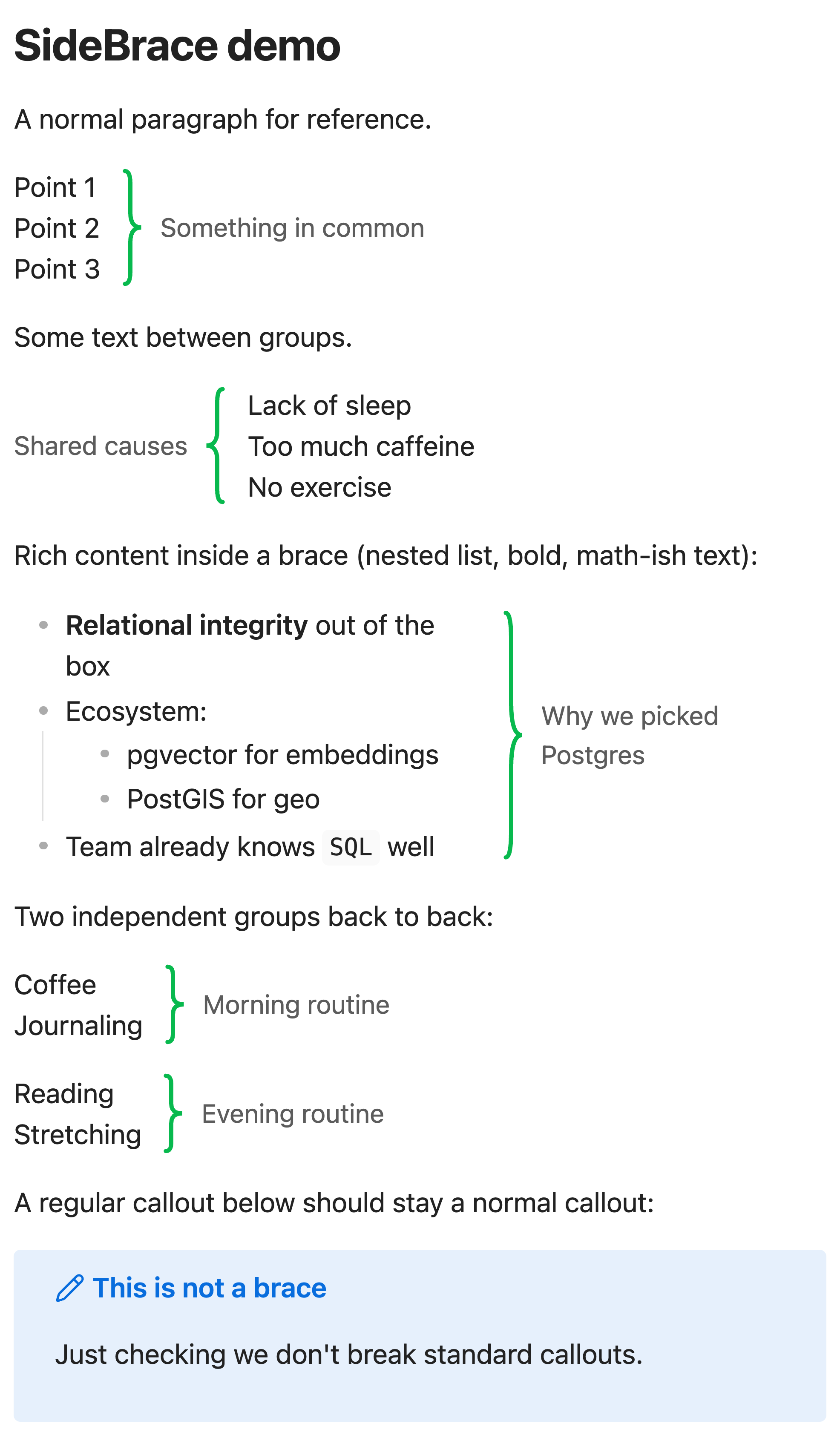
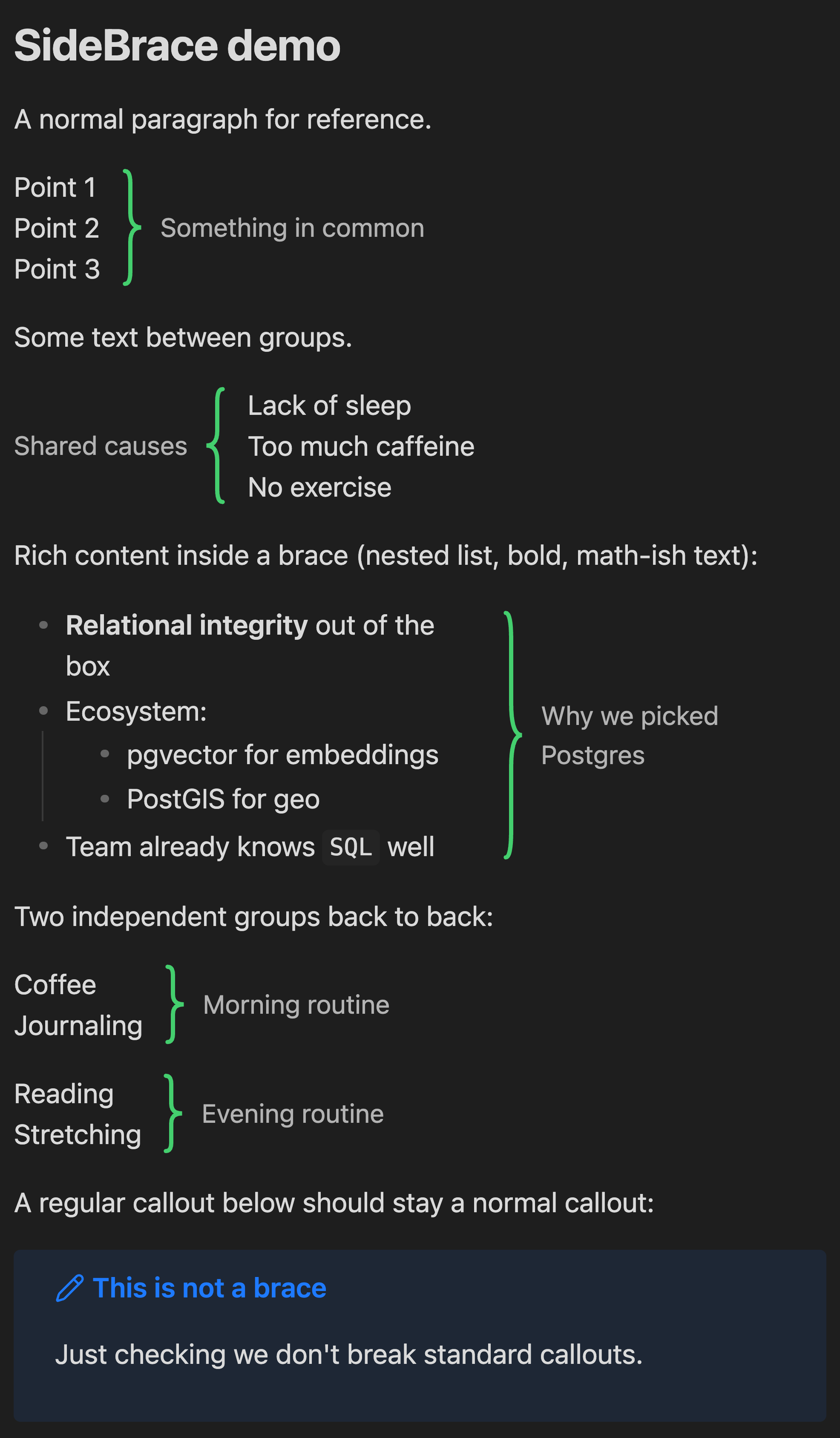
Group a few related lines with a big curly brace and a side note — without reaching for a heading or a callout box. Say "these 3–5 lines have something in common" with a brace on the side and a short label.
Usage
SideBrace reuses the callout syntax you already know. The callout title becomes the label, the body becomes the braced content:
> [!brace] Something in common
> Point 1
> Point 2
> Point 3
> [!brace](alias:> [!bracer]) — brace on the right of the content, label beside it.> [!brace-left]— mirrored: label and brace on the left.
Graceful degradation: without the plugin, these render as ordinary callouts, so your notes stay readable everywhere.
Works in both Reading mode and Live Preview. In Live Preview, click into a brace block to edit the raw markdown; move the cursor away and it re-renders. Regular callouts ([!note], [!warning], …) are untouched.
Installation
Community plugins
SideBrace is listed in the Obsidian community plugin directory: https://community.obsidian.md/plugins/sidebrace
In Obsidian: Settings → Community plugins → Browse, search for SideBrace, then Install → Enable.
Manual
- Download
main.js,manifest.json, andstyles.cssfrom the latest release. - Copy them into
<your-vault>/.obsidian/plugins/sidebrace/. - Reload Obsidian and enable SideBrace under Settings → Community plugins.
Customization
Everything is styled with CSS variables, so themes and snippets can override them:
.sidebrace-container {
	--sidebrace-color: #e0564b;        /* brace stroke (default: theme's --color-green) */
	--sidebrace-stroke-width: 3;       /* brace line width */
	--sidebrace-width: 1.2em;          /* brace column width */
	--sidebrace-label-color: #888888;  /* label text (default: --text-muted) */
	--sidebrace-label-size: 1em;       /* label font size */
}
License
MIT © 2026 Henry Lo. See LICENSE.