
README file from
Github拾句 Shiju
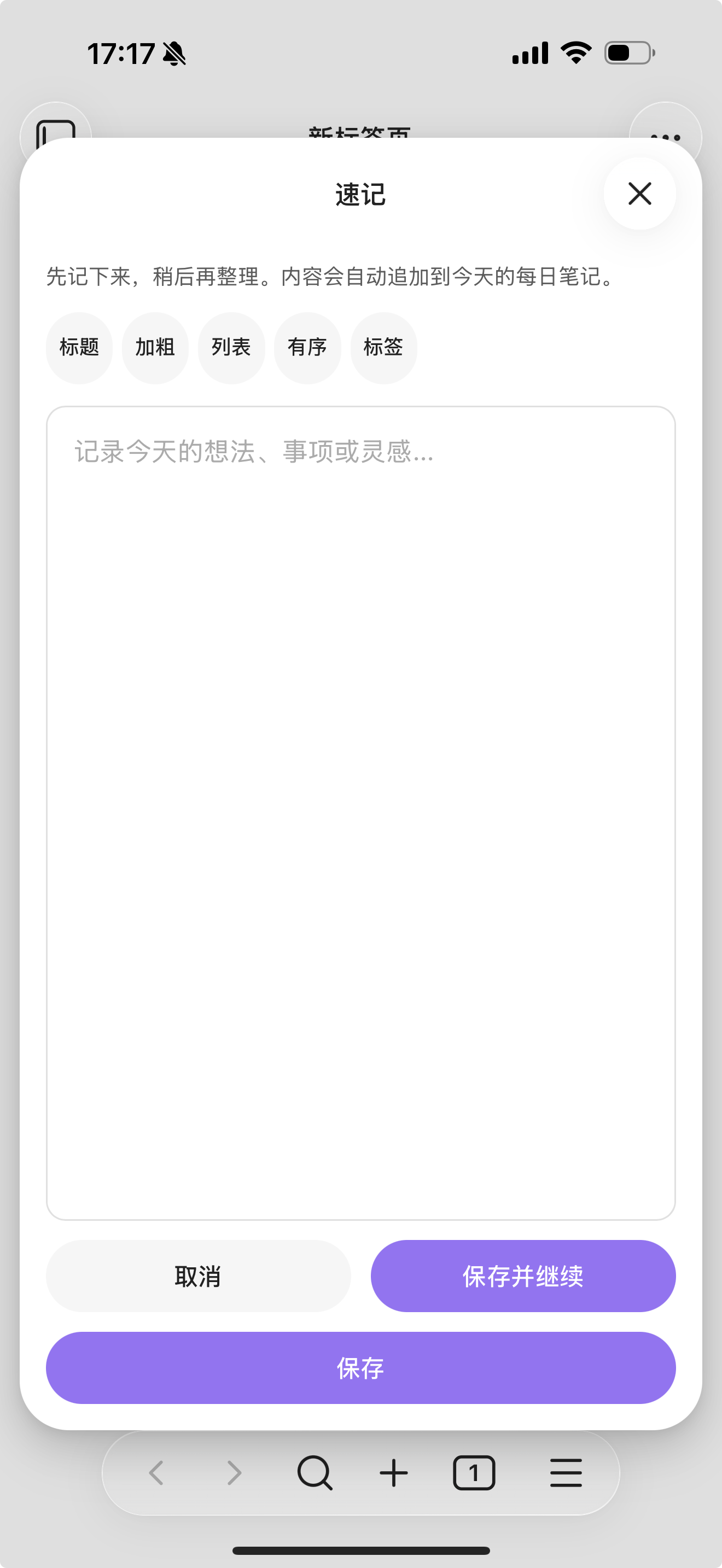
一个面向移动端的 Obsidian 快速记录插件,用来把灵感、事项和短句迅速写入每日笔记。
Shiju is a mobile-first Obsidian plugin for capturing a thought quickly and appending it to your daily notes.
拾句 这个名字,取的是“随手拾起一句”的意思。它适合这样的场景:手机上忽然冒出一个想法,先记下来,稍后再整理。
The name 拾句 means "pick up a line". It is built for the moment when an idea appears on your phone and you want to save it first, then organize it later.
图标与截图 Icon and Screenshot

功能 Features
-
在手机端打开一个大号速记面板
-
将输入内容自动追加到今天的每日笔记
-
可插入到指定标题下,例如
## Inbox或## 日常记录 -
如果今日日记不存在,可自动创建
-
可选从模板初始化当日笔记
-
内置简洁的 Markdown 工具条,支持标题、加粗、列表、有序列表和标签
-
Opens a large quick-capture modal that works well on mobile
-
Appends the captured text to today's daily note
-
Inserts under a target heading such as
## Inboxor## 日常记录 -
Creates today's note automatically when it does not exist
-
Can initialize a new daily note from a template
-
Includes a small Markdown toolbar for headings, bold text, lists, ordered lists, and tags
适合什么场景 Best For
-
手机端快速捕获
-
把零散想法集中写入每日笔记
-
想保留轻量记录入口,而不是每次都先打开完整笔记编辑
-
Mobile capture into daily notes
-
Personal inbox-style note collection
-
Users who want a lighter alternative to opening and editing a full note first
工作方式 How It Works
默认情况下,拾句会把内容写入一个 vault 相对路径模板,例如:
By default, Shiju writes into a vault-relative path template such as:
YYYY-MM-DD.md
你也可以改成更有结构的形式,例如:
You can also change it to a structured layout such as:
Daily/YYYY/MM/YYYY-MM-DD
如果目标笔记不存在,拾句可以先从模板创建笔记,然后再把内容追加到你配置的目标标题下。
When the target note does not exist, Shiju can create it from a template note and then append the captured content under the heading you configured.
设置项 Settings
-
Daily note path format:每日笔记路径模板,不需要写.md -
Template path:当今日日记不存在时使用的模板路径 -
Target heading:要插入到哪个标题下,不带前导# -
Markdown heading level:工具条里标题按钮插入几级标题 -
Create heading if missing:目标标题不存在时是否自动创建 -
Write mode:以普通文本、无序列表或任务列表写入 -
Capture prefix:每条记录前追加固定前缀 -
Open note after save:保存后自动打开今日日记 -
Daily note path format: vault-relative path template without.md -
Template path: vault-relative template note used when today's note does not exist -
Target heading: heading text without the leading# -
Markdown heading level: which heading level the toolbar标题button inserts -
Create heading if missing: automatically add the target heading when needed -
Write mode: plain text, bullet list, or task list -
Capture prefix: prepend fixed text before each saved capture -
Open note after save: open today's note after saving
当前支持的路径 token:
Supported path tokens:
YYYYYYMMDD
移动端说明 Mobile Notes
拾句从一开始就是按手机端优先设计的:
Shiju is designed with mobile use as the primary target:
-
更大的输入区域,方便手机输入
-
一排紧凑的 Markdown 工具按钮
-
当前交互文案以中文为主
-
A larger text area for phone input
-
A compact one-line Markdown toolbar
-
Interaction copy is currently Chinese-first
已知限制 Known Limits
-
当前不是完整嵌入 Obsidian 正文编辑器,而是轻量速记面板
-
路径模板故意只支持少量日期 token,避免目录名被误替换
-
当前主要聚焦“写入一个目标笔记位置”,不追求复杂路由规则
-
Shiju does not embed the full Obsidian editor inside the modal
-
Path templates intentionally support only a small set of date tokens
-
The plugin currently focuses on one-note capture rather than more advanced routing rules
开发 Development
npm install
npm run build
手动安装 Manual Install
把以下文件复制到:
Copy the release files into:
.obsidian/plugins/shiju/
  manifest.json
  main.js
  styles.css
然后在 Obsidian 的社区插件中启用 拾句 Shiju。
Then enable 拾句 Shiju in Community Plugins.
发布文件 Release Files
在 GitHub Release 中需要上传:
For an Obsidian release, the GitHub release assets should include:
manifest.jsonmain.jsstyles.css