
README file from
GithubS-Color-Inline
An Obsidian plugin that puts a small color swatch next to any CSS color you write in inline code. Type `#0080ff` and you see the color right beside it.
It works in Live Preview and Reading view, as a small swatch box or as a fully colored badge. Fenced code blocks are skipped on purpose, so a CSS file pasted into a note stays clean.
Supported formats
| Format | Examples |
|---|---|
| Hex | #0fa #ff0f #0080ff #ff008080 |
| RGB / RGBA | rgb(128,128,128) rgba(0,255,255,0.5) |
| HSL / HSLA | hsl(150,50%,90%) hsla(32,100%,50%,0.8) |
Only colors inside backticks are touched. A bare #0B0B0C in plain text stays an Obsidian tag.
Case doesn't matter, so RGB(...) and #FFF work too. The color has to fill the whole code span: `#fff` gets a swatch, `color: #fff` does not.
Install
Manual
- Download
main.js,manifest.jsonandstyles.cssfrom the latest release. - Put them in
<your vault>/.obsidian/plugins/s-color-inline/. - Reload Obsidian and turn on S-Color-Inline under Settings > Community plugins.
From source
git clone https://github.com/Abdulkader-Safi/s-color-inline.git
cd s-color-inline
npm install
npm run build
Use npm run dev to rebuild on every save while you work.
Screenshots
Swatch mode (default) puts a small box next to the code:
| Light | Dark |
|---|---|
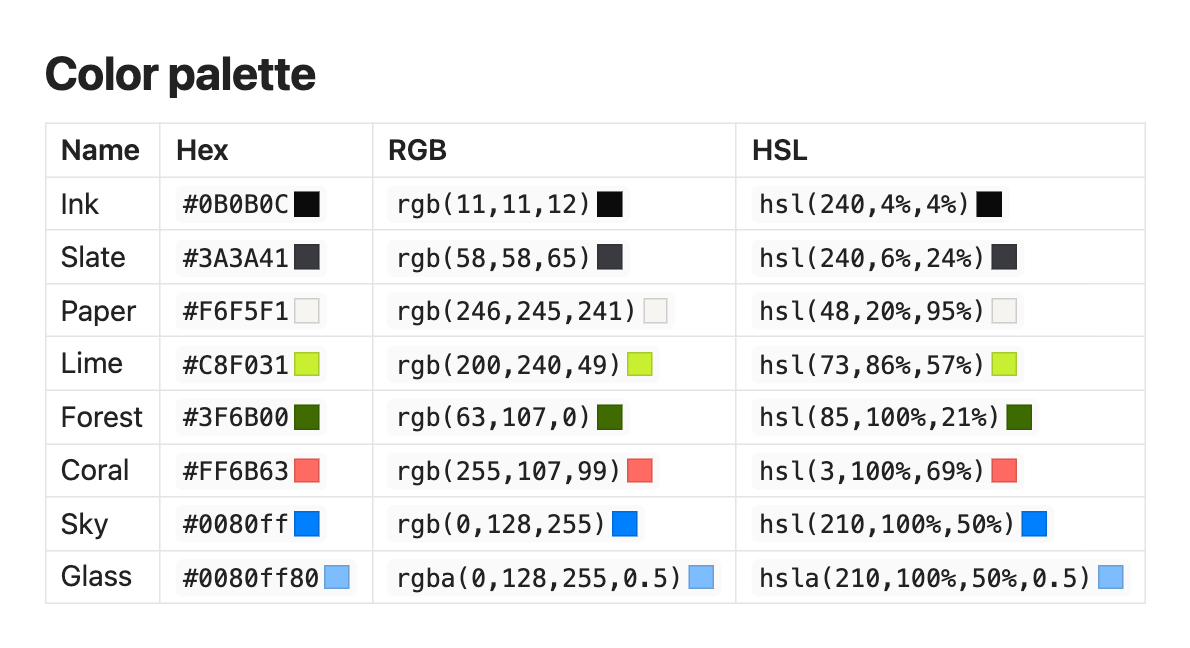 |
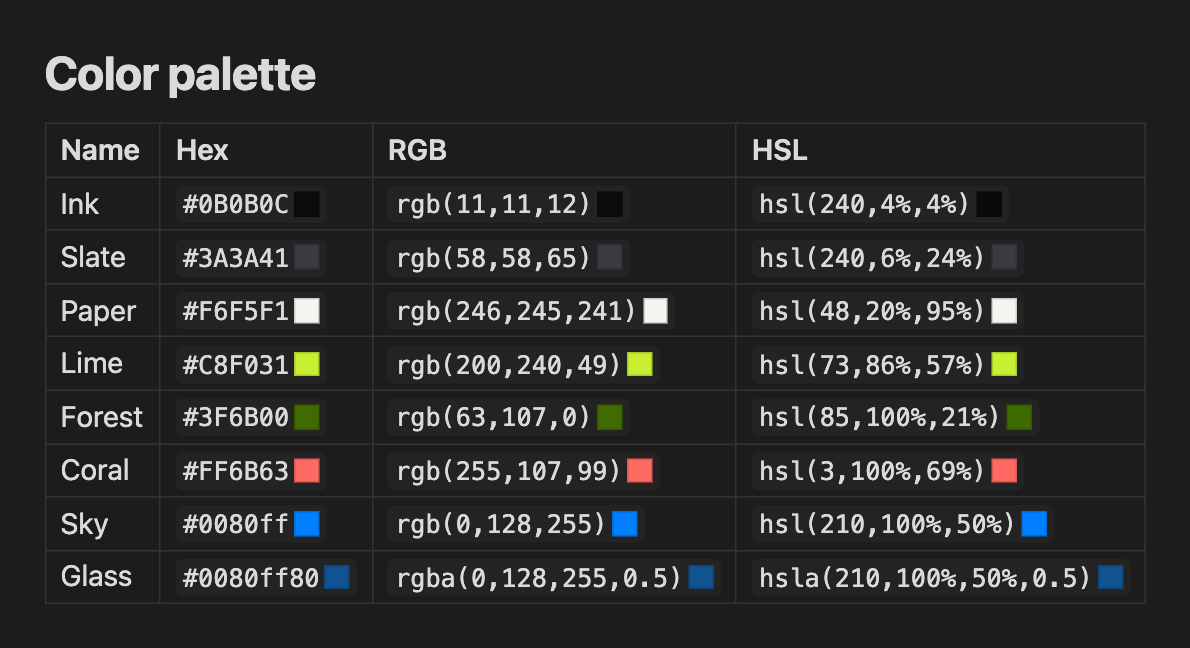 |
Badge mode colors the whole inline code. Turn it on with "Color the whole badge" in the plugin settings. Text switches to black or white to stay readable:
| Light | Dark |
|---|---|
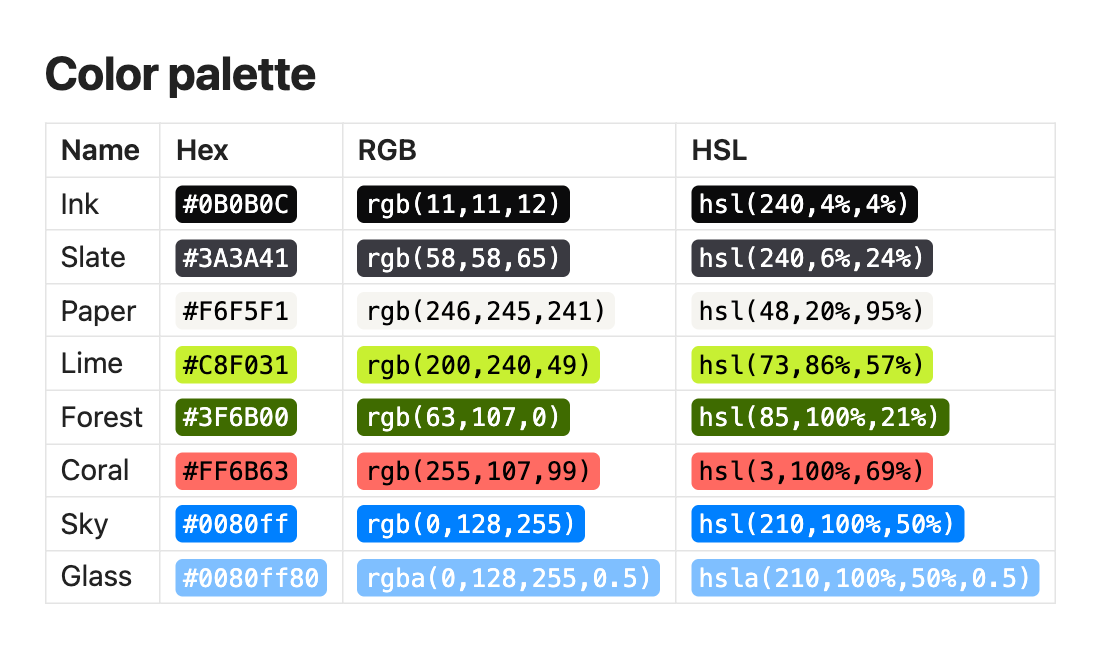 |
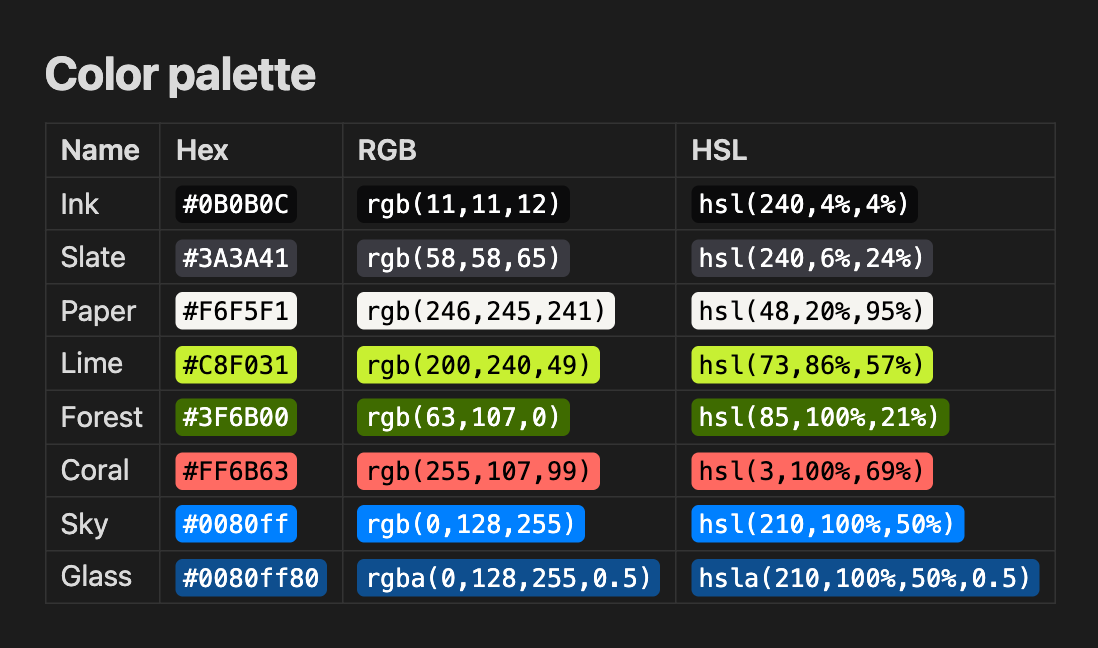 |
Credits
Based on Inline Color Swatch by Suika, released under MIT.
License
MIT. See LICENSE.