
README file from
GithubRibbon and Status Bar Organizer



An Obsidian plugin that organizes the left ribbon into named groups, tames the status bar, and launches your commands from configurable ribbon menus.
Features
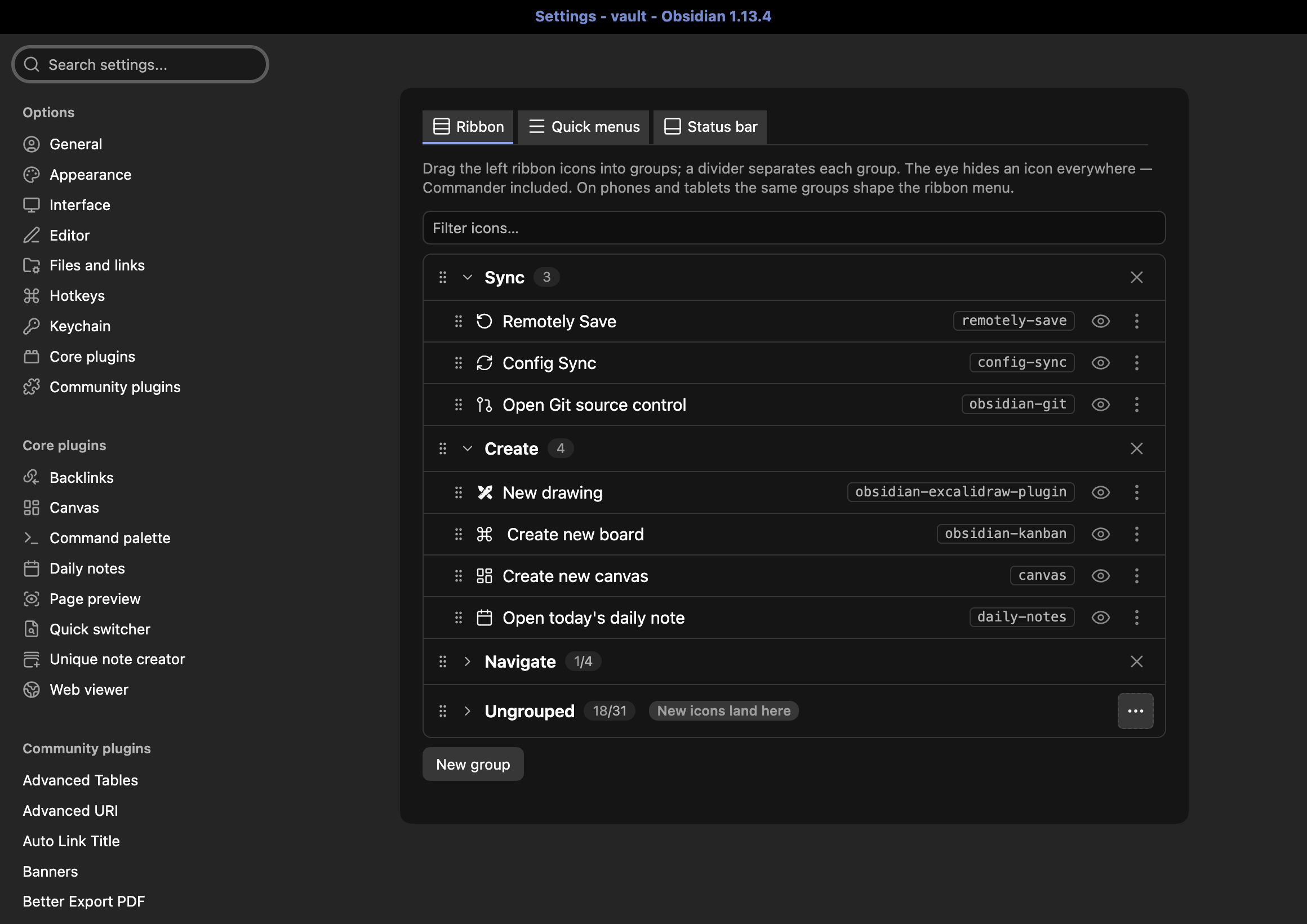
- Ribbon groups — order the ribbon icons into named groups with a thin divider between them, on desktop, tablet and phone. (details)
- Tuck icons away — mark any Ungrouped icon and it moves off the ribbon into one ⋯ menu button. (details)
- Hide icons everywhere — one eye toggle writes both Obsidian's native hide and Commander's hide list, so the three UIs never disagree. (caveats)
- Quick menus — extra ribbon icons, each opening its own command list with editable labels and icons (Iconize packs included). (details)
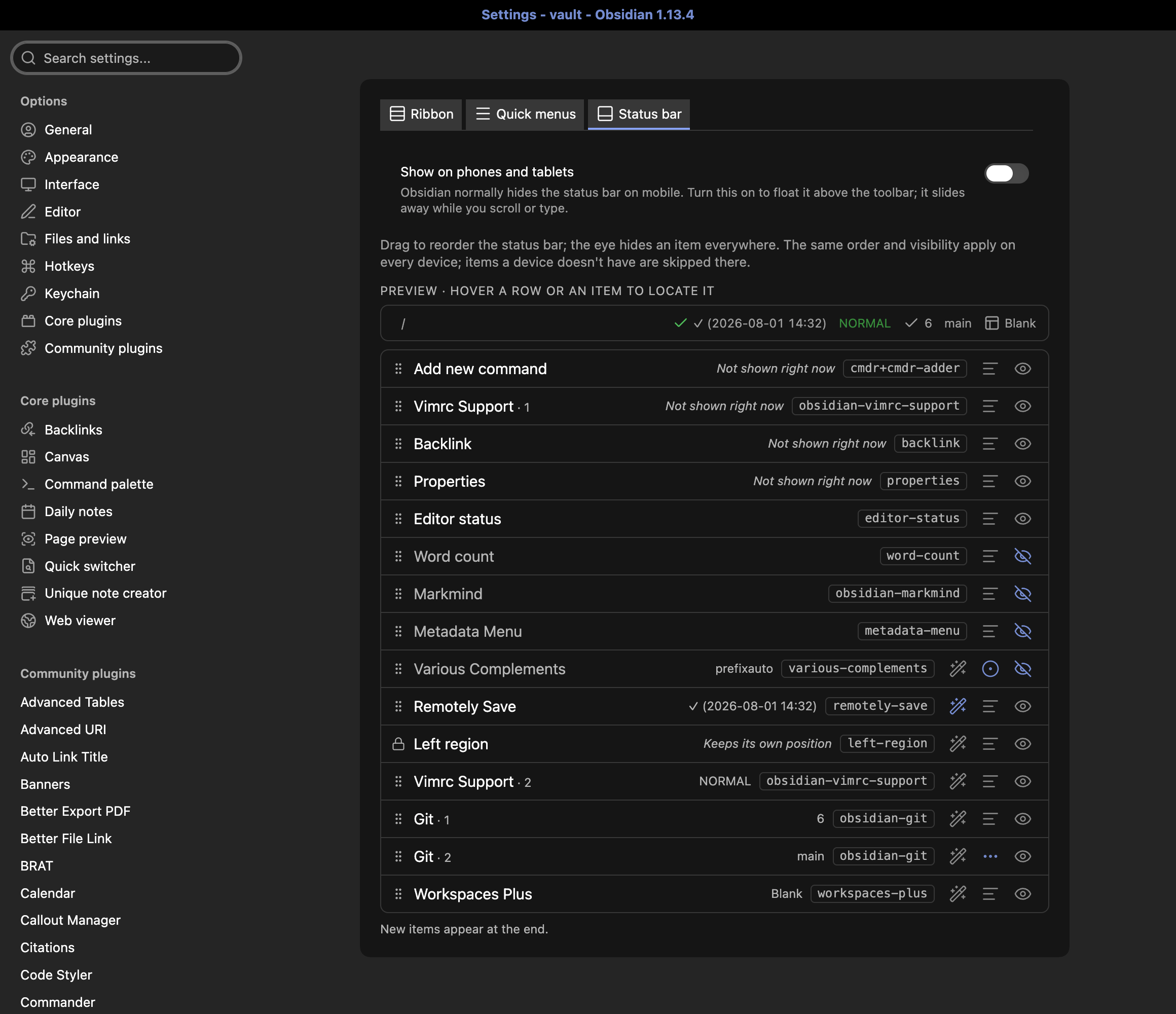
- Status bar order — drag the status bar items into your own order and hide the ones you don't need, applied live on every device. (details)
- Shorten noisy items — compact and icon-only display modes, plus rewrite rules like
Successfully synced {time}→✓ {time}that can add an icon and colors. (rules) - Live preview — a preview strip mirrors the real status bar, and hovering highlights the same item in the settings, the preview and the bar at once.
- Status bar on mobile — optionally show the status bar on phones and tablets as a floating pill.
- Diagnostics — a "Copy ribbon diagnostics" command copies a JSON snapshot for issue reports. (details)
- Syncs like a note — configuration lives in the plugin's
data.json, so it follows whatever vault sync you use.
Install
From Obsidian: Settings → Community plugins → Browse, search Ribbon and Status Bar Organizer, install and enable.
Beta builds: via BRAT, add xooooooooox/obsidian-ribbon-organizer.
Quick start
- Open Settings → Ribbon and Status Bar Organizer → Ribbon: create a group and drag icons into it — dividers appear on the ribbon between adjacent non-empty groups.
- Use the eye toggle on any row to hide or show that icon everywhere.
- Switch to the Status bar tab: drag items into your order, or click a learned status text to draft a rewrite rule from it.
- Switch to the Quick menus tab: create a menu and add commands — the menu appears as its own ribbon icon.
How it works
- Grouping is visual-only — a presentation layer over the existing buttons; Obsidian's own icon order and settings are never touched, and disabling the plugin restores the stock ribbon.
- Every platform, two mechanisms — desktop and tablet ribbons are reordered in place; on phones the plugin reorders the navbar ribbon menu (the ≡ button) as it opens.
- The status bar keeps its own layer — ordering, hiding and rewrites never modify what other plugins write, so an untouched config leaves a byte-for-byte native bar.
The full tour — groups, hiding, quick menus, the status bar tab, caveats — lives in the user guide.
Privacy
The plugin performs no network access and no telemetry. Configuration lives in the plugin's data.json and rides whatever vault sync you use; the status texts the plugin learns for rule drafting stay in each device's localStorage by design.
Documentation
- User guide — every behavior in one place: ribbon groups, hiding, quick menus, the status bar tab, diagnostics.
- Architecture — code map and invariants, for contributors.
Development
npm install
npm run dev     # watch build
npm test        # vitest
npm run build   # type-check + production bundle
Develop against a dedicated test vault (never a real one).