
README file from
GithubReload Current File
Unagi Tech Inc.(株式会社うなぎテック) · MIT License
English | 日本語

An Obsidian plugin that reloads the open note when another program changes it on disk.
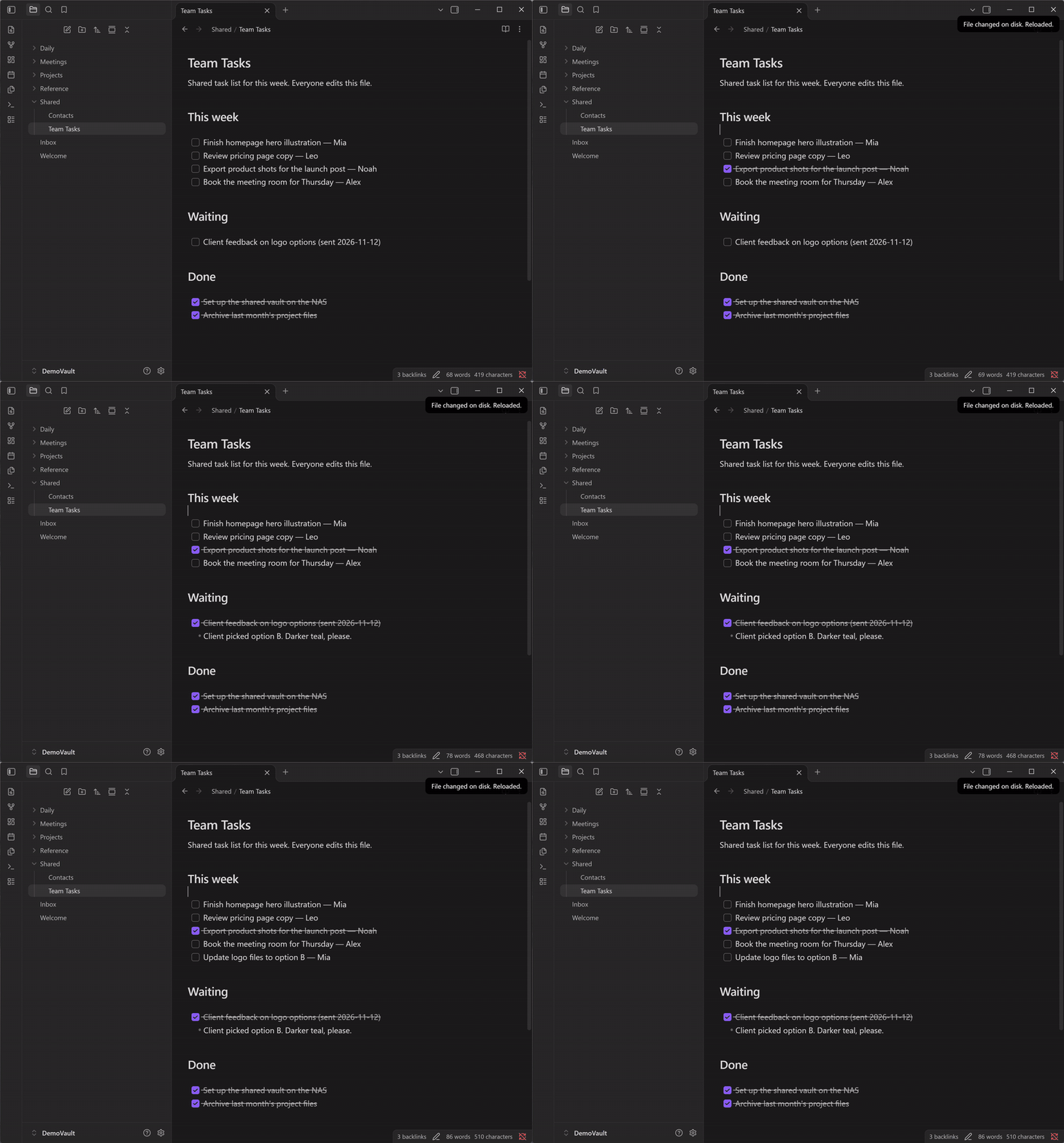
Obsidian normally notices outside changes by itself. On network drives (NAS, SMB shares) and some sync folders, it may not be told about them. In that case the note on screen stays out of date until you reopen it or restart Obsidian. This plugin picks up changes to the open note so that it does not stay out of date.
Features
- Automatic reload: checks the open note every few seconds and reloads it when the file on disk is newer.
- Keeps the view position: the cursor and scroll position stay where they were.
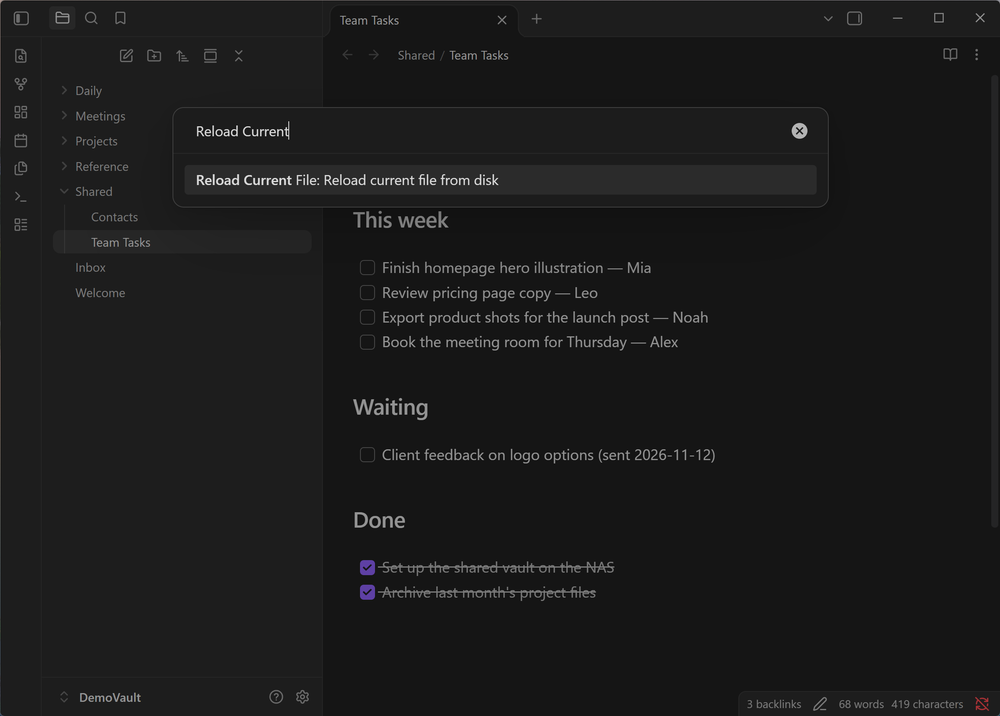
- Manual reload: the command Reload current file from disk. You can assign a hotkey in Settings → Hotkeys.
- Supports editing and Reading views: editing view (Live Preview and Source mode) and Reading view.
- Supports English and Japanese: follows Obsidian's language setting.
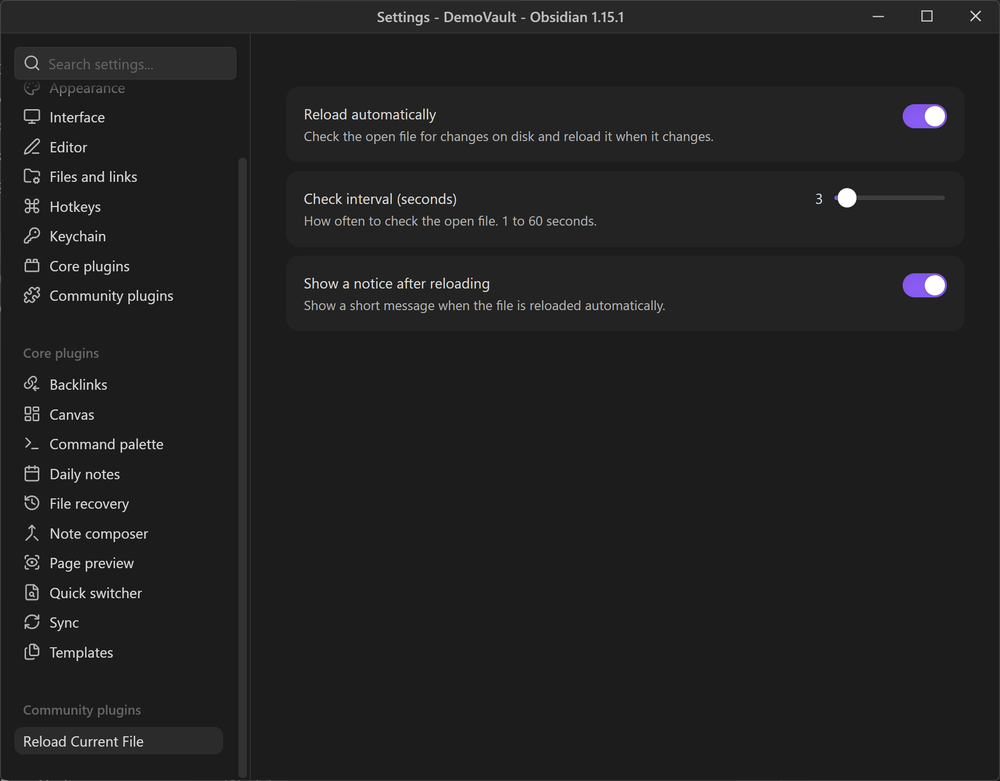
Settings
| Setting | Default | What it does |
|---|---|---|
| Reload automatically | On | Turn off to reload only with the command. |
| Check interval (seconds) | 3 | How often the open note is checked, from 1 to 60 seconds. |
| Show a notice after reloading | On | Shows a short message after an automatic reload. |
Install
From Community plugins
- Settings → Community plugins → Browse
- Search for Reload Current File and select Install, then Enable.
Manually
- Download
main.jsandmanifest.jsonfrom the latest release. - Put them in
<your vault>/.obsidian/plugins/reload-current-file/. - Settings → Community plugins: select the reload button next to Installed plugins, then enable Reload Current File.
Good to know
- Only the note in the active pane is checked. Other notes show the latest content when you open them.
- If you are typing in a note while another program changes the same file, the outside change wins and your last unsaved keystrokes (usually the last second or two) can be lost. Avoid editing the same file in two programs at the same time.
- Supported on desktop only.
Privacy
This plugin makes no network requests and collects no data. It only works with the note that is open in your vault.
License
MIT — Copyright (c) 2026 Unagi Tech Inc.
Keep the copyright notice when you modify or redistribute.
Disclaimer
This plugin is provided "as is", as stated in the license. Keep backups of your vault. Unagi Tech Inc. is not liable for any loss of data or other damage arising from its use.
This is an independently developed plugin. It is not made, endorsed or supported by Obsidian (Dynalist Inc.).
Support
Tips are optional (Ko-fi). They help us keep shipping and maintaining free tools.

Links
- Lab org: UnagiTechLab
- Company: unagi.tech
- Bug reports and requests: Issues