
README file from
GithubReference Note
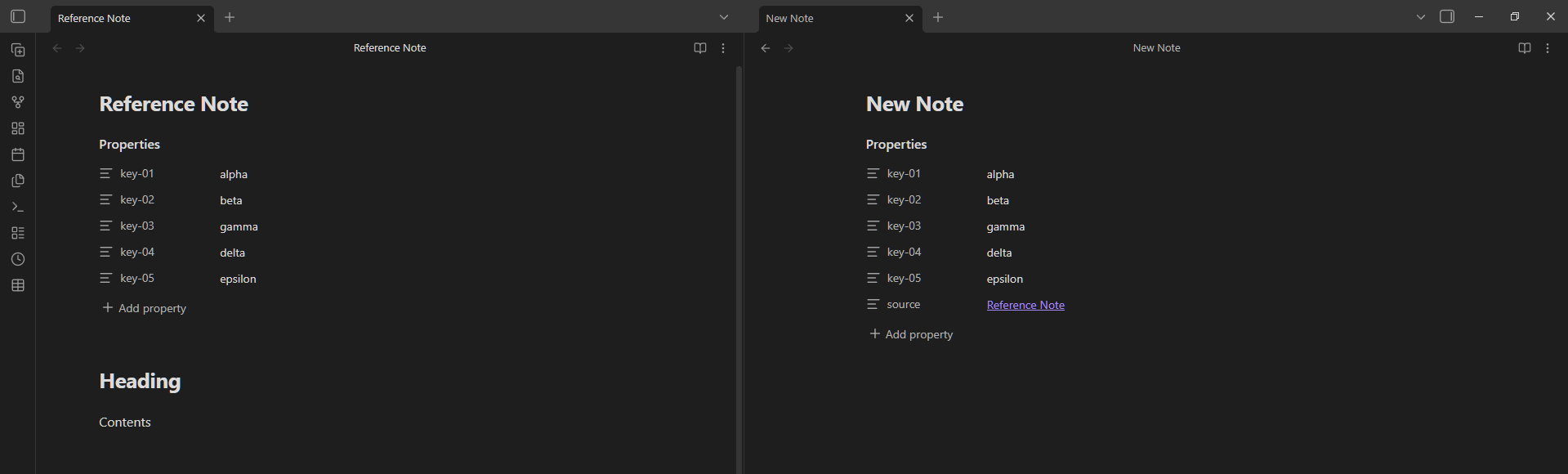
Create new notes by cloning properties from any existing note.
What it does
Reference Note lets you use any note as a template. It copies the properties you choose into a new note. Useful for creating notes that share a same set of properties. So you will not have to manually re-type them every time.
How to use
Three ways to trigger it:
| Trigger | How |
|---|---|
| Ribbon icon | Click the icon in the left sidebar (works on the currently open note) |
| Command palette | Run "Reference Note: Use this note as reference" |
| Right-click menu | Right-click any .md note in the file explorer → "Use as reference" |
The modal
After triggering, a modal appears:
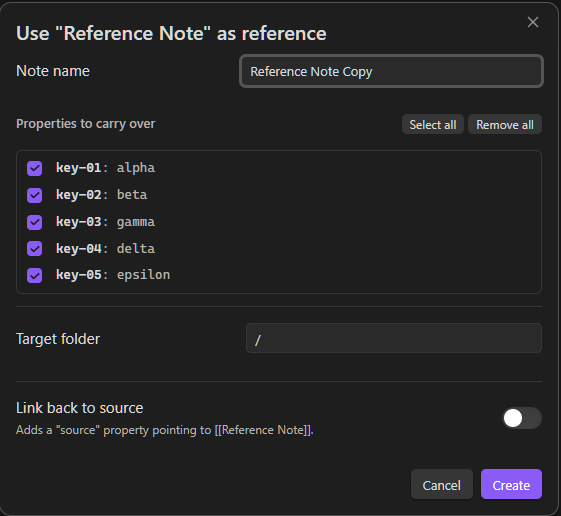
- Note name — pre-filled with
{source note name} Copy. Edit it freely. - Properties to carry over — checklist of all properties keys. All checked by default (except keys listed in your "Default excluded keys" setting).
- Target folder — searchable input, defaults to the source note's folder.
- Link back to source — when enabled, adds a
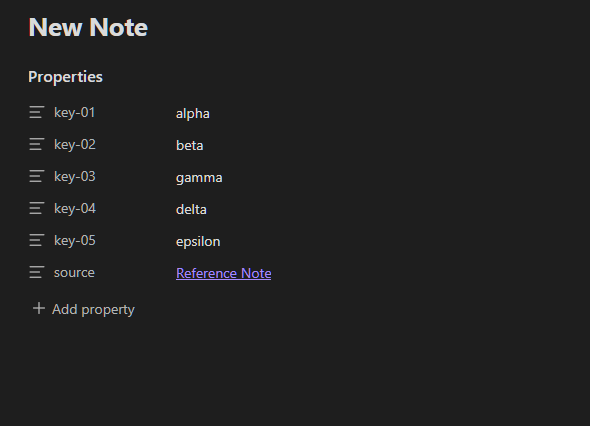
source: "[[Note Name]]"property to the new note.
Click Create (or press Enter) to create and open the new note. If a note with the same name already exists, a number suffix is appended automatically (Note Copy 2, Note Copy 3, …).
Result
Settings
Go to Settings → Community Plugins → Reference Note.
| Setting | Default | Description |
|---|---|---|
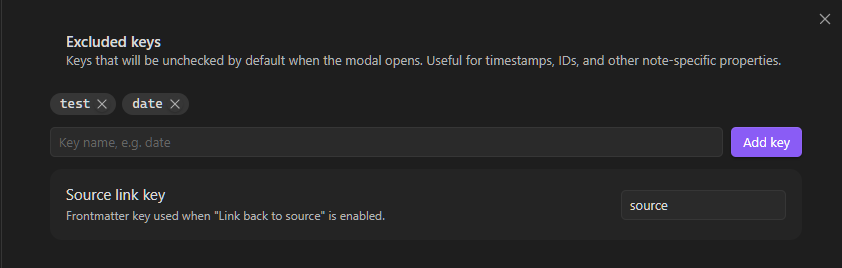
| Excluded keys | (empty) | Keys unchecked by default in the modal |
| Source link property | source |
The property name used for the "Link back to source" feature |
Author
License
MIT