
README file from
GithubReading Vault
Read your EPUB and PDF books right inside Obsidian. Every highlight becomes a real note in your vault, linked back to the exact spot. Free to read, highlight and listen. No account, no tracking.
I built Reading Vault because I wanted my books, my highlights and my notes in one place, as plain files I own. No separate app, no account, no hidden database: every book, highlight and saved word is an ordinary Markdown note in your vault.
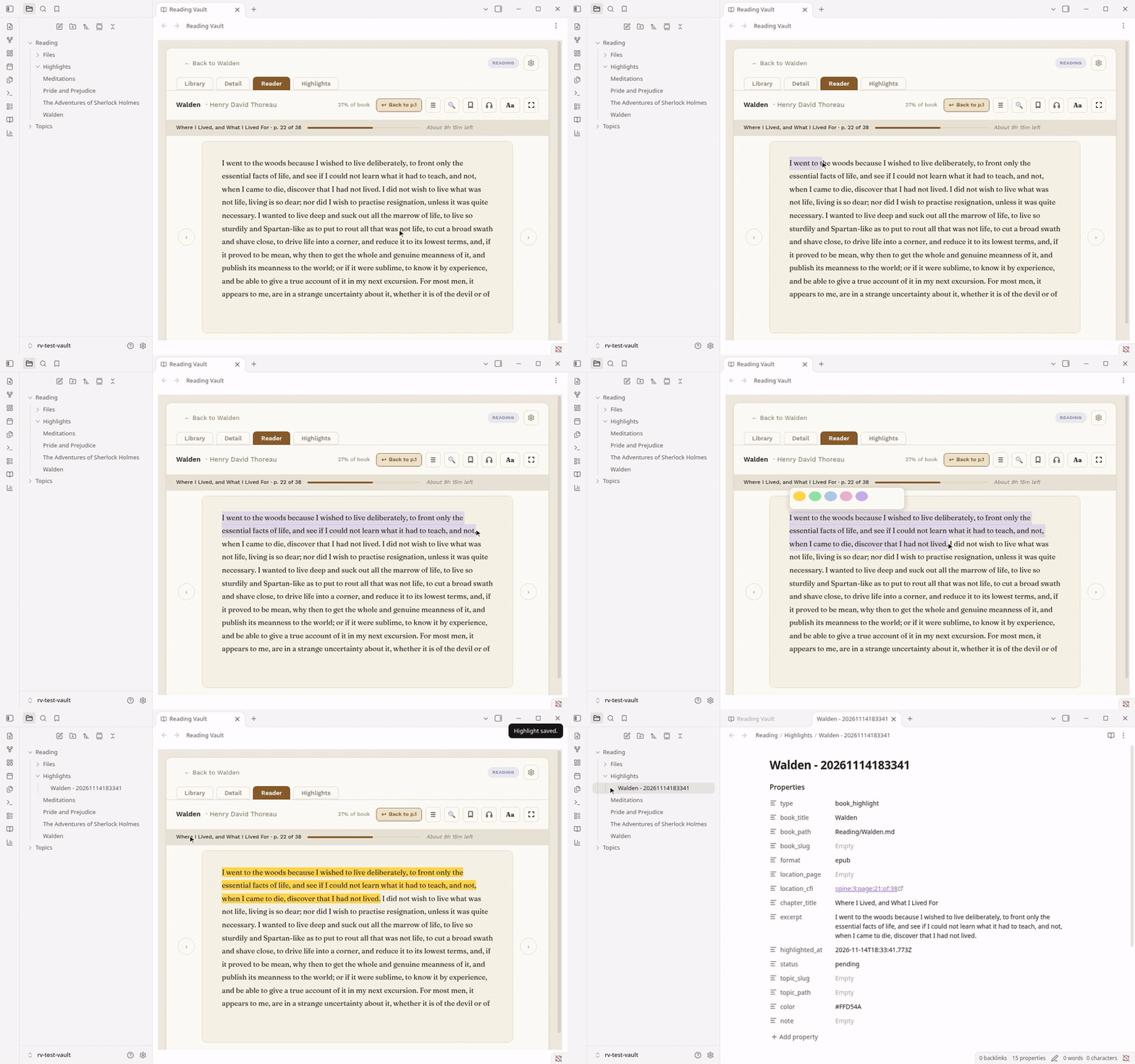
Install it: In Obsidian: Settings, Community plugins, Browse, search Reading Vault, Install, Enable.
Free on computers. iPhone and iPad need Pro. Android isn't supported yet. Tested on Mac and iPhone; Windows is untested.
Uninstall it and every note is still there, readable in Obsidian or any text editor.
Reading Vault is free. Some features need a one-time Reading Vault Pro purchase. $19 for the first 250 copies, then $29. See Free and Pro below.
Website: getreadingvault.app. New here? The user manual has a short page for every feature.
What it does (free)
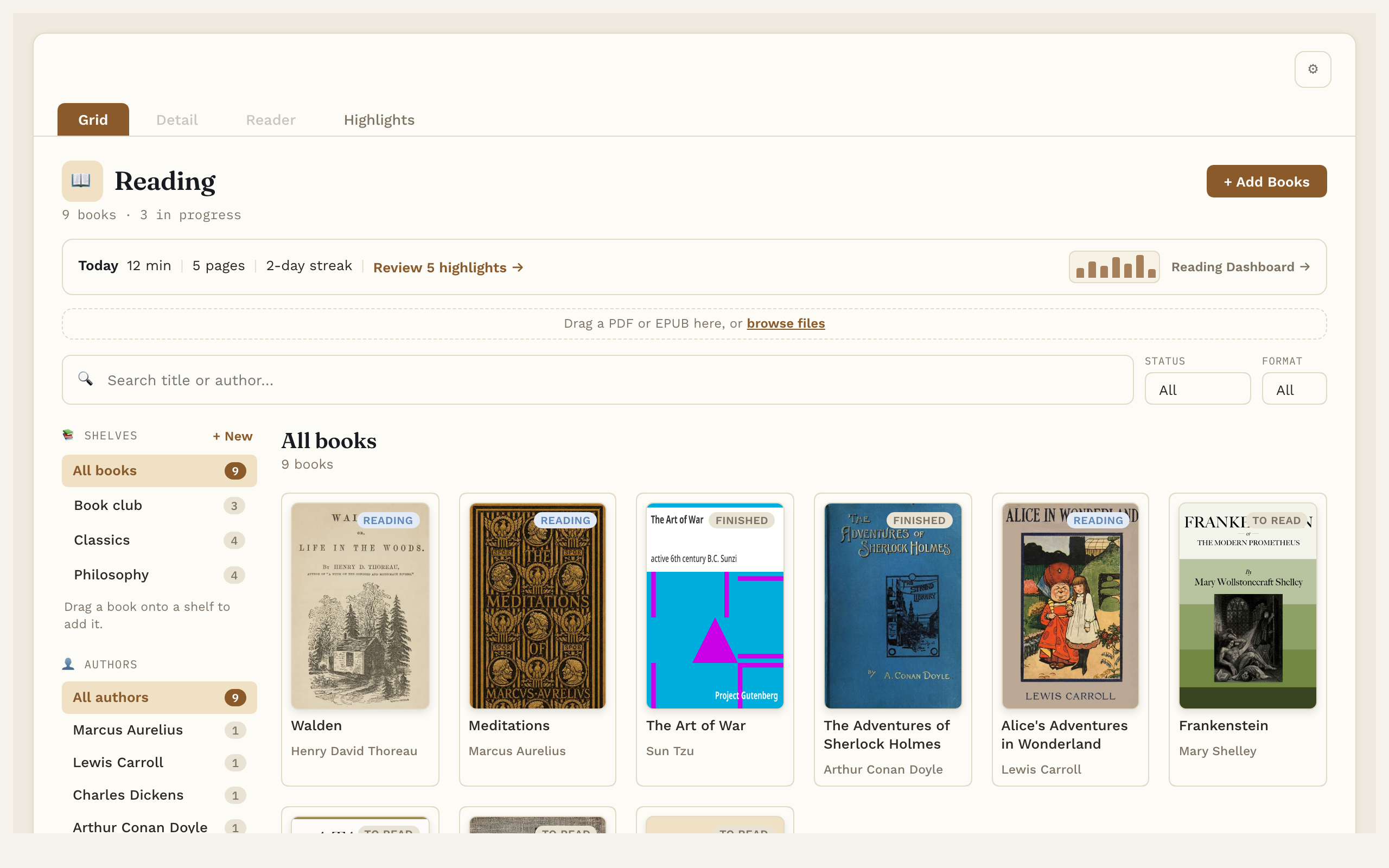
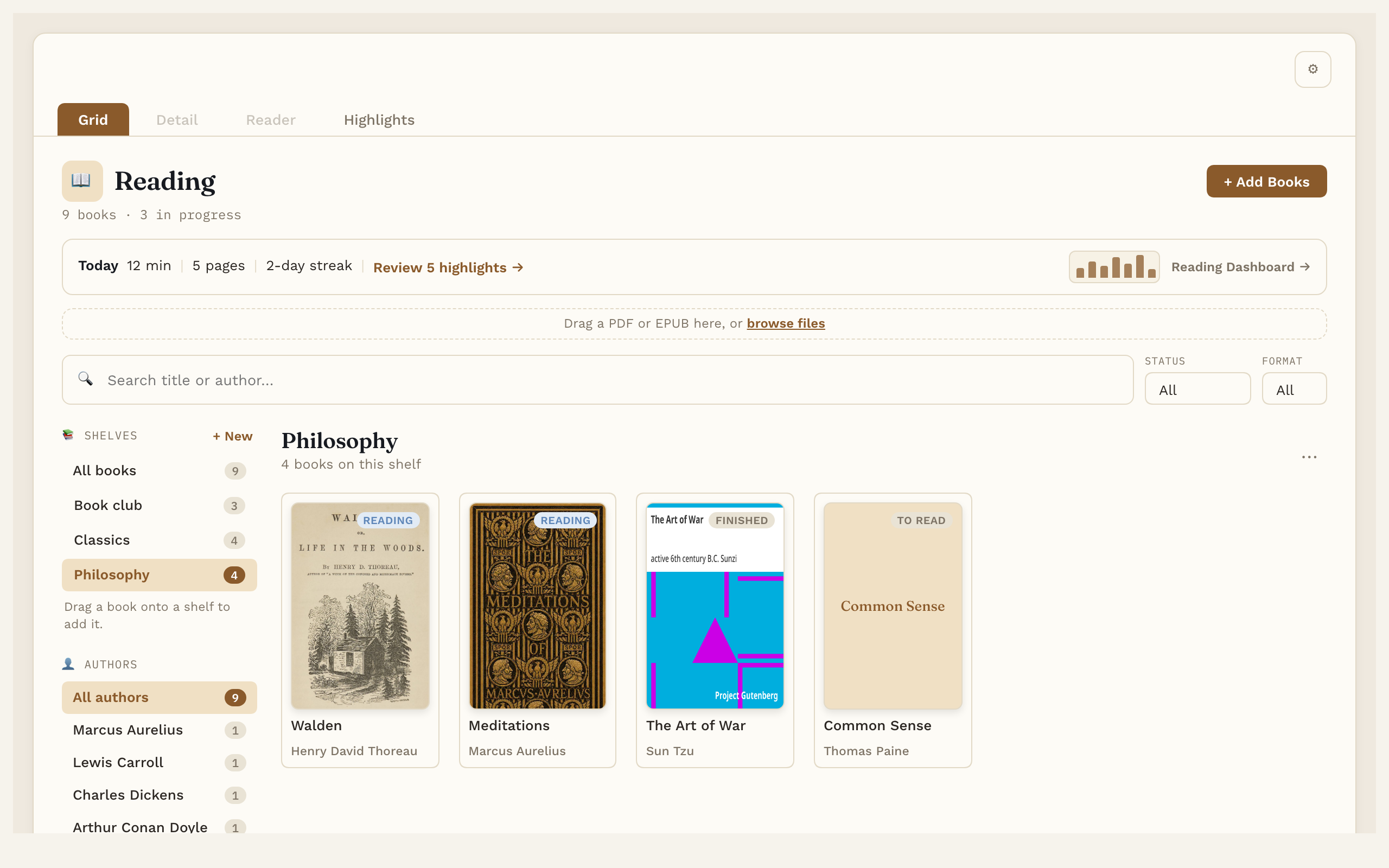
- A library for your books. Add EPUB and PDF files by dragging them in. Title, author and cover fill in on their own. Search, filter by status or format, browse by author, and sort books onto your own shelves.
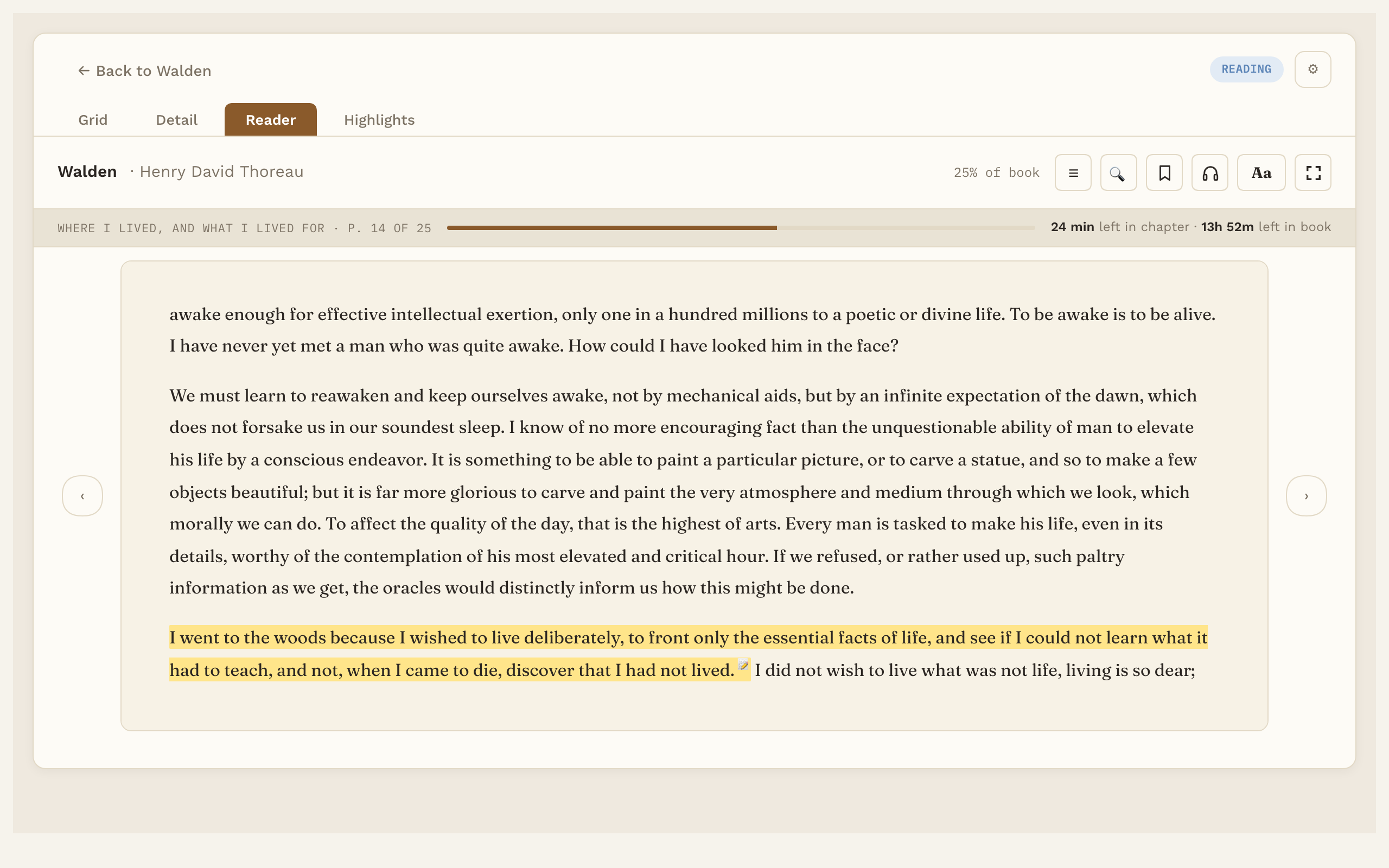
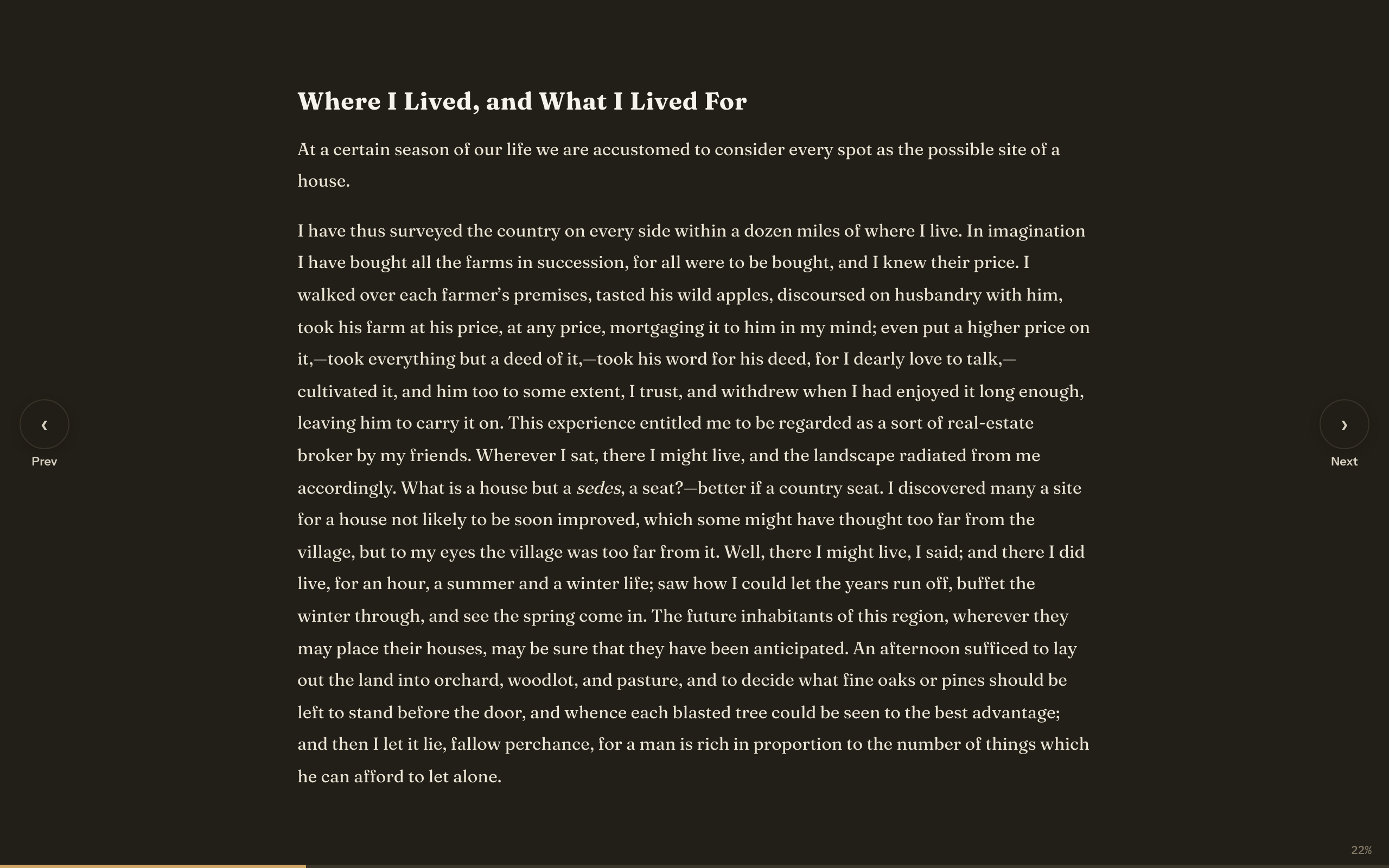
- One reader for EPUB and PDF. Real pages, a table of contents, search inside the book, bookmarks, and it opens where you left off. Choose the font, text size, line spacing and margins, with a light, dark or automatic page.
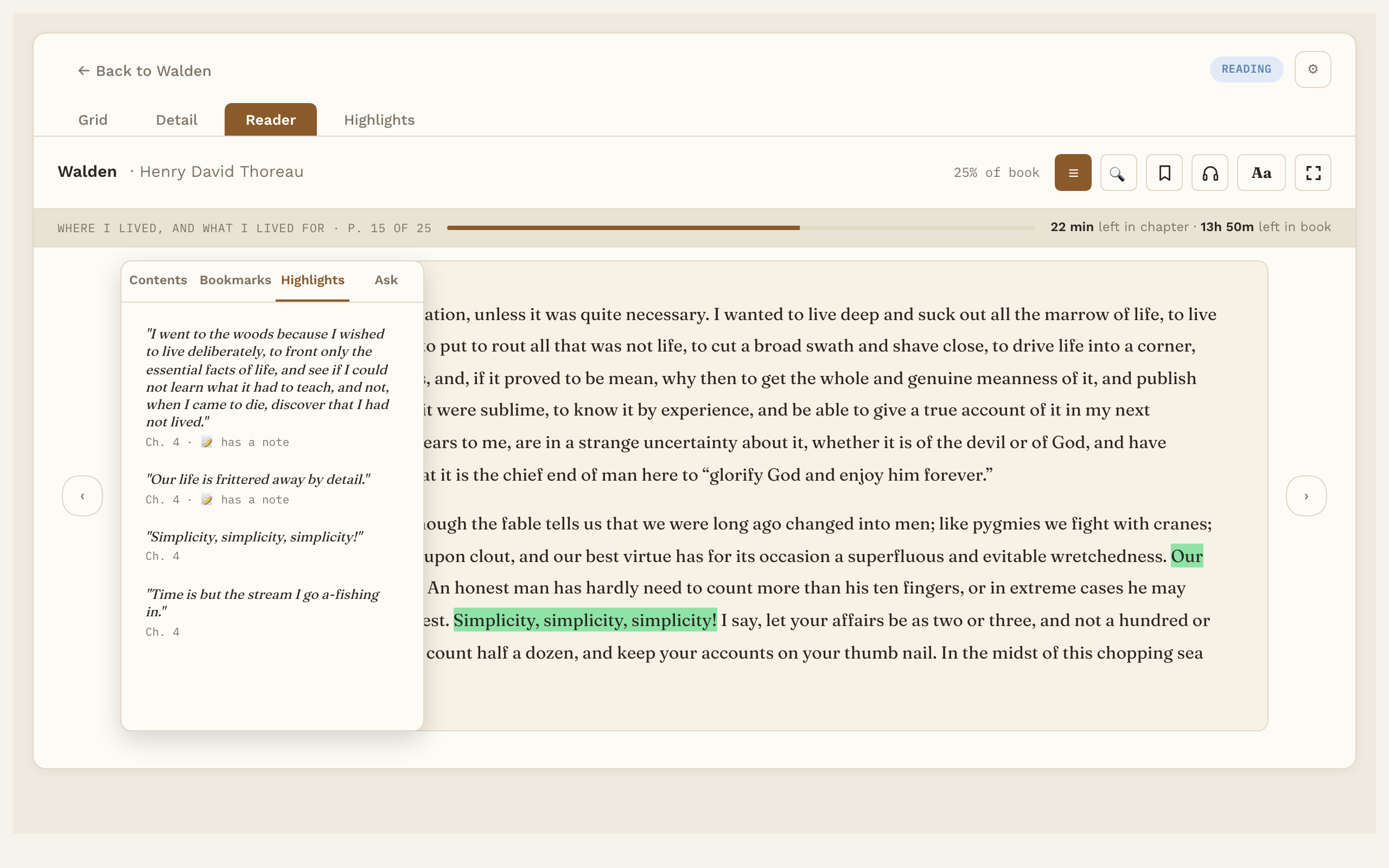
- Highlights that become notes. Select text, pick one of five colors, add a note. Each book's own note lists its highlights, with links that jump straight back to the exact spot.
- Flashcards. Turn any highlight into a fill in the blank or question card and review a few each day on a smart schedule. The first 20 cards are free; Pro has no limit and adds word cards, AI drafts, Practice all and read aloud. Export to Anki is always free.
- Listen. Have the book read aloud with your computer's built-in voices, sentence by sentence, with the sentence being read underlined and the page turning as it goes. Works for PDFs too.
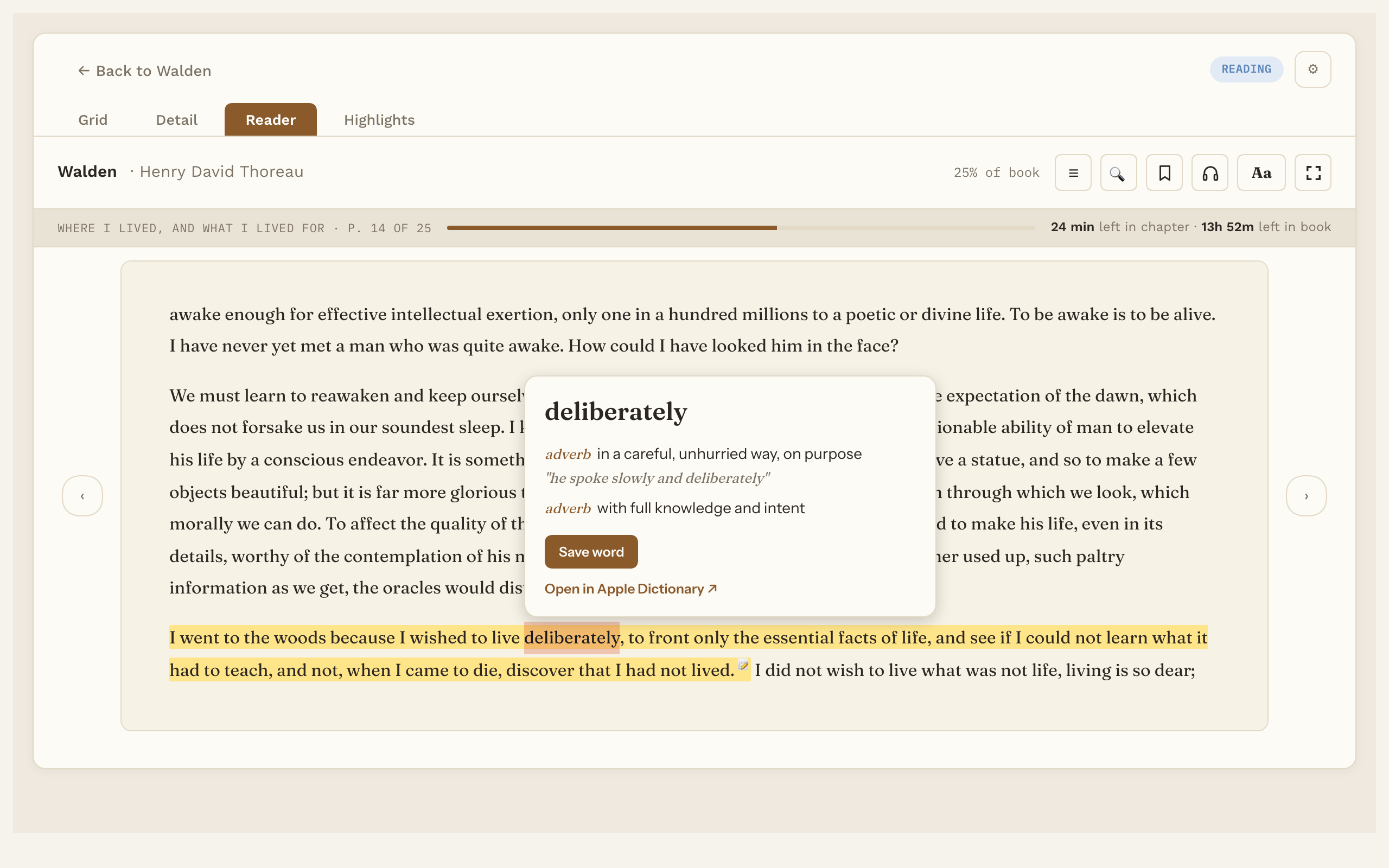
- Word lookup. Select a word for its meaning, from an English dictionary (about 5.5 MB) you download once and use offline.
Also free: four sample books to try it with (Meditations, Pride and Prejudice, The Adventures of Sherlock Holmes, Walden), full screen reading, a preview of your highlights as Markdown, and your choice of folders.
Pro adds
- Natural voices. 28 natural-sounding English voices (American and British), offline after a one-time download of about 325 MB.
- Audiobook mode. Listening keeps going past the end of a chapter, each word lights up as it's read (EPUB and PDF), and a sleep timer pauses it and keeps your place.
- Ask the book, book summaries and "Explain in this sentence". AI features that use your own AI key.
- Highlight review, Topic links and a reading dashboard. Link highlights to your own Topic notes, get a few back each day, and see goals, streaks and charts.
- Cards outside the Reader. Your due cards inside any note or your daily note, in the side panel, as a count in the bottom bar, as a message when Obsidian opens, and in a Due cards table. Each one starts off, so you switch on only the ones you want.
- Save and export. Save looked-up words as notes, and save or copy your highlights.
- iPhone and iPad. Your library, books and highlights on the phone (iOS 17 or newer), with the same license.
Screenshots
The library: your books as covers, with shelves, authors and today's reading:
The reader, with a highlight and the progress strip (time left in the chapter and the book):
Highlights for the book beside the page:
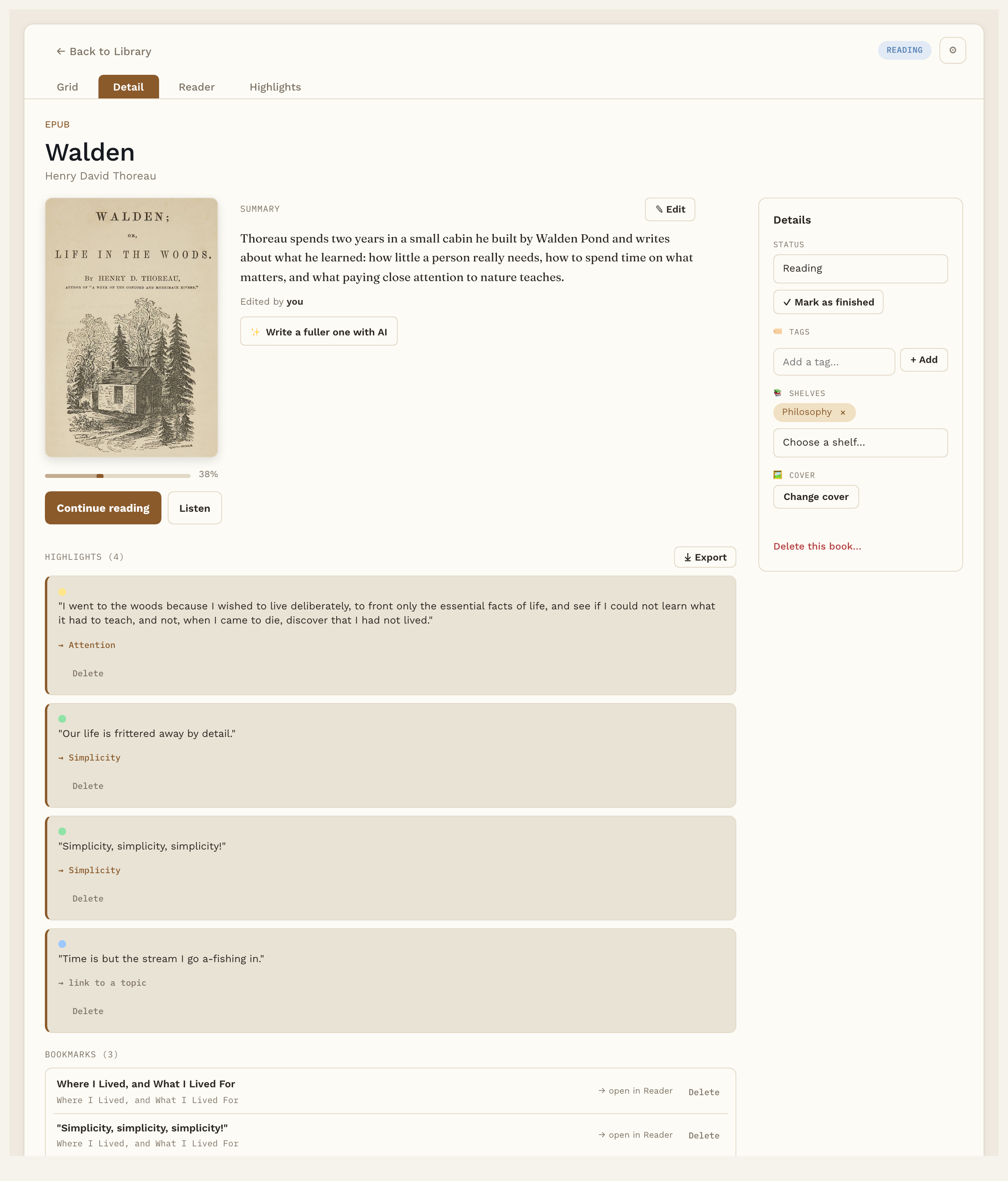
A book's page: cover, shelves, and every highlight with its note (summary and linked Topic are Pro):
Word lookup, from an offline dictionary:
Shelves:
Full screen reading, here with a dark page:
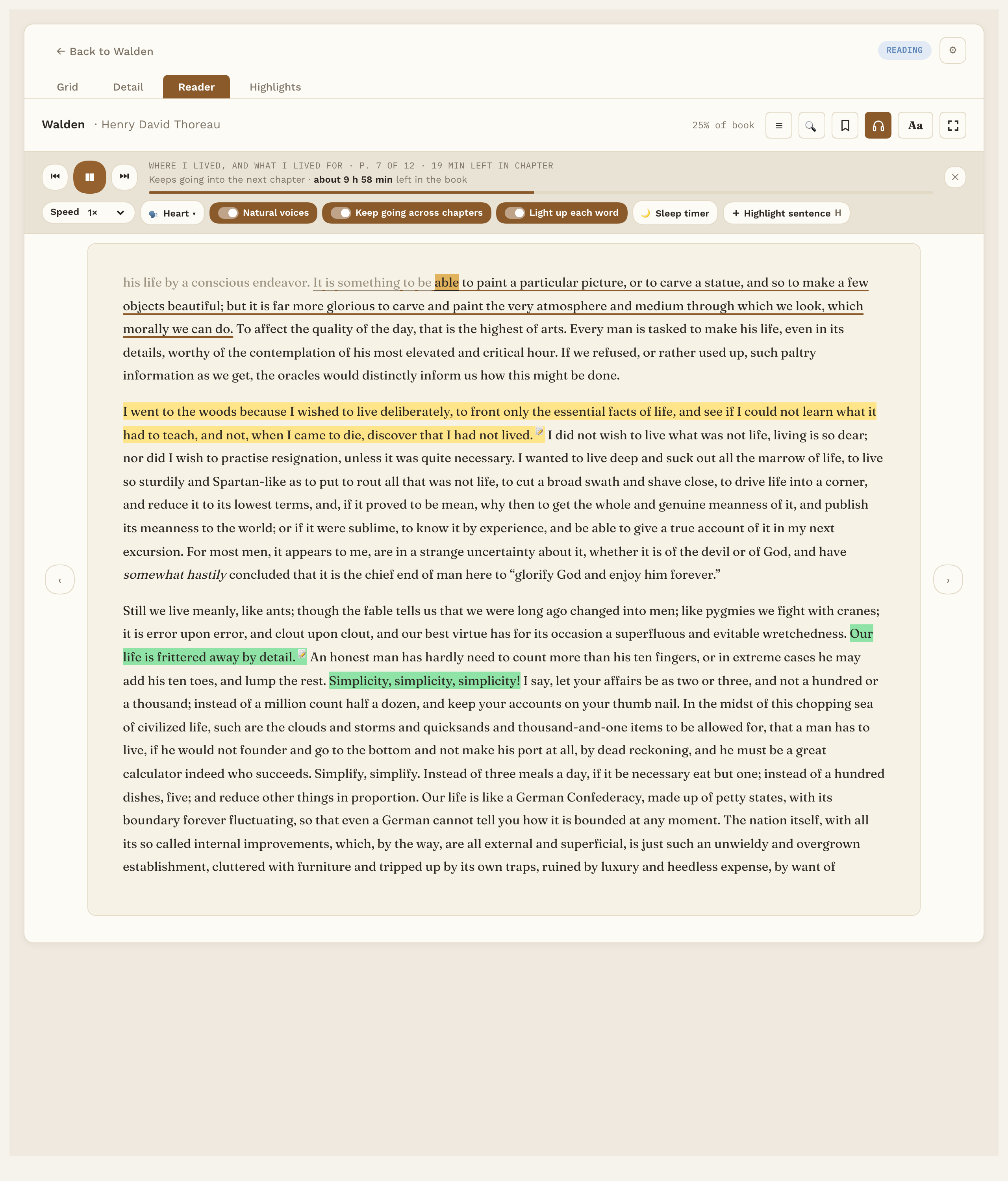
Listening with a natural voice (Pro): the listening bar with its three switches, the sentence being read underlined and, in EPUB books, each word lit up as it's read:
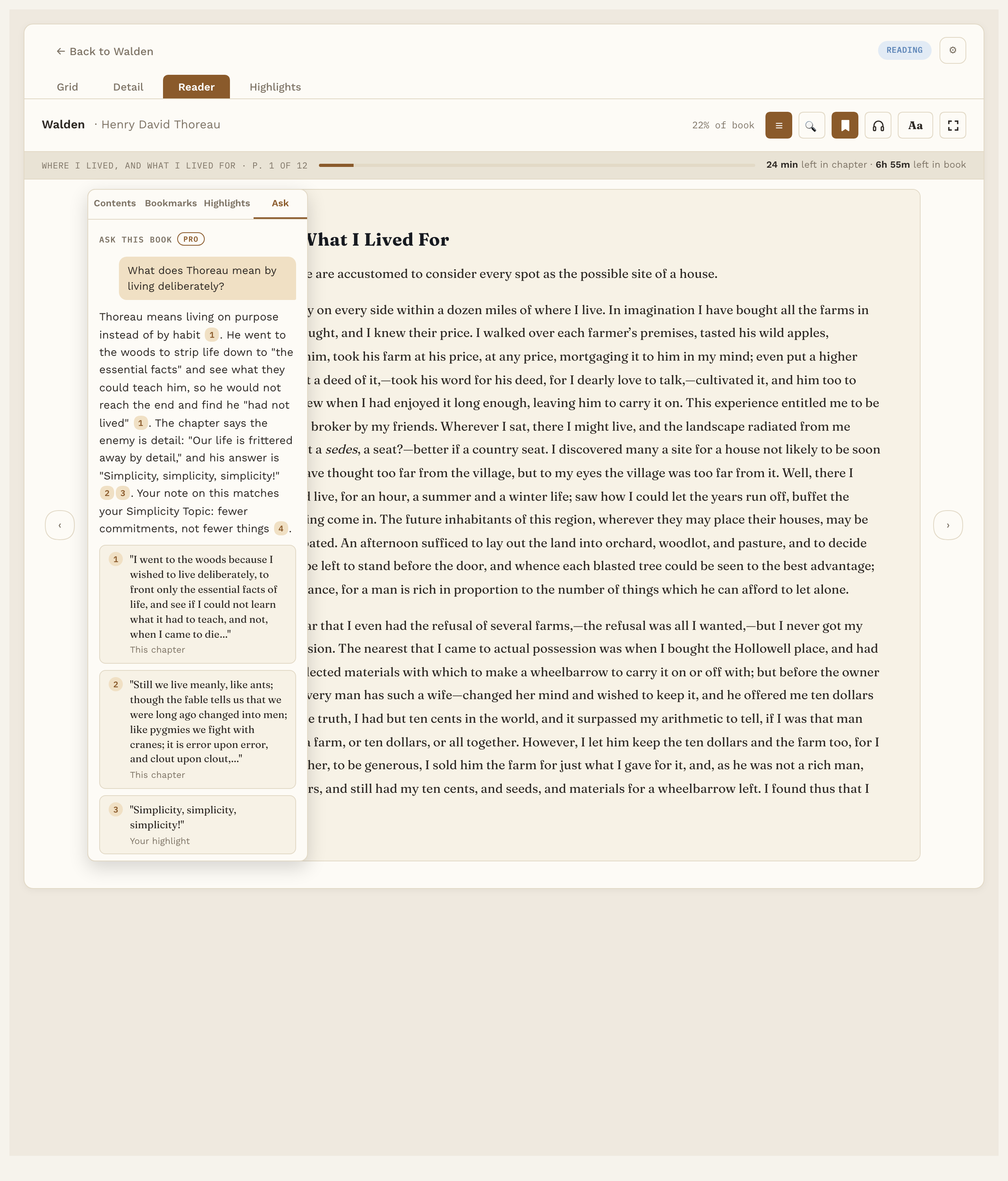
Pro: ask a question about the book you're reading, answered from your own highlights, notes and the current chapter, with numbered sources:
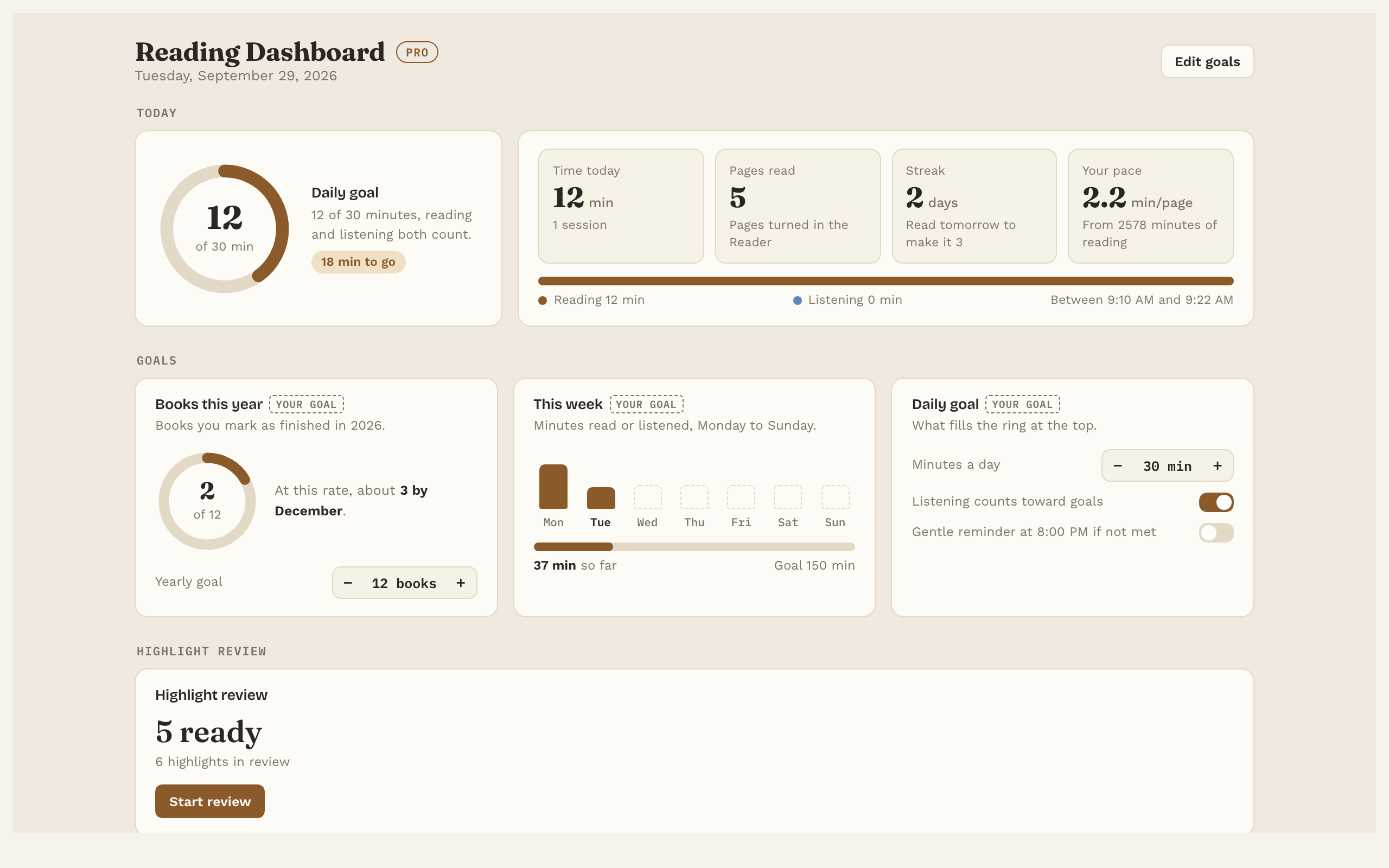
Pro: the reading dashboard, with goals, streaks and charts:
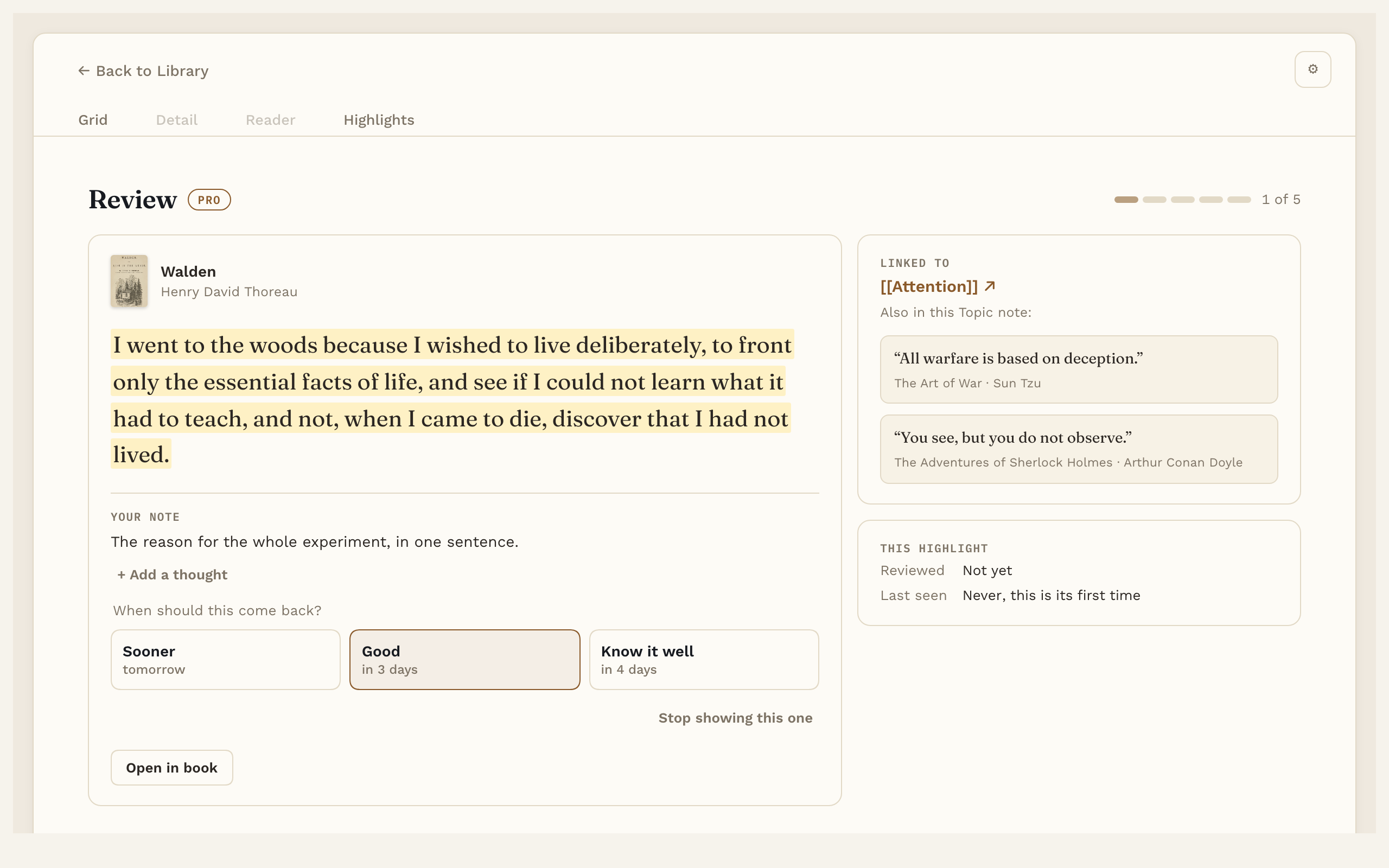
Pro: highlight review brings a few of your linked highlights back each day:
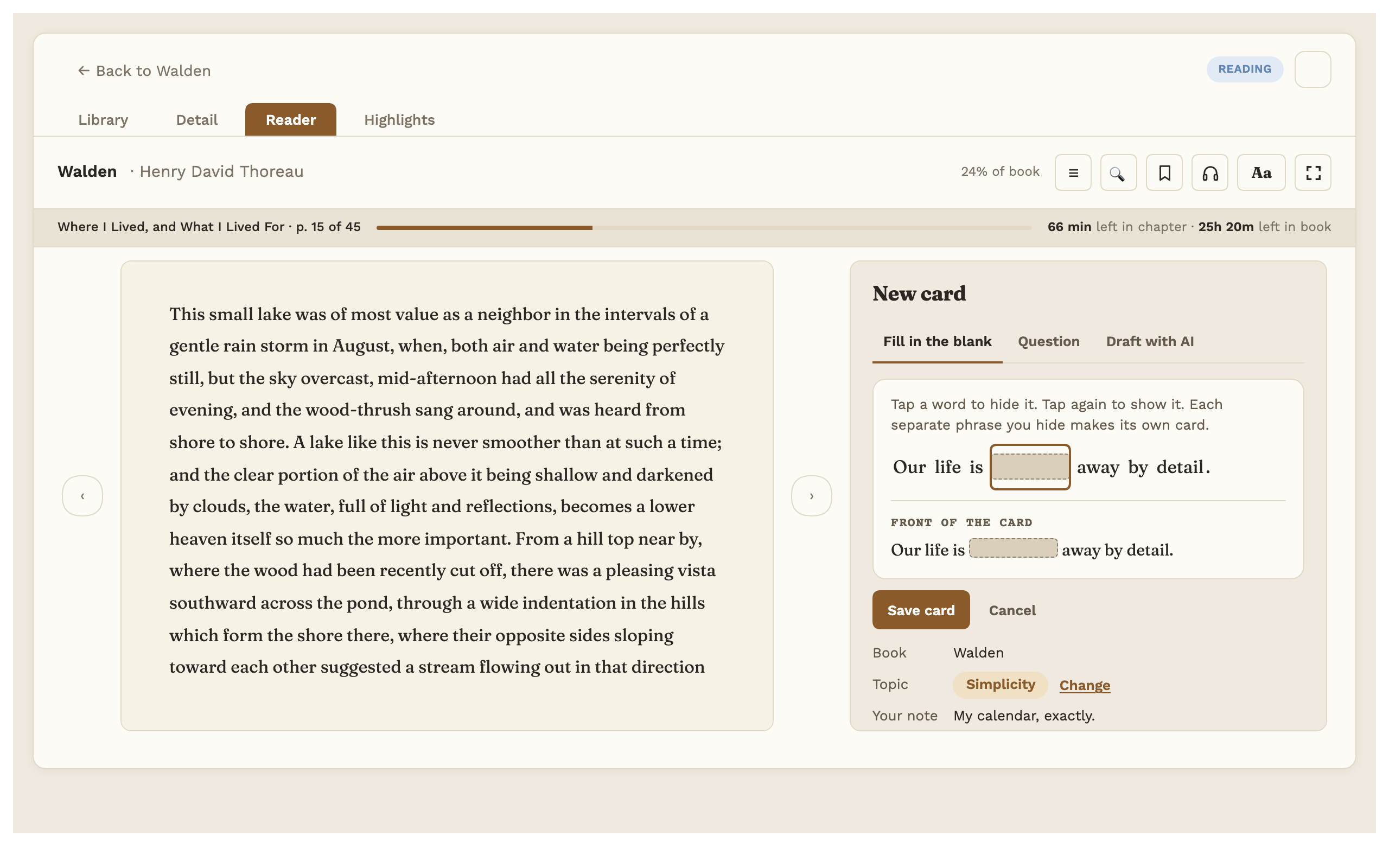
Flashcards: tap the words to hide in a highlight, and the card is made (your first 20 cards are free):
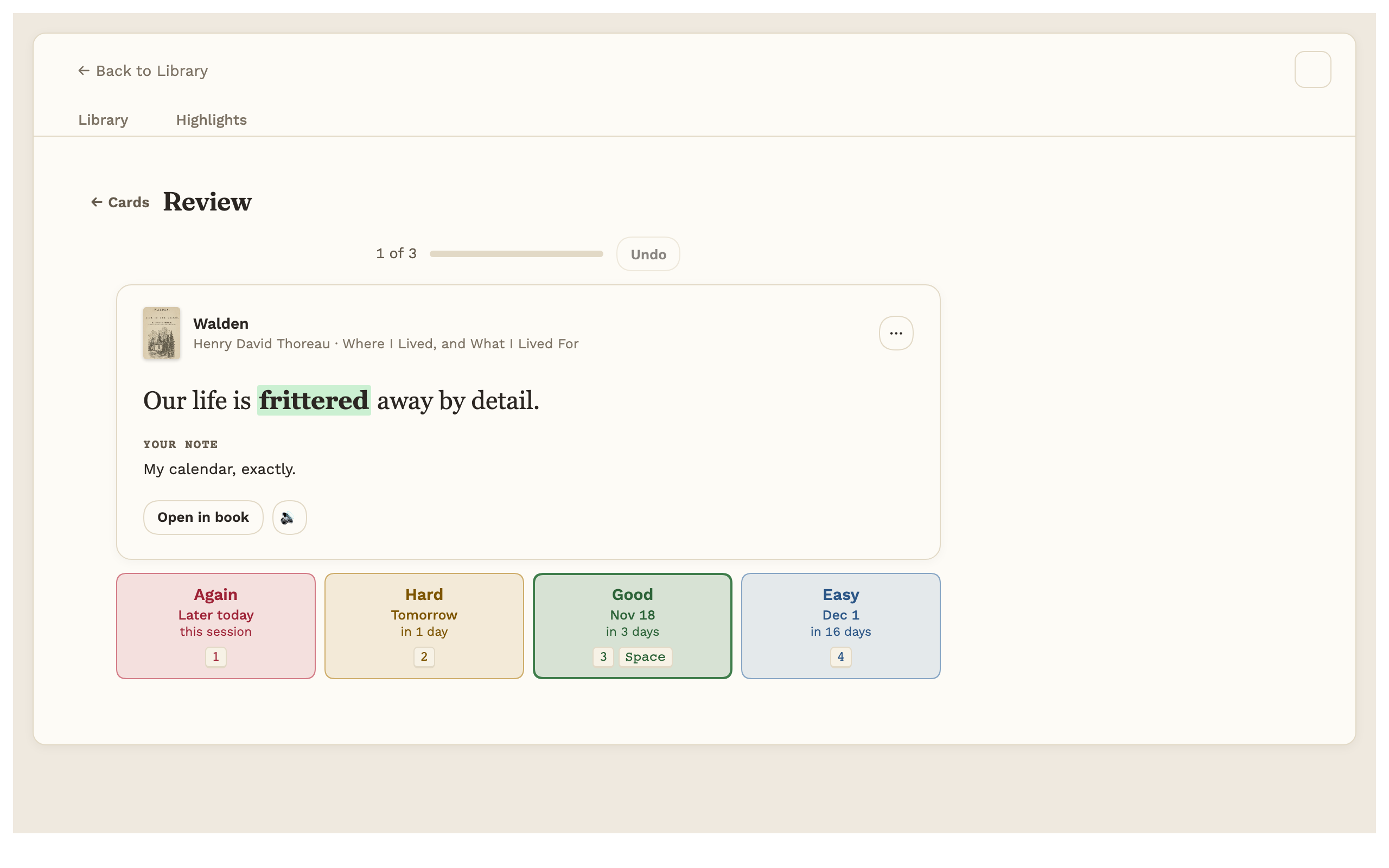
Reviewing a card: show the answer, then press Again, Hard, Good or Easy:
On an iPhone (Pro): the library, a book's page, reading, the highlight colors, and a card review.
Everything also works with a dark theme:
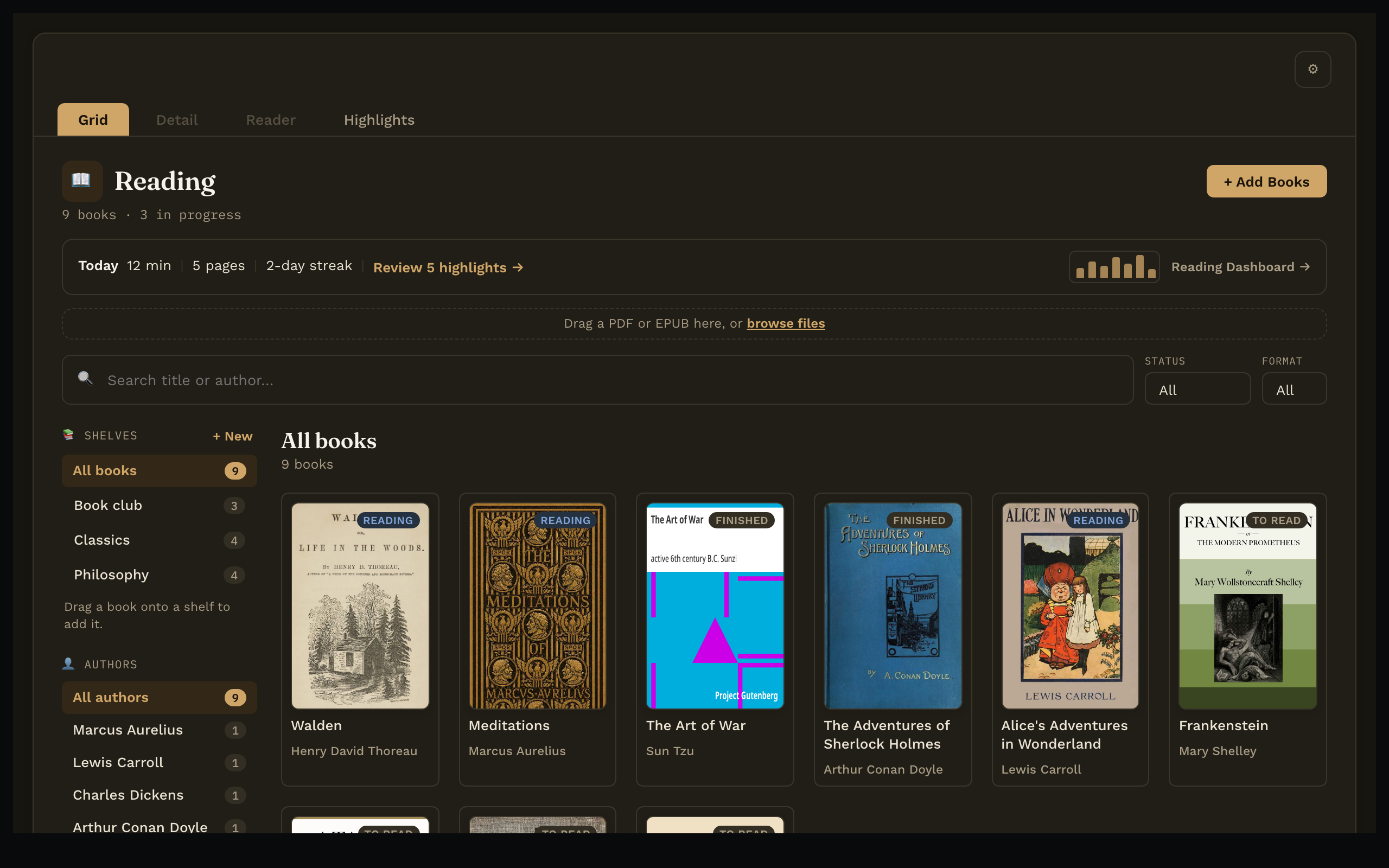
The books in these screenshots are public-domain books from Project Gutenberg. The notes, highlights and reading history are made up for the pictures, and the "Ask" answer shown is a written example, not a live AI reply.
Free and Pro
Payment is required for full access: the features marked Pro below unlock with a one-time Reading Vault Pro key. Everything else is free, with no time limit.
| Feature | Free | Pro |
|---|---|---|
| Library: covers, search, filters, authors | ✓ | ✓ |
| Shelves | ✓ | ✓ |
| Add sample books (four free classics, for trying it out) | ✓ | ✓ |
| Choose your own folders | ✓ | ✓ |
| EPUB and PDF reader, contents, search, bookmarks | ✓ | ✓ |
| Text settings and light, dark or automatic page | ✓ | ✓ |
| Reading progress and time left | ✓ | ✓ |
| Full screen reading | ✓ | ✓ |
| Highlights in five colors, with notes | ✓ | ✓ |
| Highlights listed in each book's note | ✓ | ✓ |
| Flashcards: first 20 cards from highlights, review, card list, Export to Anki | ✓ | ✓ |
| Flashcards: unlimited cards, word cards, AI drafts, Practice all, read aloud | ✓ | |
| Flashcards outside Reading Vault: in notes and your daily note, side panel, bottom bar count, Due cards table, a message when Obsidian opens | ✓ | |
| Listen with your computer's built-in voices | ✓ | ✓ |
| Natural voices: 28 English voices, offline after one download (about 325 MB) | ✓ | |
| Audiobook mode: keeps going past a chapter's end, word-by-word lighting (EPUB and PDF), sleep timer | ✓ | |
| Word lookup (offline dictionary) | ✓ | ✓ |
| Today's reading line in the library | ✓ | ✓ |
| Export highlights: preview | ✓ | ✓ |
| Export highlights: save to a file or copy | ✓ | |
| Link highlights to Topic notes | ✓ | |
| Save looked-up words as notes | ✓ | |
| Book summaries: from the book's description, your own words, or AI | ✓ | |
| Ask the book (AI, uses your own AI account) | ✓ | |
| "Explain in this sentence" in Word lookup (AI, uses your own AI account) | ✓ | |
| Reading dashboard: goals, streaks, charts | ✓ | |
| Highlight review | ✓ | |
| iPhone and iPad (iOS 17 or newer), with the phone's built-in voices | ✓ |
Inside the plugin, Pro features carry a small "Pro" tag, and Settings has a "Get Pro" section with a Buy Pro button that opens the store page. Free copies also show a "Buy me a coffee" link (buymeacoffee.com, opens in your browser) under the Pro key box, and from November 26 to 30, 2026 a short sale line sits next to Get Pro. That's all the promotion in the plugin. The sale line is built in, with its dates fixed, and nothing in the plugin is loaded from the internet.
Buy Pro
Buy Reading Vault Pro, one time. $19 for the first 250 copies, then $29.
- One payment, no subscription. Every future update is included.
- Your key arrives by email right after purchase. Paste it in on your computer: Settings → Reading Vault → Pro license. Your iPhone or iPad picks it up with your vault, as long as your sync copies plugin settings.
- The key is checked on your computer or phone, offline. Nothing is sent anywhere to check it.
- The AI features (Ask the book, "Write with AI" summaries, "Explain in this sentence", "Draft with AI" for flashcards) are off until you add a key for your own account with Anthropic, OpenAI or OpenRouter. That provider bills you separately for what you use.
Refunds: if Reading Vault Pro doesn't work for you, write to me through the contact page or at [email protected] within 14 days for a full refund. Refunded keys are switched off in the next update.
Privacy and your files
- Works offline. No account, no tracking or analytics. Nothing is sent anywhere unless you turn on AI with your own key (Anthropic at api.anthropic.com, OpenAI at api.openai.com or OpenRouter at openrouter.ai, Pro).
- It only goes online when you press a button: the dictionary, the sample books and the voice samples (from Reading Vault's public GitHub repositories B0xfan/a4-reading-dictionaries, B0xfan/a4-reading-sample-books and B0xfan/reading-vault-voices), the natural voices (Hugging Face at huggingface.co, and GitHub, Pro), testing an AI key, and Buy Pro, Buy me a coffee or Manual, which open your web browser. Downloads are checked, then kept on your computer outside your vault.
- Everything you make stays in your vault as plain notes, and it never reads your clipboard. Full details, including exactly what each AI feature sends and where downloads are kept: Your files and privacy in the manual.
User manual
Every feature has its own short page, with pictures: the Reading Vault user manual. Start with Getting started.
Where your things go
By default, book notes go in a Reading folder (with Highlights and Words inside), Topic notes in Topics, and the book files and covers in Reading/Files. You can change all three in Settings → Reading Vault → Folders; if a folder already has things in it, the plugin asks before moving anything, and links are kept up to date.
Support
Questions, problems or ideas: write to me through the contact page, or email me at [email protected].
License
Reading Vault's source is public so you can read exactly what it does. It's licensed under the PolyForm Shield License 1.0.0. In plain words:
- You can use it for anything, including at work and for commercial purposes.
- You can read the code and change your own copy.
- You can't use the code to offer a product that competes with Reading Vault or Reading Vault Pro. That includes publishing a copy with Pro unlocked, even for free.
The license text is the part that counts; this summary isn't legal advice.
Reading Vault includes some open-source parts (the natural-voice engine) under the Apache 2.0 and MIT licenses; they're listed, with their license texts, in THIRD-PARTY-NOTICES.md. None of them is under the GPL.
The fonts bundled in styles.css (Fraunces, Work Sans, IBM Plex Mono, Atkinson Hyperlegible) are under the SIL Open Font License 1.1; see fonts/.
Install by hand
The free version runs in Obsidian on a computer. On an iPhone or iPad (iOS 17 or newer) it needs Pro: without a Pro key, the phone shows a screen to buy or unlock Pro instead of your books. One license covers your computer and your phone. On the phone, listening uses the phone's own built-in voices (the natural voices are computer only) and stops when you lock the phone. It installs on Android but doesn't support it yet: it shows a short message instead of your books. Tested on Mac and iPhone; Windows is untested. Obsidian 1.8.9 or later; the AI features need Obsidian 1.11.4 or later for its secure key storage.
- Download
main.js,manifest.jsonandstyles.cssfrom the latest release. - Put them in a folder called
reading-vaultinside your vault's.obsidian/plugins/folder. - In Obsidian: Settings → Community plugins, turn on Reading Vault.
Then click the book icon in the left ribbon, or run "Reading Vault: Open library" from the command palette, and drag a book in.