
README file from
GithubReading Time Status
Show an estimated reading time for the current note in Obsidian's status bar. Obsidian already shows a word/character count, so this stays out of the way and just adds the minutes. Updates live as you switch notes or type.

Features
- Live status bar — estimated reading time for the active note, next to Obsidian's built-in word count
- CJK-aware counting — each Chinese / Japanese / Korean character counts as one word, so mixed-language notes are estimated correctly
- Configurable reading speed — set your words-per-minute (default 200)
- Optional word count — turn it on if you also want
N wordsshown
Settings
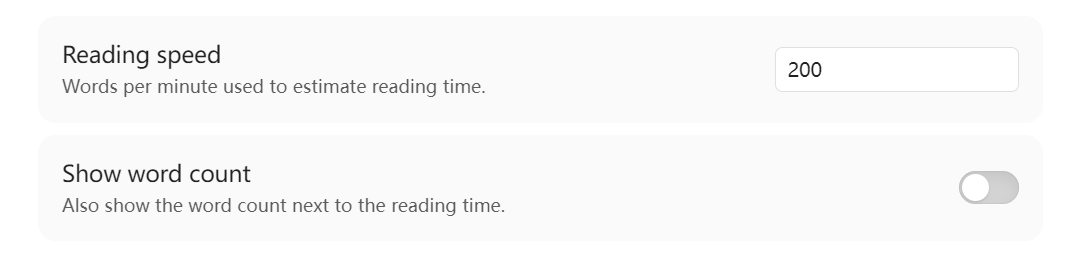
| Setting | Default | What it does |
|---|---|---|
| Reading speed | 200 wpm | Divisor used to estimate minutes |
| Show word count | off | Also show N words next to ~M min |
Install
From the community plugin browser (once approved)
Settings → Community plugins → Browse → search "Reading Time Status".
Manual
Download main.js, manifest.json, styles.css from the
latest release
into your vault's .obsidian/plugins/reading-time-status/ folder, then enable
the plugin.
Development
npm install
npm run dev      # watch build
npm run build    # production build → main.js
License
MIT