
README file from
GithubQuick Expense
Log an expense in seconds. Type what you bought and how much, tap a category, done.
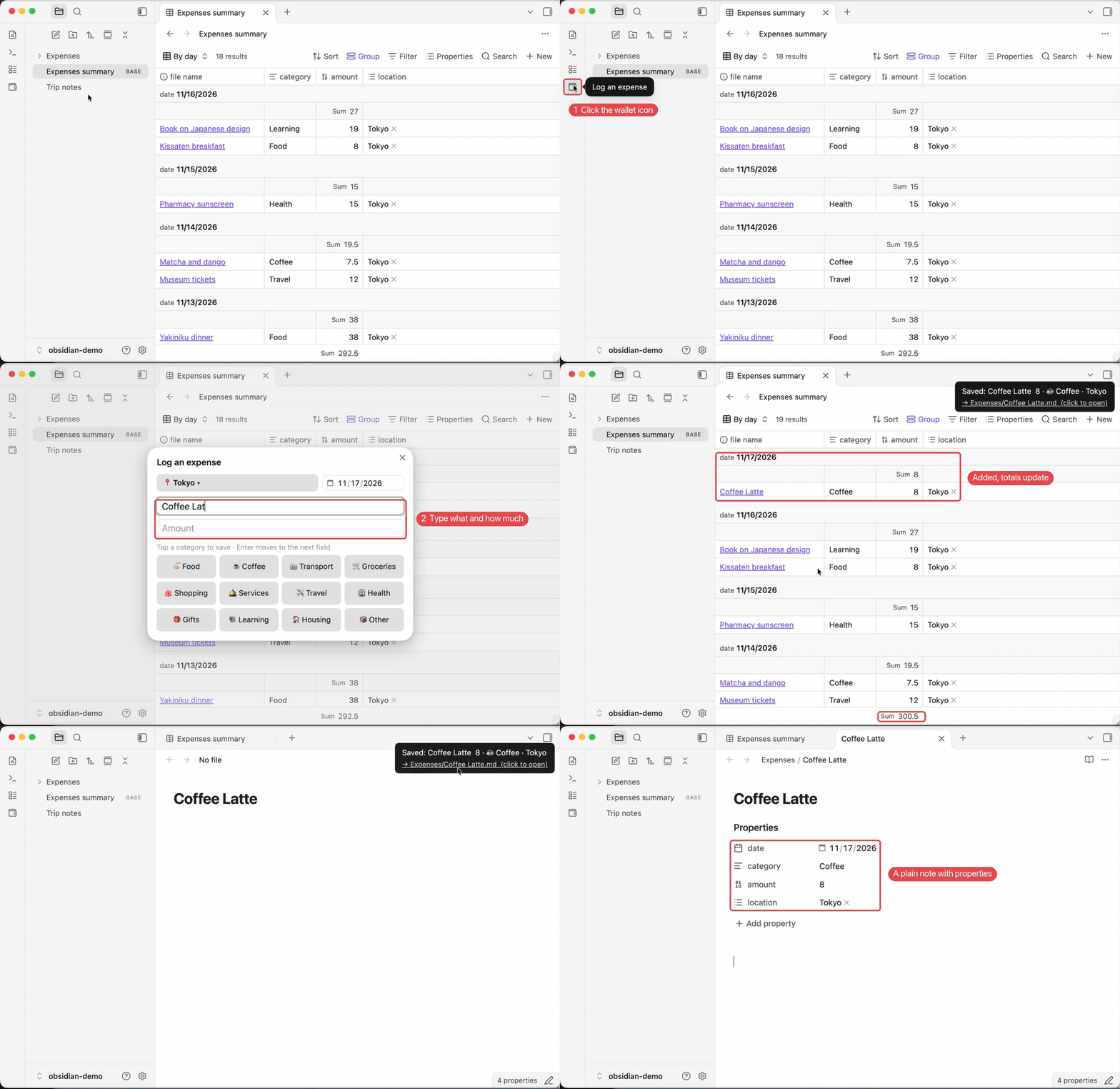
How to use
- Click the wallet icon in the left sidebar (or run Log an expense).
- Type what you bought, press Enter, type the amount.
- Tap a category. Saved.
What you get
- Every expense is a note in the
Expensesfolder, with date, category, amount and location. - Totals by day and month. Click Summary table in settings to create a table that adds everything up.
- Location carries over. Log a week of trip expenses without retyping the city. Tap 📍 to change it.
- Your categories. Edit the list in settings. The ones you use most come first.
Want it to fit notes you already have? You can change the folder and property names in settings.
License
MIT
中文说明
几秒记一笔账。 写买了什么、多少钱,点一下类别就存好。
- 点左边栏的钱包图标(或命令「记一笔」)。
- 写买了什么,回车,填金额。
- 点类别,存好。
- 每笔都是一篇笔记,在
消费文件夹里,带日期、类别、金额、地点。 - 按天、按月自动合计:设置里点「汇总表」,生成一个自动求和的表格。
- 地点自动沿用:旅行时在一个城市连着记,不用每次填。点 📍 可以换。
- 类别自己定:在设置里改,常用的排前面。
想和已有的记账笔记保持一致?文件夹和属性名都能在设置里改。