
README file from
GithubProxima
Proxima surfaces notes that are semantically similar to the note you're currently viewing, and lets you search for notes based on semantic meaning rather than exact words.
Why "Proxima"? Proxima means "nearest." It finds the notes conceptually nearest to the one you're reading, not just the ones sharing the same words.
Screenshots
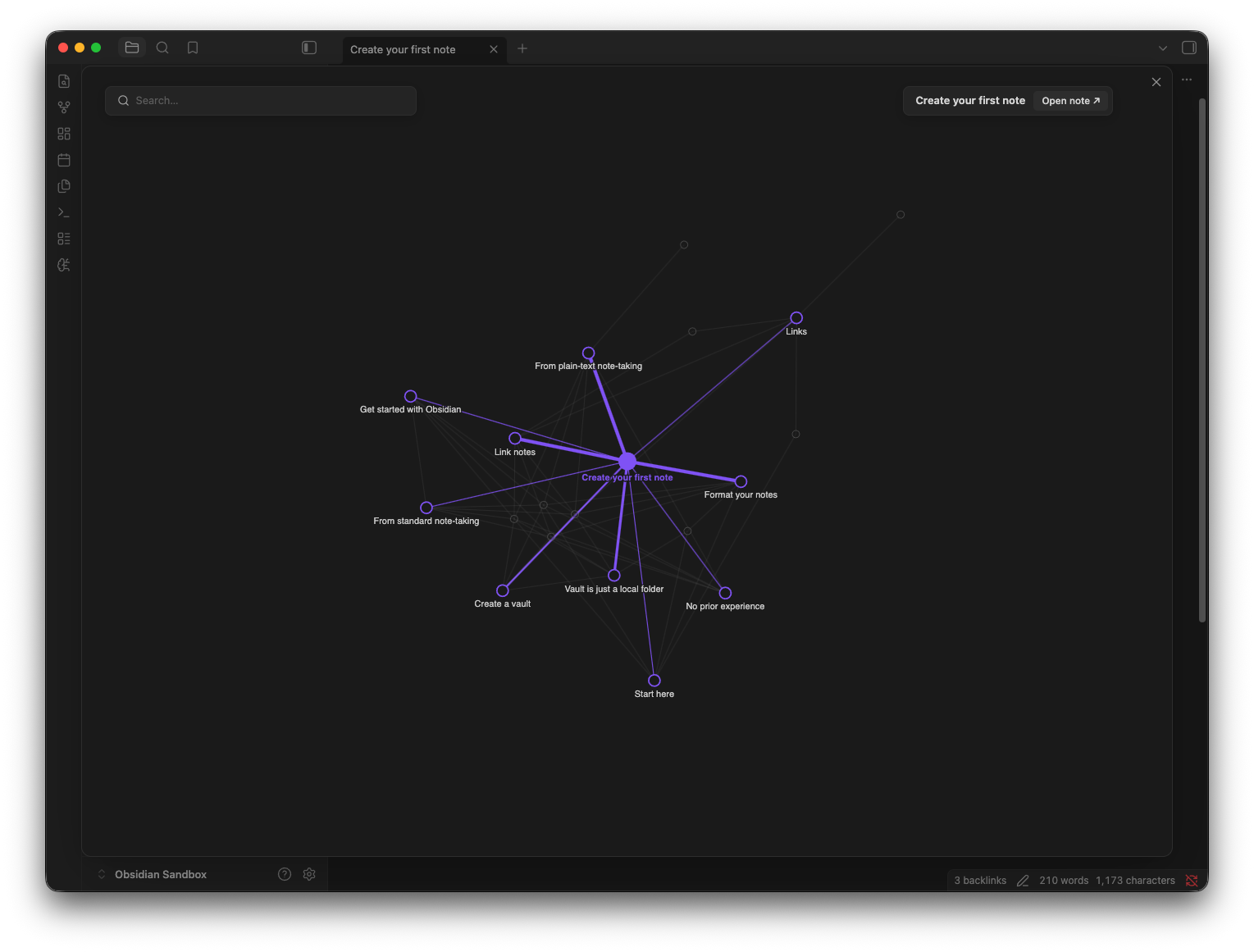
Interactive Proxima Graph
Shows notes conceptually close to the current note.
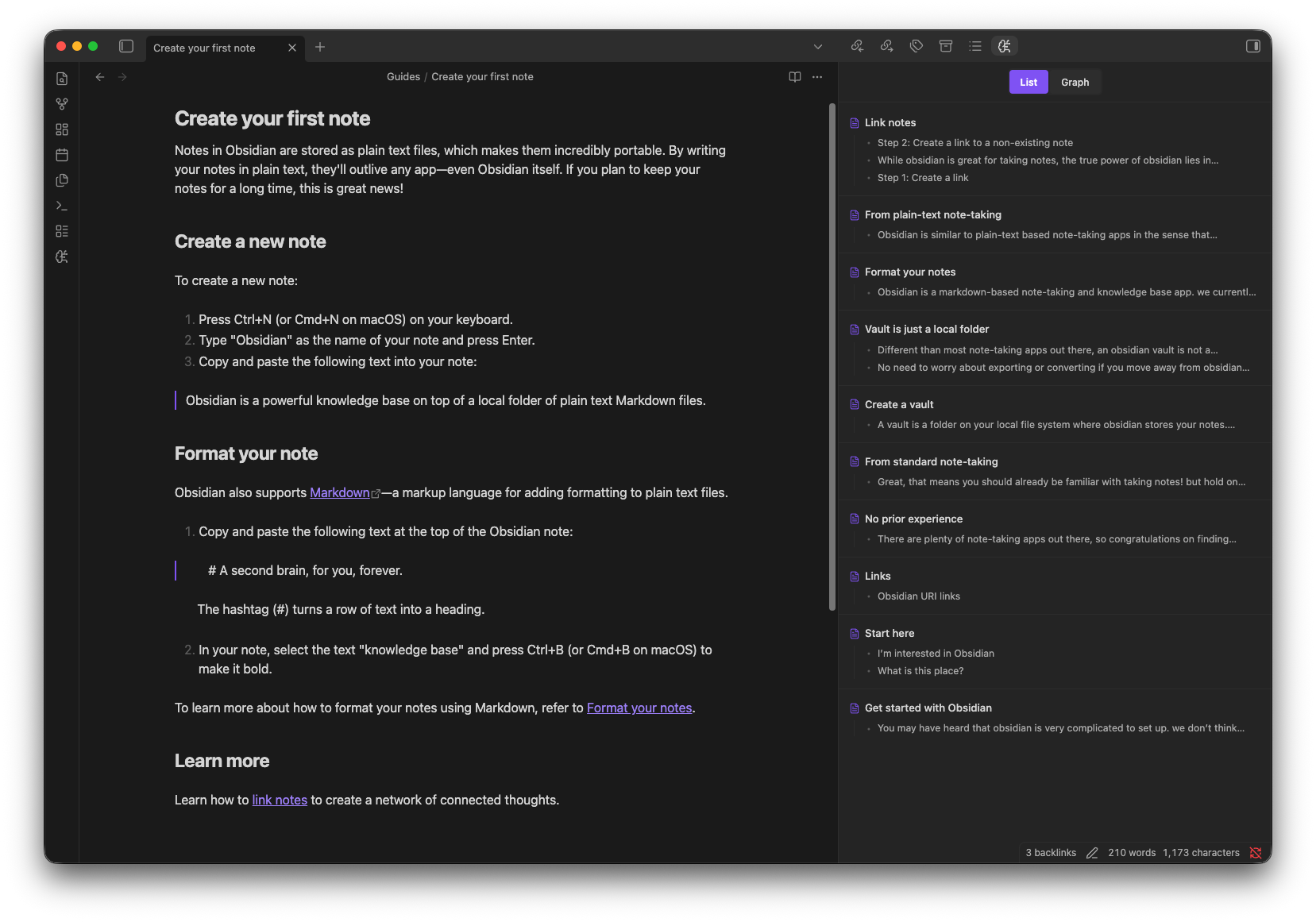
Related Notes Sidebar
Surfaces notes that are conceptually related to the current note based on their content.
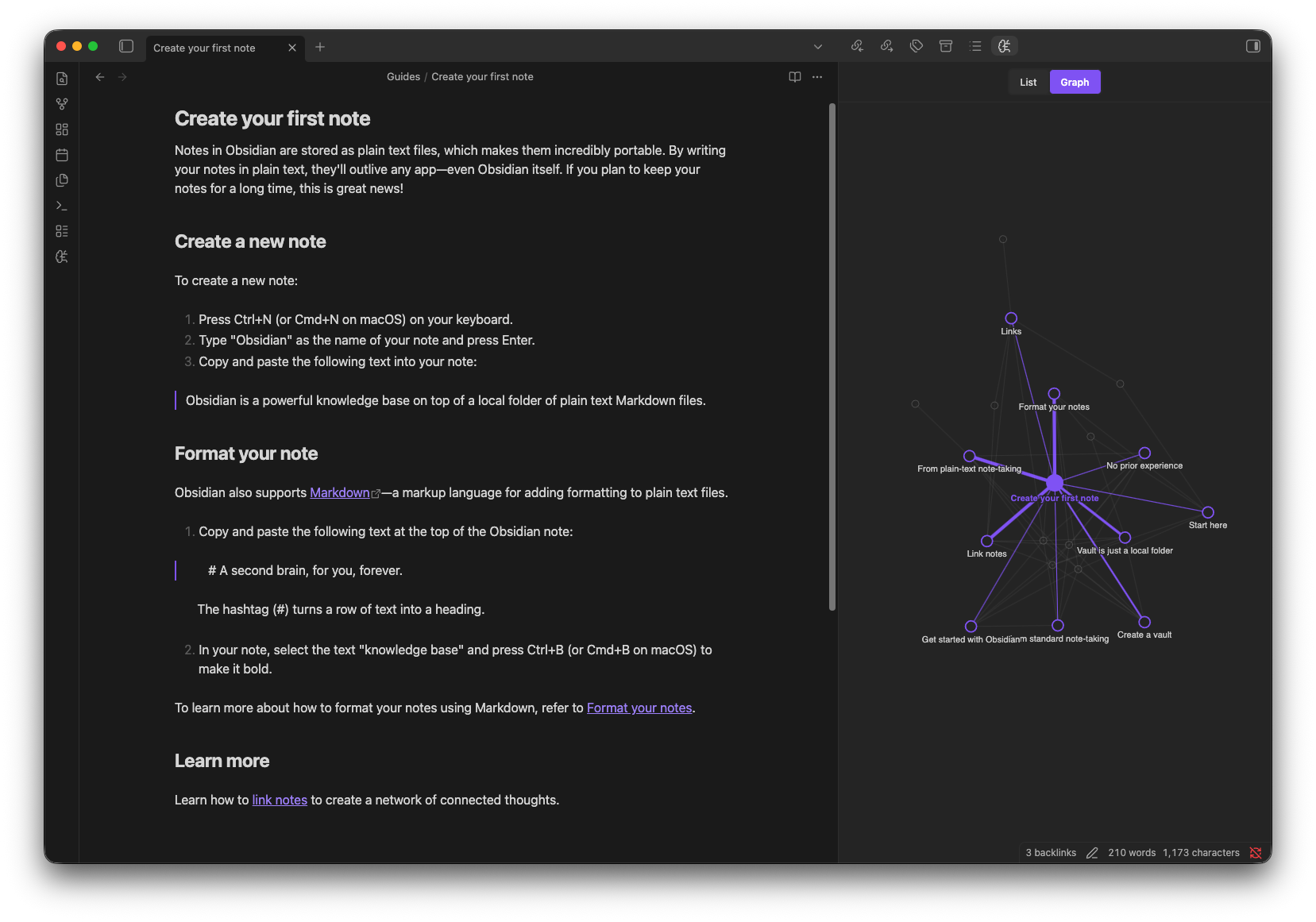
Proxima Graph in Sidebar
Visual representation of the conceptually related notes in the side bar.
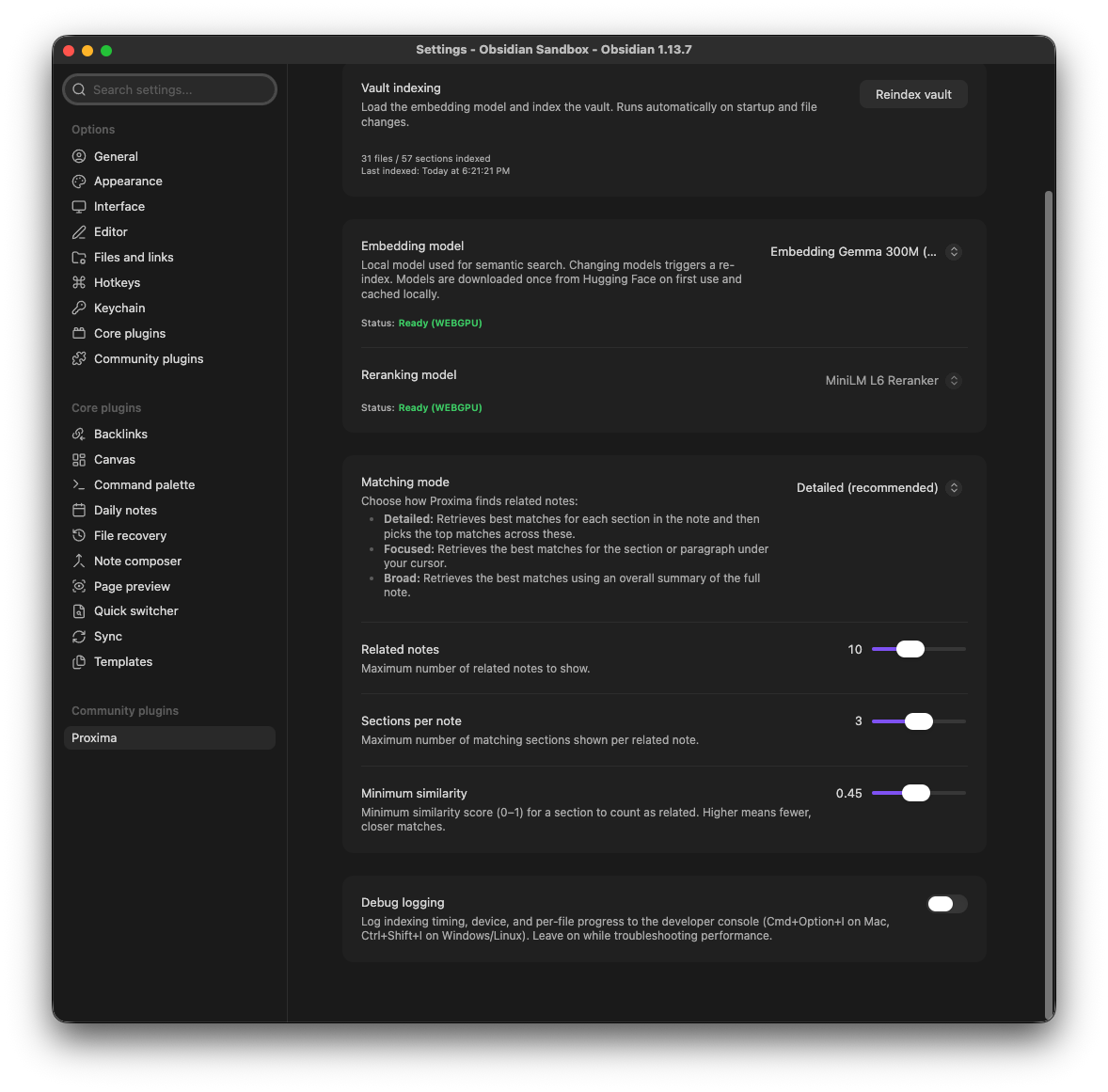
Plugin Settings
Configure indexing, embedding and reranking models, and how related notes are matched.
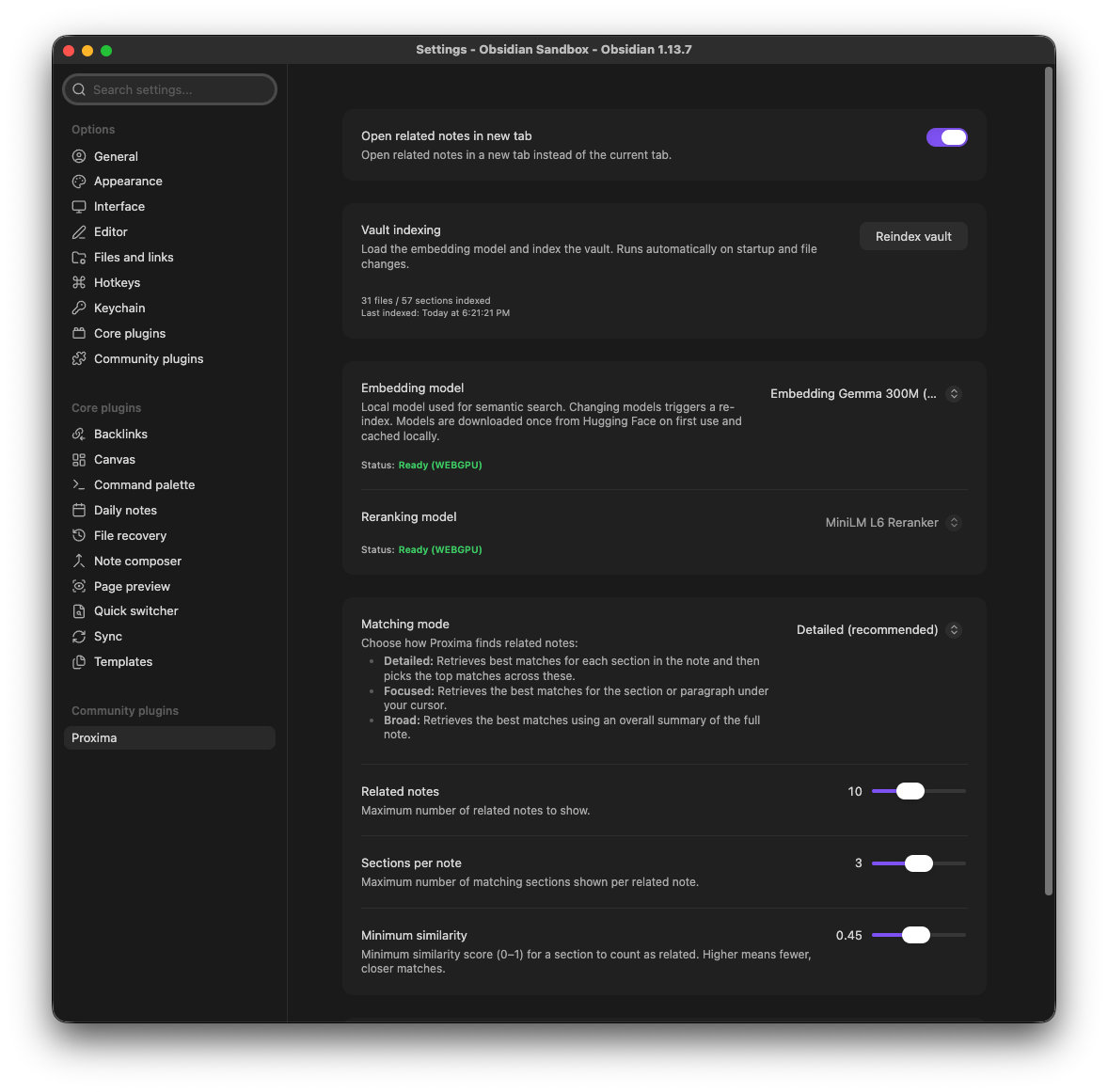
Fine-tune matching mode, result limits, similarity thresholds, and debug logging.
Highlights
- Related Notes View: Surfaces notes conceptually similar to the current one.
- Proxima Graph: An interactive graph of conceptually related notes, with hover previews.
- Wikilink overlay: Explicit
[[links]]and backlinks appear alongside semantic matches — as badges in the related notes list and as a themed orbit ring in the graph. - Two-Stage Funnel: Dense vector retrieval refined by an on-device cross-encoder reranker for high precision.
- Meaning-aware chunking: Notes are split on markdown structure and sentence/paragraph boundaries — not random overlapping windows — so semantic matches are more accurate.
- 100% Local & Private: Runs entirely on-device via WebGPU/WASM. Zero telemetry, no cloud APIs, no external subscriptions.
Meaning-aware chunking
Most semantic tools slice text into fixed, overlapping windows. Proxima reads your notes the way you wrote them.
- Markdown-aware: it reads your note's structure — headings, sections and subsections, tables, and lists — so chunks line up with how you organized the note.
- Sentence-safe: it respects paragraph and sentence boundaries, so each chunk ends at a natural break rather than cutting a thought mid-sentence.
- Context-preserving: every chunk carries its note title and section heading, so the embedding knows where the text lives, not just what it says.
Because each embedding captures a whole idea instead of an arbitrary slice, similarity scores track meaning — and your related notes are more accurate.
Privacy
- All embedding computation, vector search, and reranking run locally on your GPU/CPU.
- The only network access is a one-time download of model weights from Hugging Face on first activation (cached locally in your browser/vault cache).
- Vault notes are never transmitted or modified. The index is stored strictly in
.obsidian/plugins/proxima/.
Desktop only
Proxima requires WebGPU (with a WASM fallback) for on-device inference, which Obsidian only exposes in its desktop Electron shell, not on mobile. isDesktopOnly is set deliberately for this reason, not as a placeholder.
Settings
- Vault indexing: Manually re-index the vault (runs automatically on startup/changes).
- Debug logging: Toggle detailed indexing and performance logs in the developer console.
- Embedding model: Choose the semantic model for vector search.
Gemma 300Mfor high accuracy, orAll MiniLM L6for faster performance on older devices. Changing models triggers a re-index. - Reranking model: Shows the active cross-encoder (
MiniLM L6). Currently cannot be changed; future enhancements may add other models. - Matching mode: Choose how related notes are found (Detailed, Focused, or Broad).
- Open related notes in new tab: Open clicked related notes in a new tab instead of the current one.
- Related notes: Maximum number of related notes to show.
- Sections per note: Maximum number of matching sections shown per related note.
- Minimum similarity: Threshold for matches (higher = stricter).
Commands
| Command | Action |
|---|---|
Open graph |
Opens the full-screen interactive Proxima graph |
Show related notes |
Toggles the related notes companion sidebar |
Reindex notes |
Manually triggers a re-index of new or modified vault notes |
Development
npm install
npm test       # run vitest test suite
npm run dev    # watch-mode incremental build
npm run build  # type-check and production bundle
npm run lint   # eslint validation
Manual Testing in Obsidian
- Run
npm run buildto generatemain.js. - Copy
main.js,manifest.json, andstyles.cssto<Vault>/.obsidian/plugins/proxima/. - In Obsidian, go to Settings → Community plugins and enable Proxima.
Documentation
- Technical Architecture: deep dive on the chunking pipeline, index storage, and inference engine.