
README file from
GithubProperties to Graph
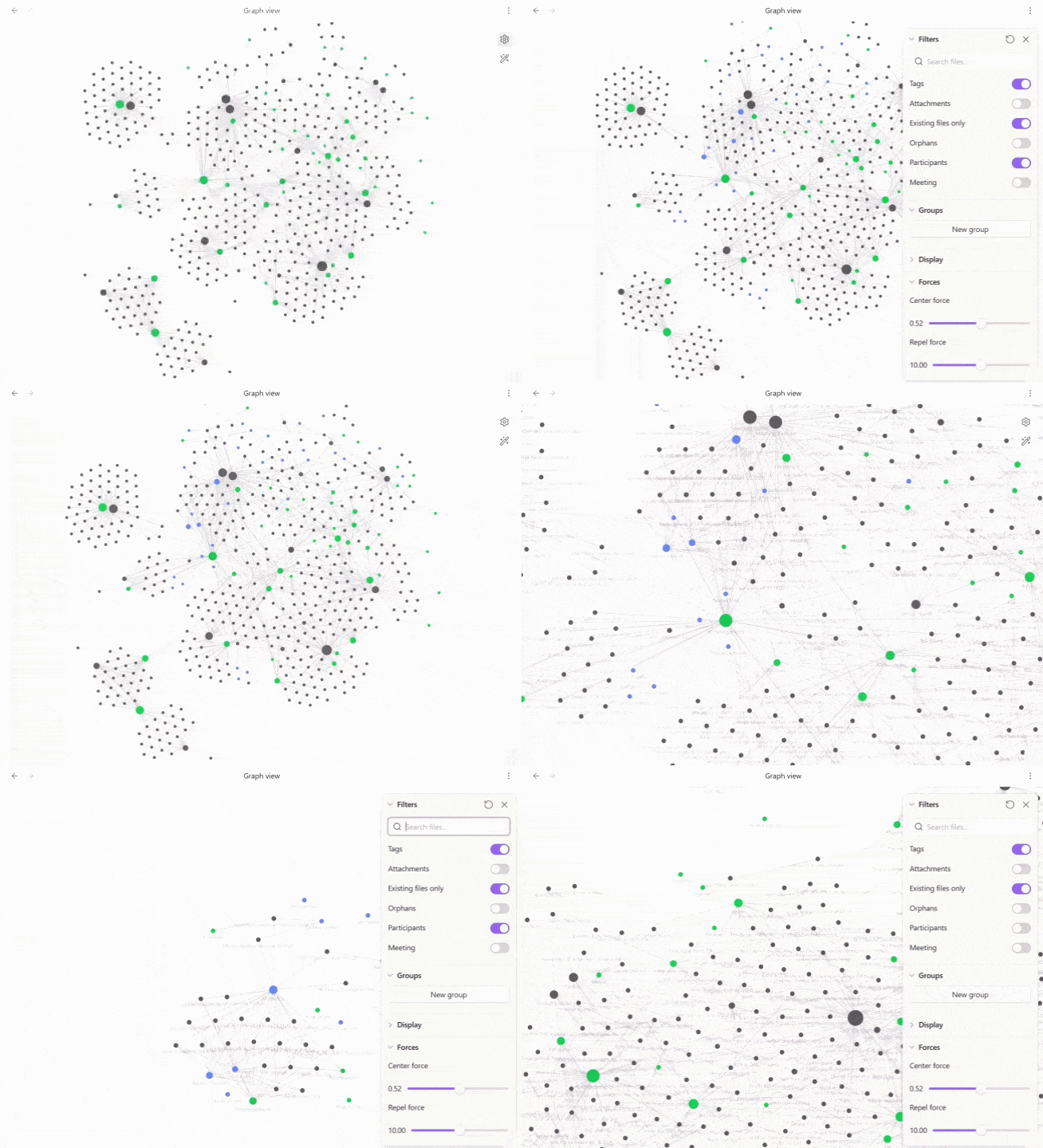
This plugin allows you to choose frontmatter properties and add them as virtual nodes in Obsidian's graph view - basically notes can be grouped visually by properties instead of only by tags or links.
Features
- Pick one or more frontmatter properties; each unique value becomes its own graph node, in its own colour.
- Click a property node to filter the graph, just like clicking a tag.
- Shift+click a property node to fold its notes; shift+click again to unfold.
- Rename a property's display name and toggle it on/off from the graph's own Filters panel.
- Optional node sizing based on how many notes are grouped underneath.
Example
As an example adding department creates a Digital node in that property's colour. Adding topics creates Data and AI nodes in its own colour, both connected to the note.
---
department: Digital
topics:
  - Data
  - AI
---
Installation
- Download
main.jsandmanifest.jsonfrom the latest release. - Place both files in
<your-vault>/.obsidian/plugins/properties-to-graph/. - Enable Properties to Graph under Settings → Community plugins.
- Open Settings → Properties to Graph.
- Click Add property for each frontmatter property you want to visualize, choosing a property, name and colour for each.
- Open Graph View.
Development
npm install
npm run build
npm run dev starts an esbuild watcher. npm run build type-checks and produces main.js
Notes
This plugin relies on Obsidian's internal Graph View renderer APIs, which are not part of the public obsidian package types and can change between Obsidian releases.
This project was originally inspired by the graph-injection approach used by Folders to Graph although the codebase has since been rewritten independently around frontmatter properties rather than folders.