
README file from
GithubPhoto tagging
Obsidian plugin for tagging people on photos
Motivation
I have a lot of genealogy data regarding my family and its history. I use Obsidian to work with this data. At some point, I needed a simple software to tag people on photos and then show a person's photos on their page. I did not find the existing plugin, so I decided to write my own.
Installation
[!IMPORTANT]
You must havelibvipsinstalled. See installation instructions: https://www.libvips.org/install.html.Nope, you cannot disable it.
libvips is used to generate image tiles (image pyramids). The photo-tagging plugin uses it to handle large images.
When the user opens the image in the tagger for the first time, the plugin automatically generates image tiles and a preview image. The plugin will use them to display and zoom large images effectively.
Obsidian Community Plugins
The photo-tagging plugin is available in the Obsidian Community Plugins list. So, you can install it right from the Obsidian app. Here is a direct link to the plugin page: https://community.obsidian.md/plugins/photo-tagging.
Manual installation
You can install the plugin by downloading the release assets, placing them inside your Obsidian vault, and enabling it in the settings:
- Go to the TheBestTvarynka/photo-tagging/releases page and download release assets:
main.js,manifest.json, andstyles.css. - Place these files in the vault plugin directory:
VAULT_DIR=/path/to/vault
PHOTO_TAGGING_DIR=${VAULT_DIR}/.obsidian/plugins/photo-tagging
mkdir -p ${PHOTO_TAGGING_DIR}
cp main.js ${PHOTO_TAGGING_DIR}
cp styles.css ${PHOTO_TAGGING_DIR}
cp manifest.json ${PHOTO_TAGGING_DIR}
- Enable the Grafily plugin in the Obsidian settings (
Community Pluginssection).
Manual
-
You manually add tags to photos using the built-in tagger:
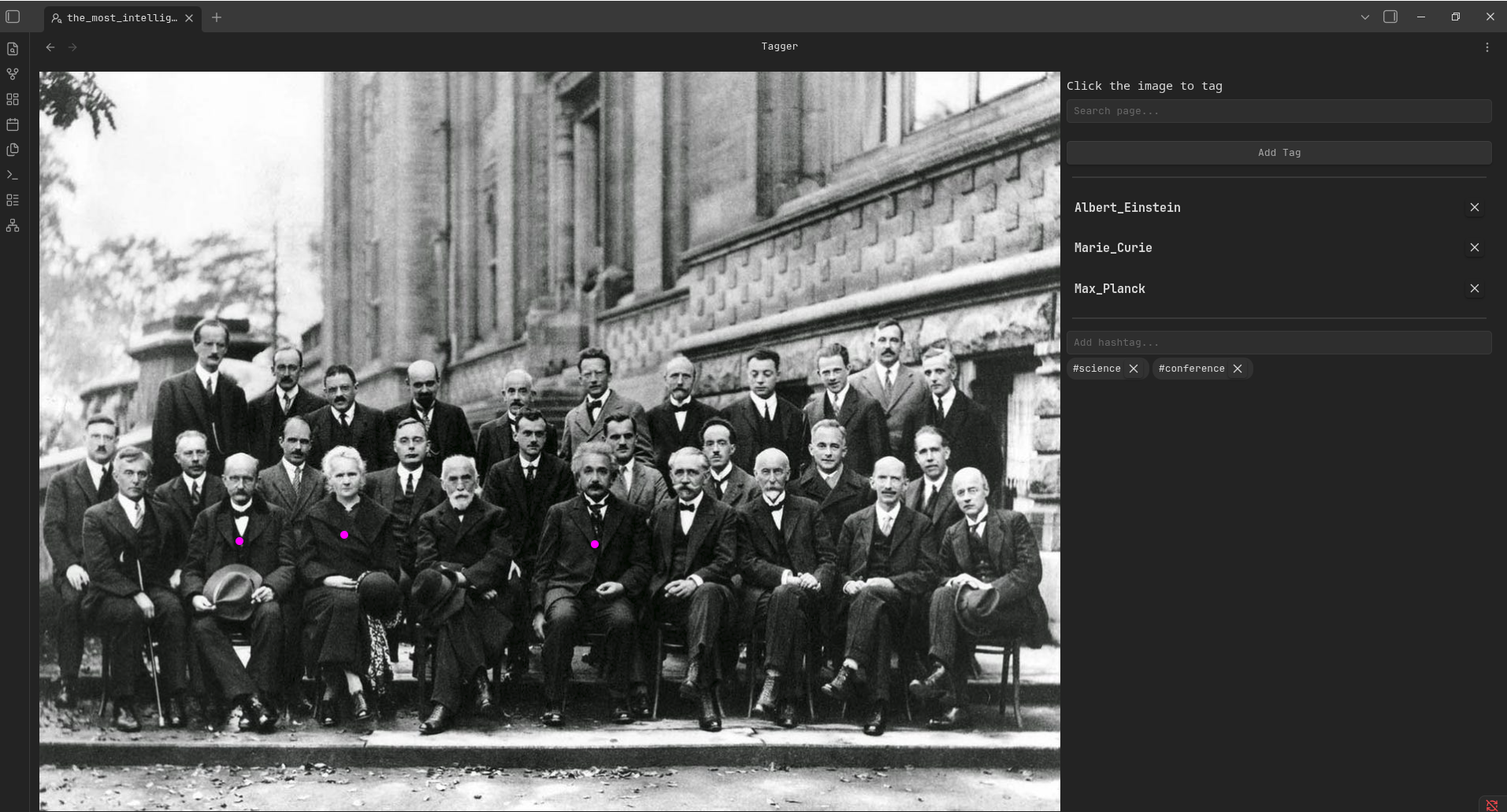
You can open tagger from the file context menu (
Tag peopleoption):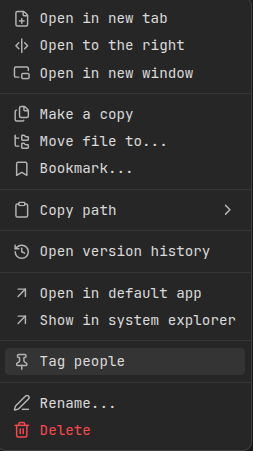
-
Every tag is linked to some note. In my case, every note represents a person.
-
Add the following code block to see the person's photos inside the note:
    ```tagged-photos
    ```
The plugin automatically resolves photos assigned to the current person:
Person's plain gallery Photos are grouped by hashtags 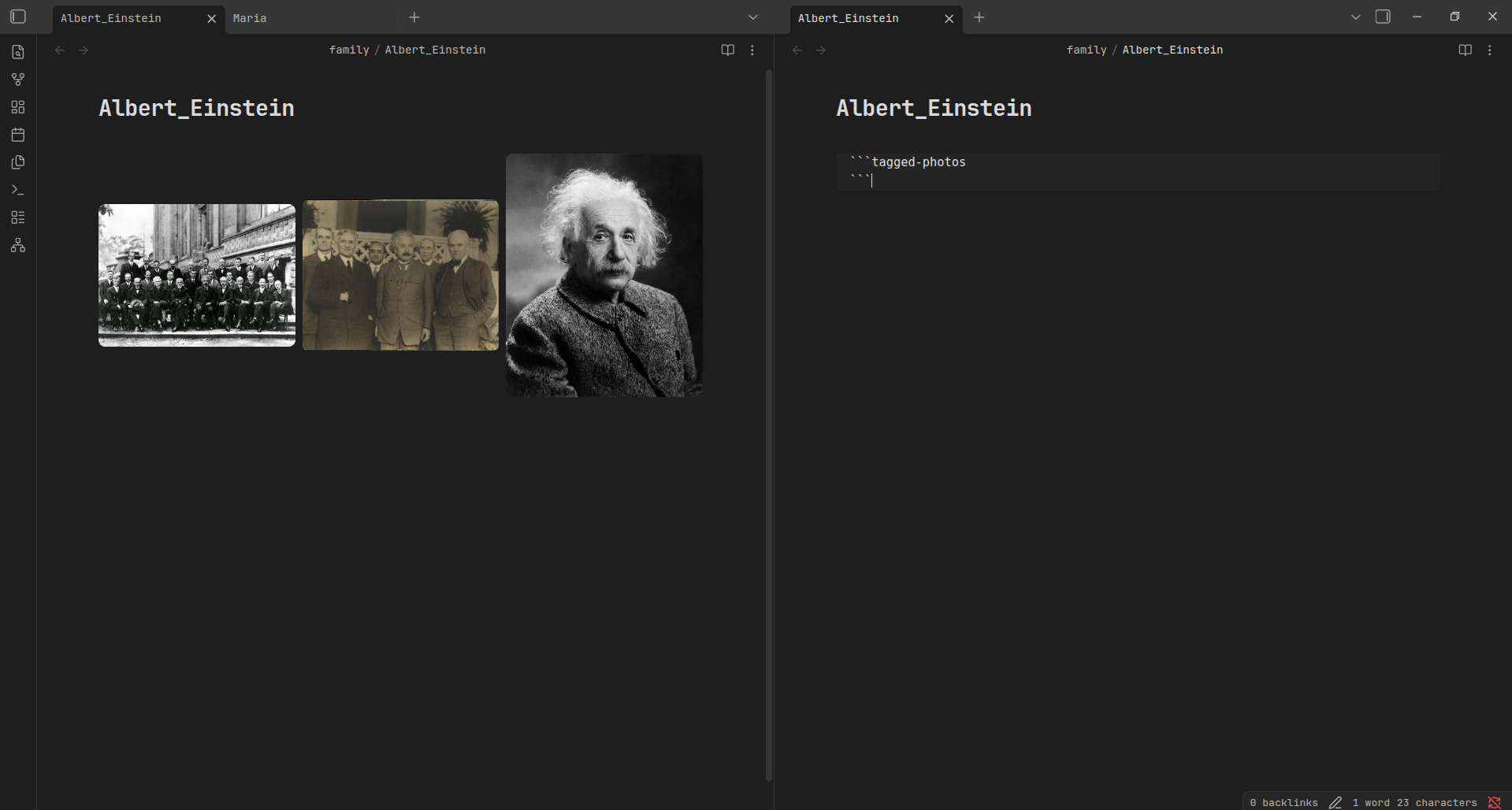
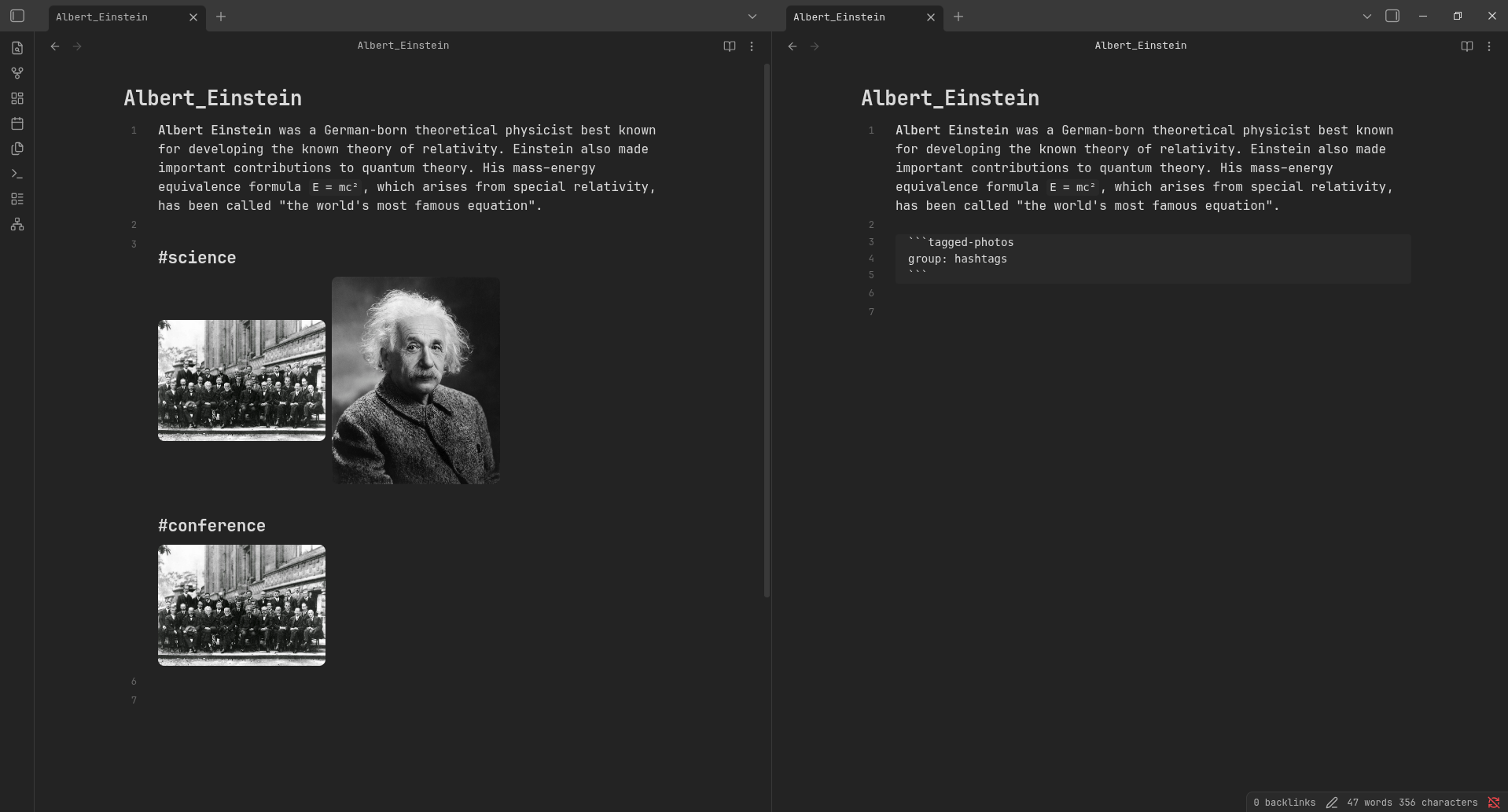
All tags are saved inside JSON file. By default, the JSON file is located in the photo-tags.json at the root of the vault.
You can change it in the plugin settings.
BDFL
Did you hear about BDFL?
TL;DR:
Benevolent dictator for life (BDFL) is a title given to a small number of open-source software development leaders, typically project founders who retain the final say in disputes or arguments within the community.
For the Photo-tagging project, the BDFL is @TheBestTvarynka (Pavlo Myroniuk), original creator of Photo-tagging.