
README file from
GithubPennyWallet
A personal finance tracker plugin for Obsidian. Log expenses, income, transfers, credit card payments, and refunds — all stored as plain Markdown tables in your vault.
Features
- Finance overview — monthly income / expense summary, 6-month income/expense chart, and category pie charts
- Transactions — multi-select type and wallet filters, category and account dropdowns, date range, keyword search, and sticky subtotals
- Assets — 3 / 6 / 12-month range selector, account balances, net asset trend, savings rate, and asset allocation pie
- Multiple account types — cash, bank account, credit card (with debt tracking)
- Custom categories — add your own expense and income categories
- Mobile-friendly entry — touch-optimized transaction form with bottom-sheet pickers and an on-screen calculator
- iOS Shortcuts support — add transactions via URI without opening Obsidian
- Bilingual — English and Traditional Chinese (follows Obsidian language setting)
Installation
Community plugins
- Open Settings → Community plugins → Browse
- Search for PennyWallet
- Click Install, then Enable
BRAT (beta)
BRAT is a community plugin that installs beta plugins directly from GitHub and keeps them updated.
- Install the BRAT plugin from Settings → Community plugins → Browse and enable it
- Run BRAT: Add a beta plugin for testing from the Command Palette
- Enter the repository:
twrusstw/penny-wallet - Enable PennyWallet in Settings → Community plugins
Manual
- Download
main.js,manifest.json,styles.cssfrom the latest release - Copy them to
<vault>/.obsidian/plugins/penny-wallet/ - Enable the plugin in Settings → Community plugins
Getting started
- Enable PennyWallet — a wallet icon appears in the left ribbon
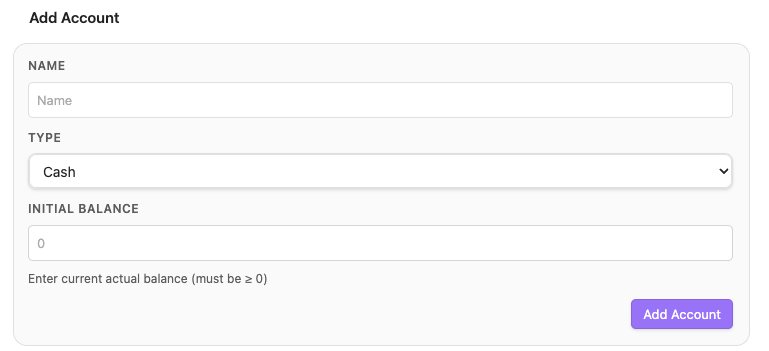
- Open Settings → PennyWallet and add your accounts with their current balances (Settings guide · 中文說明)
- Click the ribbon icon or run Add transaction from the Command Palette to log your first entry
Transaction types
| Type | Description |
|---|---|
| Expense | Money out from cash / bank / credit card |
| Income | Money received into an account |
| Transfer | Move money between accounts, including credit card payments |
Credit card accounts track outstanding debt. Expenses increase the debt; credit card payment transfers reduce it. Refunds are stored as negative expenses and shown as positive expense reversals. Net asset calculation automatically subtracts credit card debt.
Adding transactions
The transaction form supports refund entries, marks required fields, shows the original date when editing, and lets you attach tags as chips.
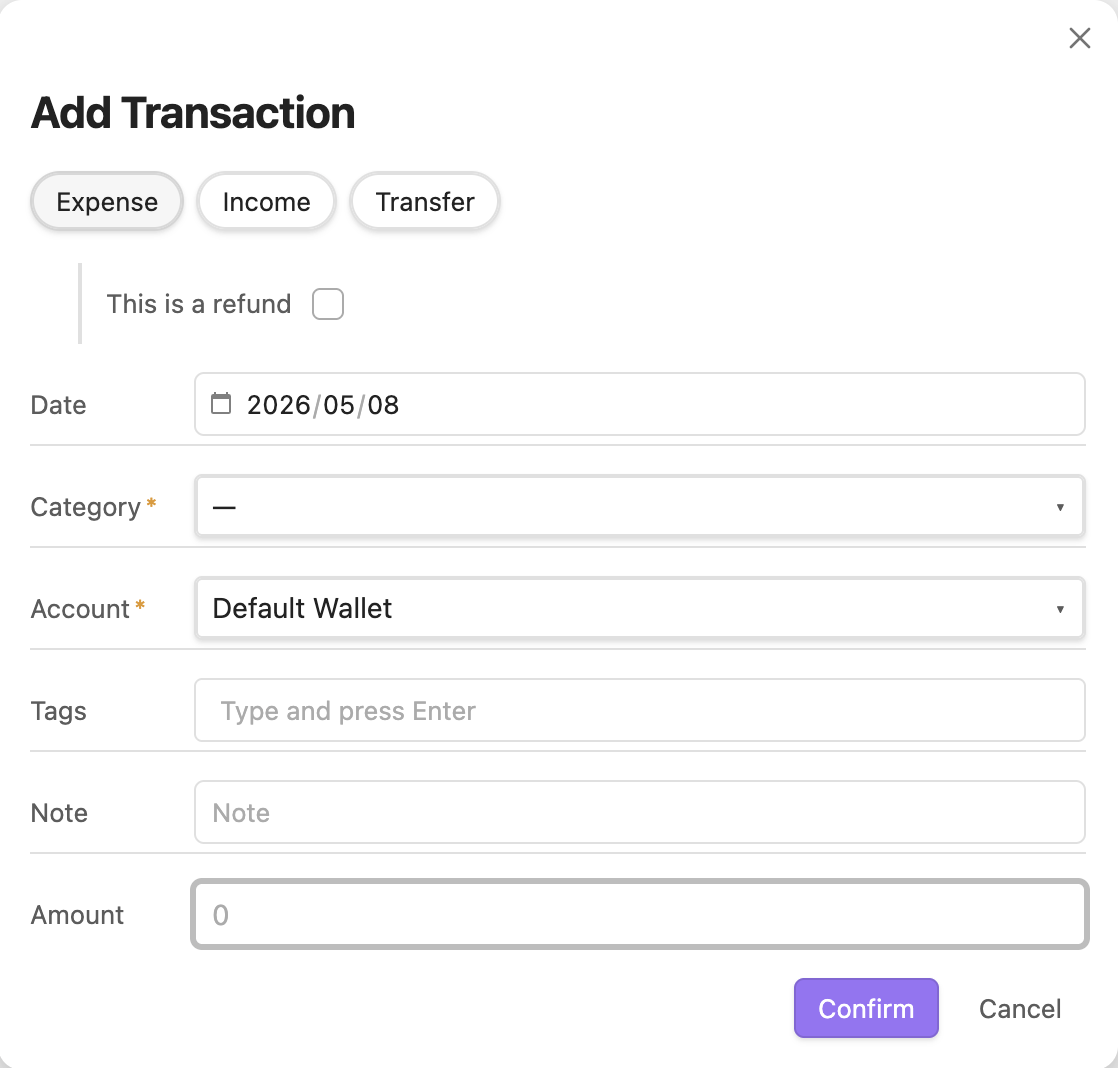
On mobile, wallet / category / tag fields open as bottom-sheet pickers, and the amount field opens a calculator sheet with 00, ⌫, and a formula bar in the title — press Done to commit.
Views
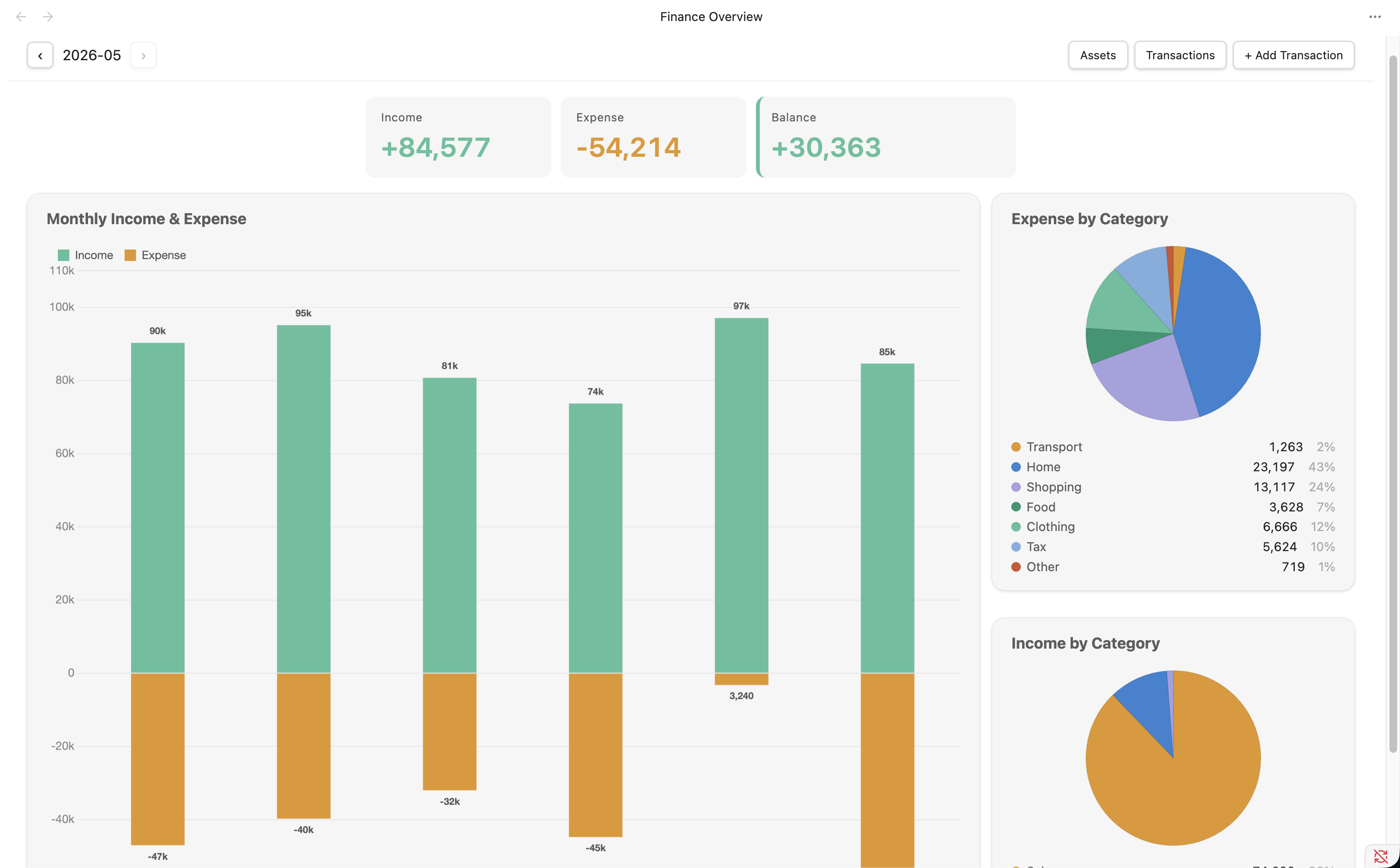
Finance overview
Monthly summary with income, expense, and balance metrics, plus a 6-month income/expense chart and expense/income category pie charts. Each pie legend shows name, amount, and percentage.
Transactions
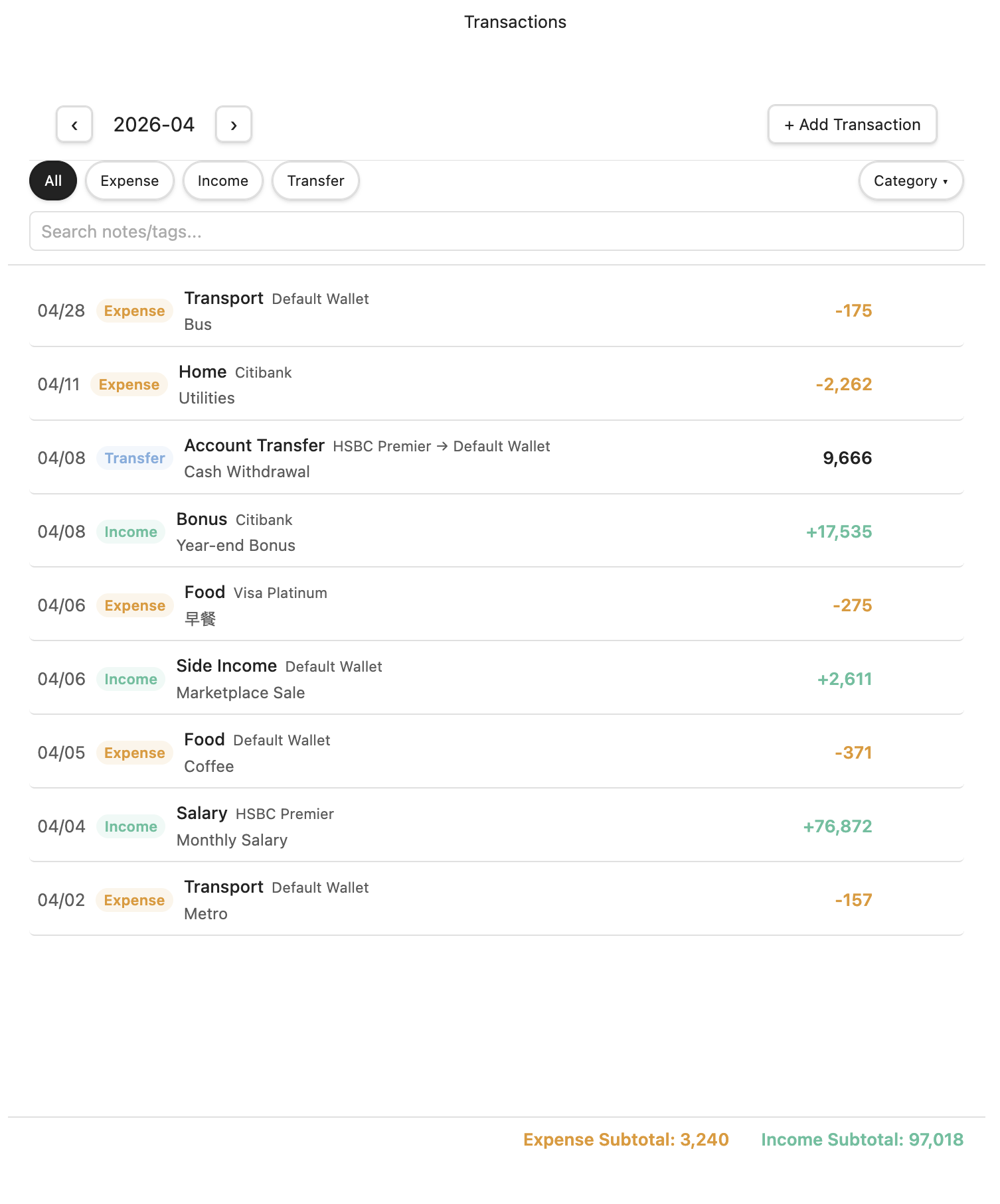
Full transaction list with multi-select type and wallet filters (tinted pills), category and account dropdowns, date-range pickers, and keyword search. On mobile, the dropdowns and date range collapse into a Filter ▾ sheet next to the search box. Edit via hover (desktop) or row tap (mobile); delete lives inside the edit modal. Header and subtotals stay fixed while the list scrolls.
Assets
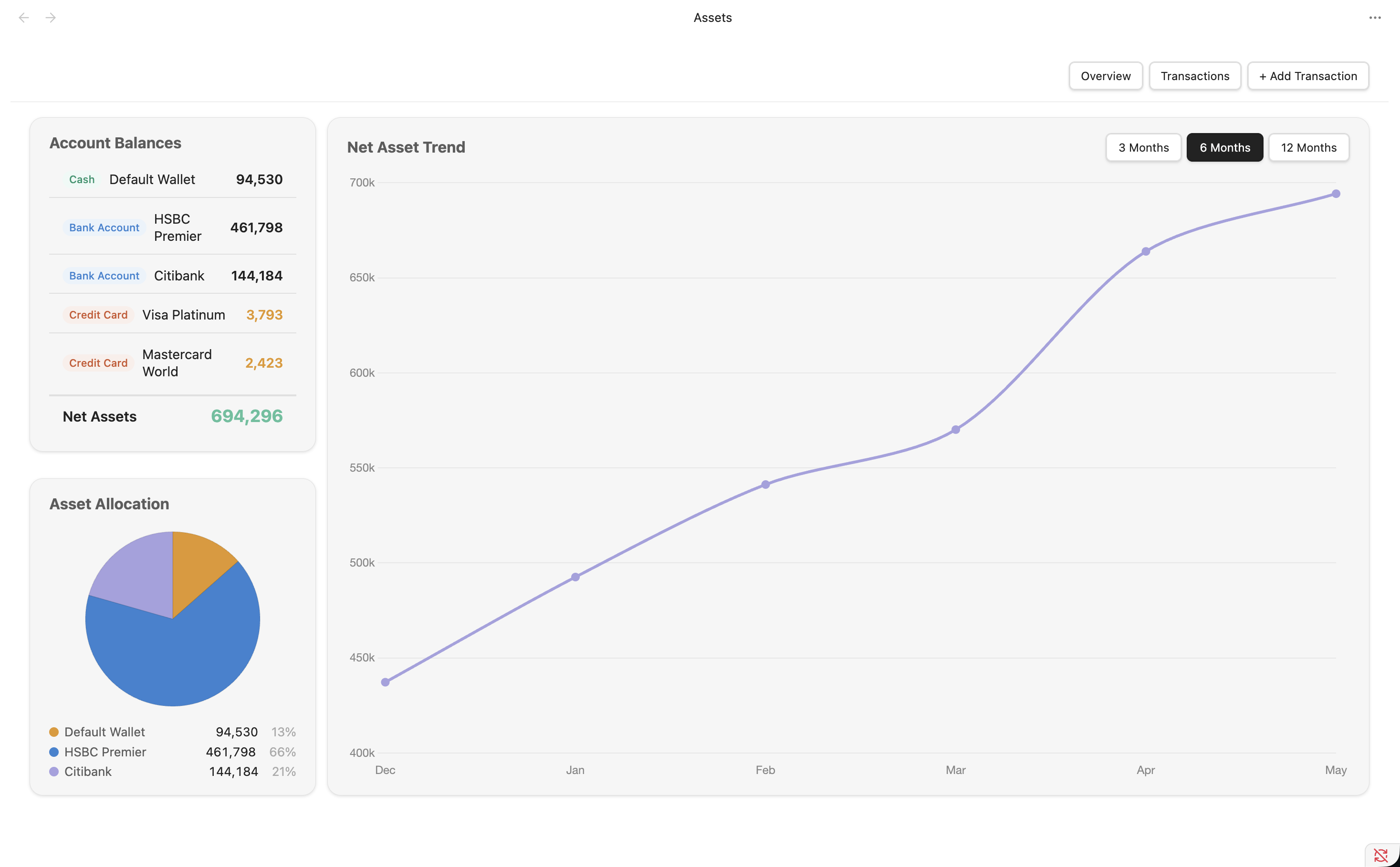
Medium-term financial view with a 3 / 6 / 12-month range selector, account balances, net asset trend, savings rate, and asset allocation pie.
Settings
General preferences, account management (active / archived), and custom expense / income / transfer categories.
URI handler
PennyWallet registers the obsidian://penny-wallet URI scheme, allowing external apps — including iOS Shortcuts — to open the transaction form with fields pre-filled.
obsidian://penny-wallet?type=expense&amount=280&category=food¬e=Lunch
Supported parameters: type, amount, note, category, wallet, fromWallet, toWallet, date.
→ Full URI handler & iOS Shortcuts guide
Data format
Transactions are stored as Markdown tables, one file per month:
<vault>/
├── .penny-wallet.json     ← config (accounts, categories, settings)
└── PennyWallet/
    ├── 2026-04.md
    └── 2026-03.md
Each month file has YAML frontmatter (income, expense, netAsset) for fast loading, followed by a plain Markdown table of transactions:
---
income: 75956
expense: 52539
netAsset: 0
---

## 2026-05

| Date | Type | Wallet | From | To | Category | Note | Tags | Amount | CreatedAt |
| ---- | ---- | ------ | ---- | -- | -------- | ---- | ---- | ------ | --------- |
| 05/02 | expense | HSBC Premier | - | - | housing | Rent | family,essential | 18418 | 2026-05-01T18:02:51.933Z |
| 05/02 | expense | Citibank | - | - | shopping | Online Shopping | - | 941 | 2026-05-01T20:08:15.639Z |
The format is compatible with Git sync and Dataview queries.