
README file from
GithubPatches
Focused fixes and enhancements for everyday Obsidian work.
Edit tables and callouts, shape your reading space, and make diagrams and exported PDFs more useful.



Install · Website · User guide · Changelog · Report an issue
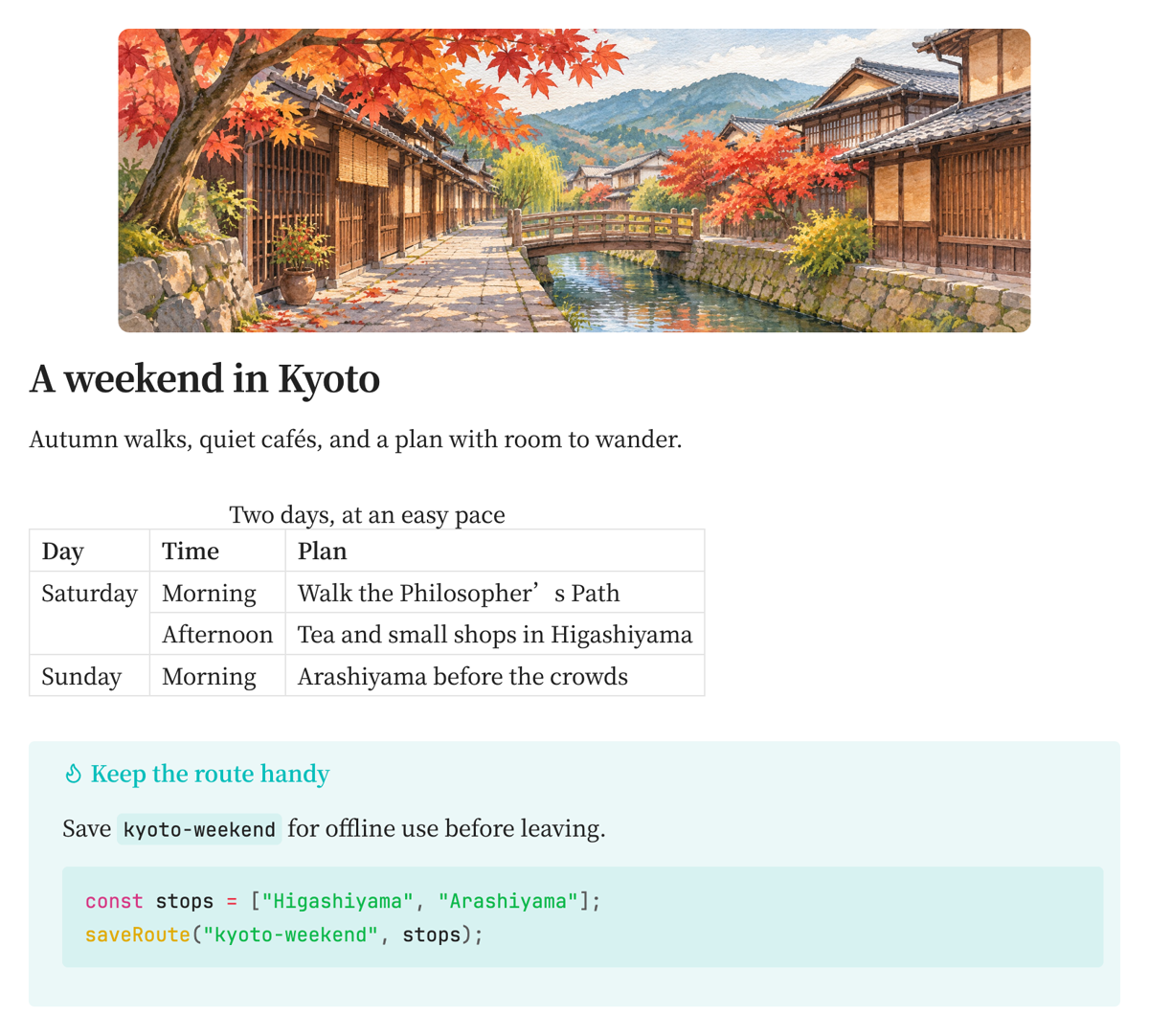
One note, a few improvements: a vault-image banner, a grouped itinerary, and code that fits its callout.
New in 0.4.0
- Icon colors: choose an icon and its color together, with brand colors, eight presets, and custom colors.
- Exact line width: type a global width in pixels and keep it synchronized with the slider.
- Callout code backgrounds: tint code blocks to match each callout, including nested ones, while preserving syntax highlighting.
Patches 0.4.0 adds these improvements. See the changelog for the complete changes and the linked guides for recorded demos.
Features
Configure Patches under Settings → Patches. Each guide includes examples, settings, and limitations.
| Feature | What it adds |
|---|---|
| HTML tables | Visual editing, merged cells, grouped headers, captions, and Markdown conversion. |
| Callouts | Editing, preview, conversion, GitHub compatibility, and matching code backgrounds. |
| Math formatting | Indentation and alignment for display math, preserving formulas. |
| Banners | Vault images, animations, and videos as note covers. |
| File and folder icons | Lucide icons and Simple Icons brand marks, with colors you choose. |
| Line width | Exact global width and per-note overrides for readable columns. |
| Active line | A margin marker and highlighted line number for the cursor’s line. |
| Heading levels | H1–H6 labels beside headings in reading and editing views. |
| Mermaid diagrams | Newer diagram types and syntax that follow Obsidian’s theme. |
| PDF navigation | Heading bookmarks and same-note heading links in desktop PDF exports. |
Installation
Requires Obsidian 1.15.0 or later. Patches is available in the Community Directory.
- Open Settings → Community plugins → Browse.
- Search for Patches, then select Install and Enable.
- Open Settings → Patches to choose your settings.
For manual installation, download main.js, manifest.json, and styles.css from the latest release. Put them in <vault>/.obsidian/plugins/patches/, reload Obsidian, and enable Patches.
Official releases contain the Community build with bundled Mermaid. The optional Full branch adds remote Mermaid versions for manual source builds. Both use the same plugin ID; installing one replaces the other.
Try it
Enable Obsidian’s Settings → Editor → Readable line length, then give one note a wider column:
---
patch-line-width: 1100
---
Other notes keep their global width. See note properties, commands, and views and platforms for more examples and scope.
Network and privacy
The Community build runs its bundled Mermaid code locally. The icon picker may contact jsDelivr to resolve and download Simple Icons graphic data and matching brand-color JSON. Already-used graphics and available brand colors are cached locally. Missing cached graphics can trigger a download. Icon search text, note contents, and vault file names are not sent in these requests.
The optional Full build can download and execute Mermaid/ELK JavaScript from jsDelivr when Latest or Custom is selected, with access to Obsidian. The cover picker lists vault media locally, and Iconize import reads settings within the vault. Patches has no analytics or telemetry. See network and privacy for details.
Help
Start with troubleshooting. When reporting a bug, include Obsidian/Patches versions, OS, theme, view mode, reproduction steps, and a small example or recording.
Development
Use Node.js 22 or later:
npm ci
npm test
npm run build       # community plugin → dist/community/
npm run docs:dev    # local documentation preview
npm run docs:build  # static site → site/.vitepress/dist/
Install the three plugin files from dist/community/ into the vault’s patches directory and reload the plugin. Integration checks deploy to dev-vault and create temporary fixtures; read integration testing first.
See AGENTS.md for feature design references, release documentation for the plugin workflow, and documentation maintenance for the website.
Acknowledgments
Line Width follows the ideas of Editor Width Slider by MugishoMp (MIT), and Patch Icons follows Iconize by Florian Woelki (MIT). Their implementations are written for this plugin; the Iconize importer reads its settings format.
Icons come from Lucide (ISC), Simple Icons (CC0 1.0), and the Iconify packs used by Mermaid. Brand icons are trademarks of their respective owners.
License
MIT.