
README file from
GithubOutline Jump
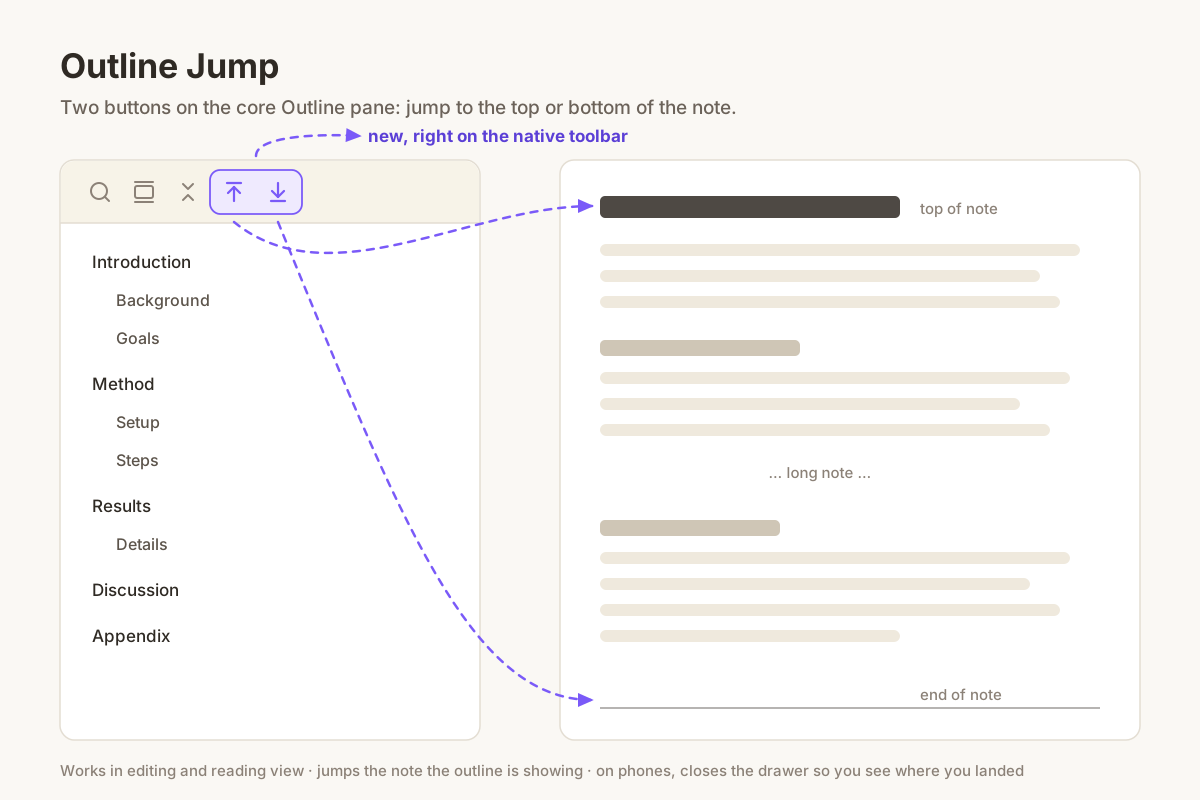
The core Outline pane lets you jump to any heading, but not to the very top or the very bottom of the note. On a long note that means a lot of scrolling.
This plugin adds two buttons to the Outline pane's own toolbar, next to search and collapse:
- Jump to top — scrolls the note back to its first line.
- Jump to bottom — scrolls the note all the way to the end.
Details
- Works in both editing and reading view. Reading view renders long notes lazily, so the bottom jump keeps going until it really reaches the end.
- It jumps the note the outline is currently showing, so it does the right thing with split panes.
- On phones the outline lives in a drawer that covers the note, so the drawer closes after a jump and you see where you landed.
- Only scrolls. It never moves your cursor or changes the note.
Install
Search for Outline Jump in Settings → Community plugins, or copy main.js
and manifest.json from the latest release into
<vault>/.obsidian/plugins/outline-jump/.
The core Outline plugin needs to be enabled.
License
MIT