
README file from
GithubObsidian OSS Gallery Plugin
English | 中文
This plugin uploads files from Obsidian to multiple object storage providers and offers a gallery view for providers that support listing.
Requires Obsidian 1.7.2 or later.
Note: This plugin is desktop-only. It relies on Node.js APIs (crypto signing, local file system) that are not available in Obsidian mobile.
It started as a fork of Obsidian Minio Uploader Plugin and now supports a broader multi-provider workflow.
Supported providers
- Local: desktop-only local file storage with gallery management
- SM.MS: image hosting
- GitHub: repository-backed uploads
- Aliyun OSS
- Tencent COS
- Qiniu Kodo
- Upyun USS
- Imgur: image upload only, no gallery listing or deletion in this plugin
- Cloudflare R2: S3-compatible object storage
- S3: generic S3-compatible provider (AWS S3, DigitalOcean Spaces, Backblaze B2, etc.)
- MinIO: self-hosted S3-compatible object storage
Features
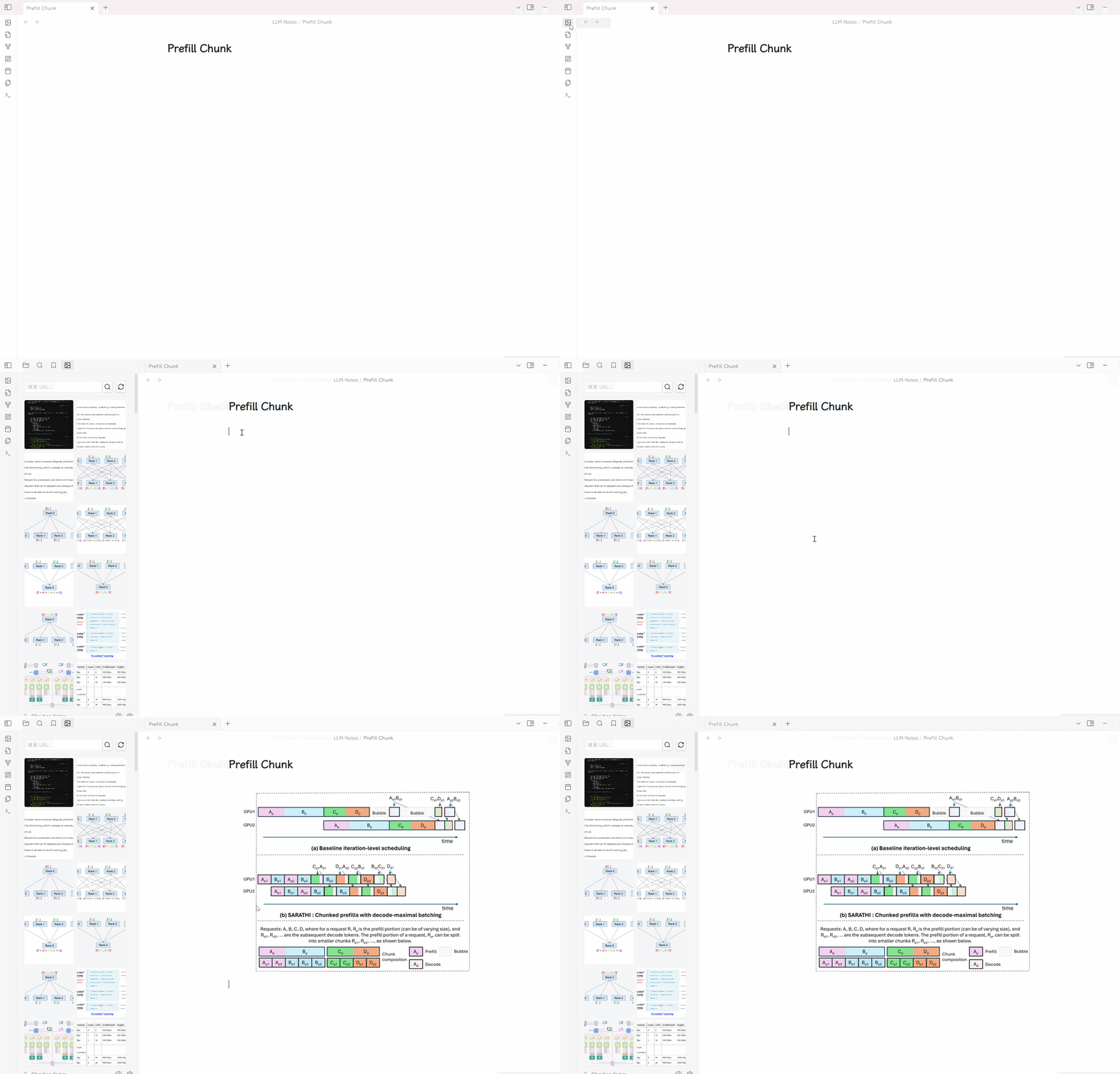
- Upload files from the command palette, paste, or drag and drop
- Supported file types: images, video, audio,
.doc,.docx,.pdf,.pptx,.xls,.xlsx - Global object naming and path rules
- Optional base path prefix for all uploads
- Configurable embed output for image, video, audio, and document preview
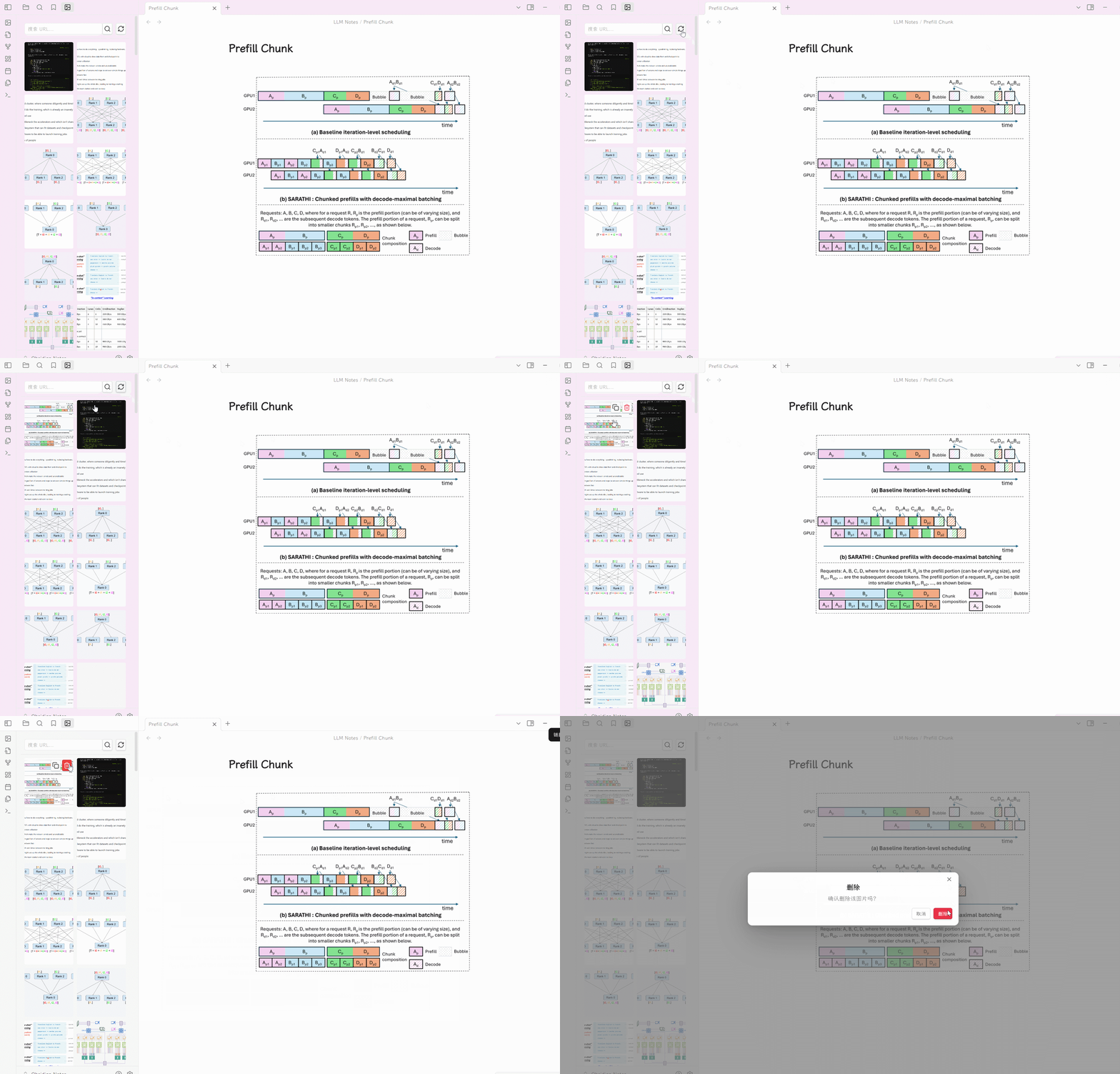
- Gallery view for providers that support listing
- URL search with plain text or regex mode
- One-click URL copy
- Delete from the gallery for providers that support deletion
- Full-screen image preview
- Lazy loading, batch rendering, back-to-top control, and background refresh for the gallery
Settings
Choose an active provider in the plugin settings, then configure:
Global settings
- Base path: optional prefix applied to every uploaded object key; the gallery only lists files under it (and under the provider's own path prefix, if set)
- Object naming rules
localtimetimeAndLocal
- Object path rules
roottypedatetypeAndDate
- Preview
- image preview on or off
- video preview on or off
- audio preview on or off
- document preview provider: disabled, Google Docs, or Office Online
Provider settings
Local
- Available in Obsidian desktop only
- Storage path: vault-relative directory, or absolute directory inserted as
file:///links - Use vault-relative path: toggle (default on, requires a local file-system vault)
- Delete to trash: move deleted files to system trash (default on)
SM.MS
- S.EE API key (SM.MS has migrated to S.EE; create a key under S.EE Tools > API Token)
GitHub
- Repository:
owner/repo - Branch
- Personal access token
- Custom URL: optional, for CDN such as jsDelivr
Aliyun OSS
- Access Key ID
- Access Key Secret
- Bucket
- Region, for example
oss-cn-hangzhou - Path prefix: optional
- Custom domain: optional
Tencent COS
- Secret ID
- Secret Key
- Bucket
- Region, for example
ap-shanghai - Path prefix: optional
- Custom domain: optional
Qiniu Kodo
- Access Key
- Secret Key
- Bucket
- CDN domain URL
- Storage area
- Path prefix: optional
Upyun USS
- Operator name
- Password
- Service name
- Acceleration domain URL
- Path prefix: optional
- Image processing suffix: optional
Imgur
- Client ID
- Proxy URL: optional, required in some regions
Note: Imgur uploads are supported for image files only; gallery listing and deletion are not.
Cloudflare R2
- Account ID
- Access Key ID
- Secret Access Key
- Bucket
- Public URL: custom domain or
r2.devURL
S3 (Generic)
- Endpoint: S3-compatible endpoint (e.g.
s3.amazonaws.com) - Region
- Access Key ID
- Secret Access Key
- Bucket
- Use SSL: toggle (default on)
- Force path style: use
endpoint/bucket/keyinstead ofbucket.endpoint/key(default on) - Public URL: optional custom URL for file access
MinIO
- Endpoint: host name or complete URL; an explicit
http:///https://scheme and port take precedence - Port: used when Endpoint is a host name without a port
- Use SSL: used when Endpoint does not include a URL scheme
- Access Key
- Secret Key
- Bucket
- Region: optional
- Custom domain: optional
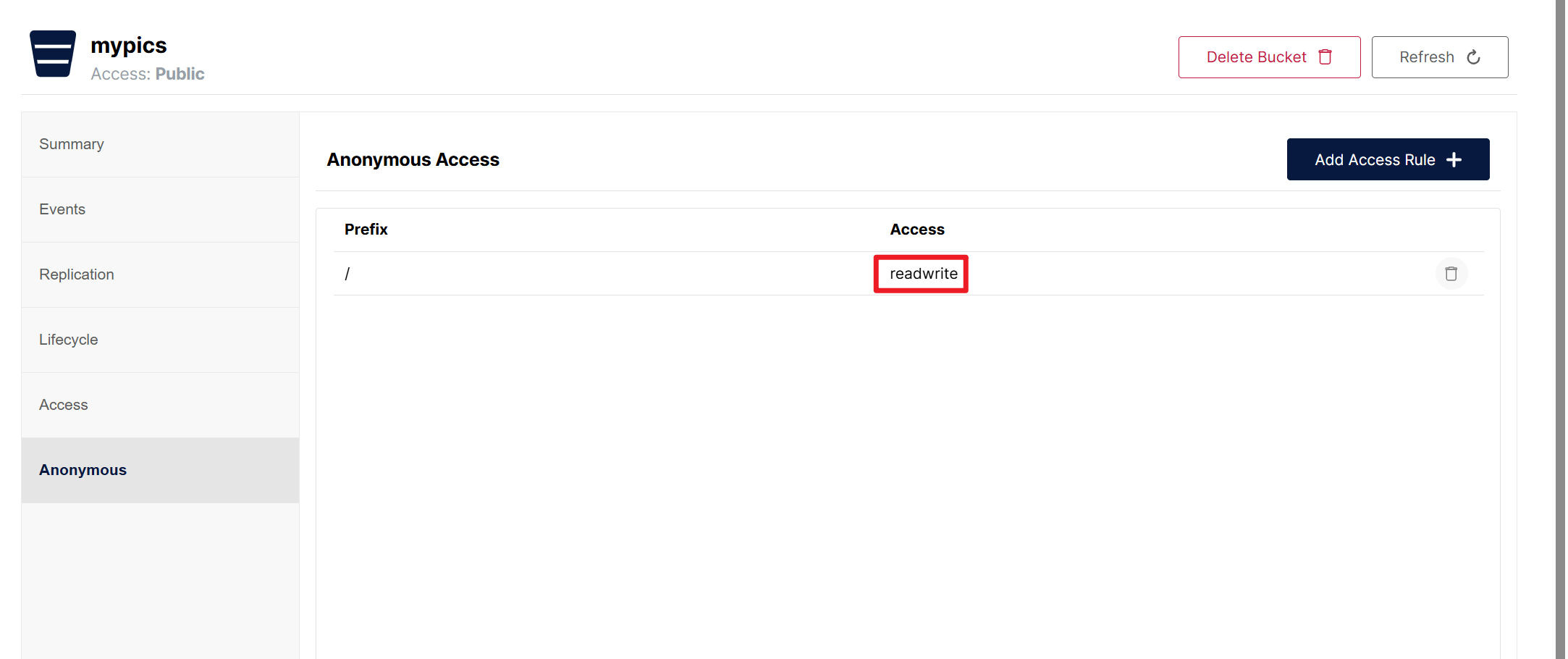
For MinIO public access, enable anonymous or otherwise publicly accessible object URLs in your bucket policy.
Network use and privacy
This plugin makes network requests only to the storage service you configure. It has no telemetry, analytics, or ads, and sends nothing to the plugin author.
- Files are sent to the service you choose. Uploading, listing, and deleting contact the active provider's endpoint:
- S3 (Generic) / MinIO: the endpoint you enter (for MinIO,
http://orhttps://as configured) - Cloudflare R2: your R2 S3 endpoint (
<account>.r2.cloudflarestorage.com) - Aliyun OSS:
<bucket>.<area>.aliyuncs.com(or your custom domain) - Tencent COS:
<bucket>.cos.<region>.myqcloud.com - Qiniu Kodo:
up-<area>.qiniup.comand the Qiniu API hosts - Upyun USS:
v0.api.upyun.com - GitHub:
api.github.com(links useraw.githubusercontent.comunless you set a custom domain) - Imgur:
api.imgur.com, or the proxy you configure - SM.MS (via S.EE):
s.ee/api/v1 - Local: no network access
- S3 (Generic) / MinIO: the endpoint you enter (for MinIO,
- Document preview. If you set the document preview option to Google Docs or Office Online, the public URL of the document is sent to
docs.google.com/viewerorview.officeapps.live.comso they can render it. Keep it Disabled to avoid this. - Accounts and cost. Every provider except Local needs an account (or self-hosted server) of your own. Some services are paid; check each provider's pricing.
- Local files outside the vault. The Local provider can use an absolute storage path. In that mode it reads, writes, and (optionally) moves to the system trash files outside your vault, because the gallery needs to list and manage the directory you chose. It only touches that directory.
- Credentials are stored in plain text. Access keys, tokens, and secrets are saved in the plugin's
data.jsonunder your vault's.obsidian/plugins/folder. If you sync or commit your vault (Git, cloud drives), exclude that file or use least-privilege keys. - No telemetry. The plugin does not collect usage data or crash reports.