
README file from
GithubOne DnD Character Sheet
An Obsidian plugin that renders a fully interactive D&D 2024 character sheet directly inside your vault — styled like D&D Beyond, but running entirely on your own Markdown notes.
Built to replace Dataview-based character sheets: instead of dataviewjs blocks re-rendering on every metadata change, this plugin uses its own MarkdownRenderChild-based code block processors, so editing one field doesn't force a multi-second refresh across the whole sheet.
Video Tutorial
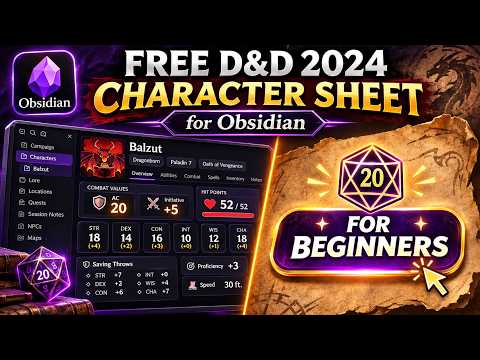
A full walkthrough — installing the plugin (and its one required dependency), creating a character two different ways, touring the finished sheet, leveling up, exporting to PDF, importing from D&D Beyond, adding homebrew content, and using it on mobile.
Features
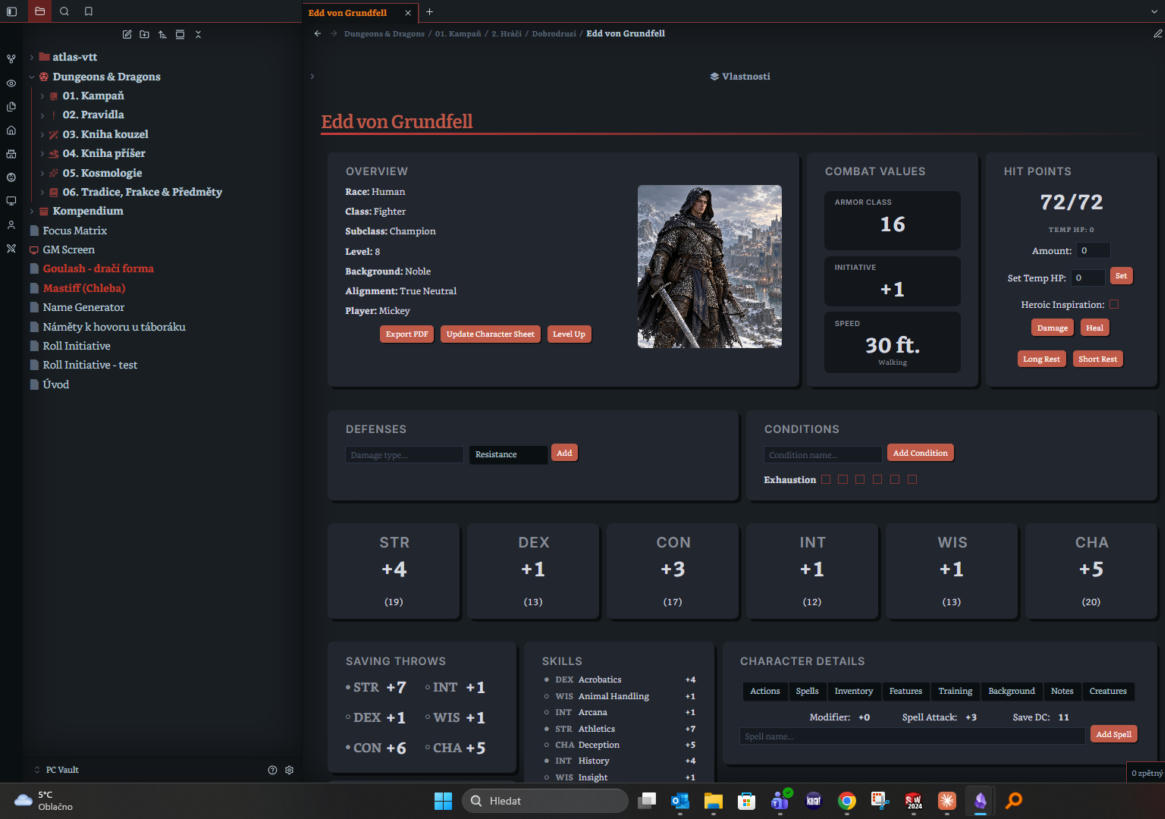
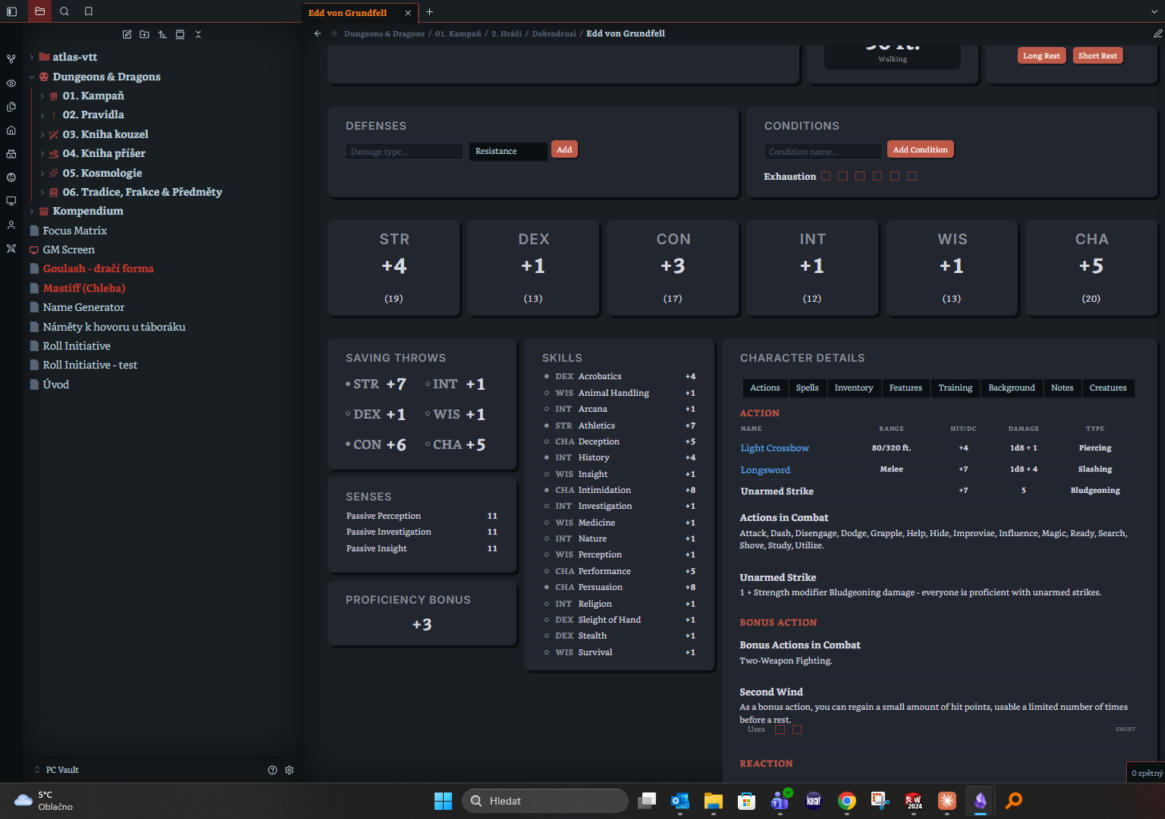
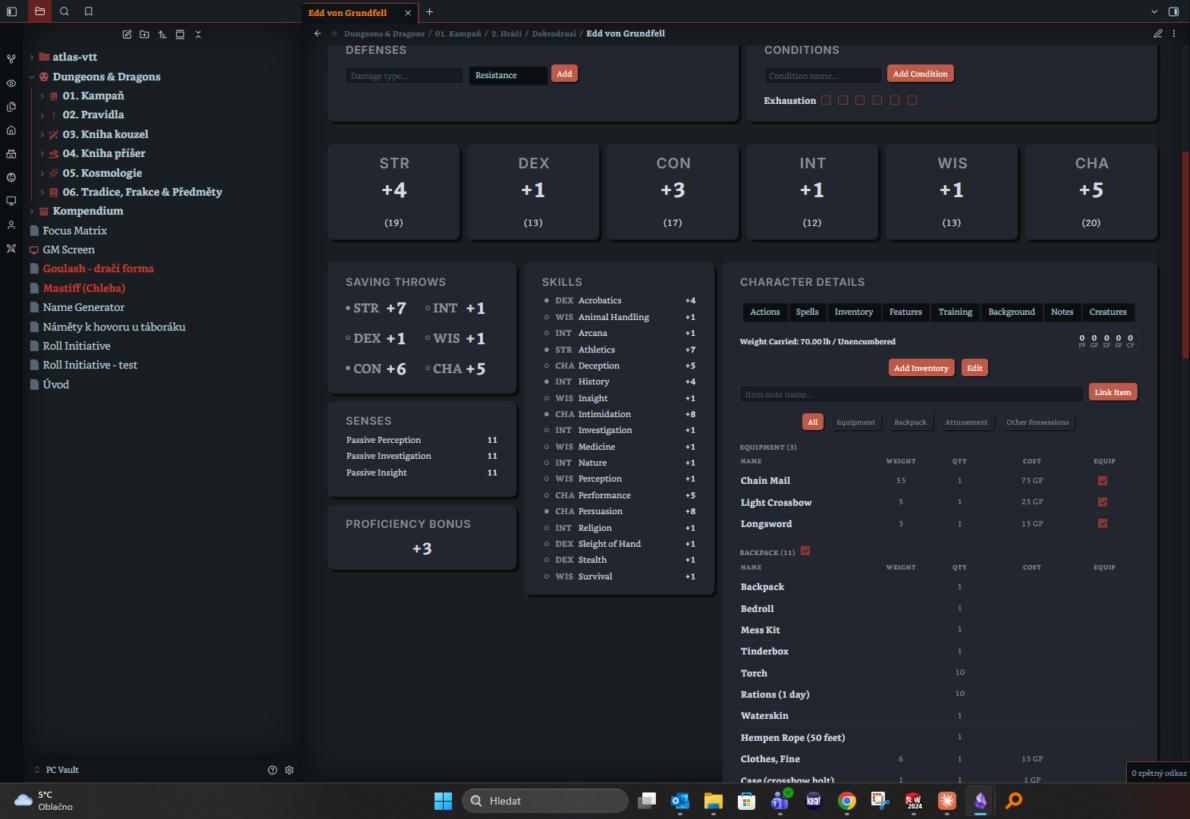
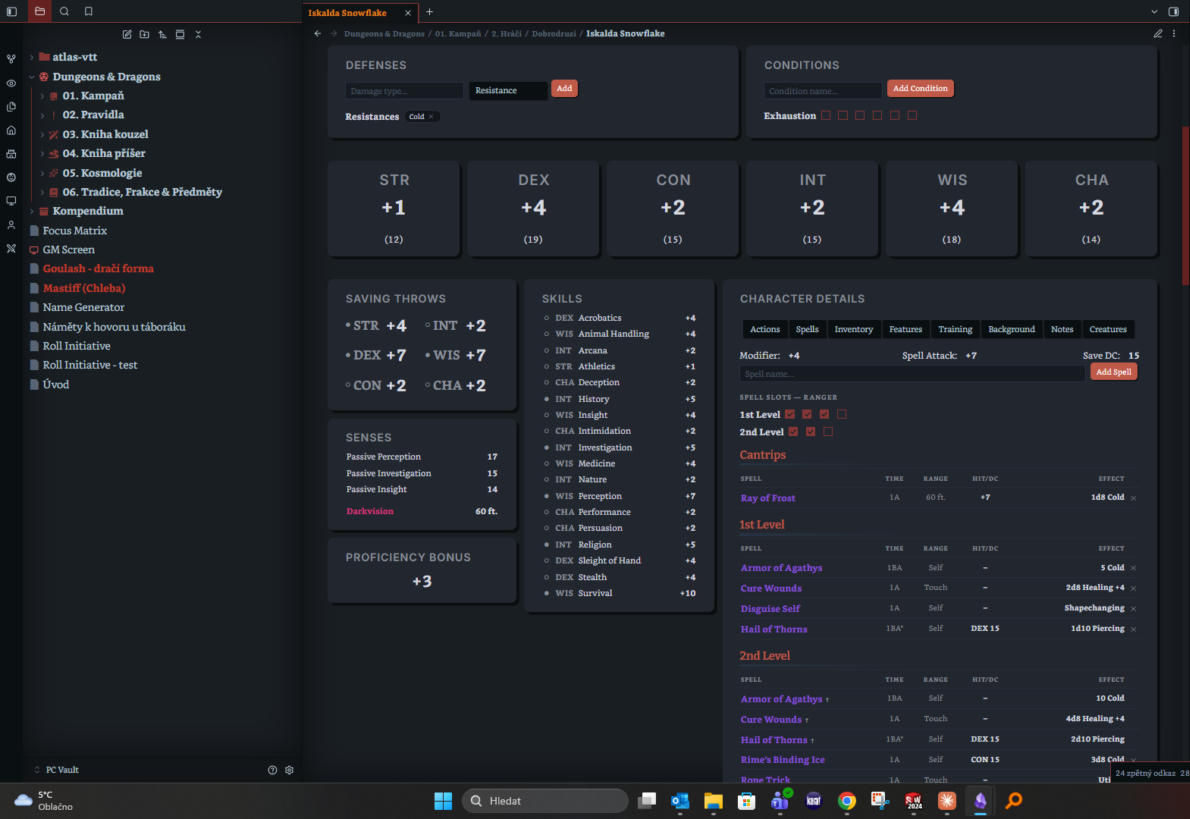
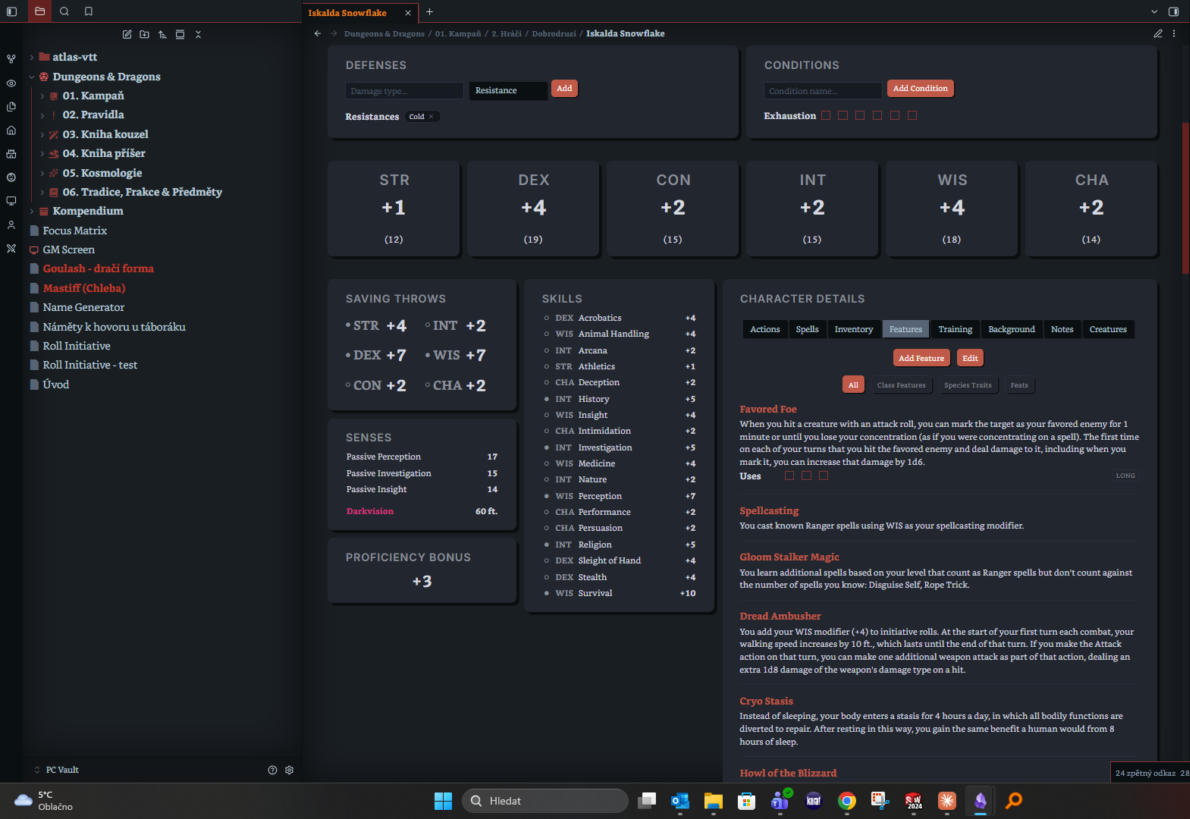
- Full character sheet with dedicated, always-live tabs: Overview, Abilities, Saving Throws, Skills, Senses, Proficiency Bonus, Defenses, HP, Conditions, Speed, Actions, Spells, Inventory, Features, and Notes.
- Create Character wizard: card-based Species/Class selection, 2024 backgrounds, ability score methods, languages, and class/species info panels — modeled on D&D Beyond's own creation flow.
- New in 1.5.0 — "For Beginners" quick-start: a one-click alternative to the full wizard, built for brand-new players or anyone who just wants to get into a game fast. See below.
- Inventory tab with Equipment/Backpack/Party Inventory sections, weight and currency tracking, and a real 3-slot Attunement mechanic.
- Item notes can be linked straight into a character's inventory ("Link Item"); when equipped, the plugin automatically computes attack bonus, damage, and AC from the note's frontmatter — see
docs/item-schema.md. - Actions tab that automatically lists weapon attacks and damage-dealing cantrips/spells alongside manually-added actions.
- Mobile-friendly navigation, adapted layouts for phone/tablet use.
- D&D Beyond character importer (Settings tab).
- PDF export, built around the official 2014-style character sheet PDF layout.
- Level-up flow wired to Ability Score Improvement / Feat choices.
- New in 1.10.1 — Uses that follow your character: a feature's Max Uses can be a fixed number or follow your Proficiency Bonus, an ability modifier (e.g. Charisma, minimum 1), your level, or level × N. It updates by itself when you level up or change ability scores. Lucky (PB), Bardic Inspiration (CHA mod, Short Rest from Bard 5), Favored Enemy, Breath Weapon, Healing Hands and Lay on Hands do this automatically.
- New in 1.9.0 — Atlas VTT support: characters show up in Atlas VTT as statblocks, with a compact tabbed layout and clickable slot/uses/death-save boxes that sync back to the sheet. See below.
- New in 1.9.0 — Unused character data cleanup: finds data folders no character uses any more and moves them to a
_Deletedfolder.
For Beginners quick-start
On the Create Character screen, click For Beginners instead of working through the full wizard page by page. You'll get a short, plain-language series of questions instead:
- Your character's name, and a portrait if you have one (optional — add it later if not)
- Starting level — most new campaigns start at 1, but you can start higher (3, 5, 8, 11, 15, or 20) if your table calls for it
- Your relationship with magic (none, a little, or mostly magic)
- What you want to do in a fight, which narrows down to a fitting class
- Who you are in the story (background)
- Who you want to be (species)
Answer those and the wizard fills in everything else for you, choosing options that actually fit the character you described rather than just whatever came first on a list:
- Ability scores (Standard Array, assigned to the abilities your class actually needs)
- Starting gear for your class, plus a general adventuring pack
- Skill proficiencies — both your background's fixed skills and your class's own "choose some" allowance
- Every choice-driven feature you have at your starting level (Fighting Style, Expertise, Pact Boon, Weapon Mastery pre-set to your actual starting weapons, and so on), so the Features tab never shows an empty pick
- Spell selections, if your class casts — cantrips and leveled spells, spread across every spell level you've actually unlocked, not just piled onto the lowest one
- Ability Score Improvements for anyone starting above level 1
Nothing here is final — every page is still fully editable before you click Create, so this is a starting point, not a lock-in. This flow only ever appears on Create Character; it has no effect on Update Character Sheet or the Level Up modal, and — matching the rest of this public release — it only ever offers the SRD-scoped classes, species, and backgrounds described under A note on scope below.
Screenshots
 |
 |
 |
 |
 |
Installation
Required community plugins
This plugin's sheet relies on two other community plugins to actually render correctly — tab switching, for example, works through a hidden Meta Bind button on each tab that runs a small JavaScript snippet via JS Engine. Install and enable both before creating a character, or the sheet will render incompletely (tabs that don't switch, blank sections, and similar):
- Meta Bind — install and enable it from Settings → Community plugins, then open Meta Bind's own settings tab and turn on its JavaScript option (off by default). Without it, Meta Bind refuses to run any of this plugin's
inlineJSbutton actions (the tab buttons included). - JS Engine — install and enable it the same way. No extra setting to flip here — installed and enabled is enough.
Two more community plugins are optional, each unlocking one feature if installed and enabled: Dice Roller (clickable roll buttons on Hit/Damage and Spell Attack/Save numbers — toggle in this plugin's own Settings) and Iconize, formerly Icon Folder (assigns an icon to every new character note — set the icon ID in this plugin's own Settings). The sheet works fine without either; you just get plain numbers/no icon instead.
Obsidian editor setting to turn off
Turn off Readable line length (Settings → Editor → Readable line length). With it on, Obsidian caps how wide a note's rendered content is allowed to get, which squeezes this plugin's fixed-width tabs/cards — most visibly the Saving Throws tab, which can end up looking oversized or cut off. This plugin's layout assumes the full note width is available.
From Community Plugins (recommended)
- In Obsidian, go to Settings → Community plugins → Browse.
- Search for "One DnD Character Sheet".
- Click Install, then Enable.
Manual installation
- Download
main.js,manifest.json, andstyles.cssfrom the latest release (or this repo). - Create a folder named
onednd-character-sheetinside your vault's.obsidian/plugins/directory. - Copy the three files into that folder.
- Reload Obsidian (or restart it), then enable "One DnD Character Sheet" under Settings → Community plugins.
Example vault
The example-vault/ folder contains a ready-to-use content library that follows the schemas documented in docs/item-schema.md and used throughout this plugin's Spells/Monsters tabs:
Items/— all 36 SRD weapons, all 13 SRD armors + shield, 78 pieces of adventuring gear (Common/), a handful of standalone gear notes (potions, kits, spell scroll), and generic+1/+2/+3magic weapon, armor, shield, and ammunition templates (Uncommon/,Rare/,Very Rare/).Spells/— all 339 SRD 5.2.1 spells (27 cantrips through 9th level), one note per spell, organized into level folders, formatted for this plugin's Spells tab.Monsters/— all 330 SRD 5.2.1 monster stat blocks (Aboleth through Zombie, animals included), one note per monster, formatted for the Fantasy Statblocks plugin convention this vault's Monster tooling expects.Feats/— all 17 SRD 5.2.1 feats, one note per feat, each tagged#Featso it's picked up automatically by the Create Character wizard, the For Beginners quick-start, and the Level Up modal's feat choices.Conditions/— all 15 SRD 5.2.1 conditions, one note per condition, each tagged#Conditionso the Conditions tab can link out to the full rules text.Senses/— the 5 SRD 5.2.1 special senses (Blindsight, Darkvision, Telepathy, Tremorsense, Truesight), each tagged#Sensefor the Senses tab.
Copy the contents of example-vault/ into your own vault to get a working, linkable content library out of the box. Download it directly from example-vault.zip in this repository, unzip it, and copy its contents into your vault — no need to clone the whole repo just for this.
A note on scope
Starting with v1.1.0, main.js itself is trimmed to match this exact scope. Earlier releases of this plugin shipped with a much larger, homebrew-expanded set of species, classes, subclasses, and spells hardcoded into the character creator (drawing on several other sourcebooks). That larger version is what the author actually plays with, but it isn't freely licensed for public redistribution, so this public release intentionally ships a reduced character creator:
- 9 species: Dragonborn, Dwarf, Elf, Gnome, Goliath, Halfling, Human, Orc, Tiefling.
- 12 classes: Barbarian, Bard, Cleric, Druid, Fighter, Monk, Paladin, Ranger, Rogue, Sorcerer, Warlock, Wizard (no Artificer).
- 12 subclasses, exactly one per class: Path of the Berserker, College of Lore, Life Domain, Circle of the Land, Champion, Warrior of the Open Hand, Oath of Devotion, Hunter, Thief, Draconic Sorcery, Fiend Patron, and Evoker.
- 339 spells, the complete SRD 5.2.1 spell list and no others.
If you want the fuller character creator with more species/classes/subclasses, you'll need to add that content yourself, checked against whatever source material you have the rights to use — this repository won't include it.
Known limitation: the Sorcerer (Draconic Sorcery) and Wizard (Evoker) subclasses were rewritten feature-by-feature against the official SRD 5.2.1 text and should be accurate. The other 10 subclasses use feature names/levels carried over from this plugin's original, older data (some may reflect 2014-edition wording/levels rather than the 2024 SRD phrasing) — the subclass names are all correct 2024-SRD choices, but their feature text hasn't yet been individually verified byte-for-byte against the SRD. Treat those 10 as "close, but worth double-checking" rather than guaranteed word-for-word.
The item library also intentionally contains only base equipment and generically-named magic item templates — no uniquely-named magic items (Bag of Holding, Ioun Stones, artifacts, etc.). The spell and monster libraries, by contrast, reproduce the SRD's actual spell/stat-block text in full, since the SRD's Creative Commons license explicitly permits that.
Atlas VTT
If the Atlas VTT plugin is installed, every character gets a hidden statblock copy, <Name> (Atlas).md, inside its own folder in the character data folder. Point a token's statblock at it (Atlas: "Import tokens from Fantasy Statblocks", or right-click a token → "Change statblock…") and Ctrl+hover the token to open it.
- The copy updates automatically whenever the sheet changes. Edit the sheet, not the copy.
- It uses its own compact, one-column template, "One DnD Character (Compact)", written to
atlas-vtt/statblock-templates/. Ability scores, AC, initiative and speed are always visible. Everything else sits in tabs: Actions, Spells, Skills, Features, Inventory, Defenses, Background. - Spell slots, limited uses, death saves and Heroic Inspiration show as checkboxes. To make them clickable, turn on Statblock editor in Atlas: press Space on a map → "Experimental features". Ticking a box in Atlas updates the character sheet. Atlas' Short rest and Long rest buttons work too.
- Settings → Atlas VTT has a switch to turn this off, and a "Sync now" button. There's also a command, "Sync all characters to Atlas VTT".
- Limits: spent hit dice exist only in Atlas, because the sheet doesn't track them. A Warlock multiclassed with another spellcaster keeps pact and regular slots apart, so Atlas slot clicks don't reach the sheet for those characters.
The compact template is based on the 5E (2024) character template from DnD Beyond Importer for Atlas by young-george (MIT).
Compact character card
The same compact layout your characters get as Atlas tokens, drawn by this plugin itself, so it works without Atlas (and on mobile). Put this code block in any note:
```onednd-compact
[[Character Name]]
```
Inside a character's own note you can leave the block empty. The card shows the header line, AC / Initiative / Speed / HP, the ability scores with saves, and the Actions, Spells, Skills, Features, Inventory, Defenses and Background tabs. Spell slots, limited uses, death saves and Heroic Inspiration are clickable checkboxes that update the character sheet. The card refreshes by itself when the sheet changes.
Roll for Initiative shows this card in its statblock pane when you click a player character (with Atlas VTT installed, it shows the Atlas card instead).
Cleaning up unused character data
Run the command "Clean up unused character sheet data", or use Settings → Character data folder → "Unused character data → Check". It lists data folders that no note uses any more, plus loose files from the old pre-folder layout. If you confirm, it moves them to <data folder>/_Deleted/ and deletes nothing. Deleting a character sheet now also removes its data folder more reliably.
Reporting bugs
Found something broken? Please open an issue on GitHub — include your Obsidian version, this plugin's version (Settings → Community plugins → installed plugins list), and what you were doing right before it happened. You can also jump straight there from inside Obsidian: Settings → D&D 2024 Character Sheet → "Report a Bug".
SRD Attribution
This work includes material from the System Reference Document 5.2.1 ("SRD 5.2.1") by Wizards of the Coast LLC, available at https://www.dndbeyond.com/srd. The SRD 5.2.1 is licensed under the Creative Commons Attribution 4.0 International License, available at https://creativecommons.org/licenses/by/4.0/legalcode.
This project is compatible with fifth edition and is not affiliated with, endorsed, sponsored, or specifically approved by Wizards of the Coast LLC.
License
The plugin code in this repository (main.js, styles.css, and the schema/documentation) is released under the MIT License — see LICENSE. The example item, spell, and monster notes in example-vault/ are derived from the D&D System Reference Document 5.2.1 and are used here under the CC-BY-4.0 license described above.