
README file from
GithubMounty-tool 0.5.0
Optional tools for connected notes: manual graph categories and colours, plus retained Zen/writing controls. Mounty and Omarchy remain standalone CSS themes with the same appearance at matching releases. The tool can also colour native Graph groups without replacing your theme. No automatic classification or bulk note edits are included.
This product's current source is https://github.com/sonlndv/Mounty-tool . Versioned runtime files are available from the 0.5.0 release when published. Official plugin-directory submission remains maintainer-owned and pending; a release/source file is not activation. The repository was renamed in place; its history and older releases remain.
One property, one category
In Settings → Mounty-tool → Graph categories, add a meaningful stable key,
a label, and paired dark/light colours using native colour pickers or six-digit hex fields. note starts cyan; restaurant
is an editable mint example, not an automatic classification. There is no hard
category-count limit. Keep colour meanings deliberate rather than inventing a
rainbow for each folder. Keys are trimmed, 1–64 characters, unique ignoring case,
and exclude quotes/control characters. Labels are 1–80 characters; invalid input
gets a visible notice instead of being silently saved. Existing keys are immutable
in the editor; editing a label or colour does not change any note values.
Example property (you assign it deliberately to one note):
mounty-graph: restaurant
Run Mounty-tool: Assign or clear graph category for current note, or use the
pen-ribbon tools menu. The modal pins the exact Markdown path and existing value.
Choose one category, then explicitly Assign, or explicitly Clear mounty-graph.
Cancel is the default and writes nothing. The public processFrontMatter API
changes/deletes only this property, preserving body and unrelated properties;
Obsidian may normalize frontmatter formatting. Full-file byte equality is not
promised for an explicit assignment. Changed/missing/renamed/replaced files,
malformed YAML, ambiguous list/object/nonstring values and unknown choices are
refused with a notice. Fix malformed values yourself; the tool will not convert
a list or guess a category. There are no startup/file-open writes or content scans.
Removing a category edits only plugin preferences. Existing note properties stay unmatched until you deliberately change or clear them. Labels/colours and category deletion never edit notes or native Graph automatically.
Preview, then Apply to native GLOBAL Graph
Open native Graph explicitly. Run Preview applying graph category colours
from commands, settings or the pen menu. The preview shows current dark/light
scheme, exact escaped queries/swatches and how many old groups will be retained.
Cancel remains default. Apply category colours prepends category rules,
so they take priority over overlapping existing rules, preserving all other
groups in their existing order and retaining search/filter/forces/zoom/layout.
A restaurant overlapping an old active-work group gets restaurant's one colour.
Whole-value property matching keeps note distinct from notebook.
Changing colours/categories or switching scheme saves only preferences: preview and Apply again to update Graph. Native custom group colours do not remap implicitly on theme/CSS changes. Repeated applies replace exact unedited owned snapshots without duplication. Foreign exact-query conflicts are refused; resolve those in native Graph before a fresh preview. A prefix is not ownership.
Preview removing unedited tool-owned graph rules is explicit undo. It removes only exact, unique, unchanged persisted tool-owned rule snapshots. Foreign or edited rules and all non-group options remain. Ownership survives reload/disable. Ambiguous duplicated exact snapshots are refused rather than guessed. Category or group/scheme/target changes since preview require a fresh preview. Own saves and Graph actions are serialized. Failed operations never report success and restore their changed groups only when the live state still exactly matches that operation's output; newer user state is left untouched. Inspect Graph and saved ownership after an error, especially if storage/core persistence failed.
Incoming external settings notifications are read immediately, including while an own save is pending. Captured incoming values take priority: a conflicting own edit is rejected with a notice, and its completed stale save is repaired from the captured input. A newer notification supersedes an older capture. Failed reads or restoration block further own writes until storage is repaired and a fresh valid refresh arrives; the tool never substitutes defaults for failed incoming data. This is bounded notification-based recovery, not cross-process atomic locking or a remote-sync guarantee: a value already lost before its notification/read cannot be recovered by this plugin. Reopen an edit or preview after a conflict.
Compatibility boundary
This uses non-public, narrowly validated global Graph dataEngine interop,
feasibility-probed in Obsidian 1.14.5: getOptions, partial
setOptions({colorGroups}), onOptionsChange, and optional debounce flush.
Generic leaf setState is not used; direct graph.json writes are not used.
Unsupported/missing/detached/local Graph shapes fail closed with an explicit
Open global Graph affordance if its core command exists. The tool never enables
a core plugin. Live group state is verified; native core disk persistence can
finish asynchronously and is not a transactional graph-file guarantee.
Note assignment, cancellation/clear, malformed/list property refusal, managed rule apply/removal and dark/light node colours have been exercised in an isolated synthetic Obsidian1.14.5 desktop vault. Physical mobile/IME, detached editors and remote sync are not certified.
Retained writing tools
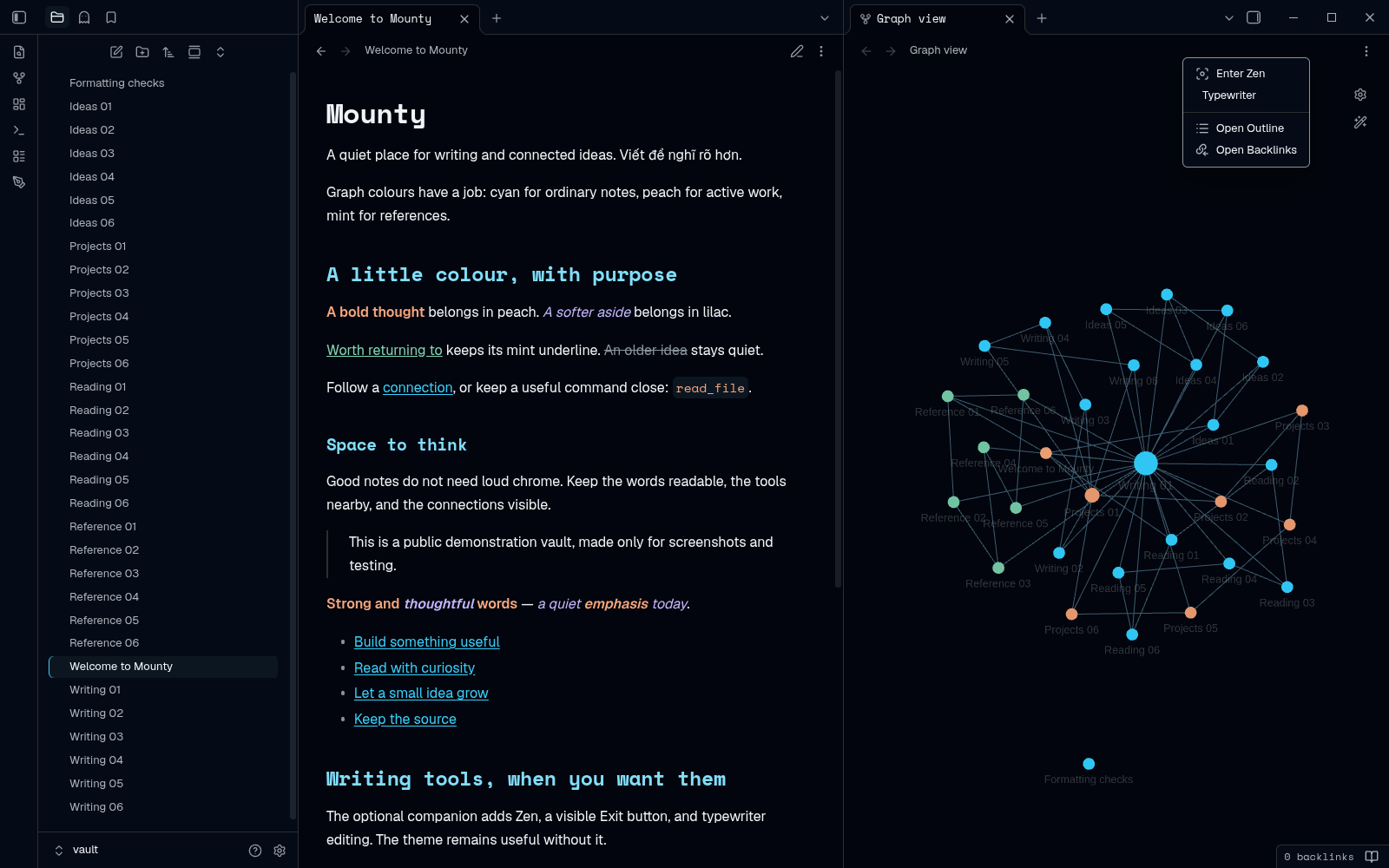
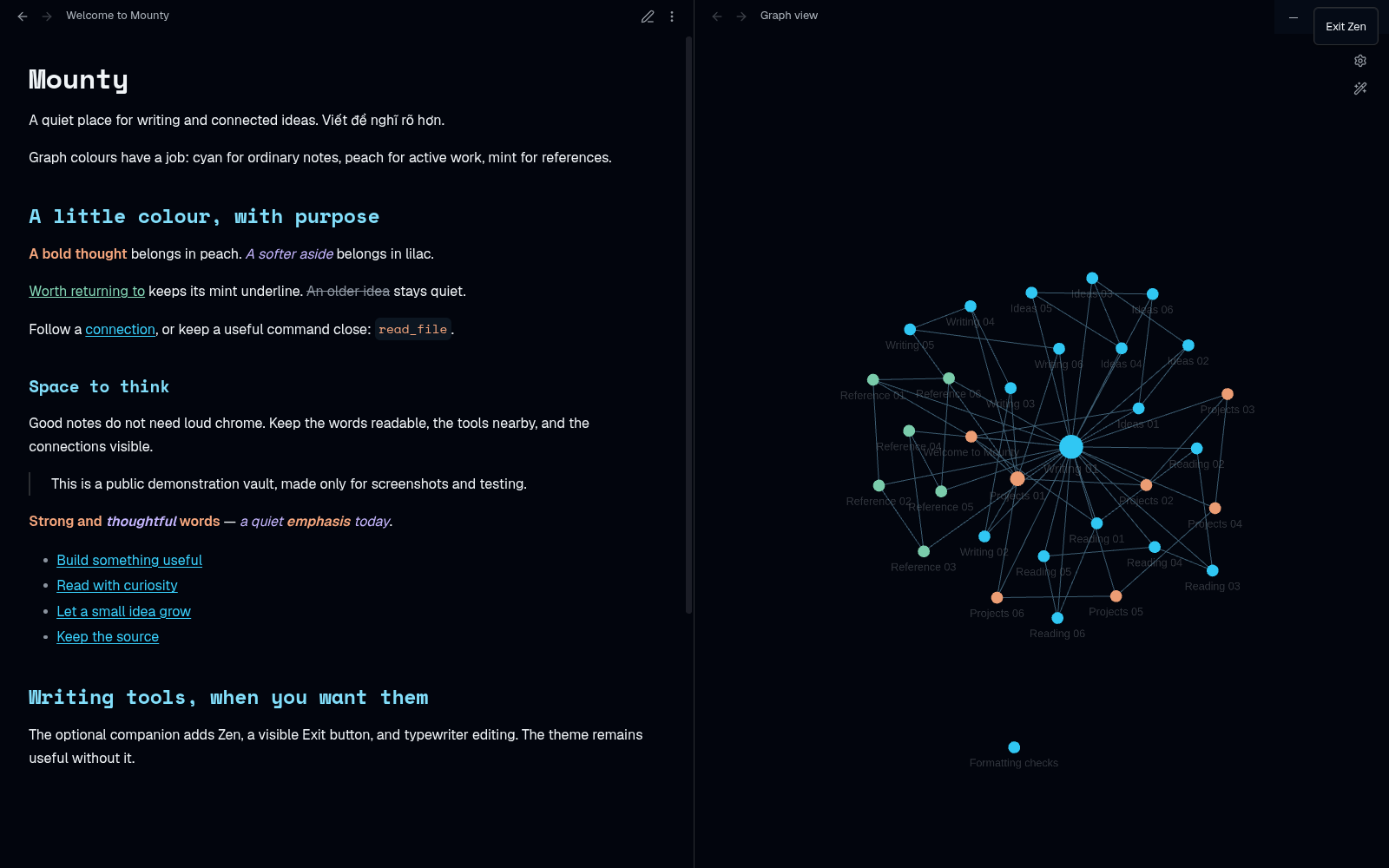
These older writing captures are not proof of the new Graph UI or category implementation. Zen always starts OFF, with visible Exit Zen and command exit. Typewriter and Follow Omarchy colours remain OFF by default; width is standard, hide filename title OFF. Existing saved values are retained. Native text sizing, IME/selection/manual-scroll/menu/modal guards, no Escape hijack, main-document menu ownership and unload cleanup remain. No default hotkeys or automatic panes. Follow-colours still needs the separately reviewed desktop hook; this plugin never executes shell or switches OS theme and cannot promise phone sync.
Settings separate Writing and Graph categories. Stable technical identity
and existing hotkeys/preferences remain in omarchy-writing. Commands:
omarchy-writing:open-writing-tools(pen ribbon; now includes Graph actions)omarchy-writing:toggle-zenomarchy-writing:toggle-typewriteromarchy-writing:assign-graph-categoryomarchy-writing:preview-graph-categoriesomarchy-writing:preview-remove-graph-categories
Manual install / upgrade
After review/publication, copy release main.js, styles.css, manifest.json to
<vault>/.obsidian/plugins/omarchy-writing/. Disable the old manual companion
before replacing files in that SAME folder, preserve data.json, then explicitly
re-enable Mounty-tool. Never create a second Mounty-tool/mounty-zen ID or enable
two copies. Theme updates do not install tools. Verify ID/version before any future
official directory install; none is claimed available here. See
migration and listing status.
Privacy, source, tests and rollback
Offline runtime: no account, network, telemetry, shell, dependencies/build step, self-updater or dependency installer. Obsidian provides the SDK. The ONLY deliberate note mutation is the selected note's mounty-graph frontmatter via the public API; the ONLY deliberate Graph mutation is partial native colour groups after preview. Own category/ownership/writing preferences are stored with saveData. There are no vault-content scans, bulk tags, taxonomy migrations or other-plugin writes.
node --check main.js
node --test tests/*.cjs
CI uses Node22 without installing packages. SDK-free tests are not native UI proof. Inherited minimum metadata remains 1.5.0, not freshly tested across old versions. Graph interop targets main-window 1.14.5 shapes; physical phone, detached windows, mobile IME and sync are not certified. The old generator/0.4.1 companion in obsidian-omarchy-theme is preserved history, not the future plugin source or byte-parity authority for this functional release. Generated 0.4.1 palette CSS remains an exact prefix; no fonts/theme palettes/images/licenses are recoloured.
Before rollback, explicitly preview/remove unedited owned rules if desired; disabling alone does not delete saved note categories or Graph groups. Disable, restore owned backed-up runtime in the same folder and retain data.json. Older versions ignore new Graph fields and cannot manage these rules; native Graph can be edited manually. Never erase notes, Groups, layout or other preferences. Manual installation into your chosen vault is a separate deliberate action. No directory approval or live-vault activation is implied by source publication.
Original author Le Son; MIT LICENSE. Existing images/attribution remain.