Oh My Claudian

by Lee
5
4
3
2
1
Score: 47/100

Description

Bring Claude Code, Codex, Cursor, Grok, OpenCode, Oh My Pi, and Pi into your Obsidian vault — a Claudian fork.

Reviews

No reviews yet.

Stats

4
stars
400
downloads
0
forks
13
days
3
days
3
days
79
total PRs
0
open PRs
3
closed PRs
76
merged PRs
2
total issues
1
open issues
1
closed issues
847
commits

Latest Version

4 days ago

Changelog

What's Changed

  • chore: release 2.4.0 (#81)

Full Changelog: https://github.com/lee259/oh-my-claudian/compare/2.3.0...2.4.0

README file from

Github

Oh My Claudian

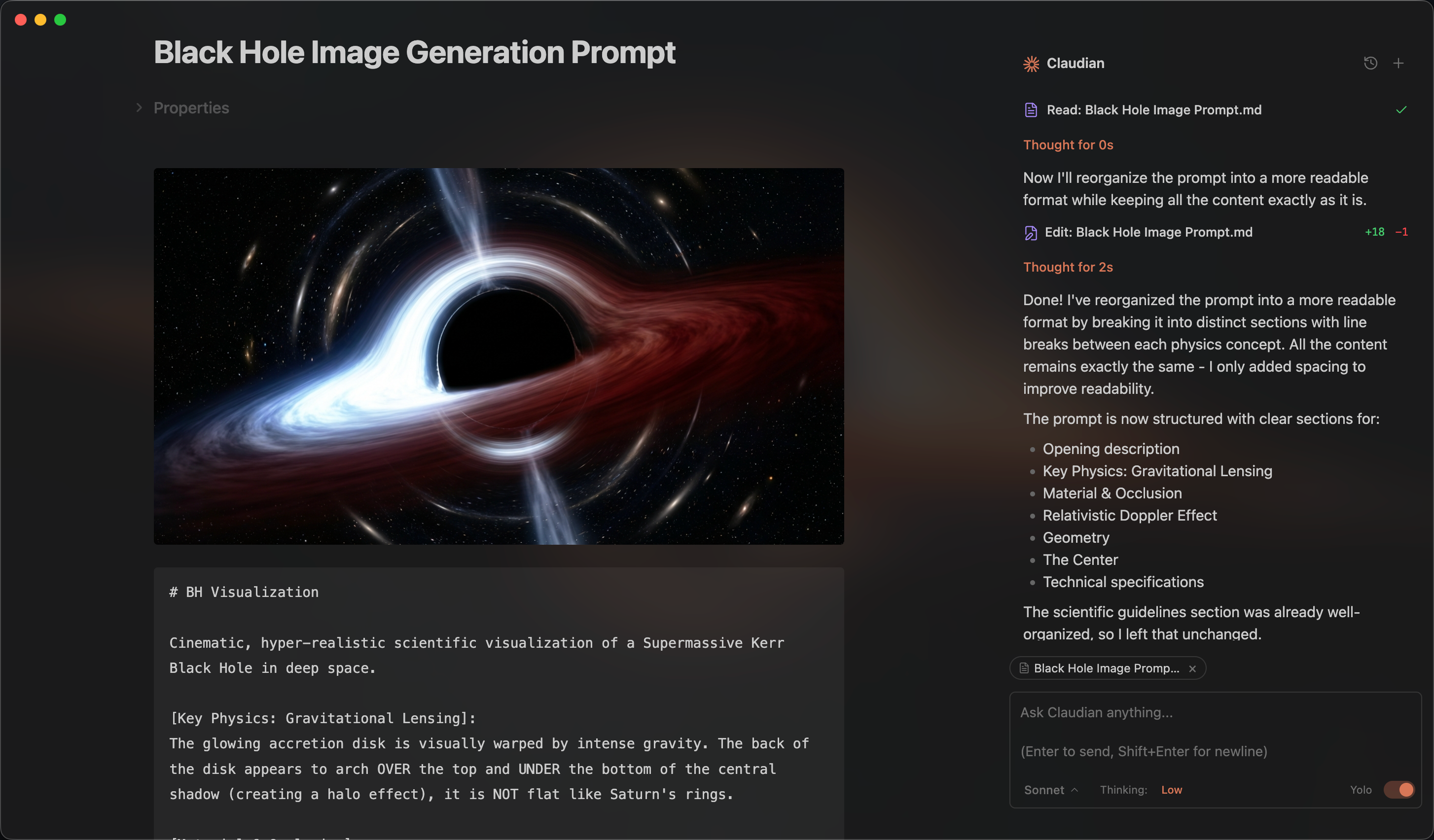
Preview

Oh My Claudian is an Obsidian plugin that embeds coding agents in your vault. Agents can read, write, search, run commands, and carry out multi-step workflows in the vault working directory.

Install from Obsidian Community Plugins · View on GitHub

This repository is based on YishenTu/claudian and adds Oh My Pi (OMP) and Cursor support through ACP.

Why Oh My Claudian?

Oh My Claudian gives you one Obsidian chat workspace for seven coding-agent providers while keeping each provider's native strengths visible:

  • Switch between Claude, Codex, Cursor, Grok, OMP, OpenCode, and Pi without changing your vault workflow.
  • Use provider-aware model discovery, readiness checks, permissions, planning, MCP, image attachments, and session recovery where supported.
  • Start safely with approval-oriented defaults, then opt into more powerful modes when you need them.
  • Run Oh My Claudian alongside the original Claudian plugin without sharing its Obsidian view type or composer styling.

Added in This Repository

  • Oh My Pi (OMP) — An ACP-backed OMP provider with model discovery and selection in the chat sidebar.
  • Cursor — A Cursor Agent ACP provider with model discovery and selection in the chat sidebar.

Features

  • Sidebar chat, multiple tabs, conversation history, fork, resume, and compact.
  • Inline edits with word-level diff preview.
  • Slash commands, skills, @ mentions, and instruction mode.
  • Provider-specific planning, permissions, reasoning controls, and model selection.
  • Provider readiness diagnostics in each provider settings tab, covering enablement, CLI availability, model discovery, and model selection.
  • Readiness state refreshes immediately after provider enablement changes, so the settings page does not show stale status.
  • Model catalog state in provider settings, including freshness, cached/failed refresh state, default model, and all-versus-explicit selection.
  • Provider-neutral execution outcomes for completion, cancellation, invalidation, and recoverable errors, with recovery actions fenced while a turn is active.
  • Drag files and folders from Obsidian or your desktop into the composer to attach them as clickable context chips.
  • MCP support where available from the selected provider.
  • Internationalized interface with 10 locales, including Simplified and Traditional Chinese.

Plan Mode — Toggle via Shift+Tab. The agent explores and designs before implementing, then presents a plan for approval.

Instruction Mode (#) — Refined custom instructions added from the chat input.

MCP Servers — Connect external tools via Model Context Protocol (stdio, SSE, HTTP). Claude manages vault MCP in-app; other harnesses use their own CLI-managed MCP configuration.

Tabs & Session Management — Use multiple tabs in single-panel mode or a persistent session manager beside the chat in dual-pane mode.

Requirements

Installation

  1. Open Obsidian → Settings → Community plugins → Browse.
  2. Search for Oh My Claudian, install it, and enable the plugin.

You can also open the Oh My Claudian community plugin page directly.

From source (development)

cd /path/to/vault/.obsidian/plugins
git clone https://github.com/lee259/oh-my-claudian.git
cd oh-my-claudian
pnpm install
pnpm run build

Then enable the plugin in Obsidian under Settings → Community plugins.

Usage

Open the chat sidebar from the ribbon icon or command palette. Select text and use the inline-edit hotkey to edit notes with a diff preview. Use / for commands and skills, @ to reference vault files or provider resources, or drag files and folders into the composer to attach them as context chips. Click an attached file chip to open it in Obsidian. Use the provider selector to choose Claude, Codex, Cursor, Grok, OMP, OpenCode, or Pi.

First run

  1. Open Settings → Oh My Claudian and choose a provider tab.
  2. Enable the provider, confirm its Readiness checks, and select a chat model.
  3. Open the chat view and send your first message. Oh My Claudian performs a lightweight preflight before sending and preserves your input if the Provider is not ready. Use the inline recovery card to retry, rebuild a session, or view detailed diagnostics.

Each provider has a readiness panel in its settings tab. Use it to see whether the provider is enabled, its CLI is available, models have been discovered, and a chat model is selected. The panel refreshes after enablement changes and lets you recheck the current provider state; installation and authentication remain provider-native. Model pickers also show whether the catalog is fresh, cached, or failed to refresh, along with the provider default and current selection mode.

OMP requires its CLI to be installed and logged in separately. In Settings → Oh My Claudian → OMP, enable the provider, set the CLI path if it is not detected automatically, and use Discover to load available models.

Cursor requires the Cursor Agent CLI (agent) to be installed and authenticated separately. Run agent login, then enable Cursor in Settings → Oh My Claudian → Cursor. Leave the CLI path blank for automatic detection; if Obsidian cannot see your shell PATH, set the absolute path to agent and click Discover to load models. Cursor sessions support Agent, Ask, and Plan modes, image attachments, and Cursor-owned MCP configuration. Persisted Cursor transcripts are restored from Cursor's local ACP session store; native session enumeration, fork, rewind, turn steering, and provider commands are not currently exposed by the Cursor integration.

Cursor ACP limitations

Cursor's current ACP implementation does not expose token usage in session/prompt responses and does not emit the standard usage_update notification. Oh My Claudian therefore cannot display real Cursor token counts or context usage; any initial context indicator is only a local placeholder. This is an upstream Cursor Agent CLI limitation, not an Oh My Claudian setting. See the Cursor report about missing PromptResponse.usage and the request to emit usage_update.

Cursor itself has local conversation history and supports CLI resume commands such as cursor-agent ls and cursor-agent resume. Oh My Claudian can restore conversations that already have a persisted Cursor session ID by reading Cursor's local ACP transcript store. The limitation is that Cursor's ACP channel does not currently expose a stable session-list API, so Oh My Claudian does not yet import or live-list every standalone Cursor session. This is read-only hydration of Oh My Claudian's own conversation records.

Development

pnpm run dev
pnpm run build
pnpm run typecheck
pnpm run lint
pnpm run test

pnpm run dev watches TypeScript, styles, and manifest.json. When OBSIDIAN_VAULT is set in .env.local, rebuilt plugin resources are copied to that vault automatically, including CSS and manifest changes.

Release

Releases are created automatically by .github/workflows/release.yml when a version tag is pushed.

  1. Update the version in package.json, pnpm-lock.yaml, and manifest.json, keeping all three values identical.

  2. Run the local validation checks:

    pnpm run typecheck
    pnpm run lint
    pnpm run test
    pnpm run build
    
  3. Create a tag that exactly matches the manifest.json version, for example:

    git tag <version>
    git push origin <version>
    

    If your writable remote is named fork, use git push fork <version> instead.

The workflow validates the version, builds the plugin, runs the performance check, generates release notes, and publishes main.js, manifest.json, and styles.css to the GitHub Release. These are the files used for the Obsidian Community Plugins release.

Privacy

Your input, attachments, and tool results are sent only to the provider you select: Claude, Codex, Cursor, Grok, OMP, OpenCode, Pi, or their configured model providers. Oh My Claudian does not send telemetry. Network activity is limited to explicit provider work and configured MCP endpoints.

Security and trust boundaries

Oh My Claudian is designed to make powerful local agents safer to operate without presenting application-level controls as a filesystem sandbox:

  • New installations start in Safe mode. Provider-native permission controls decide when an operation requires approval; YOLO remains an explicit user choice.
  • The optional ! bash mode is disabled by default. When enabled, it runs commands directly as the current OS user and should be treated like a local terminal.
  • External files and folders enter the conversation as explicit context attachments instead of being silently added by Oh My Claudian.
  • An external file attachment is context only; mentioning or attaching a file does not grant write access. Direct edits outside the vault are routed through the provider approval flow when supported, and direct file APIs reject paths outside the vault.
  • Rejecting an external write prevents that write operation; it does not create a persistent allow rule. Review each approval request and use provider-native permission settings for any broader trust decision.
  • Provider-owned settings, transcripts, and permission rules remain provider-owned. Oh My Claudian does not rewrite native history or send telemetry.

The vault is the agent's working directory, not an operating-system security boundary. A local provider CLI, shell command, MCP server, plugin, or other child process may be able to access files, network services, and credentials available to your OS account. Safe/approval mode reduces accidental actions but cannot guarantee that every indirect access path is confined to the vault.

For sensitive personal or business data, use OS-level isolation such as a dedicated user account, container, VM, or Windows Sandbox, restrict network and credential access, keep backups, and review provider-native permission rules before enabling YOLO, bash mode, browser access, MCP servers, plugins, or external context paths.

Troubleshooting

If a provider CLI is not found, first leave its configured path blank so Oh My Claudian can auto-detect it. If detection fails, set the executable path in the provider settings and ensure its runtime is available to Obsidian's PATH.

For OMP specifically, verify that the CLI is installed, logged in, and executable by the Obsidian desktop process. If model discovery fails, set the absolute OMP path in the OMP settings tab and try Discover again.

For Cursor, verify that agent is installed and that agent login completed. If the CLI is not found or model discovery fails, set the absolute agent path in the Cursor settings tab and try Discover again. Cursor MCP servers remain configured by Cursor (for example, in .cursor/mcp.json) rather than duplicated in Oh My Claudian.

Architecture

src/
├── app/          # Application services and persistence
├── core/         # Provider-neutral contracts and runtime
├── providers/    # Provider adaptors, including ACP, Cursor, and OMP
├── features/     # Chat, inline edit, and settings UI
├── shared/       # Reusable UI components
└── style/        # Modular CSS

Contributing

Issues and focused pull requests are welcome. Before opening one, please search existing issues and pull requests to avoid duplicates. For substantial changes, open an issue first so the problem and scope can be discussed.

Pull requests should focus on one problem and explain:

  • Why the change is needed and who it affects.
  • What behavior or code changed, and why this approach was chosen.
  • How it was validated, including tests and manual checks.
  • Known limitations, compatibility risks, and follow-up work.

Add or update tests for behavior changes, preserve provider ownership boundaries, avoid unnecessary production dependencies, and update documentation for user-facing changes. New provider additions are not accepted; improvements to existing providers should document provider-specific capabilities and limitations.

See CONTRIBUTING.md for the full development and pull request guide.

License

Licensed under the MIT License.